
Liz Staley – författare
417 kr
Läs direkt efter köp
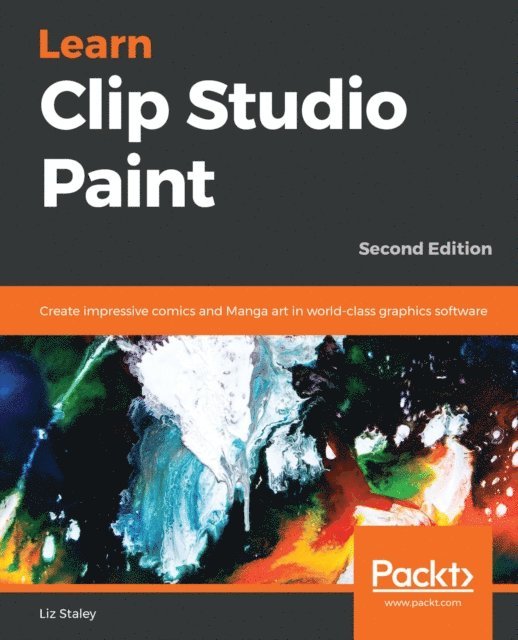
Take your comics and illustrations to the next level with the powerful art tools in Clip Studio Paint 1.8
Key Features
Overcome “interface overwhelm” with a practical breakdown of the Clip Studio interfaceComprehensive guide on the Clip Studio Paint with detailed coverage of all the tools and concepts of designing comics Streamline your workflow to create faster and easier using Clip Studio’s featuresBook Description
Clip Studio Paint, the successor to Manga Studio, is used by over four million illustrators and comic creators around the world. This book will guide you through every step of learning this software, from system requirements and installation, all the way through to exporting your work for print or the web. Learn how to create new documents, customize tools to fit your working style, use ruler tools to create anything from straight lines to intricate backgrounds, add 3D elements, create comic panels using the specialized panel tools, utilize screentones and materials, add text and word balloons to your comics, create sound effects, easily flat and color your comics using reference layers, and bring your drawings to life using the animation features.
By the end of this book, you will be able to navigate the Clip Studio Interface and program preferences, customize the various tools, and be able to create your own black-and-white and color illustrations and comics from start to finish.
What you will learn
Understand the differences between Clip Studio Paint Pro and EXDiscover how to navigate and customize the user interface Creating custom tools that fit your unique style of illustrationUsing the ruler tools to create intricate perspective shots and complex symmetryDiscover how to use 3D elements in your workLearn how to create lettering and word balloons to bring your comic stories to lifeUnderstand the process of digital art creation from pencils to inks to colorUnderstand how to use the animation tools available in Clip Studio PaintWho this book is for
If you are a beginning digital artist or are switching to Clip Studio from another graphics software, this book is for you. This book is excellent for those with no knowledge of digital art up to intermediate users looking to explore the unique features of Clip Studio Paint.
585 kr
Skickas inom 5-8 vardagar
569 kr
Läs direkt efter köp
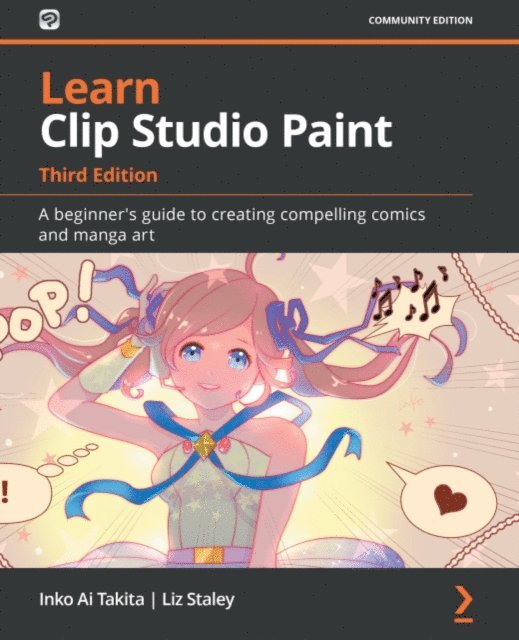
Discover the tools to tell your own manga story with Clip Studio Paint and develop your digital drawing skills
Key Features
A helpful guide to gain a clear understanding of Clip Studio Paint and create your own manga stories with key images printed in colorLearn to put CSP into practice by implementing it in real-world drawing scenariosDiscover how to apply digital drawing techniques to your creation using CSPBook Description
Clip Studio Paint is a versatile digital painting program for creating manga and illustrations, helping artists expand their digital portfolio. This software is packed with tools that make panel laying, speech adding, toning, and editing much easier. This easy-to-follow guide is clearly divided into chapters covering drawing tools, interface customization, and using various visual effects so you can focus on specific techniques in detail one at a time.Learn Clip Studio Paint is a comprehensive introduction for those who are new to Clip Studio Paint that will have you up to speed in no time. You''ll start by experiencing what it''s like to create manga digitally and find new ways to shape your drawing. Next, using practical tips and rich visual references, the book shows you how to apply techniques to your creations, giving you the opportunity to expand your range of visual expression. As you advance, you''ll explore how to create special effect brushes using an in-depth example, along with discovering how to color, blend, and edit your art digitally. Finally, you''ll find out how to print, use the Clip Studio Paint Assets, and learn how to create unique and inspiring art that stands out from the rest.By the end of this Clip Studio Paint book, you''ll have gained a clear understanding of its tools and be able to start telling your own manga story using your improved digital drawing skills.What you will learn
Explore Clip Studio Paint and create your own manga storiesFamiliarize yourself with the CSP ecosystemUse Clip Studio Paint Pro s inking tools and find ways to customize your artExplore the flexibility of the brush engine in Clip Studio Paint ProUse palettes to generate colors between foreground and background colorsFind out alternative ways of coloring your manga art using black, white, and greyDiscover how to use layer blending to add textures to your imagesWho this book is for
If you''re just starting out as a digital artist or want to switch to Clip Studio Paint from a different graphics software package, then this book is for you. Those with no prior knowledge of digital art or intermediate-level users looking to explore the unique features of Clip Studio Paint will also find this book useful.
797 kr
Skickas inom 5-8 vardagar
Learn Clip Studio Paint
A beginner's guide to creating compelling art in manga, comics, and animation
618 kr
Skickas inom 5-8 vardagar
481 kr
Läs direkt efter köp
This beginner-friendly colored-guide to Clip Studio Paint equips you with all the essential tools to tell your own manga story and develop your digital drawing skills.
Key Features
An illustrated guide by an award-winning artist for creating manga art and comic books digitallyExplore essential drawing, inking, and coloring techniques to create captivating characters and stories that pop off the pageTake your first steps into animation with Clip Studio Paint to add movement to your artworkBook Description
Ever dreamed of creating your own manga art or comic books? Learn Clip Studio Paint, Fourth Edition is your roadmap to becoming a digital artist! This beginner-friendly guide takes you on a step-by-step journey of digital illustration. You’ll get to grips with one of the essential features of digital illustration, layering, as you go through the process of penciling and inking your art. If you’re interested in creating a webtoon graphic novel or web comic, you’ll be happy to learn about comic-making essentials such as panels, sound effects, and speech bubblesIn this edition, you’ll learn artistic techniques alongside Clip Studio Paint features, including a new focus on how to bring your artwork to life with proportions and perspective. You’ll learn how to draw characters with various brushes and brush customizations, as well as exploring coloring methods and rulers to make your stories pop. The edition also dives into exciting new features like using 3D models to draw poses and the basics of creating animationsPacked with clear instructions and illustrated examples, this book is your one-stop shop for learning Clip Studio Paint. If you dream of creating your own manga art or comics, this guide equips you with skills to achieve your goals!What you will learn
Organize layers to make your artwork easy to editCustomize tools and brushes to draw compelling charactersImplement inking and coloring techniques in your artCraft engaging comic panel layoutsEmploy layer masks and screentones for professional resultsUse 3D models to learn poses for your charactersExplore animation basics to bring your artwork to lifeLeverage Clip Studio Paint''s vast library of assetsExport your creations for various platforms, including print and webWho this book is for
If you''re just starting out as a digital artist or want to switch to Clip Studio Paint from a different graphics software package, then this book is for you. While this book is designed for those with no prior knowledge of digital art, intermediate-level users looking to explore the unique features of Clip Studio Paint will also find this book useful.