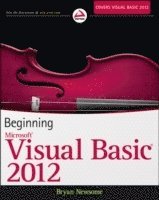
Beginning Visual Basic 2012
Häftad, Engelska, 2012
487 kr
Beställningsvara. Skickas inom 5-8 vardagar. Fri frakt över 249 kr.
Beskrivning
The ultimate beginner's guide to programming in Visual Basic 2012 Visual Basic, used to write Windows applications and web apps with ASP.NET, is an essential language for beginning programmers. Using the time-tested Wrox approach, this guide provides a step-by-step format that gets beginners up and running quickly and confidently. Essential topics covered include writing Windows applications, working with dialog boxes and menus, object oriented programming techniques, programming for graphics, using Visual Basic with ASP.NET for web apps, and dealing with data access and SQL Server. Visual Basic is a popular first language for beginning programmers; this Wrox beginner's guide covers all aspects of the newest versionUses a basic, step-by-step approach to help beginners learn quickly and easilyCovers essential topics including flow control, data structure, writing Windows applications, error handling and debugging, objects and object oriented techniques, and class librariesExplains Windows Forms, graphics programming, accessing databases, web programming using Visual Basic with ASP.NET, data access, SQL Server, ADO.NET, and XMLBeginning Visual Basic 2012 is a must-have for programming newcomers who want to get a solid footing in one of the most important programming languages.
Produktinformation
- Utgivningsdatum:2012-09-14
- Mått:183 x 234 x 41 mm
- Vikt:1 247 g
- Format:Häftad
- Språk:Engelska
- Antal sidor:744
- Förlag:John Wiley & Sons Inc
- ISBN:9781118311813
Utforska kategorier
Mer om författaren
Bryan Newsome works as a senior programmer and analyst specializing in Microsoft solutions. He provides clients with solutions and mentoring on leading-edge Microsoft technologies. Bryan is a Microsoft Certified Application Developer for VB.NET.
Innehållsförteckning
- INTRODUCTION xxvii CHAPTER 1: WELCOME TO VISUAL BASIC 2012 1Event-Driven Programming 2Installing Visual Basic 2012 3The Visual Studio 2012 IDE 6The Profile Setup Page 6The Menu 7The Toolbars 8Creating a Simple Application 9Windows in the Visual Studio 2012 IDE 10The Toolbox 14Modified Hungarian Notation 17The Code Editor 18Using the Help System 23Summary 23CHAPTER 2: THE MICROSOFT .NET FRAMEWORK 27Microsoft’s Reliance on Windows 28MSN 1.0 28The .NET Vision 29This Sounds Like Java 30Where Now? 30Writing Software for Windows 31The .NET Framework Classes 32Executing Code 33Common Language Runtime 34Code Loading and Execution 35Application Isolation 35Security 35Interoperability 36Exception Handling 36The Common Type System and Common Language Specification 37Summary 37CHAPTER 3: WRITING SOFTWARE 41Information and Data 41Algorithms 42What Is a Programming Language? 43Working with Variables 44Comments and Whitespace 46Comments 47Whitespace 48Data Types 49Working with Numbers 49Common Integer Math Operations 50Integer Math Shorthand 52The Problem with Integer Math 54Floating-Point Math 54Other States 56Single-Precision Floating-Point Numbers 56Working with Strings 57Concatenation 58Using the Concatenation Operator Inline 59More String Operations 59Substrings 61Formatting Strings 62Localized Formatting 63Replacing Substrings 64Using Dates 65Formatting Date Strings 66Extracting Date Properties 67Date Constants 68Defining Date Literals 69Manipulating Dates 70Boolean 71Storing Variables 71Binary 71Bits and Bytes 72Representing Values 73Converting Values 74Methods 76Why Use Methods? 76Methods You’ve Already Seen 77Building a Method 80Choosing Method Names 83Scope 84Summary 86CHAPTER 4: CONTROLLING THE FLOW 89Making Decisions 89The If Statement 90The Else Statement 92Allowing Multiple Alternatives with ElseIf 92Nested If Statements 94Single-Line If Statement 94Comparison Operators 94Using Not Equal To 94Using the Numeric Operators 96The And and Or Operators 99Using the And Operator 101More on And and Or 102String Comparison 103Select Case 104Case-Insensitive Select Case 108Multiple Selections 110The Case Else Statement 112Different Data Types with Select Case 112Loops 113The For…Next Loop 113Using the Step Keyword 116Looping Backward 117The For Each…Next Loop 118The Do…Loop Loops 119Do While…Loop 121Acceptable Expressions for a Do…Loop 123Other Versions of the Do…Loop 123Nested Loops 124Quitting Early 126Quitting Do…Loops 128Infinite Loops 129Summary 130CHAPTER 5: WORKING WITH DATA STRUCTURES 133Understanding Arrays 134Defining and Using Arrays 134Using For Each…Next 137Passing Arrays As Parameters 139Sorting Arrays 141Going Backward 142Initializing Arrays with Values 144Understanding Enumerations 145Using Enumerations 145Determining the State 149Setting Invalid Values 151Understanding Constants 152Using Constants 152Different Constant Types 154Structures 155Building Structures 155Adding Properties to Structures 158Working with ArrayLists 159Using an ArrayList 159Deleting from an ArrayList 163Showing Items in the ArrayList 166Working with Collections 167Creating CustomerCollection 168Adding an Item Property 170Building Lookup Tables with Hashtable 171Using Hashtables 172Cleaning Up: Remove, RemoveAt, and Clear 175Case Sensitivity 177Advanced Array Manipulation 179Dynamic Arrays 179Using Preserve 181Summary 182CHAPTER 6: EXTENSIBLE APPLICATION MARKUP LANGUAGE (XAML) 185What Is XAML? 186XAML Syntax 187Windows Presentation Foundation 190Creating a Rich WPF User Interface 191Using WPF Common Controls 197Wiring Up Events 201Summary 205CHAPTER 7: BUILDING WINDOWS APPLICATIONS 209Responding to Events 210Building a Simple Application 217Counting Characters 221Counting Words 223Creating More Complex Applications 229Creating the Toolbar 231Creating the Status Bar 235Creating an Edit Box 237Clearing the Edit Box 239Responding to Toolbar Buttons 242Using Multiple Forms 247About Dialog 247Summary 251CHAPTER 8: DISPLAYING DIALOGS 255The MessageBox 256Available Icons for MessageBox 256Available Buttons for MessageBox 257Setting the Default Button 257Miscellaneous Options 258The Show Method Syntax 258Example Message Boxes 260The OpenFileDialog Control 263The OpenFileDialog Control 264The Properties of OpenFileDialog 265OpenFileDialog Methods 266Using the OpenFileDialog Control 266The SaveDialog Control 271The Properties of SaveFileDialog 271SaveFileDialog Methods 273Using the SaveFileDialog Control 273The FontDialog Control 276The Properties of FontDialog 277The Methods of FontDialog 277Using the FontDialog Control 277The ColorDialog Control 280The Properties of ColorDialog 281Using the ColorDialog Control 282The PrintDialog Control 283The Properties of PrintDialog 284Using the PrintDialog Control 285The PrintDocument Class 285The Properties of the PrintDocument Class 285Printing a Document 285The FolderBrowserDialog Control 292The Properties of FolderBrowserDialog 292Using the FolderBrowserDialog Control 293Summary 296CHAPTER 9: CREATING MENUS 299Understanding Menu Features 299Images 300Access Keys 300Shortcut Keys 300Check Marks 300The Properties Window 301Creating Menus 302Designing the Menus 302Adding Toolbars and Controls 304Coding Menus 306Coding the View Menu and Toolbars 310Testing Your Code 311Context Menus 314Creating Context Menus 315Enabling and Disabling Menu Items and Toolbar Buttons 318Summary 321CHAPTER 10: DEBUGGING AND ERROR HANDLING 325Major Error Types 326Syntax Errors 326Execution Errors 330Logic Errors 330Debugging 331Creating a Sample Project 332Setting Breakpoints 348Debugging Using the Watch Window and QuickWatch Dialog Box 356Debugging with the Autos Window 358Debugging with the Locals Window 358Error Handling 360Using Structured Error Handling 361Summary 363CHAPTER 11: BUILDING OBJECTS 367Understanding Objects 368Encapsulation 369Methods and Properties 369Events 370Visibility 370What Is a Class? 371Building Classes 371Reusability 372Designing an Object 373State 374Behavior 374Storing State 375Real Properties 378Read/Write Properties 381Auto-Implemented Properties 384The IsMoving Method 384Constructors 386Inheritance 388Adding New Methods and Properties 389Adding a GetPowerToWeightRatio Method 392Changing Defaults 394Polymorphism: Scary Word, Simple Concept 395Overriding More Methods 396Inheriting from the Object Class 398Objects and Structures 399The Framework Classes 399Namespaces 399The Imports Statement 402Creating Your Own Namespace 402Inheritance in the .NET Framework 406Summary 407CHAPTER 12: ADVANCED OBJECT-ORIENTED TECHNIQUES 409Building a Favorites Viewer 410Internet Shortcuts and Favorites 410Using Classes 412Scanning Favorites 418Viewing Favorites 426An Alternative Favorite Viewer 428Building a Favorites Tray 428Displaying Favorites 429Using Shared Properties and Methods 433Using Shared Properties 434Using Shared Methods 438Understanding Object-Oriented Programming and Memory Management 439Garbage Collection 440Releasing Resources 441Defragmentation and Compaction 442Summary 443CHAPTER 13: BUILDING CLASS LIBRARIES 445Understanding Class Libraries 446Creating a Class Library 446Building a Class Library for Favorites Viewer 448A Multitiered Application 452Using Strong Names 453Signing Assemblies 453Assembly Versions 456Registering Assemblies 456Gacutil Utility 457Why Is My Assembly Not Visible in the References Dialog? 457Designing Class Libraries 457Using Third-Party Class Libraries 459Viewing Classes with the Object Browser 460Summary 461CHAPTER 14: CREATING WINDOWS FORMS USER CONTROLS 463Windows Forms Controls 464Creating and Testing a User Control 464Exposing Properties from User Controls 468Adding Properties 468Exposing Methods from User Controls 470Exposing Events from User Controls 471Design Time or Runtime 476Creating a Command Link Control 478Building the Command Link Control 479Using the Command Link Control 487Summary 490CHAPTER 15: ACCESSING DATA USING STRUCTURED QUERY LANGUAGE 493What You Need to Complete This Chapter’s Exercises 494What Is a Database? 495Database Tables 495Primary and Foreign Keys 500Understanding Primary Keys 500Understanding Foreign Keys 501Queries 502Understanding Basic SQL Syntax 503Using SELECT Statement 503Using the JOIN Statement 504Using the UPDATE Statement 505Using the DELETE Statement 506Using the INSERT Statement 507Using the SQL Comment 508Executing Queries in SQL Server 508Summary 511CHAPTER 16: DATABASE PROGRAMMING WITH SQL SERVER AND ADO.NET 515ADO.NET 516ADO.NET Data Namespaces 516The SqlConnection Class 517Working with the Connection String Parameters 518Opening and Closing the Connection 519The SqlCommand Class 519The Connection Property 520The CommandText Property 520The Parameters Collection 520The ExecuteNonQuery Method 521The SqlDataAdapter Class 522The SelectCommand Property 522Setting SelectCommand to SQL Text 523Setting SelectCommand to a Stored Procedure 523Using Command Builders to Create the Other Commands 524The Fill Method 524The DataSet Class 526DataView 526The Sort Property 527The RowFilter Property 527The Find Method 528The ADO.NET Classes in Action 528Data Binding 537BindingContext and CurrencyManager 538Binding Controls 539Binding Examples 539Summary 567CHAPTER 17: DYNAMIC DATA WEBSITE 571Creating a Dynamic Data Entities Website 571Customizing the Design of a Dynamic Data Website 577Page Templates 578Entity Templates 578Field Templates 578Filter Templates 579Summary 583CHAPTER 18: ASP.NET 587Thin-Client Architecture 588Web Forms versus Windows Forms 589Windows Forms Advantages 589Web Forms Advantages 589Web Applications: The Basic Pieces 590Web Servers 590Browsers 590HyperText Markup Language 591JavaScript 591Cascading Style Sheets 591Active Server Pages 592Benefits of ASP.NET Web Pages 592Special Website Files 592Global.asax 592Web.config 592Development 593Controls: The Toolbox 593Building Websites 593Creating a Web Form for Client- and Server-Side Processing 594Website Locations with VS 2012 599Performing Data Entry and Validation 602Site Layout, Themes, and Navigation 606Using the GridView to Build a Data-Driven Web Form 611Summary 616CHAPTER 19: DEPLOYING YOUR APPLICATION 619What Is Deployment? 620ClickOnce Deployment 620XCOPY Deployment 626Creating a Visual Studio 2012 Setup Application 626Customize the User Interface 632Deploying Diff erent Solutions 633Private Assemblies 633Shared Assemblies 634Deploying Desktop Applications 635Deploying Web Applications 635Deploying XML Web Services 635Useful Tools 635Summary 636CHAPTER 20: WINDOWS 8 APPS 639Windows 8 Application Design Principles 640Using Touch 640Application Commands 640Windows 8 Controls 642Creating your First Windows 8 App 643Application Layout 655Application Views 656Screen Sizes and Orientation 656Summary 661APPENDIX A: EXERCISE SOLUTIONS 665APPENDIX B: WHERE TO NOW? 679INDEX 683
Betyg & recensioner
3.3/5
Betyg & recensioner
3.3/5
Hoppa över listan


Du kanske också är intresserad av
- Nyhet
Del 2
- -30%
- 4 för 3
Del 12
- -22%
Del 3
- 4 för 3
Brevbäraren i Lizzanello
Francesca Giannone
Pocket, 2026
4,4 utav 5 stjärnor. Totalt antal röster:(34)
99 kr
- 4 för 3
En flicka som kallas Alice
Kristin Hannah
Pocket, 2025
4,5 utav 5 stjärnor. Totalt antal röster:(37)
99 kr
- Signerad!
- 4 för 3
- -22%
Del 2