
Stuart Yarnold – författare
Visar alla böcker från författaren Stuart Yarnold. Handla med fri frakt och snabb leverans.
10 produkter
10 produkter
131 kr
Tillfälligt slut
131 kr
Tillfälligt slut
Written for those who want more than the standard pre-built PCs offer. Pre-built systems are often a compromise between what the manufacturers want to sell you and what you want to buy. One solution is to build it yourself. Buying a copy of Building a PC in easy steps is the first step in the right direction to build a PC. Written in concise and easy-to-understand style, this book will take you by the hand and walk you through all the stages of building and setting up a computer: Buying the parts and avoiding sales scams; mastering and installing each component (CPU, memory, video, etc); altering default settings in the BIOS for optimum performance, installing and configuring device drivers. The troubleshooting chapter is invaluable in the event of problems. By the time you've finished, you will have a computer that's tailored to your exact requirements with no superfluous features or functions. This third edition covers Windows 7.
131 kr
Tillfälligt slut
Many people unnecessarily spend money buying a new computer when their current PC can be upgraded to meet their requirements. This title, now in its 3rd edition, takes the reader through this process in simple stages. Many of us would spend more time fixing a ten-dollar pen than repairing or upgrading a thousand dollar computer. Delving inside a PC seems so forbidding that many people would rather avoid it at any cost, even though replacing computer parts is so easy that, with the proper guidance, even technophobes can do it. Upgrading & Fixing a PC in easy steps provides all the information one needs to do just that. A must for all PC users. Upgrading & Fixing a PC in easy steps enables you to keep your PC at the cutting-edge by explaining how to replace components or add new ones. Its simple, illustrated instructions and nifty sidebars teach you to identify, locate, and install the relevant parts to make your computer faster, more versatile, and more powerful. But this book isn't just a handy how-to manual; it's a consumer guide. In truly easy steps, it teaches you to evaluate the performance, storage, and networking needs of your PC yourself.Upgrading & Fixing a PC in easy steps even provides you with a money-saving tutorial on your various buying options and a separate chapter on troubleshooting nasty problems. When one considers the high price and inconvenience of computer store visits, it's no wonder that we think of this both a learning tool and an investment.
131 kr
Tillfälligt slut
Does your computer refuse to do what you want it to? Does it insist on doing something you don't want it to? Does it refuse to do anything at all? One solution is to ring a helpline. However, this can be expensive and don't always give good advice. A better option is to invest in a copy of Troubleshooting Your PC in easy steps, 2nd edition.Areas covered include:Causes of computer faults and methods of isolating them.How to troubleshoot the main hardware components in a PC.Faults that prevent Windows from starting.Windows troubleshooting mode (Safe Mode) .Restore a damaged Windows installation from an image backup file.Problems that adversely affect the performance and stability of a computer.Video and sound issues such as blank monitor, scrambled displays, incorrect screen colours, and distorted displays, no sound, crackly sound etc.The Internet: include access problems, slow connection speeds, how to repair Internet Explorer, and how parents can protect their children from the less savoury aspects of the Internet. We also offer some tips on how to search the Internet effectively.Email issues: prevent emails being sent and received, a quick way of resizing images to be sent in an email, what to do if attachments won't open, how to recover lost or damaged emails, and how to deal with spam. Even explains how to create a backup of email messages and accounts.Computer peripherals and how to troubleshoot them.Security issues: virus infection and how to avoid getting a virus. Keeping your data safe.Working with files and recovering from errors such as recovering a deleted file.Written in concise, jargon-free language, this book is aimed at non-techies. Keep it nearby and use it as your first point of reference for any PC problems. The faults covered in the book will be experienced by every computer user at one time or another - have the solutions to hand before they happen.
131 kr
Tillfälligt slut
So you’ve mastered the basics of Windows 8 but now you’re keen to find out more about what Microsoft’s latest operating system can do and how you can use it in a quicker and more efficient way. Windows 8 Tips, Tricks & Shortcuts in Easy Steps is packed with hundreds of useful tips that will help you get the most out of Windows 8, in the familiar In Easy Steps style. The book covers; · The Windows 8 interface – the big new feature in Windows 8. The book begins by taking a good look at how this works and what can be accomplished with it so you will soon be able to find your way around. It all covers how to revert to the traditional desktop, plus how to combine features of the two interfaces.· Keyboard shortcuts - virtually every action that can be done with a mouse can also be done with a keyboard – and very often more quickly. If you run Windows 8 without a touch screen you will find yourself employing keyboard shortcuts much more frequently than before. To get you up to speed quickly, this book provides a list of all the available commands; not just for Windows but for Internet Explorer as well.· Customizing your PC - we all have our likes and dislikes and virtually everyone likes to stamp their personality on their PC. This book will help you customize the appearance of Windows 8.· Internet tips - the Internet is a wonderful resource for information, entertainment, software and business. This book details a wide range of tips that include extending the basic functionality of Internet Explorer 10, useful features of this new browser and how to improve the efficiency with which you use the Internet. The book also looks at how to improve a browser's speed, how to search quickly and efficiently, how to repair Internet Explorer and much more.· Email - probably the most popular PC application of all. Learn how to safeguard your messages, contacts and account settings, how to access your email from anywhere in the world, beat the spammers and avoid virus attacks.· Searching - finding something on a well-used computer can be very difficult and take a long time. This book demonstrates how to use Windows 8 search tools to eliminate this issue.· Facts and figures - how to get specific types of information, e.g. statistics that will enable you to monitor the health of your system. The apps supplied by Windows 8 provide another source of useful information; for example, the weather app provides current local weather conditions that are updated in real-time. There are many other types of app that do the same thing and this book takes a look at these apps and how to configure them.· Home Entertainment Centre - how to build a Home Entertainment Centre round a Windows 8 PC and how you can use your PC as a TV/Video Recorder.· Gaming is another popular computer pastime and this book will teach you how to create virtual discs of your games and play them on a virtual DVD Player for increased game performance.· Synchronizing data - many people these days use several computing devices so the book shows how you can synchronize your data across several devices and how you can take your OS and software wherever you go and use it on any PC. Other tips include; how to efficiently organize data, how to run previous Windows versions within Windows 8, creating custom toolbars and much more.· Privacy and Security - how to keep your computing activities private as well as highlighting the ways in which you can unwittingly reveal what you’ve been doing, the programs you’ve been using, websites you’ve accessed, etc. The book then demonstrates how to conceal your computing activities from prying eyes to ensure complete anonymity. Most people are aware of the threat to your PC from viruses but there are many more, so this book shows what they are and how to guard against them.· Installation - the pros and cons of installing Windows as a new installation or an upgrade and how to carry them out. Other useful tips include how to set up partitions on a hard drive, how to set up user accounts, and how to get incompatible programs to run on Windows 8. It also looks at how to improve the performance of your computer, not just the speed at which your PC runs, but also its stability and thus reliability. It begins by detailing the hardware requirements for Windows 8 against which you can compare with your own system's hardware and thus learn if you need to upgrade it.
200 kr
Tillfälligt slut
Windows 8 in easy steps: Special Edition introduces the new version of Windows, due for release by Microsoft in October 2012. Windows 8 is designed for a range of hardware, from light-weight laptops to large, powerful desktop computers with high-definition screens. It gives you the option of switching between multi-touch display capabilities or keyboard and mouse. The new Metro interface is smooth and intuitive and gives instant access to your contacts, applications and data. However, you can still access Windows applications using the desktop, taskbar, task manager and search facilities which replace the Start menu featured in previous versions of Windows. Access your Windows 8 system using a local account or an online account, and extend its facilities through the Microsoft Store or using Windows Downloads.
135 kr
Skickas inom 5-8 vardagar
For those who want more than the standard pre-built PC. Pre-built systems are often a compromise between what the manufacturers want to sell you and what you want to buy. One solution is to build it yourself.Buying a copy of Building a PC in easy steps, 4th edition is the first step in the right direction to build a PC. Written in concise and easy-to-understand style, this book will take you by the hand and walk you through all the stages of building and setting up a computer: Buying the parts and avoiding sales scams; mastering and installing each component (CPU, memory, video, etc); altering default settings in the BIOS for optimum performance, installing and configuring device drivers. The troubleshooting chapter is invaluable in the event of problems. By the time you've finished, you will have a computer that's tailored to your exact requirements with no superfluous features or functions. This fourth edition covers Windows 8 and 8.1.
131 kr
Tillfälligt slut
Find out how to get more out of Windows 8.1. Windows 8.1 Tips, Tricks & Shortcuts in easy steps reveals more than 800 useful tweaks and secrets that’ll help you to run your PC more efficiently. Learn how to:Customize the interface to suit your needsBoost your PC’s performance with simple tweaksQuicken Startup and Shutdown timesSave time by keeping your files organizedKeep your hard drive leanQuickly repair Windows 8.1Give your PC a free tune-upKeep net browsing safe, private and efficientKeep tabs on other users’ activitiesGuard your PC against viruses and prying eyesUse a PC to build a home entertainment centerWith keyboard shortcuts throughout to help you save time, this guide covers both Windows 8.1 Update 1 and Windows RT 8.1 Update 1 – a handy reference guide for all Windows users!
200 kr
Tillfälligt slut
Windows 8.1 in easy steps – Special Edition is a comprehensive, yet concise guide that will walk you through Windows 8.1 basics, so that you will be up and running in no time. Building from Windows 8.1 in easy steps and Windows 8.1 for Seniors in easy steps, this book fully assists you through the processes and settings of this operating system in the easy to follow, step-by-step format enjoyed by over 5 million In Easy Steps smart learners. Ideal for taking you to the next level, this Special Edition book is ideal for anyone who wants to know all the vital ins and outs of the Windows 8.1 interface.Windows 8.1 was released in October 2013 and was a highly developed upgrade to Windows 8. Additions include the improved Start Screen, enhanced OneDrive integration, search functions and the reappearance of the Start button which can be added to the Taskbar. Windows 8.1 in easy steps – Special Edition is a complete companion to the Windows 8.1 operating system, covering set-up and installation, apps, software and devices. Get the most out of Internet Explorer, and keep your device in the best shape possible with syncing, backup and File History. You’ll find easy to follow processes for Windows Update, as well as performance information and Windows Registry. This guide offers detailed instructions on essential Windows techniques, file management, security and much more. Written in the familiar In Easy Steps style, Windows 8.1 – Special Edition serves as your key reference point to take full advantage of Windows 8.1, including: Installing the right Windows 8.1 release for your needsMastering the interface, desktop, taskbar and key appsHaving fun with photos, music, games and movies appsUtilizing internet and cloud facilities such as OneDriveSyncing with your SmartphoneUsing Multitouch capabilities (available with touchscreen monitors or tablet PCs)Organizing and share your files safelyTaking control of your devices and printersSaving time by using the sophisticated Search facilityCreating and monitor your home networkExploring Windows RegistryKeeping your Windows 8.1 working smoothly & efficiently
131 kr
Skickas inom 5-8 vardagar
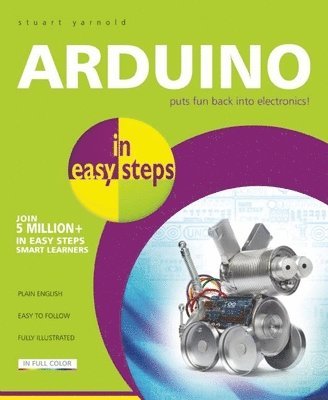
Arduino in easy steps is for anyone wanting to get started with Arduino - the popular circuit board that allows users to build a variety of circuits. For artists, designers, hobbyists and anyone interested in creating interactive objects or environments.Arduino is the first widespread Open Source Hardware platform. It was launched in 2005 to simplify the process of electronic prototyping and it enables everyday people with little or no technical background to build interactive products. The Arduino ecosystem is a combination of three different elements: A small electronic board manufactured in Italy that makes it easy and affordable to learn to program a microcontroller, a type of tiny computer found inside millions of everyday objects.A free software application used to program the board.An online community, connecting thousands of people with others to contribute and ask for help with projects.Arduino in easy steps begins with an explanation of what Arduino is, why it came into being and what can be done with it. We see what is required both in terms of hardware and software, plus the writing of code that makes it actually work. The Arduino environment has to be installed and set up on the user’s computer and Arduino in easy steps provides full instructions for doing this with all the operating systems – Windows, Mac OS X, and Linux. The book explains what tools are required to build Arduino projects and also runs through certain techniques, such as soldering, that will be needed. Arduino in easy steps then provides a primer in basic electricity and electronics, which will help the reader to understand how electronic circuits work and how to build them. This is followed by another primer, this time on how to write the code that will enable users to program their projects, plus how to debug that code. To illustrate how to use Arduino, there is a chapter detailing a number of typical projects. For each of these projects, the required components, the schematic diagram, and the code are provided. The book also takes a look at how to extend the basic Arduino board with the use of shields. These enable the user to construct larger and more complex projects. Finally, Arduino in easy steps details where the reader can get further information and help on Arduino, advice on how and where to buy Arduino and other required electronic parts, and where to find ready-made code that can be freely downloaded.