• Fri frakt över 249 kr
  • •
  • Snabba leveranser
  • •
  • Billiga böcker
Kundservice

Du är på sajten för privatpersoner.

Företag, bibliotek eller offentlig verksamhet?

Du handlar på classic.bokus.com, där alla dina funktioner finns intakta.
Till classic.bokus.com
Bokus logotyp. Gå till startsidan.
  • Erbjudanden
  • Student
  • Topplistor
  • Barn & ungdom
  • Bokus Play
  • E-böcker
  • Ljudböcker
  • Pocketböcker
  • Spel & pussel

Upp till 25% på utvalda nyheter →

Sidfot

Mina sidor

    Hjälp

    • Kundservice
    • Vanliga frågor och svar
    • Frakt och leverans
    • Retur vid ångerrätt
    • Reklamera vara
    • Betalning
    • Köpvillkor
    • Allmänna villkor
    • Information om webbplatsens tillgänglighet

    Om Bokus

    • Om oss
    • Pressrum
    • För studenter
    • För företag
    • För bibliotek och offentlig verksamhet
    • För leverantörer
    • Hållbarhet

    Populärt

    • Aktuella erbjudanden
    • Presentkort
    • Studentlitteratur
    • Nya böcker
    • Topplistor
    • Signerade böcker
    • Engelska böcker

    Inspiration

    • Boktips
    • BookTok
    • Populära bokserier
    • Barnbokskaraktärer
    • Populära författare
    Logotyp för Bokus
    Följ oss på Facebook (extern länk)Följ oss på Instagram (extern länk)Följ oss på YouTube (extern länk)Följ oss på TikTok (extern länk)
    bokus @ CookiesAnpassa cookiesIntegritetspolicyKöpvillkor
    Till Citymail hemsida (extern länk)Till Budbee hemsida (extern länk)Till Postnord hemsida (extern länk)Till Schenker hemsida (extern länk)Till Early Bird hemsida (extern länk)Till Walleys hemsida (extern länk)
    1. Data och IT
    2. Nätverk och kommunikation

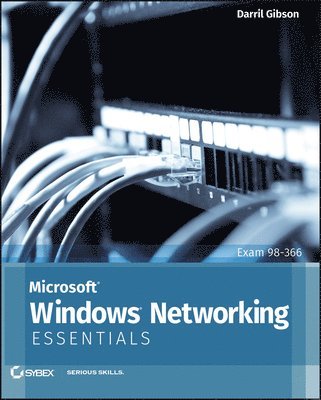
    Microsoft Windows Networking Essentials

    AvDarril Gibson

    Häftad, Engelska, 2011

    295 kr

    Beställningsvara. Skickas inom 5-8 vardagar. Fri frakt över 249 kr.

    Fler format och utgåvor

    E-bok

    379 kr

    E-bok

    378 kr

    Beskrivning

    The core concepts and technologies of Windows networking Networking can be a complex topic, especially for those new to the field of IT. This focused, full-color book takes a unique approach to teaching Windows networking to beginners by stripping down a network to its bare basics, thereby making each topic clear and easy to understand. Focusing on the new Microsoft Technology Associate (MTA) program, this book pares down to just the essentials, showing beginners how to gain a solid foundation for understanding networking concepts upon which more advanced topics and technologies can be built.This straightforward guide begins each chapter by laying out a list of topics to be discussed, followed by a concise discussion of the core networking skills you need to have to gain a strong handle on the subject matter. Chapters conclude with review questions and suggested labs so you can measure your level of understanding of the chapter's content. Serves as an ideal resource for gaining a solid understanding of fundamental networking concepts and skillsOffers a straightforward and direct approach to networking basics and covers network management tools, TCP/IP, the name resolution process, and network protocols and topologiesReviews all the topics you need to know for taking the MTA 98-366 examProvides an overview of networking components, discusses connecting computers to a network, and looks at connecting networks with routersIf you're new to IT and interested in entering the IT workforce, then Microsoft Windows Networking Essentials is essential reading.

    Produktinformation

    • Utgivningsdatum:2011-05-06
    • Mått:188 x 231 x 20 mm
    • Vikt:703 g
    • Format:Häftad
    • Språk:Engelska
    • Antal sidor:368
    • Förlag:John Wiley & Sons Inc
    • ISBN:9781118016855

    Utforska kategorier

    • Nätverk och kommunikation inom Data och IT
    • Operativsystem inom Data och IT

    Mer om författaren

    About the Author Darril Gibson, MCSE, MCITP, ITIL v3, Security+, CISSP, is the CEO of Security Consulting and Training, LLC. A Microsoft Certified Trainer since August 1999, Darril regularly teaches, writes, and consults on a wide variety of security and technical topics. He has authored, coauthored, or contributed to 14 books on a wide range of topics that include Windows Server, Windows 7, SQL Server, and IT security.

    Innehållsförteckning

    • Introduction xixChapter 1 Introduction to Networking 1Comparing Logical and Physical Networks 1Networking Home Computers 2Networking Small Offices and Home Offices 4Understanding Local Area Networks 6Comparing Workgroups and Domains 7Exploring the Benefits of Domains and Domain Controllers 9Networking Large Offices 10Networking Enterprises 12Understanding Wide Area Networks 12Understanding Branch Offices 13Accessing Networks Remotely 14Understanding Standards Organizations 15Understanding the Internet Engineering Task Force 16Understanding the World Wide Web Consortium 17Understanding the Institute of Electrical and Electronics Engineers 18Understanding the International Telecommunication Union 18The Essentials and Beyond 18Chapter 2 Overview of Networking Components 21Comparing Unicast, Broadcast, and Multicast Traffic 21Understanding Unicast Traffic 22Understanding Broadcast Traffic 23Understanding Multicast Traffic 25Understanding Network Hardware 26Understanding Hubs 27Understanding Switches 28Understanding Bridges 29Understanding Routers 30Understanding Firewalls 32Understanding Media 34Exploring Protocols and Services 36Exploring Protocols 36Understanding Services 37Understanding Basic Topologies 38The Essentials and Beyond 39Chapter 3 Understanding the OSI Model 41Understanding the OSI Model 41Application Layer 43Presentation Layer 44Session Layer 45Transport Layer 46Network Layer 48Data Link Layer 49Physical Layer 52Putting It Together 52Packets and Frames 53Understanding the TCP/IP Model 55Mapping Devices on the OSI and TCP Models 56Physical Layer 58Data Link Layer 59Network Layer 59Application Layer 60Mapping Protocols on the OSI and TCP/IP Models 60The Essentials and Beyond 61Chapter 4 Core TCP/IP Protocols 63Understanding TCP and UDP 63Exploring TCP 64Exploring UDP 66Exploring Common Protocols 67Address Resolution Protocol 67Hypertext Transfer Protocol 68File Transfer Protocol 69Trivial File Transfer Protocol 71Telnet 71Remote Desktop Services 71Secure Sockets Layer 72Transport Layer Security 72Secure Shell 73Internet Protocol Security 74Simple Mail Transfer Protocol 74Post Office Protocol v3 75Internet Message Access Protocol 75Lightweight Directory Access Protocol 76Kerberos 77Point-to-Point Tunneling Protocol 77Layer 2 Tunneling Protocol 77Simple Network Management Protocol 78Internet Group Multicast Protocol 78Internet Control Message Protocol 78Understanding Ports 79Controlling Port Traffic with a Firewall 81Mapping Internally Used Ports and Protocols 81The Essentials and Beyond 83Chapter 5 Exploring IPv4 85Exploring the Components of an IPv4 Address 85Ascertaining the Network ID and Host ID of an IP Address 86Identifying the Default Gateway 90Determining Local and Remote Addresses 91Understanding Classful IP Addresses 92Identifying Reserved IP Address Ranges 94Exploring an IPv4 Address in Binary 95Understanding the Bits of an IP Address 95Understanding CIDR Notation 98Masking the IP Address 98Using Classless IP Addresses 100Subnetting IPv4 Addresses 100Determining the Number of Subnet Bits 101Determining the Number of Hosts in a Network 103Identifying Local and Remote Addresses 105Applying Subnetting Knowledge 107Comparing Manual and Automatic Assignment of IPv4 Addresses 110Manually Configuring IPv4 110Using DHCP 110Understanding APIPA 112The Essentials and Beyond 113Chapter 6 Exploring IPv6 117Exploring IPv6 Addresses 117Comparing IPv4 Classes and IPv6 Prefixes 118Understanding Hexadecimal 119Displaying IPv6 Addresses 120Comparing IPv6 Transmission Types 121Understanding the Need for IPv6 122Understanding Neighbor Discovery 122Exploring the Components of an IPv6 Address 123Understanding Global Unicast Addresses 124Understanding Link-Local Addresses 125Understanding Unique Local Addresses 126Understanding the Dual IP Stack 127Using IPv4-Mapped IPv6 Addresses 127Understanding IPv4 to IPv6 Tunneling Protocols 128Comparing Manual and Automatic Assignment of IPv6 129Manually Configuring IPv6 129Using DHCPv6 130The Essentials and Beyond 131Chapter 7 Connecting Computers to a Network 133Identifying Potential Problems with Connectivity 133Understanding EMI 134Understanding RFI 134Avoiding Power Spikes 134Avoiding Interception 137Preventing Fire Hazards 142Understanding Cross Talk 142Exploring Cable Types and Their Characteristics 144Understanding Twisted Pair 144Comparing Unshielded and Shielded Twisted Pair 146Comparing Straight-Through and Crossover Cables 146Understanding Fiber Optic 147Understanding Wireless 149The Essentials and Beyond 150Chapter 8 Networking Computers with Switches 153Connecting Multiple Computers 153Understanding Physical Ports 156Identifying the Number and Type of Ports 156Identifying Ports in Drawings 157Comparing Hubs and Switches 158Understanding Collision Domains 159Identifying a Collision Domain with a Hub 159Identifying Collision Domains with a Switch 160Mapping Ports to MAC Addresses 161Comparing Managed and Unmanaged Switches 162Understanding Unmanaged Switches 163Understanding Managed Switches 163Comparing Layer 2 and Layer 3 Switches 164Using a Managed Switch to Create a VLAN 164Exploring Switch Speeds 167Identifying Transmission Speeds 168Understanding the Uplink Port 169Identifying Backplane Speed 170Understanding Security Options 170Understanding Port Security 171Planning Hardware Redundancy 171The Essentials and Beyond 172Chapter 9 Connecting Networks with Routers 175Connecting Multiple Networks 175Comparing Hardware Routers and Software Routers 177Understanding Default Routes 177Understanding Directly Connected Routes 179Routing Traffic on a Network 180Creating Static Routes 180Configuring Dynamic Routing 182Understanding the Routing Table185Identifying Transmission Speeds 187Routing Software in Windows Server 2008 188Adding Routing Services to Windows Server 2008 188Configuring a Router on Windows Server 2008 190Understanding Other Routing Protocols 192Using a DHCP Relay Agent 193Using an IGMP Router and Proxy 194Using NAT 195The Essentials and Beyond 195Chapter 10 Resolving Names to IP Addresses 197Exploring Types of Names Used in Networks 197Understanding Host Names 199Understanding NetBIOS Names 199Creating NetBIOS Names from Host Names 202Viewing and Modifying a Computer Name 203Exploring Types of Name Resolution 204Understanding Domain Naming Service 205Viewing the Host Cache 210Viewing the Hosts File 211Understanding WINS 212Viewing the NetBIOS Cache 213Understanding the Lmhosts File 214Understanding Broadcast Name Resolution 214Understanding Link-Local Multicast Name Resolution 214Identifying the Steps in Name Resolution 215Identifying Steps in Host Name Resolution 215Identifying Steps in NetBIOS Name Resolution 216The Essentials and Beyond 217Chapter 11 Understanding Network Security Zones 219Understanding Risks on the Internet 219Exploring an Intranet 221Understanding Network Address Translation 222Understanding Proxy Servers 224Understanding Firewalls 227Exploring the Windows Server 2008 Firewall 229Identifying a Perimeter Network 232Understanding a Reverse Proxy Server 233Understanding Guest Networks 234Understanding Extranets 235The Essentials and Beyond 236Chapter 12 Understanding Wireless Networking 239Exploring Basic Wireless Components 239Using Wireless Access Points 240Naming the Wireless Network 241Comparing CSMA/CD and CSMA/CA 243Comparing Networking Standards and Characteristics 243Comparing FHSS, DSSS, and OFDM 244IEEE 802 11 245IEEE 802 11a 246IEEE 802 11b 247IEEE 802 11g 247IEEE 802 11n 248Comparing Network Security Methods 248Wired Equivalent Privacy 249Wi-Fi Protected Access 251WPA2 252Using an IEEE 802 1x Authentication Server 253Using Wireless Networks 254Home Wireless Networks 255Wireless Networks in a Business 258Understanding Point-to-Point Wireless 259The Essentials and Beyond 261Chapter 13 Understanding Internet Access Methods and Wide Area Networks 263Comparing Connectivity Methods Used in Homes and SOHOs 263Using a Dial-up Connection 264Connecting with DSL 265Employing Broadband Cable 266Connecting via Satellite 267Comparing Connectivity Methods in Enterprises 269Exploring Digital Signal Lines 271Using ISDN 271Using T1/T3 Lines and E1/E3 Lines 272Ethernet WAN 273Exploring Remote Access Services 273Connecting to RAS via Dial-up 274Connecting to RAS via a VPN 276Comparing Client VPNs with Gateway VPNs 278Adding Remote Access Services to Windows Server 2008 278Using RADIUS 279The Essentials and Beyond 280Chapter 14 Troubleshooting TCP/IP 283Using the Command Prompt 283Getting Help at the Command Prompt 284Using Switches 285Understanding Case Sensitivity 285Checking the TCP/IP Configuration with ipconfig 287Troubleshooting Connectivity with ping 291Identifying Routers with tracert 295Verifying the Routed Path with pathping 297Viewing TCP/IP Statistics with netstat 299Installing Telnet 304The Essentials and Beyond 306Appendix A Answers to Review Questions 309Chapter 1 309Chapter 2 310Chapter 3 310Chapter 4 311Chapter 5 312Chapter 6 312Chapter 7 313Chapter 8 314Chapter 9 314Chapter 10 315Chapter 11 316Chapter 12 316Chapter 13 317Chapter 14 317Appendix B Microsoft’s Certification Program 319Certification Objectives Map 320Index 325