Del i serien Networking Technology
438 kr
Beställningsvara. Skickas inom 7-10 vardagar. Fri frakt över 249 kr.
Beskrivning
Are you ready to challenge the ways you have always approached networking? The IT world has undergone a transformation, and fast solutions just aren’t fast enough anymore. A platform-based approach with automated processing of data is no longer a dream of the future—it's a requirement of the present.
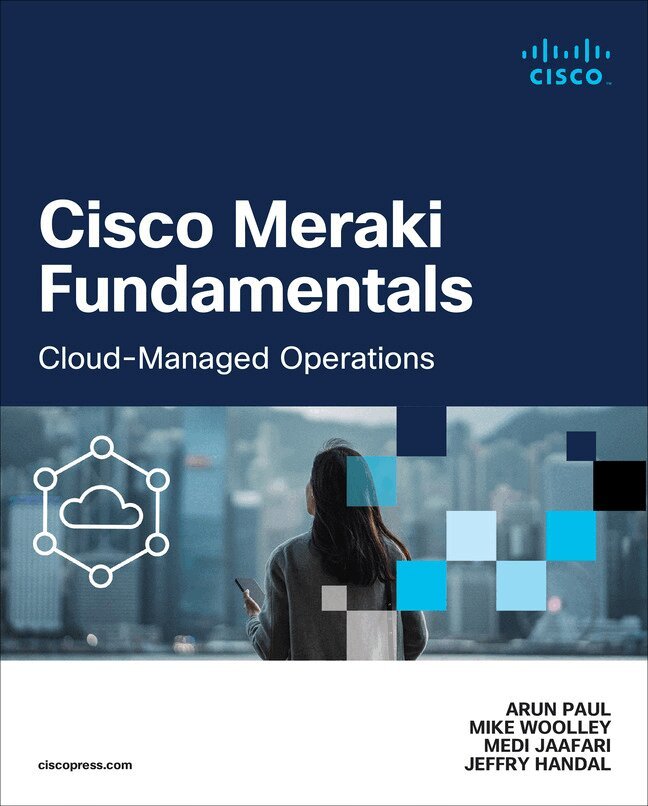
In Cisco Meraki Fundamentals, you will learn how to “think” platform: end-to-end control, management, and visibility of operations, all with less complexity. As you embrace this thinking, the possibilities for producing optimized solutions to problems now and in the future become constraints merely of your imagination.
Cisco Meraki Fundamentals provides everything you need to get started forging a platform-centric journey. From the basics of cloud architecture and building the Dashboard, through automation, best practices, and a look at the Meraki admin experience, Cisco Meraki Fundamentals provides a powerful foundation from which to forge a digital operation for the future.
- Learn the origins of the Cisco Meraki cloud-managed platform, from founding concept through philosophy and goals
- Learn to manage data that emerges from day-to-day operations and how to get to outcomes more quickly
- Understand the differences between cloud-managed Meraki networks and more traditional networks
- Get to know the basics of administering a network with the Meraki Dashboard
- See examples of Meraki-specific best practices, as well as how to integrate and automate with non-Meraki tools and services
- See an overview of how the cloud platform assists in identifying and troubleshooting potential issues more easily
- Look in on a day in the life of a Meraki-based platform administrator, including use cases for the Meraki cloud platform
Online Bonus Content:
Access all the images from the book on the book's companion website.
Produktinformation
- Utgivningsdatum:2024-04-29
- Mått:190 x 236 x 32 mm
- Vikt:678 g
- Format:Häftad
- Språk:Engelska
- Serie:Networking Technology
- Antal sidor:368
- Upplaga:1
- Förlag:Pearson Education
- ISBN:9780138167578
Utforska kategorier
Mer om författaren
Arun Paul serves as a technical solutions architect at Cisco Meraki, focusing on supporting public sector – SLED customers in the Midwest states. With more than a decade of experience in the technology industry, Arun has held diverse roles ranging from engineering to technical sales.Arun’s tech journey began as a software engineer at the Cisco Catalyst 6500 BU, where he played a pivotal role as a point of contact for Catalyst design recommendations and escalations. Arun showcased his innovative spirit by proposing Cisco innovation ideas and process improvements.Beyond corporate roles, Arun co-founded a security consulting and training business, gaining valuable entrepreneurial experience. This venture provided insights into customer challenges in the modern technology landscape. Arun holds an MS in Information Security from George Mason University, graduating with a Distinguished Achievement Award.Arun has consistently demonstrated dedication to excellence, innovation, and customer success throughout his career, earning accolades and awards for his noteworthy contributions to the field.Mike Woolley is a support product specialist at Cisco Meraki with more than eight years of experience dedicated to supporting Meraki products and solutions. Starting in 2016 after receiving a BT in Network Administration from Alfred State College, Mike began as an intern within Meraki Support in San Francisco and rose through to the highest tiers of the technical support structure. Through this experience Mike has worked directly with customers and deployments of all types and sizes. From independent small businesses to massive international corporations, Mike has developed a tried-and-true approach to working with Cisco Meraki solutions based on these experiences. During this time Mike has also written and contributed to core pieces of Meraki documentation and has since become a leading source of knowledge within his specialization of Meraki’s cellular-enabled product lines.Mike currently lives in western New York with his wife Sara and their dog Noki and enjoys occasional outdoor activities like dirt biking and snowmobiling when not helping on the family farm or playing tabletop games.Medi Jaafari has more than two decades of industry experience in roles ranging from advanced engineering architectures to director of engineering for a startup ISP colocation specializing in LAN/WAN transport, IoT, SDWAN, SASE, ZTNA, XDR, and observability for multinational, multitenant environments. Medi was an early participant in SDN networking developments working with key tier-one U.S.-based universities while at Cisco and is currently a technical solutions architect for the Cisco Meraki business unit, with more than five years of experience working closely on product design with a focus on SW features, UI, and AI design.Jeffry Handal is a principal solutions engineer at Cisco. He completed his bachelor’s and master’s degrees in electrical engineering at Louisiana State University (LSU) and has more than 18 years of experience in the area of information communication technology, with special interest in IPv6, cybersecurity, big data, and experimental networks. Before joining Cisco, Jeffry was a very active customer, always pushing the envelope designing and maintaining networks with new technologies, testing new protocols, and providing Cisco and others a large-scale testbed for new products, features, and functionality. Currently, he plays an active role in several Cisco groups (e.g., TACops, IPv6 Ambassadors, Security Technical Advisory Group, Meraki).Outside of work, Jeffry is an active volunteer in organizations ranging from search and rescue operations with the Air Force to humanitarian technology groups such as NetHope. He sits on several boards within IEEE, actively promotes IPv6 adoption via different task forces, volunteers to teach networking classes in third-world countries, and promotes STEM for women and minorities. In addition, Jeffry serves the public through his participation in conferences and standards bodies (IETF, IEEE); speaking at local and international events (Internet2, CANS, IPv6 Summits, AI/ML Symposiums, IEEE events, WALC, Cisco Live); contributing to and reviewing publications; and appearing as a guest in podcasts like IPv6 Buzz and Meraki Unboxed. He is a big promoter of technological change for the betterment of humanity.
Innehållsförteckning
- Foreword xxiiIntroduction xxivPart I Knowledge Is Power: Understanding the Cloud ArchitectureChapter 1 Cisco Meraki Cloud Architecture Basics 1Dashboard Architecture 1Cloud/Back-end Architecture 3Device to Cloud Communication 4Data Security and Retention 6Firmware Management and Lifecycle 7Summary 9Additional Reading 10Chapter 2 Building the Dashboard 11Creating an Organization 12Creating a Network 14Claiming and Adding Devices 15Defining Administrators and Privileges 17Special Access Roles 18SAML Roles 20Maintaining Control of the Dashboard 21Tagging to Scope 22Intro to Tags 22Tagging for Administrative Privileges 22Network and Device Configurations 23Configuring SSID Availability on MR Access Points 23Configuring Non-Meraki VPN Peer Availability for MX and Z Series Devices 24Meraki Systems Manager 25Dashboard Alerting and Reporting 25Dashboard Email Alerts 26Webhooks 27Syslog 28SNMP and SNMP Traps 29Automated Summary Reports 29Meraki Insight Alerts 31Alert Hubs 33Global Overview 34Summary 35Additional Reading 35Part II Building a Scalable Foundation with DashboardChapter 3 The Meraki Admin Experience 37Org-wide Health 38Firmware Status 39Detailed Firmware Status and Security 40Proactive Replacements 41Dashboard Early Access Program 42Magnetic Design System 42New Landing Page 43New Organization Alert Page & Alert Hub Enhancement 44Switching Overview 46Global Overview 47Network-wide Health Views 48Network-wide and Uplink Health 48Wireless Network Health 50Automated Topology Views 53Network-wide Layer 2 Topology 53Network-wide Layer 3 Topology 55Network-wide Multicast Topology 55Summary 57Additional Reading 57Chapter 4 Automating the Dashboard 59Configuration Templates 59How Do Templates Work? 59Local Overrides 61Template Caveats and Limitations 62Template Best Practice Considerations 64Using Webhooks, Syslog, and SNMP to Trigger Outside Automation 65Webhooks 66Syslog 67SNMP 68Dashboard API 70What Is the Dashboard API and How Is It Used? 70API Tips and Tricks 71Dashboard API Examples 72Automated API-based Organization Status 73Automated MR Naming Based on Upstream Switch 75MT Automation 78Dashboard-Based Automation 78Summary 82Additional Reading 82Part III The MX—The Cloud-Managed Swiss Army KnifeChapter 5 MX and MG Best Practices 83MX Scaling 84Deployment Modes 84Routed Mode 84Passthrough or VPN Concentrator Mode 85Security 85L3/L7 Firewall 86HTTP Content Filtering (TALOS) 87Cisco AMP 87IDS/IPS 88Cisco Umbrella 89Dashboard Group Policy 90Adaptive Policy (SGT) 91VPN 92Meraki Auto VPN 92Client VPN 93Cisco AnyConnect 94Non-Meraki VPN 94Routing 95Route Priority 95Static Routes 95OSPF 96BGP 97Deploying Meraki Auto VPN 97Configuring Auto VPN 98Hub Versus Spoke 100NAT Traversal 100Hub and Spoke Recommendations 101Sizing It Right 101Hub Prioritization 102Full Tunnel Versus Split Tunnel 102Advanced Configurations 103Monitoring Your Deployment 104Meraki Insight 104Web Application Health 105WAN Health 108VoIP Health 108Insight Alerts 109ThousandEyes Integration 110Monitoring VPN 110Reviewing Dashboard Alerts 112Alert Hub 112Organization Alerts 113Threat Assessment on Meraki Dashboard 114Security Center 115Most Prevalent Threats 115Most Affected Clients 116Introduction to MG Cellular 1174G LTE Versus 5G 1175G NSA Versus 5G SA 118Dashboard Monitoring for MG 118MG Deployment Considerations 119Cellular—Primary or Backup? 1205G Line of Sight 120CGNAT and You 121Prestaging for Deployment 121Troubleshooting Meraki Devices 122Local Status Page 122Safe Mode 124Support Data Bundle (SDB) Logging 124Integrated DM Logging 124Summary 124Additional Reading 125Chapter 6 MX SD-WAN Best Practices 127Introduction to Meraki SD-WAN 127The Science of Transport Performance 128The Anatomy of SD-WAN Policies 129SD-WAN Uplink Policies 130Custom SD-WAN Performance Classes 131Traffic Analysis and Identification 133Dynamic Path Selection Policies 134Global Preference Policy 135Basic Load Balancing Policy 136Basic Policy-Based Routing 137Performance-Based DPS 137Policy Routing with Performance-Based DPS 138SD-WAN over Cellular 138SD-Internet 140Integrating MPLS 141MPLS on the LAN: Failover to Meraki Auto VPN 141MPLS on the WAN: Meraki Auto VPN Overlay 142Summary 144Additional Reading 144Part IV The Ultimate Cloud-Managed Access LayerChapter 7 Meraki Switching Design and Recommendations 145Introduction to Meraki Switches 145Meraki Switching Design 145Designing a Wired Enterprise Network 149Planning Your Deployment 149Selecting the Right Switch Product Mix 150Planning Hybrid Campus LAN Architectures with Cloud Management 152Designing the Access Layer 154VLAN Deployment 154Using Native VLAN 1 155Planning QoS 156Fine-Tuning STP in a Hybrid Environment 156Tags to Optimize Deployment 157MTU Recommendation 158Connecting Trunk Ports 158Connecting MR Access Points 158Layer 3 Best Practices 159OSPF Best Practices 159Multicast Best Practices 160Securing Layer 2 Operations 160Infrastructure Security 160DHCP Snooping 161Storm Control 161Dynamic ARP Inspection 162SecurePort 163Port Profiles 164VLAN Profile 164Network Security 165Sticky MAC 165Port Isolation 166802.1X Authentication 166MAC Authentication Bypass 169Change of Authorization with ISE Integration 169End Point Security 172Micro-Segmentation with MS (Adaptive Policy) 173Identity Classification and Propagation 174Security Policy Definition 174Policy Enforcement 174SGT Assignment Methods 175Caveats in Setting Up Adaptive Policy 176Operating and Optimizing Meraki Switches 176Virtual Stacking 177Firmware Upgrade Consideration on MS 178Configuration Validations 179Config-Safe Mechanism 179Auto-Rollback on Bad Uplink 179MS PoE Budget 180MS Power Overview 181Sustainability Using MS 182Cloud-Monitored Catalyst 183Troubleshooting Your Meraki Deployment 184Dashboard Reporting 184Dashboard Live Tools 187Ping 187Packet Capture 188MTR 189MAC Forwarding Table 190Cable Testing 190Cycle Port 191Wake-on-LAN 191Summary 192Additional Reading 192Chapter 8 Meraki Wireless Best Practices and Design 195Scoping and Scaling the Dashboard 196Physical WLAN Design 197Location-Aware Wireless Network 197Wi-Fi 6E and Dual 5-GHz Mode 1986-GHz RF Propagation 199AP Mounting Recommendations 199AP Adjacency and Overlap 201Configuring Meraki Wireless 201RF Profile Best Practices and Recommendations 203Band Selection: Per SSID Versus All SSIDs 204Client Balancing 205Minimum Bitrate 206Channel Planning Best Practices 209Frequency Bands 209Channel Width 209Channel Selection: DFS Channels 210Meraki Auto RF 211Other Design Considerations for Meraki Wireless 213Why Distributed Networks? 213Authentication and Encryption 214VLAN Considerations 215AP Tag Use Cases 216Setting Up Enterprise-Grade Meraki Wireless 217Defining Roaming 218Defining Domains 219Roaming Domains 219Layer 2 Domains 220Layer 3 Domains 221Defining DHCP Scope 221Security Features and Wireless Security Best Practices 222Air Marshal 222Traffic Segregation and Access Control 223Operating the Network 225Site-Level Wi-Fi Overview 225Wireless Health and Overview 227Anomaly Detection (Smart Thresholds) 228Server RCA 231Device Monitoring and Reporting 232Roaming Analytics 232Client Overview 232Client Details 234Client Timeline 234Access Point Timeline 235Summary 236Additional Reading 236Part V The Environment: The Next FrontierChapter 9 MV Security and MT (IoT) Design 239Redefining Surveillance: The Meraki Difference 239Meraki Camera Architecture 239MV Video Architecture 240Ensuring Security 241Built-in Analytics 241Designing with Purpose: Building an Effective Surveillance System 242Planning Camera Mounting Options and Accessories 243Technology Considerations 244Lens Types 244Field of View 244Resolution 245Other Deployment Needs 245Cisco Meraki MV52: An Example of MV Camera Offerings 245Choosing the Right Storage 246Planning for Power Requirements 246Planning Camera Connectivity: Wired and Wireless 247General Network Considerations 247Considerations for Wired Connections 248Considerations for Wireless Connections 248Building an Optimized Camera System 249Defining Camera Names and Tags 249Defining Camera Administrators 249Dashboard-Defined Camera-only Administrators 250Role-Based Camera Permissions for SAML/SSO 251Accessing Footage: Meraki MV Camera Views 251Meraki Dashboard 252Meraki Vision Portal 253Meraki Display App 255Meraki Mobile App 255Configuring and Optimizing MV Cameras 257Listing Camera Details 257Configuring Camera Profiles 258Assigning Camera Profiles 261Manual Camera Configurations 261Recording in Low Light 262Camera Motion Alerts 263Fine-Tuning Camera Alerts 264Configuring Privacy Windows 267Setting Up RTSP Integration 267Configuring Video Walls 267Operating Meraki MV Cameras 268Navigating the Video Timeline 269Built-in Analytics 269Audio Detection 271Motion Search and Motion Recap 271Sharing Video 275Exporting Video 276Working with Cloud Archive 278Accessing Video Event Logs 278Meraki MV Sense 279Troubleshooting Meraki MV Cameras 280Enabling Firewall Ports for Meraki Cloud 280Providing Camera Access to Meraki Support 281Strengthening Security: Implementing Meraki IoT with MV 281Building Smarter Spaces with Meraki MT Sensors 281Designing Smart Spaces with Meraki MT Sensors 281Ensuring Sustainability 282Understanding MT Security Architecture 283Protecting Business Assets Using MT Sensors 285Environmental 285Physical 286Exploring MT Sensors 286Physical Infrastructure Monitoring 287MT12—Water/Leak Sensor 287MT20—Door Sensor 288MT40—Smart Power Controller 289Environmental Monitoring 289MT11—Cold Storage Sensor 289Temperature, Humidity, and Air Quality Sensors 291MT30—Smart Automation Button 293Smart Button Automation 293Deploying Meraki MT Sensors 294Basic Configuration and Setup 294Understanding Meraki IoT Gateways 295Accounting for Distance to Sensors 295Power Considerations 295Configuration Considerations 296Configuring and Monitoring Alerts 296Setting Alert Types 296Reviewing Generated Alerts 296Sensor Sight 298IoT Operational Best Practices 299Troubleshooting Meraki MT Sensors 299Monitoring Sensor Status 300Viewing Sensor Event Logs 300Monitoring BLE Signal Strength 300Summary 301Additional Reading 301MV Camera References 301MT Sensor References 302Appendix A Cisco Meraki Licensing 303Enterprise Licensing Versus Advanced Licensing 309External Licensing for Integrations 304Dashboard Licensing Models 304Co-termination Licensing (Classic) 304Per-Device Licensing 306Meraki Subscription Licensing 307Summary 307Additional Reading 308 9780138167578 TOC 2/27/2024
Mer från samma serie
Detecting, Troubleshooting, and Preventing Congestion in Storage Networks
Paresh Gupta, Edward Mazurek
429 kr
Cisco Intersight
Matthew Baker, Brandon Beck, Doron Chosnek, Jason McGee, Sean McKeown, Bradley TerEick, Mohit Vaswani
411 kr
Du kanske också är intresserad av
Cisco Digital Network Architecture
Tim Szigeti, David Zacks, Matthias Falkner, Simone Arena
402 kr
Designing Real-World Multi-domain Networks
Dhrumil Prajapati, Jennifer Bowman, Navin Suvarna
411 kr
Cisco Catalyst SD-WAN
Anastasiya Volkova, Osvaldo Tovar, Constantin Mohorea, Dustin Schuemann
546 kr
Cisco Intersight
Matthew Baker, Brandon Beck, Doron Chosnek, Jason McGee, Sean McKeown, Bradley TerEick, Mohit Vaswani
411 kr