- Nyhet
250 kr
Beställningsvara. Skickas inom 7-10 vardagar. Fri frakt över 249 kr.
Beskrivning
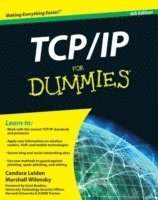
Packed with the latest information on TCP/IP standards and protocols TCP/IP is a hot topic, because it's the glue that holds the Internet and the Web together, and network administrators need to stay on top of the latest developments. TCP/IP For Dummies, 6th Edition, is both an introduction to the basics for beginners as well as the perfect go-to resource for TCP/IP veterans.The book includes the latest on Web protocols and new hardware, plus very timely information on how TCP/IP secures connectivity for blogging, vlogging, photoblogging, and social networking. Step-by-step instructions show you how to install and set up TCP/IP on clients and servers; build security with encryption, authentication, digital certificates, and signatures; handle new voice and mobile technologies, and much more. Transmission Control Protocol / Internet Protocol (TCP/IP) is the de facto standard transmission medium worldwide for computer-to-computer communications; intranets, private internets, and the Internet are all built on TCP/IPThe book shows you how to install and configure TCP/IP and its applications on clients and servers; explains intranets, extranets, and virtual private networks (VPNs); provides step-by-step information on building and enforcing security; and covers all the newest protocolsYou'll learn how to use encryption, authentication, digital certificates, and signatures to set up a secure Internet credit card transactionFind practical security tips, a Quick Start Security Guide, and still more in this practical guide.
Produktinformation
- Utgivningsdatum:2009-08-07
- Mått:183 x 231 x 28 mm
- Vikt:658 g
- Format:Häftad
- Språk:Engelska
- Antal sidor:464
- Upplaga:6
- Förlag:John Wiley & Sons Inc
- ISBN:9780470450604
Utforska kategorier
Mer om författaren
Candace Leiden consults on systems and database performance and instructional design for international courseware. Marshall Wilensky was a consultant and network manager for multiprotocol networks at Harvard University's Graduate School of Business Administration. Both are internationally known speakers.
Innehållsförteckning
- Introduction 1About This Book 1Conventions Used in This Book 2Foolish Assumptions 2How This Book Is Organized 3Part I: TCP/IP from Names to Addresses 3Part II: Getting Connected 3Part III: Configuring Clients and Servers: Web, E-Mail, and Chat 4Part IV: Even More TCP/IP Applications and Services 4Part V: Network Troubleshooting and Security 4Part VI: The Part of Tens 5Icons Used in This Book 5Where to Go from Here 6Part I: TCP/IP from Names to Addresses 7Chapter 1: Understanding TCP/IP Basics 9Following Rules for the Internet: TCP/IP Protocols 10Who’s in charge of the Internet and TCP/IP? 10Checking out RFCs: The written rules 12Examining Other Standards Organizations That Add to the Rules 13Distinguishing Between the Internet, an Internet, and an Intranet 13Extending Intranets to Extranets 14Introducing Virtual Private Networks 15Exploring Geographically Based Networks 16Networks connected by wires and cables 16Wireless networks 17The geography of TCP/IP 17Chapter 2: Layering TCP/IP Protocols 19Taking a Timeout for Hardware 19Starting with network connection media 20Colliding with Ethernet 20Stacking the TCP/IP Layers 22Layer 1: The physical layer 23Layer 2: The data link layer 24Layer 3: The internet layer 24Layer 4: The transport layer 24Layer 5: The application layer 25TCP/IP For Dummies, 6th Edition viiiChewing through Network Layers: A Packet’s Journey 25Understanding TCP/IP: More than just protocols 27Determining whether your network has a protocol, an application, or a service 27Plowing through the Protocol List (In Case You Thought Only Two Existed) 28Physical layer protocols 29Data link layer protocols 29Internet layer protocols 29Transport layer protocols 31Application layer protocols 36Chapter 3: Serving Up Clients and Servers 43Understanding the Server Side 43Examining the server’s job 44Identifying types of servers 44Using dedicated servers 45Understanding the Client Side 45Defining a client 45Clients, clients everywhere 46Answering the Question “Are You Being Served?” 46Supporting TCP/IP with Client/Server and Vice Versa 47Recognizing Other Internetworking Styles: Peer-to-Peer Computing 47Determining whether peer-to-peer workgroups are still handy 48P2P applications — P2P across the Internet 48Chapter 4: Nice Names and Appetizing Addresses 51What Did You Say Your Host’s Name Is? 52Playing the numbers game 52Identifying a computer as uniquely yours 53Translating names into numbers 54Taking a Closer Look at IP Addresses 54Savoring Classful Addressing 55Recognizing the Parts of an IP Address 56Class A is for a few enormous networks 57Class B is for lots of big networks 57Class C is for millions of small networks 57Class D is for multicasting 57Biting Down on Bits and Bytes 58Obtaining an IP Address 60Choosing whether to go public or stay private 60Obeying the network police 61Obtaining a globally unique IP address 61Acquiring a static address 62Getting dynamic addresses with DHCP 62Finding out your IP address 62Table of Contents ixResolving Names and Addresses with DNS 64Understanding the minimum amount of information about DNS 64Using DNS to “Do Nifty Searches” 65Describing Fully Qualified Domain Names (FQDNs) 65Branching out into domains 66Stalking new domains 68Determining Whether the Internet Will Ever Fill Up 68Choking on bandwidth 68Panicking about not having enough addresses 69Dishing Up More Kinds of Addresses 69MAC: Media Access Control 69Port numbers 70Chapter 5: Need More Addresses? Try Subnetting and NAT 73Working with Subnets and Subnet Masks 74Defining subnet masks 76Why a network has a mask when it has no subnets 76Subnetting 101 77Letting the DHCP Protocol Do the Work for You 79One administrator’s nightmare is another’s fantasy 80Understanding how the DHCP protocol works —it’s client/server again 81Being evicted after your lease expires 82Sharing Addresses with Network Address Translation (NAT) 83Understanding how NAT works 83Securing NAT 84Using NAT and DHCP to work together 84Swallowing NAT incompatibilities 86Digesting NAT-PT (Network Address Translation-Protocol Translation) 87Part II: Getting Connected 89Chapter 6: Configuring a TCP/IP Network — the Software Side 91Installing TCP/IP? Probably Not 91Detecting whether TCP/IP is installed 92Determining whether it’s IPv4, IPv6, or both 92Savoring TCP/IP right out of the box 93Six Steps to a Complete TCP/IP Configuration 94Step 1: Determining whether your computer is a client or server or both 95Step 2: Gathering client information 95Step 3: Setting up your NIC(s) 95TCP/IP For Dummies, 6th Edition xStep 4: Deciding on a static IP address or a DHCP leased address 96Step 5: Choosing how your host will translate names into IP addresses 97Step 6: Gathering server information 97Setting TCP/IP Client Properties 97Configuring TCP/IP on a Mac OS X client 98Configuring TCP/IP on a Linux or Unix client 100Configuring a TCP/IP client on Windows Vista 102Configuring a TCP/IP client on Windows XP 103Setting TCP/IP Server Properties 104Installing TCP/IP from Scratch 105Feasting on Network Files 107The local hosts file 107The trusted hosts file, hostsequiv 109Freddie’s nightmare: Your personal trust file 110The services file 111Daemons Aren’t Devils 113Relishing your daemons113Finding the daemons on your computer 113Chapter 7: Networking SOHO with Wireless 115Gulping the Minimum Hardware Details 116NICs 116Routers 117Setting Up a Home Wireless Network in Four Steps 118Step 1: Choose your wireless hardware 118Step 2: Connect your wireless router 120Step 3: Set up your wireless router 121Step 4: Connect your computers 124Securing Your Network 124Securing the wired side 125Securing the wireless side 125Broadband for Everyone? We Hope 128Level 1: Using wireless hotspots 128Level 2: Paying for broadband wireless service 129Level 3: Going anywhere you want to connect to the Internet with WiMAX 129Chapter 8: Advancing into Routing Protocols 131Understanding Routing Lingo 132Routing Through the Layers — the Journey of a Packet 135A new message heads out across the Net 135The message visits the router 137Into an Internet router and out again 139Reaching the destination 140Table of Contents xiGetting a Handle on How Routers Work 143Getting Started with Routers 146Swallowing Routing Protocols 148Nibbling on IGP protocols 149Exterior Gateway Protocols (EGP) 152Understanding How BGP Routers Work 154Juicing Up Routing with CIDR 154C Is for Classless 156CIDR pressing the routing tables 157You say “subnet,” aggregating.net says “aggregate” 159Securing Your Router 159Coring the apple with Denial of Service (DoS) Attacks 160Hijacking routers 160Eavesdropping on BGP 161It’s so sad 161S-BGP (Secure BGP): Proposals to make BGP routing secure 161Chapter 9: IPv6: IP on Steroids 163Say Hello to IPv6 163Digesting IPv4 limitations 164Absorbing IPv6 advantages 164If It Ain’t Broke, Don’t Fix It — Unless It Can Be Improved 165Wow! Eight Sections in an IPv6 Address? 165Why use hexadecimal? 166There’s good news and there’s bad news 166Take advantage of IPv6 address shortcuts 167Special IPv6 Addresses 169IPv6 — and the Using Is Easy 169Checking out the network with autodiscovery 170Ensuring that your address is unique 171Automatically assigning addresses 172Realizing that autoregistration says “Let us serve you” 172IPv6 Installation 173Configuring IPv6 on Windows XP and Windows Server 2003 173Welcoming IPv6 to Mac OS X175Getting started with IPv6 in Unix and Linux 175Other Delicious IPv6 Morsels 176Security for all 176Faster, better multimedia 178Support for real-time applications 178Improved support for mobile computing 178Share the Planet — IPv6 and IPv4 Can Coexist 179Stacking IPv4 and Iv6 179Tunneling IPv6 through IPv4 180Whew — You Made It! 180TCP/IP For Dummies, 6th Edition xiiChapter 10: Serving Up DNS (The Domain Name System) 181Taking a Look at the DNS Components 182Going Back to DNS Basics 183Revisiting Client/Server with DNS 184Dishing up DNS client/server definitions 184Snacking on resolvers and name servers 184Who’s in charge here? 186Serving a DNS client’s needs 186Oops! Can’t help you 187Who’s Responsible for Name and Address Information? 187Understanding Servers and Authority 189Primary name server: Master of your domain 189Secondary name servers 190Caching servers 192Understanding Domains and Zones 193Problem Solving with Dynamic DNS (DYNDNS) 195Diving into DNSSEC (DNS Security Extensions) 195Why does DNS need DNSSEC? 196Glimpsing behind the scenes of DNSSEC 197Part III: Configuring Clients and Servers: Web, E-Mail, and Chat 199Chapter 11: Digesting Web Clients and Servers 201Standardizing Web Services 201Deciphering the Languages of the Web 202HTML 202HTML 4 204XML 205XHTML 205HTML + MIME = MHTML 205Java and other Web dialects 205Hypertext and hypermedia 206Understanding How Web Browsing Works 207Serving up a Web page 207Storing user information as cookies 209Managing cookies with your browser 210Dishing up multimedia over the Internet 212Feeding Web Pages with Atom and RSS 214Reducing the Web’s Wide Waistline to Increase Speed 215Proxy Serving for Speed and Security 218Caching pages 219Improving security with filtering 220Setting up a proxy client 220Finishing touches 223Table of Contents xiiiSetting Up a Caching Proxy Server 223Outlining the general steps for installing and configuring squid 223Configuring squid for Microsoft Windows Server 2008 224Browsing Securely 228Ensuring that a site is secure 228Using your browser’s security features 229Setting Up a Web Server 230Setting up the Apache HTTP Server 231Speeding up Apache 234Making Apache more secure 234Adding Security to HTTP 235Taking a look at HTTPS 236Getting up to speed on SSL 236Stepping through an SSL Transaction 237Using Digital Certificates for Secure Web Browsing 238Chapter 12: Minimum Security Facilities 239What’s the Worst That Could Happen? 239Jump-Starting Security with the Big Three 240Installing a personal firewall 241Vaccinating your system with the anti-s 242Encrypting data so snoopers can’t read it 243Adding a Few More Basic Protections 243Chapter 13: Eating Up E-Mail 245Getting the Big Picture about How E-Mail Works 245Feasting on E-Mail’s Client-Server Delights 246E-mail clients 246E-mail clients versus Web mail clients 247E-mail servers 247Postfix: Configuring the fastest-growing MTA 249Sharpening the Finer Points of Mail Servers 252Transferring e-mail by way of store-and-forward 253Transferring e-mail by way of DNS MX records 254Understanding How SMTP Works with MTAs 255Defining E-Mail Protocols 255Adding More Protocols to the Mix 256POP3 256IMAP4 257HTTP 258LDAP 258DNS and its MX records 258TCP/IP For Dummies, 6th Edition xivChapter 14: Securing E-Mail 261Common Sense: The Most Important Tool in Your Security Arsenal 261Being Aware of Possible Attacks 262Phishing 263Popping up and under 263Getting spied on 263Meeting malware 265Bombing 265Have you got anything without spam? Spam, spam, spam! 266Spoofing 267Finding Out Whether You’re a Victim 267Playing Hide-and-Seek with Your E-Mail Address 268Layering Security 269Layer 1: Letting your ISP protect your network 269Layer 2: Building your own walls 270Layer 3: Securing e-mail on the server side 271Layer 4: Securing e-mail on the client side 274Layer 5: Suitely extending e-mail security 278Using Secure Mail Clients and Servers 278Setting up a secure IMAP or POP client 279Setting up a secure mail server 281Encrypting e-mail 281Chapter 15: Beyond E-Mail: Social Networking and Online Communities 285 Thumbing to Talk About 286Choosing a Communication Method 287Getting together with IRC 288Jabbering with XMPP 288Feeding Your Craving for News 289Getting Even More Social 290Part IV: Even More TCP/IPApplications and Services 291Chapter 16: Mobile IP — The Moveable Feast 293Going Mobile 294Understanding How Mobile IP Works 294Sailing into the Future: Potential Mobile IPv6 Enhancements 296Mobilizing Security 297Understanding the risks 297Using basic techniques to protect your mobile devices 298Table of Contents xvChapter 17: Saving Money with VoIP (Voice Over Internet Protocol) 299Getting the Scoop on VoIP 299Getting Started Using VoIP 300Step 1: Get broadband 300Step 2: Decide how to call 301Step 3: Make the call 302Step 4: Convert the bits back into voice (with VoIP software) 303Step 5: Converse 303Yo-Yo Dieting: Understanding How VoIP Packets Move through the Layers 304Trekking the Protocols from RTP to H323 304Talking the talk with the TCP/IP stack and more 305Ingesting VoIP standards from the ITU 306Vomiting and Other Vicious VoIP Vices 306Securing Your Calls from VoIP Violation 306You, too, can be a secret agent 307Authenticating VoIP-ers 307Keeping voice attacks separate from data 308Defending with firewalls 308Testing Your VoIP Security 308Chapter 18: File and Print Sharing Services 309Defining Basic File Sharing Terms 309Using FTP to Copy Files 310Understanding how FTP works 310Using anonymous FTP to get good stuff 311Choosing your FTP client 312Transferring the files 312Securing FTP file transfers 315Using rcp or scp to Copy Files 316Sharing Network File Systems 317Nifty file sharing with NFS (Network File System) 317Solving the buried file update problem with NFSv4 318Examining the mount Protocol 319Automounting 320Configuring an NFS Server 320Step 1: Edit the exports file 321Step 2: Update the netgroup file 321Step 3: Start the daemons 322Configuring an NFS Client 323TCP/IP For Dummies, 6th Edition xvi Picking Up Some NFS Performance Tips 324Hardware tips 324Server tips 325Client tips 325Weighing performance against security 325Getting NFS Security Tips 325Sharing Files Off the Stack 326Using Windows network shares 326Using Samba to share file and print services 327Working with Network Print Services 328Valuing IPP features 329Setting up Windows Server 2008 print servers over IPP 330Printing with the Common Unix Print System (CUPS) 331Chapter 19: Sharing Compute Power 333Sharing Network Resources 333Accessing Remote Computers 334Using a telnet client 334“R” you ready for more remote access? 335Executing commands with rsh and rexec 335Securing Remote Access Sessions 336Taking Control of Remote Desktops 337Sharing Clustered Resources 338Clustering for high availability 338Clustering for load balancing 338Clustering for supercomputing 339Sharing Compute Power with Grid and Volunteer Computing 339Part V: Network Troubleshooting and Security 341Chapter 20: Staying with Security Protocols 343Determining Who Is Responsible for Network Security 344Following the Forensic Trail: Examining the Steps for Securing Your Network 344Step 1: Prescribing Preventive Medicine for Security 345Step 2: Observing Symptoms of Malware Infection 347Uncovering more contagions 348Step 3: Diagnosing Security Ailments with netstat, ps, and Logging 355Monitoring network use with ps 355Nosing around with netstat 357Examining logs for symptoms of disease 362Syslog-ing into the next generation 363Microsoft proprietary event logging 370Table of Contents xviiChapter 21: Relishing More Meaty Security 373Defining Encryption 374Advancing Encryption with Advanced Encryption Standard (AES) 375Peering into Authentication 376Do you have any ID? A digital certificate will do 377Getting digital certificates 377Using digital certificates378Checking your certificates 379Coping with certificate problems 380IPSec (IP Security Protocol): More Authentication 381Kerberos — Guardian or Fiend? 382Understanding Kerberos concepts 382Playing at Casino Kerberos 383Training the dog — one step per head 384Setting up a Kerberos server step by step 385Setting up a Kerberos client step by step 387Chapter 22: Troubleshooting Connectivity and Performance Problems 389 Chasing Network Problems from End to End 390Getting Started with Ping 390Pinging away with lots of options 391And now, for “some-ping” completely different: Running ping graphically 393Death by ping 395Diagnosing Problems Step by Step 396Pinging yourself and others 396Using nslookup to query a name server 401Using traceroute (tracert) to fi nd network problems 403Simplifying SNMP, the Simple Network Management Protocol 406Just barely describing how SNMP works 406Using SMNP programming free 407Part VI: The Part of Tens 411Chapter 23: Ten More Uses for TCP/IP 413Chapter 24: Ten More Resources for Information about TCP/IP Security 417 Index 421
Hoppa över listan


Du kanske också är intresserad av
- Signerad!
- -14%
"Öppna era hjärtan" : berättelsen om hur islam blev Sveriges näst största religion och Sverigedemokraterna landets näst största parti
Simon Sorgenfrei
Inbunden
239 kr279 kr
- -30%
Del 5
- -30%
- Nyhet
- Signerad!
Del 3
- -22%
Del 1
- -22%
- -30%
Del 2