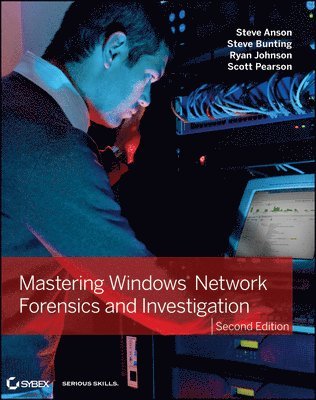
Mastering Windows Network Forensics and Investigation
539 kr
Beställningsvara. Skickas inom 5-8 vardagar. Fri frakt över 249 kr.
Beskrivning
Produktinformation
- Utgivningsdatum:2012-06-29
- Mått:188 x 236 x 36 mm
- Vikt:1 025 g
- Format:Häftad
- Språk:Engelska
- Antal sidor:704
- Upplaga:2
- Förlag:John Wiley & Sons Inc
- ISBN:9781118163825
Utforska kategorier
Mer om författaren
Steve Anson, CISSP, EnCE, is the cofounder of Forward Discovery. He has previously served as a police officer, FBI High Tech Crimes Task Force agent, Special Agent with the U.S. DoD, and an instructor with the U.S. State Department Antiterrorism Assistance Program (ATA). He has trained hundreds of law enforcement officers around the world in techniques of digital forensics and investigation. Steve Bunting, EnCE, CCFT, has over 35 years of experience in law enforcement, and his background in computer forensics is extensive. He has conducted computer forensic examinations for numerous local, state, and federal agencies on a variety of cases, as well as testified in court as a computer forensics expert. He has taught computer forensics courses for Guidance Software and is currently a Senior Forensic Consultant with Forward Discovery. Ryan Johnson, DFCP, CFCE, EnCE, SCERS, is a Senior Forensic Consultant with Forward Discovery. He was a digital forensics examiner for the Durham, NC, police and a Media Exploitation Analyst with the U.S. Army. He is an instructor and developer with the ATA. Scott Pearson has trained law enforcement entities, military personnel, and network/system administrators in more than 20 countries for the ATA. He is also a certifying Instructor on the Cellebrite UFED Logical and Physical Analyzer Mobile Device Forensics tool and has served as an instructor for the DoD Computer Investigations Training Academy.
Innehållsförteckning
- Introduction xviiPart 1 Understanding and Exploiting Windows Networks 1Chapter 1 Network Investigation Overview 3Performing the Initial Vetting 3Meeting with the Victim Organization 5Understanding the Victim Network Information 6Understanding the Incident 8Identifying and Preserving Evidence 9Establishing Expectations and Responsibilities 11Collecting the Evidence 12Analyzing the Evidence 15Analyzing the Suspect’s Computers 18Recognizing the Investigative Challenges of Microsoft Networks 21The Bottom Line 22Chapter 2 The Microsoft Network Structure 25Connecting Computers 25Windows Domains 27Interconnecting Domains 29Organizational Units 34Users and Groups 35Types of Accounts 36Groups 40Permissions 44File Permissions 45Share Permissions 48Reconciling Share and File Permissions 50Example Hack 52The Bottom Line 61Chapter 3 Beyond the Windows GUI 63Understanding Programs, Processes, and Threads 64Redirecting Process Flow 67DLL Injection 70Hooking 74Maintaining Order Using Privilege Modes 78Using Rootkits 80The Bottom Line 83Chapter 4: Windows Password Issues 85Understanding Windows Password Storage 85Cracking Windows Passwords Stored on Running Systems 88Exploring Windows Authentication Mechanisms 98LanMan Authentication 99NTLM Authentication 103Kerberos Authentication 108Sniffing and Cracking Windows Authentication Exchanges 111Using ScoopLM and BeatLM to Crack Passwords 114Cracking Offline Passwords 121Using Cain & Abel to Extract Windows Password Hashes 122Accessing Passwords through the Windows Password Verifier 126Extracting Password Hashes from RAM 127Stealing Credentials from a Running System 128The Bottom Line 134Chapter 5 Windows Ports and Services 137Understanding Ports 137Using Ports as Evidence 142Understanding Windows Services 149The Bottom Line 155Part 2 Analyzing the Computer 157Chapter 6 Live-Analysis Techniques 159Finding Evidence in Memory 159Creating a Windows Live-Analysis Toolkit 161Using DumpIt to Acquire RAM from a 64-Bit Windows 7 System 164Using WinEn to Acquire RAM from a Windows 7 Environment 166Using FTK Imager Lite to Acquire RAM from Windows Server 2008 167Using Volatility 2.0 to Analyze a Windows 7 32-Bit RAM Image 169Monitoring Communication with the Victim Box 173Scanning the Victim System 176The Bottom Line 178Chapter 7 Windows Filesystems 179Filesystems vs. Operating Systems 179Understanding FAT Filesystems 183Understanding NTFS Filesystems 198Using NTFS Data Structures 198Creating, Deleting, and Recovering Data in NTFS 205Dealing with Alternate Data Streams 208The exFAT Filesystem 212The Bottom Line 213Chapter 8 The Registry Structure 215Understanding Registry Concepts 215Registry History 217Registry Organization and Terminology 217Performing Registry Research 228Viewing the Registry with Forensic Tools 232Using EnCase to View the Registry 234Examining Information Manually 234Using EnScripts to Extract Information 236Using AccessData’s Registry Viewer 246Other Tools 251The Bottom Line 254Chapter 9 Registry Evidence 257Finding Information in the Software Key 258Installed Software 258Last Logon 264Banners 265Exploring Windows Security, Action Center, and Firewall Settings 267Analyzing Restore Point Registry Settings 276Windows XP Restore Point Content 280Analyzing Volume Shadow Copies for Registry Settings 284Exploring Security Identifiers 290Examining the Recycle Bin 291Examining the ProfileList Registry Key 293Investigating User Activity 295Examining the PSSP and IntelliForms Keys 295Examining the MRU Key 296Examining the RecentDocs Key 298Examining the TypedURLs Key 298Examining the UserAssist Key 299Extracting LSA Secrets 305Using Cain & Abel to Extract LSA Secrets from Your Local Machine 306Discovering IP Addresses 307Dynamic IP Addresses 307Getting More Information from the GUID-Named Interface 309Compensating for Time Zone Offsets 312Determining the Startup Locations 313Exploring the User Profile Areas 316Exploring Batch Files 318Exploring Scheduled Tasks 318Exploring the AppInit_DLL Key 320Using EnCase and Registry Viewer 320Using Autoruns to Determine Startups 320The Bottom Line 322Chapter 10 Introduction to Malware 325Understanding the Purpose of Malware Analysis 325Malware Analysis Tools and Techniques 329Constructing an Effective Malware Analysis Toolkit 329Analyzing Malicious Code 331Monitoring Malicious Code 338Monitoring Malware Network Traffic 346The Bottom Line 348Part 3 Analyzing the Logs 349Chapter 11 Text-Based Logs 351Parsing IIS Logs 351Parsing FTP Logs 362Parsing DHCP Server Logs 369Parsing Windows Firewall Logs 373Using Splunk 376The Bottom Line 379Chapter 12 Windows Event Logs 381Understanding the Event Logs 381Exploring Auditing Settings 384Using Event Viewer 391Opening and Saving Event Logs 403Viewing Event Log Data 407Searching with Event Viewer 411The Bottom Line 418Chapter 13 Logon and Account Logon Events 419Begin at the Beginning 419Comparing Logon and Account Logon Events 420Analyzing Windows 2003/2008 Logon Events 422Examining Windows 2003/2008 Account Logon Events 433The Bottom Line 462Chapter 14 Other Audit Events 463The Exploitation of a Network 463Examining System Log Entries 466Examining Application Log Entries 473Evaluating Account Management Events 473Interpreting File and Other Object Access Events 490Examining Audit Policy Change Events 500The Bottom Line 503Chapter 15 Forensic Analysis of Event Logs 505Windows Event Log Files Internals 505Windows Vista/7/2008 Event Logs 505Windows XP/2003 Event Logs 513Repairing Windows XP/2003 Corrupted Event Log Databases 524Finding and Recovering Event Logs from Free Space 527The Bottom Line 536Part 4 Results, the Cloud, and Virtualization 537Chapter 16 Presenting the Results 539Report Basics 539Creating a Narrative Report with Hyperlinks 542Creating Hyperlinks 543Creating and Linking Bookmarks 546The Electronic Report Files 550Creating Timelines 552CaseMap and TimeMap 552Splunk 555Testifying about Technical Matters 560The Bottom Line 562Chapter 17 The Challenges of Cloud Computing and Virtualization 565What Is Virtualization? 566The Hypervisor 569Preparing for Incident Response in Virtual Space 571Forensic Analysis Techniques 575Dead Host-Based Virtual Environment 576Live Virtual Environment 584Artifacts 586Cloud Computing 587What Is It? 587Services 588Forensic Challenges 589Forensic Techniques 589The Bottom Line 595Part 5 Appendices 597Appendix A The Bottom Line 599Chapter 1: Network Investigation Overview 599Chapter 2: The Microsoft Network Structure 601Chapter 3: Beyond the Windows GUI 602Chapter 4: Windows Password Issues 604Chapter 5: Windows Ports and Services 606Chapter 6: Live-Analysis Techniques 608Chapter 7: Windows Filesystems 609Chapter 8: The Registry Structure 611Chapter 9: Registry Evidence 613Chapter 10: Introduction to Malware 618Chapter 11: Text-based Logs 620Chapter 12: Windows Event Logs 622Chapter 13: Logon and Account Logon Events 623Chapter 14: Other Audit Events 624Chapter 15: Forensic Analysis of Event Logs 626Chapter 16: Presenting the Results 628Chapter 17: The Challenges of Cloud Computing and Virtualization 630Appendix B Test Environments 633Software 633Hardware 635Setting Up Test Environments in Training Laboratories 636Chapter 1: Network Investigation Overview 636Chapter 2: The Microsoft Network Structure 636Chapter 3: Beyond the Windows GUI 637Chapter 4: Windows Password Issues 637Chapter 5: Windows Ports and Services 639Chapter 6: Live-Analysis Techniques 639Chapter 7: Windows Filesystems 640Chapter 8: The Registry Structure 640Chapter 9: Registry Evidence 642Chapter 10: Introduction to Malware 643Chapter 11: Text-Based Logs 643Chapter 12: Windows Event Logs 644Chapter 13: Logon and Account Logon Events 644Chapter 14: Other Audit Events 644Chapter 15: Forensic Analysis of Event Logs 645Chapter 16: Presenting the Results 645Chapter 17: The Challenges of Cloud Computing and Virtualization 645Index 647