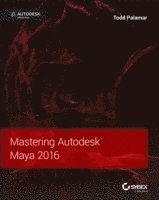
Mastering Autodesk Maya 2016
Autodesk Official Press
Häftad, Engelska, 2015
515 kr
Beställningsvara. Skickas inom 5-8 vardagar. Fri frakt över 249 kr.
Fler format och utgåvor
Beskrivning
Go from 'beginner' to 'expert' with this professional, tutorial-based guide to Maya 2016 Mastering Autodesk Maya 2016 is your professional hands-on coverage to getting the most out of Maya. If you already know the basics of Maya, this book is your ticket to full coverage of all Maya 2016's latest features, and showcases the tools and methods used in real-world 3D animation and visual effects. From modeling, texturing, animation, and effects to high-level techniques for film, television, games, and more, this book expands your skill set, and helps you prepare for the Autodesk Maya certification exam. Filled with challenging tutorials and real-world scenarios this book provides valuable insight into the entire CG production timeline.Take your Maya skills to the next level with step-by-step instruction and insight from the industry professionals. Learn professional techniques used in real-world visual effectsMaster Dynamics, Maya Muscle, Stereo Cameras, mental ray, and moreExpand your skills with advanced techniques for cloth, fur, and fluidsUnderstand everything you need to know for the Maya certification exam
Produktinformation
- Utgivningsdatum:2015-09-22
- Mått:188 x 234 x 48 mm
- Vikt:1 474 g
- Format:Häftad
- Språk:Engelska
- Antal sidor:864
- Förlag:John Wiley & Sons Inc
- ISBN:9781119059820
Utforska kategorier
Mer om författaren
Todd Palamar began his career creating traditional special effects for low-budget horror movies, but quickly gravitated to computer animation. His extensive experience now includes numerous straight-to-video movies, video games, dozens of military and game-style simulations, corporate commercials, and even theme park rides. Todd is the author of several Maya books, including Maya Studio Projects: Photorealistic Characters and several previous editions of Mastering Autodesk Maya.
Innehållsförteckning
- Introduction xix Chapter 1 Working in Autodesk Maya 1Color Management 1Creating and Editing Nodes 3Using the Hypergraph 3Connecting Nodes with the Node Editor 8Creating Node Hierarchies in the Outliner 13Displaying Options in the Outliner 17The Channel Box 20The Attribute Editor 24Working with Shader Nodes in the Hypershade 27Creating Maya Projects 35Creating a New Project 36Editing and Changing Projects 37The Bottom Line 38Chapter 2 Introduction to Animation 39Using Joints and Constraints 39Joint Basics 39Point Constraints 41Aim Constraints 41Inverse Kinematics 44IK Handle Tool 45Creating a Master Control 48Keyframe Animation 51Creating Keyframes 52Auto Keyframe 54Moving and Scaling Keyframes on the Timeline 55Copy, Paste, and Cut Keyframes 57The Graph Editor 59Animation Curves 60Editing Animation Curves 65Weighted Tangents 69Additional Editing Tools 70Breakdowns and In-Betweens 74Pre- and Post-Infinity 76Playblast and FCheck 79Driven Keys 81Creating a Driven Key 81Looping Driven Keys 84Copying and Pasting Driven Keys 85Motion-Path Animation 88Motion Trails 90Animating Constraints 93Animation Layers 97Creating an Animation Layer 97Layer Mode 99Other Options in the Layer Editor 102Layer Hierarchy 103Merging Layers 106Grease Pencil 107The Bottom Line 109Chapter 3 Hard-Surface Modeling 111Understanding Polygon Geometry 111Polygon Vertices 111Polygon Edges 112Polygon Faces 113Working with Smooth Polygons 114Understanding NURBS 115Understanding Curves 116Understanding NURBS Surfaces 118Surface Seams 121NURBS Display Controls 121Using Subdivision Surfaces 122Employing Image Planes 122Modeling NURBS Surfaces 126Lofting Surfaces 134Attaching Surfaces 136Converting NURBS Surfaces to Polygons 139Modeling with Polygons 140Using Booleans 141Cleaning Topology 146Creating Your Own Polygons 148Multi-Cut Tool 151Combining and Merging Geometry 153Bridge Polygon 155Mirror Cut 159The Bottom Line 160Chapter 4 Organic Modeling 163Implement Box Modeling 163Shaping Using Smooth Mesh Polygon Geometry 164Multi-Cut with Edge Flow 175Slide Edge Tool 177Offset Edge Loops 178Employ Build-Out Modeling 179Extrude along a Curve 181Sculpt Polygons 185Soft Select Tool 185Sculpting Tools 187Use Retopology Tools 189Importing and Exporting 189Alembic Cache Files 190Slide on Surface 190Quad Draw 193Reduce 198The Bottom Line 199Chapter 5 Rigging and Muscle Systems 201Understanding Rigging 201Creating and Organizing Joint Hierarchies 203Orienting Joints 211Naming Joints 212Mirroring Joints 215Rigging the Giraffe 216IK Legs 216FK Blending 219Rotate-Plane Solver 221Creating Custom Attributes 225Spline IK 230Human Inverse Kinematics 237Skeleton Generator 237Character Controls 239Interoperability 241Skinning Geometry 242Interactive/Smooth Binding 243Weighting the Giraffe 243Geodesic Voxel Binding 250Painting Skin Weights 253Editing Skin Weights in the Component Editor 258Copying Skin Weights 259Mirroring Skin Weights 260The Maya Muscle System 260Understanding the Maya Muscle System 260Using Capsules 261Creating a Muscle Using the Muscle Builder 262Editing Muscle Parameters 268Converting the Smooth Skin to a Muscle System 270Sliding Weights 272The Bottom Line 273Chapter 6 Animation Techniques 275Working with Deformers 275ShrinkWrapping Geometry 275Using Textures to Deform Objects 278Delta Mush 281Animating Facial Expressions Using Blend Shapes 283Creating Blend Shape Targets 286Creating Blend Shapes 292Painting Blend Shape Weights 294Adding Targets 297Animating a Scene Using Nonlinear Deformers 298Creating a Wave Deformer 299Squashing and Stretching Objects 300Twisting Objects 302Creating a Jiggle Effect 304Applying Jiggle Deformers 304Painting Jiggle Weights 305Optimizing Animations with the Geometry Cache 307Creating a Geometry Cache 307Editing the Cache Playback 308Applying Motion Capture 309The Bottom Line 311Chapter 7 Lighting with mental ray 313Shadow-Casting Lights 313Shadow Preview 314Depth Map Shadows 316mental ray Shadow Map Overrides 320Raytrace Shadows 322Indirect Lighting: Global Illumination 323Color Bleeding 326Indirect Illumination: Final Gathering 326Light-Emitting Objects 327Using Lights with Final Gathering 331Image-Based Lighting 332Enabling IBL 332IBL and Final Gathering 333Physical Sun and Sky 335Enabling Physical Sun and Sky 335Editing the Sky Settings 337mental ray Area Lights 338Light Shaders 341Physical Light Shader 341Tone Mapping 343Photometric Lights and Profiles 344The Bottom Line 345Chapter 8 mental ray Shading Techniques 347Shading Concepts 347Diffusion 350Reflection 351Refraction 351The Fresnel Effect 353Anisotropy 353Layering Shaders 354Creating Reflections and Refractions 355Creating Metals and Plastics 362Adding Shaders to Individual Polygons 364Building a Layered Car Paint Shader 365Base Parameters 367Flake Parameters 369Specular Reflection Layer 370Glossy Reflection Parameters 370The Bottom Line 371Chapter 9 Texture Mapping 373UV Texture Layout 373What Are UV Texture Coordinates? 374Mapping the Giraffe Leg 376Unfolding UVs 381Mapping the Giraffe Head 381Mirroring UVs 384More UV Tools 387Arranging UV Shells 388Additional UV Mapping Considerations 391Transferring UVs 392Multiple UV Sets 392Optimizing Textures 392Bump and Normal Mapping 393Bump Maps 393Normal Maps 394Creating Normal Maps 396Applying Normal Maps 400Displacement Mapping 402Subsurface Scattering 407Fast, Simple Skin-Shader Setup 407Subsurface Specularity 411ShaderFX 415The Bottom Line 417Chapter 10 Paint Effects 419Using the Paint Effects Canvas 419The Paint Effects Window 420Painting in Scene Mode 424Painting on 3D Objects 425Understanding Strokes 427The Anatomy of a Paint Effects Stroke 427Brush Sharing 430Understanding Brush Curve Nodes 431Designing Brushes 433Starting from Scratch 433Tubes 436Growing Flowers 438Adding Leaves 444Create Complexity by Adding Strokes to a Curve 447Shaping Strokes with Behavior Controls 450Applying Forces 450Displacement, Spiral, and Bend 451Animating Strokes 453Animating Attribute Values 455Adding Turbulence 456Animating Growth 457Modifiers 458Surface Collisions 459Rendering Paint Effects 460Illumination 461Shadow Effects 461Shading Strokes and Tubes 463Texturing Strokes 466Converting Strokes to Geometry 469The Bottom Line 471Chapter 11 Rendering for Compositing 473Render Layers 473Creating Render Layers 474Render Layer Overrides 477Creating Overrides for Rendering Cameras 479Material Overrides 481Render Layer Blend Modes 481Render Passes 486Rendering Multiple Passes from a Single Render Layer 488Creating an Ambient Occlusion Render Pass 492Setting Up a Render with mental ray 494File Tokens 494Specifying Frame Range 497Starting a Batch Render 498Command-Line Rendering 499mental ray Quality Settings 502Tessellation and Approximation Nodes 502Sampling 504Filtering 504The Bottom Line 504Chapter 12 Introducing nParticles 507Creating nParticles 507Drawing nParticles Using the nParticle Tool 508Spawning nParticles from an Emitter 512Emitting nParticles from a Surface 515Filling an Object with nParticles 518Making nParticles Collide with nRigids 523Passive Collision Objects 523Collide Strength and Collision Ramps 528Using nParticles to Simulate Liquids 531Creating Liquid Behavior 531Converting nParticles to Polygons 536Shading the nParticle Mesh 537Emitting nParticles Using a Texture 539Surface Emission 539Using Wind 545Shading nParticles and Using Hardware Rendering to Create Flame Effects 549Shading nParticles to Simulate Flames 549Creating an nCache 551Using the Hardware Render Buffer 553Controlling nParticles with Fields 556Using Multiple Emitters 556Volume Axis Curve 560Working with Force Fields 566Painting Field Maps 569Using Dynamic Fields 572Rendering Particles with mental ray 576The Bottom Line 579Chapter 13 Dynamic Effects 581Creating nCloth Objects 581Making a Polygon Mesh Dynamic 582Applying nCloth Presets 585Making Surfaces Sticky 587Creating nConstraints 589Making nCloth Objects Expand Using Pressure 593Additional Techniques 595Creating an nCache 595Creating nCloth and nParticle Interactions 597Creating an nParticle Goal 598Controlling Collision Events 601Bursting an Object Open Using Tearable nConstraints 603Crumbling Tower 604Soft Body Dynamics 606Creating Flying Debris Using nParticle Instancing 607Adding nParticles to the Scene 607Sending the Debris Flying Using a Field 610Creating a More Convincing Explosion by Adjusting nParticle Mass 612Instancing Geometry 613Animating Instances Using nParticle Expressions 615Randomizing Instance Index 615Connecting Instance Size to nParticle Mass 620Controlling the Rotation of nParticles 624Bullet Physics 626The Bottom Line 629Chapter 14 Hair and Clothing 631Understanding XGen 631Creating an XGen Description 632XGen Library 637Rendering an XGen Description 638Animating Using Dynamic Curves 642Using Dynamic Curves with IK Splines 642Creating an IK Spline Handle from the Dynamic Curve 647Using Forces 648Adding Hair to a Character 649Applying Hair to a Surface 649Determining Hair Shape 653Styling Hair 656Start and Rest Positions 656Painting Follicle Attributes 658Modifying Curves 660Curling, Noise, Sub Clumping, and Braids 660Rendering Hair 661Creating Clothing for Characters 662Modeling Clothes for nCloth 662Using Constraints 664Connecting Buttons to the Shirt 670Applying Forces 671Painting nCloth Properties 671The Bottom Line 675Chapter 15 Maya Fluids 677Using Fluid Containers 677Using 2D Containers 678Adding an Emitter 679Using Fields with Fluids 683Using 3D Containers 686Fluid Interactions 687Emitting Fluids from a Surface 687Making Flames 690Igniting the Fuel 693Filling Objects 694Rendering Fluid Containers 700Creating Fluids and nParticle Interactions 702Emitting Fluids from nParticles 702Creating Flaming Trails 706Creating Water Effects 708Bifrost Liquid Simulation 708Shading Bifrost Liquids 714Guiding Liquid 717Creating an Ocean 720The Bottom Line 722Chapter 16 Scene Management and Virtual Filmmaking 725Organizing Complex Node Structures with Assets 725Creating an Asset 726Publishing Asset Attributes 730Using the Asset Editor 731Viewing Assets in the Node Editor 733File References 733Referencing a File 734Bounding-Box Representations 736Determining the Image Size and Film Speed of the Camera 737Setting the Size and Resolution of the Image 738Setting the Film Speed 740Creating and Animating Cameras 740Creating a Camera 741Setting Camera Attributes 744Limiting the Range of Renderable Objects with Clipping Planes 747Composing the Shot Using the Film-Back Settings 750Creating a Camera-Shake Effect 752Using an Expression to Control Alpha Offset 755Creating Custom Camera Rigs 758Swivel Camera Rig 758Swivel Camera Rig Asset 760Applying Depth of Field and Motion Blur 764Rendering Using Depth of Field 764Creating a Rack Focus Rig 767Adding Motion Blur to an Animation 771Using Orthographic and Stereo Cameras 774Orthographic Cameras 774Stereo Cameras 775Using the Camera Sequencer 778The Bottom Line 782AppendixesAppendix A The Bottom Line 783Chapter 1: Working in Autodesk Maya 783Chapter 2: Introduction to Animation 784Chapter 3: Hard-Surface Modeling 785Chapter 4: Organic Modeling 786Chapter 5: Rigging and Muscle Systems 787Chapter 6: Animation Techniques 788Chapter 7: Lighting with mental ray 789Chapter 8: mental ray Shading Techniques 790Chapter 9: Texture Mapping 791Chapter 10: Paint Effects 792Chapter 11: Rendering for Compositing 794Chapter 12: Introducing nParticles 795Chapter 13: Dynamic Effects 796Chapter 14: Hair and Clothing 797Chapter 15: Maya Fluids 798Chapter 16: Scene Management and Virtual Filmmaking 799Appendix B Autodesk Maya 2016 Certification 803Index 807