Developer's Notebook - Böcker
Visar alla böcker i serien Developer's Notebook. Handla med fri frakt och snabb leverans.
3 produkter
3 produkter
254 kr
Skickas inom 7-10 vardagar
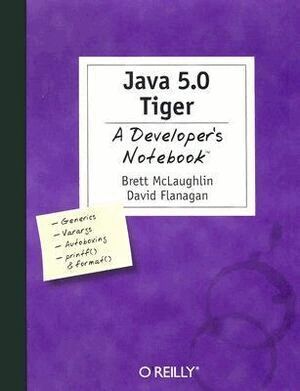
Java 5.0, code-named "Tiger", promises to be the most significant new version of Java since the introduction of the language. With over a hundred substantial changes to the core language, as well as numerous library and API additions, developers have a variety of new features, facilities, and techniques available. But with so many changes, where do you start? You could read through the lengthy, often boring language specification; you could wait for the latest 500 page tome on concepts and theory; you could even play around with the new JDK, hoping you figure things out--or you can get straight to work with Java 5.0 Tiger: A Developer's Notebook. This no-nonsense, down-and-dirty guide by bestselling Java authors Brett McLaughlin and David Flanagan skips all the boring prose and lecture, and jumps right into Tiger. You'll have a handle on the important new features of the language by the end of the first chapter, and be neck-deep in code before you hit the halfway point.Using the task-oriented format of this new series, you'll get complete practical coverage of generics, learn how boxing and unboxing affects your type conversions, understand the power of varargs, learn how to write enumerated types and annotations, master Java's new formatting methods and the for/in loop, and even get a grip on concurrency in the JVM. Light on theory and long on practical application, Java 5.0 Tiger: A Developer's Notebook allows you to cut to the chase, getting straight to work with Tiger's new features. The new Developer's Notebooks series from O'Reilly covers important new tools for software developers. Emphasizing example over explanation and practice over theory, they focus on learning by doing--you'll get the goods straight from the masters, in an informal and code-intensive style that suits developers. If you've been curious about Tiger, but haven't known where to start, this no-fluff, lab-style guide is the solution.
219 kr
Skickas inom 7-10 vardagar
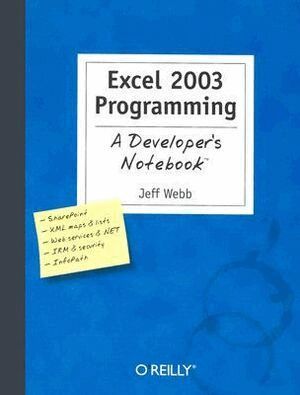
On the surface, it doesn't appear as if much in Excel 2003 has changed. There are a handful of new objects and the user interface is largely the same. But beyond a superficial glance, you'll see that there are fundamental shifts implied by the new features: Lists, XML, web services, .NET, and InfoPath build a framework for entirely new ways to exchange data with Excel. In fact, that's much of what Excel 2003 is all about--solving problems that deal with teamwork-- collecting and sharing data, programming across applications, and maintaining security. The latest in our Developer's Notebook series, this guide introduces intermediate to advanced Excel VBA programmers to the newest programming features of Excel 2003,--focusing just on what's new--so you can get up to speed quickly. Light on theory and long on practical application, the book takes you directly to the topics you'll want to master through a series of hands-on projects. With dozens of practical labs, you'll be able to decide for yourself which new aspects of Excel will be useful or not in your own work.And best of all, you won't have to buy an expensive revision of a legacy Excel programming tutorial to learn about the new features--if they're covered there at all. Excel 2003 Programming: A Developer's Notebook shows you how to work with lists and XML data, secure Excel applications, use Visual Studio Tools for Office, consume Web Services, and collect data with Infopath. Each chapter is organized into a collection of labs, each of which addresses a specific programming problem. You can follow along to complete the lab on your own, or jump ahead and use the samples the author has built for you. The new Developer's Notebooks series from O'Reilly covers important new tools for software developers. Emphasizing example over explanation and practice over theory, they focus on learning by doing--you'll get the goods straight from the masters, in an informal and code-intensive style that suits developers. If you've been curious about Excel 2003, but haven't known where to start, this no-fluff, lab-style guide is the solution.
219 kr
Skickas inom 7-10 vardagar
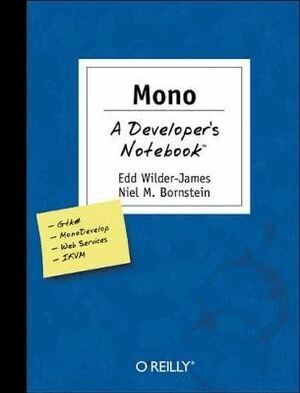
The Mono Project is the much talked-about open source initiative to create a Unix implementation of Microsoft's .NET Development Framework. Its purpose is to allow Unix developers to build and deploy cross-platform .NET applications. The project has also sparked interest in developing components, libraries and frameworks with C#, the programming language of .NET. The controversy? Some say Mono will become the preferred platform for Linux development, empowering Linux/Unix developers. Others say it will allow Microsoft to embrace, extend, and extinguish Linux. The controversy rages on, but--like many developers--maybe you've had enough talk and want to see what Mono is really all about. There's one way to find out: roll up your sleeves, get to work, and see what you Mono can do. How do you start? You can research Mono at length. You can play around with it, hoping to figure things out for yourself. Or, you can get straight to work with Mono: A Developer's Notebook--a hands-on guide and your trusty lab partner as you explore Mono 1.0. Light on theory and long on practical application, Mono: A Developer's Notebook bypasses the talk and theory, and jumps right into Mono 1.0.Diving quickly into a rapid tour of Mono, you'll work through nearly fifty mini-projects that will introduce you to the most important and compelling aspects of the 1.0 release. Using the task-oriented format of this new series, you'll learn how to acquire, install, and run Mono on Linux, Windows, or Mac OS X. You'll work with the various Mono components: the Common Language Runtime, the class libraries (both .NET and Mono-provided class libraries), and the Mono C# compiler. No other resource will take you so deeply into Mono so quickly or show you as effectively what Mono is capable of. The new Developer's Notebooks series from O'Reilly covers important new tools for software developers. Emphasizing example over explanation and practice over theory, they focus on learning by doing--you'll get the goods straight from the masters, in an informal and code-intensive style that suits developers. If you've been curious about Mono, but haven't known where to start, this no-fluff, lab-style guide is the solution.