208 kr
Beställningsvara. Skickas inom 7-10 vardagar. Fri frakt över 249 kr.
Beskrivning
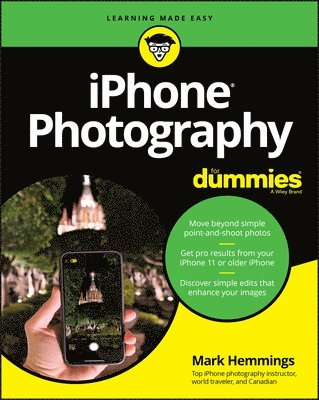
Create beautiful iPhone photos with the techniques found in this bookiPhone Photography For Dummies, shares the expertise of photography workshop instructor Mark Hemmings as he shows readers how to get stunning images using their favorite iPhone. By implementing Hemmings' simple techniques, you'll get professional-looking results in a fraction of the time you’d expect. You’ll learn to: Adjust camera settingsCreate majestic landscape imagesCapture exciting action shotsShoot beautiful portraitsSelect an editing appShare and organize imagesShoot photos comfortably while on the goPerfect for those who want to take breathtaking photos without investing in a top-of-the-line camera, iPhone Photography For Dummies takes the guesswork and luck out of creating beautiful imagery. It shows people without formal training in photography how to make meaningful and noticeable improvements in their shooting technique using either the latest iPhone model or older versions of the device.
Produktinformation
- Utgivningsdatum:2020-09-17
- Mått:191 x 234 x 20 mm
- Vikt:658 g
- Format:Häftad
- Språk:Engelska
- Antal sidor:336
- Förlag:John Wiley & Sons Inc
- ISBN:9781119687795
Utforska kategorier
Mer om författaren
Mark Hemmings can be found traveling the world conducting photography workshops with a big emphasis on iPhone photography. He has a great passion for teaching iPhone camera best practices, which shows in his daily Instagram photo lessons. Mark has been a professional photographer since 1997 and an iPhone travel photographer since 2012.
Innehållsförteckning
- Introduction 1About This Book 1Foolish Assumptions 2Icons Used in This Book 3Beyond the Book 3Where to Go from Here 3Part 1: Fast-Tracking Your Photography Skills 5Chapter 1: Introducing iPhone Photography 7Getting to Know the Camera in Your iPhone 7Models with one lens 8Models with two lenses 8Models with three lenses 9Future models with more than three lenses 11Taking a Quick Tour of the iPhone Camera App 11Taking a Photo 12Viewing Your iPhone Photos 14Editing Your iPhone Photo 16Sharing Your Photos 17Chapter 2: Taking the Complete Camera Walk-Around 19Discovering the Different Ways to Open Your Camera 20Properly Holding Your iPhone for Steady Photographs 21Taking a Photo Without Using the Normal Shutter Button 23Side shutter using the volume buttons 23Apple EarPods volume controller shutter release 23Zooming in to Your Subject 25Zooming best practices 26Cropping instead of digital zooming 28Using the Selfie Camera with and without Background Blur 29Knowing When to Use (and not Use) the Camera Flash 32Getting to Know Live Photos 36Using Live Photo 37Making sure Live Photo isn’t on by default 38Using the Camera Timer for Stable and Sharp Photos 39Family portraits 41Selfies with a tripod or stand 43Landscape photography using your timer 43Getting Creative with Filters 44Choosing the best camera filter for your photograph 45Reverting to the original 48Chapter 3: Setting Up Your Camera for Photographic Greatness 49Turning on iCloud Photos 50Optimizing iPhone Storage 52Downloading the Original Photos 53Uploading to My Photo Stream 54Sharing Albums 55Watching Cellular Data 56Auto-Playing Videos and Live Photos 57Viewing Full HDR 58Transferring to Mac or PC 58Customizing Your iPhone’s Camera 59Chapter 4: Applying iPhone Auto-Mode Settings 63Zooming with Various Camera Modes 63Preparing to Take Selfies 64Lighting and background 64Light case options 66Selfie sticks and stabilizers 66Taking Selfies 69Choose the Portrait selfie mode 70Adjust depth control 70Choose your favorite type of selfie light 72Fine-tune the light intensity and your effect intensity 75Add photo filters 79Add a flash 80Use your self-timer 80Adjust selfie zoom to add your friends into the picture 81Considering Square Photos 82Accessing your square camera 84Following square photography best practices 84Creating Panoramic Photos 85Panoramic best practices for frame-worthy photographs 85Vertical panoramic photos! 87Part 2: Discovering the Fundamentals of Photographic Genres 89Chapter 5: Creating Perfect Landscape Photographs 91Camera Considerations 92Long-pressing the screen where your main subject is located 93Controlling focus and exposure with the AE/AF Lock 95Lighting Considerations 96Taking advantage of the magic hours 96Timing magic hour 98Gear Considerations 100Steadying your iPhone camera with a tripod 100Choosing which lens to use (for multilens iPhones) 101Photography Tips for Your Next Outing 103Applying the Rule of Thirds for better compositions 104Using the Self Timer option for shake-free photos 105Chapter 6: Shooting Sports Photography 107Camera Considerations 108Gear Considerations 109A tough iPhone protective case 110An iPhone screen protector 110A monopod for steadier sports photos 110A foldable camping seat 111Battery packs or battery cases 111Touch-sensitive gloves in cold weather 111A telephoto lens attachment for distant athletes 112Lighting Considerations 112Photographing into the setting sun 113Using your Portrait mode 113Using shadows for a fine art sports photography look 114Creating silhouette sports photos 114Photographing during golden hour 116Trusting your iPhone to produce accurate colors 116Photography Tips for Dynamic Sports Photos 117Using the Rule of Thirds 117Panning your camera to create motion blur 118Choosing the best-looking stride 119Photographing from a lower position 121Creating contrast between athlete and background 121Photographing athlete group photos 122Chapter 7: Saving Memories through Family and Individual Portraiture 125Camera Considerations 126Portrait mode pros and cons 126Burst mode 127Self-timer 129Gear Considerations 130Lighting Considerations 132Underexposing your portraits for extra drama 132Looking out the window 134Photographing travel photos during blue hour 135Using shadows to create pictograms 136Making use of silhouettes for dramatic portraits 136Placing family members in the shade for even light 137Photographing from behind with low sunlight 139Photography Tips for Your Next Portrait Session 140Photographing from a lower position 140Choosing black and white for fine art portraits 141Trying forced perspective techniques for fun family pics 141Using the Thirds grid for environmental portraits 142Creating humorous photos to keep the mood light 143Avoiding objects sticking out of people’s heads 145Choosing to include mirrors in your compositions 145Including family member’s interests 146Avoiding overcast skies 146Combining family photos using the Layout app 149Photographing from an aerial perspective 149Screenshot photos for family who are away 150Chapter 8: Documenting Your Travel and Vacation in Pictures 153Camera Considerations 154Using Burst mode for moving subjects 154Capturing portraits with both Portrait and Photo modes 154Photographing nonportraits in Portrait mode 157Choosing black and white for iconic locations 158Photographing cityscapes through windows 160Photographing travel scenes with the ultra wide lens 160Getting detail in night scenes using Night mode 161Choosing all three lenses for iconic scenes 163Gear Considerations 163Extending your photography with battery packs 164Packing a tabletop-sized tripod 165Photographing or filming yourself with a selfie stick 165Purchasing the best protective case for your needs 165Choosing a tough mobile device bag 168Keeping your gear safe while traveling 168Lighting Considerations 169Backlight 169Side light 170Raking light 170Reflective light 172Diagonal light 172Silhouette light 173Shadow light 174Magic hour light 174Blue and yellow light 176Photography Tips for Your Next Trip 177Practicing design-based photography 177Placing S-curves in your compositions 178Framing your primary subject 178Photographing exterior architecture twice 179Including pattern photos of unusual scenes 181Scheduling famous landmarks as early as possible 182Waiting for animals to move into the picture space 182Choosing your background first 184Matching color when possible 184Including national text and fonts in your photos 185Composing with equidistance 186Tightening the view of iconic buildings 186Composing family members looking into the frame 188Reviewing your favorite establishments 188Chapter 9: Creating Still Life and Product Photography on the Cheap 191Camera Considerations 192Gear Considerations 192Purchasing backgrounds for flat-lay still life photos 193Choosing the appropriate background for your product 194Using clear glass as a background 195Floating flowers in water 195Purchasing Bristol board for interior product photography 196Photographing still life photos in a greenhouse 196Adding opaque paper to windows for unique backgrounds 198Lighting Considerations 199Photographing your product indoors 199Using side light 201Using backlight 201Using harsh overhead light 203Using doorway light 204Photographing with mixed lighting 205Adding shadows to your still life photos 206Photographing throughout the day 206Creating Beautiful Still Life Photos 208Composing symmetrical photos properly 208Arranging foliage to catch the setting sun 209Following the equidistance principle 209Creating both color and black-and-white versions 210Adding negative space to be used for text 211Chapter 10: Taking It to the Streets: Photographing Strangers 213Camera Considerations 213Choosing black and white for most photos 214Cropping best practices 215Placing more importance on drama instead of sharpness 217Using background blur to maintain privacy 217Photographing with Burst mode for perfect timing 218Gear Considerations 219Using waterproof cases for rainy days 219Choosing other stability options besides tripods 220Lighting Considerations 221Waiting for people to walk into a ray of light 222Allowing shadows to work as metaphors 222Blurring people by photographing at dusk 223Maintaining anonymity by using backlight 224Capturing mannequins with window reflections 225Photographing only a person’s shadow for extra mystery 225Raking light for textured backgrounds 227Photography Tips for Your Next Day (or Night) on the Town 228Finding your background first 228Choosing an aerial perspective 229Being culturally sensitive 229Maintaining a sense of lightness and humor 231Choosing the best stride 232Showing the urban environment using a wide lens 232Composing with a sense of direction 233Avoiding faces to maintain anonymity 235Part 3: Editing, Organizing, and Sharing Your Photos 237Chapter 11: Editing with the iOS Photos App 239Opening Your Photos App 239Exploring Your Editing Options 241Starting with Auto adjustments 241Getting to know the editing tools 243Applying Filters 247Vivid 247Vivid Warm 249Vivid Cool 249Dramatic 250Dramatic Cool 250Mono 250Silvertone 250Noir 250Cropping an Image 251Using (and disabling) the Auto Crop tool 252Flipping your image horizontal 252Rotating your photo 90 degrees 253Adjusting Aspect Ratio 253Editing Your Portrait Photography 255Chapter 12: Organizing and Sharing Your Photos like a Pro 259Thinking about Post-Production Workflow 259Deleting Unwanted Photos 260Deleting a photo 261Recovering a deleted photo 262Favoriting Photos with the Heart Icon 263Diving into Album Organization 265Selecting photos to create a new album 266Removing a photo from an album 267Using albums wisely 268Finding photos of a single person 268Sorting your files by media types 269Using the Other Albums section 270Knowing When to Use the Photos Section 270Making the For You Section Work, Well, for You 271Using the Search Tool within the Photos App 272Sharing Your Photos 273Using shared albums 273Sharing to any location 275Sharing to your social media channels 276Part 4: The Part of Tens 277Chapter 13: Ten iOS Apps That Will Enhance Your Photography 279Mark’s Suggested Free Photography Apps 279Adobe Photoshop Express 280Adobe Photoshop Fix 280Adobe Lightroom CC 280Instagram 280Facetune2 281Mark’s Suggested Paid Photography Apps 281TouchRetouch 281Slow Shutter Cam 281Brushstroke 282SKRWT 282LensFlare 282Chapter 14: Ten Tips for Shooting and Sharing Video with Your iPhone 283Accessing the Video Camera within the Photos App 283Holding Your iPhone Properly for Smooth Video Recording 284Trimming the Length of Any Video 284Adjusting the Exposure and Filter Settings 285Cropping Your Video 285Choosing a Video Aspect Ratio 285Choosing Vertical or Horizontal Orientation 286Creating Time-Lapse Photography Video Clips 286Capturing Dramatic Video Clips with Slo-Mo 287Exporting Your Finished Videos 288Chapter 15: Ten Extra Editing Features to Jazz Up Your Images 289Adding Notes and Text Using Markup 289Adding Your Signature to Your Photos 290Adding Extra Markup Options to Your Photo 291Deleting Your Markups to Return to Your Original Photo 291Creating and Editing a Live Photo 291Creating a Loop Photo 292Creating a Bounce Photo 292Exporting Your Live, Loop, and Bounce Photos 293Creating a Long Exposure Photo 293Creating Abstract Photos Using Long Exposure 294Index 295
Hoppa över listan


Du kanske också är intresserad av
- Signerad!
- -30%
- Nyhet
Hjärnans akilleshälar : hur din hjärna lurar dig, och vad du kan göra åt det
Anders Hansen
Inbunden
289 kr
- -30%
Del 1
- Signerad!
Del 7
- -22%
Del 1
- Nyhet