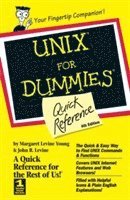
169 kr
Beställningsvara. Skickas inom 5-8 vardagar. Fri frakt över 249 kr.
Beskrivning
Produktinformation
- Utgivningsdatum:1998-09-01
- Mått:147 x 216 x 13 mm
- Vikt:236 g
- Format:Häftad
- Språk:Engelska
- Antal sidor:224
- Upplaga:4
- Förlag:John Wiley & Sons Inc
- ISBN:9780764504204
Utforska kategorier
Mer om författaren
Unlike her peers in that 40-something bracket, Margaret Levine Young was exposed to computers at an early age. In high school, she got into a computer club known as the R.E.S.I.S.T.O.R.S., a group of kids who spent Saturdays in a barn fooling around with three antiquated computers. She stayed in the field through college against her better judgment and despite her brother John's presence as a graduate student in the computer science department. Margy graduated from Yale and went on to become one of the first microcomputer managers in the early 1980s at Columbia Pictures, where she rode the elevator with big stars whose names she wouldn't dream of dropping here.Since then, Margy (www.gurus.com/margy) has coauthored more than 20 computer books about the topics of the Internet, UNIX, WordPerfect, Microsoft Access, and (stab from the past) PC-File and Javelin, including The Internet For Dummies, 6th Edition, and WordPerfect 7 For Windows 95 For Dummies (all from IDG Books Worldwide, Inc.). She loves her husband, Jordan; her kids, Meg and Zac; gardening; chickens; reading; and anything to do with eating. Margy and her husband also run Great Tapes for Kids (www.greattapes.com) from their home in the middle of a cornfield near Middlebury, Vermont. John R. Levine was a member of the same computer club Margy was in -- before high school students, or even high schools, had computers. He wrote his first program in 1967 on an IBM 1130 (a computer almost as fast as your modern digital wristwatch, only more difficult to use). He became an official system administrator of a networked computer at Yale in 1975 and has been working in the computer and network biz since 1977. He got his company on to Usenet (see Part IV) early enough that it appears in a 1982 Byte magazine article in a map of Usenet, which then was so small that the map fit on half a page.He used to spend most of his time writing software, although now he mostly writes books (including UNIX For Dummies and Internet Secrets, both from IDG Books Worldwide, Inc.) because it's more fun and he can do so at home in the hamlet of Trumansburg, New York, where he holds the exalted rank of sewer commissioner and offers free samples to visitors and plays with his young daughter when he's supposed to be writing. He also does a fair amount of public speaking. (See www.iecc.com/johnl.) He holds a B.A. and a Ph.D. in computer science from Yale University, but please don't hold that against him.
Innehållsförteckning
- Introduction: How to Use This Book 1What’s in This Book 2Conventions Used in This Book 2The Cast of Icons 3Write to Us! 3Part I: Commanding UNIX Using the Shell 5Directories 6Environment Variables 6Filenames 7Help with Commands 7Identifying Your Shell 8Pathnames 8Quoting Characters on the Command Line 9Redirecting with Pipes and Filters 9Shell Prompts 10Special Characters and What They Do 11Startup Files 13Typing Commands 13Wildcards 14Part II: UNIX Commands 15alias 16at 16awk 18bash 18bc 19bg 20cal 20calendar 21cancel 22cat 22cd 23chgrp 24chmod 25chown 26clear 26cmp 27compress 27cp 28cpio 29crontab 31csh 32date 33df 34diff 34diff3 36dircmp 36du 37echo 38ed 38elm 39emacs 39env 39ex 39exit 39fg 40file 41find 42finger 44ftp 45grep 45gunzip 47gzip 48head 49help 49history 50id 51irc 51jobs 51kill 52ksh 53ln 53lp 55lpq 57lpr 57lprm 58lpstat 59ls 60lynx 62mail 62man 62mesg 63mkdir 64more 64mv 65nice 67nn 67pack 68passwd 68pico 69pine 69pr 69ps 71pwd 73rcp 73red 73rehash 73rlogin 74rm 74rmdir 75rn 76rsh 76script 76sdiff 77sed 77set 78setenv 79sh 80sleep 81sort 82spell 83stty 84tail 85talk 86tar 86tee 88telnet 89time 89tin 89touch 90trn 90troff 91tty 92umask 92unalias 93uname 94uncompress 95uniq 95unpack 96uucp 97uudecode 98uuencode 99vacation 100vi 100wall 100wc 101who 102write 102zcat 103Part III: Using X Window Managers 105Anatomy of a Window 106Changing the Window Size 106Exiting the Window Manager 107Keyboard Shortcuts 108Motif 108FVWM 108Maximizing a Window 109Minimizing (Iconifying) a Window 109Moving a Window 110Opening a Window in an Obsolete but Easy Way 110Opening Windows in a User-Friendly Way 110Restoring a Window 111Restoring a Window from an Icon 111Selecting Several Things with Your Mouse 111Switching Windows 112The Window Menu 112Working with the Common Desktop Environment (CDE) 114CDE Applications 114CDE Windows 115The Front Panel 115Front Panel Subpanels 116Part IV: Using Text Editors 119Using the ed Text Editor 120Starting ed 120Getting out of ed 120ed commands 120Using the emacs Text Editor 122Starting emacs 122Getting out of emacs 122emacs commands 122emacs commands for editing multiple files 124Using the pico Text Editor 124Starting pico 125Getting out of pico 125pico commands 125Using the VI Text Editor 126Starting VI 126Getting Out of VI 127vi Commands 127vi Commands in Input Mode 130Part V: Sending and Receiving Electronic Mail 131Addressing Your Mail 132elm 132Sending a message 132Reading your messages 133Printing a message 133Saving a message 134Exiting the program 134Changing your elm options 134Getting help 135Command line options 135Mail 136Sending a message 136Reading your messages 137Forwarding a message 137Printing a message 138Saving a message 138Exiting the mail program 138Command line options 138Pine 139Sending a message 139Reading your messages 140Replying to a message 141Forwarding a message 141Printing a message 141Saving a message 142Deleting a message 142Adding an address to an address book 143Retrieving an address from an address book 143Exiting the program 143Changing options 144Getting help 144Sending Mail Using Other Mail Programs 144Part VI: Connecting to Other Computers 147FTP 148Connecting to a remote system 148Connecting by using anonymous FTP 148Quitting FTP 149Listing the files in a directory 149Moving to other directories 150Retrieving files 150Retrieving groups of files 151Decompressing files that you have retrieved 151Downloading retrieved files to your PC 152Sending files to a remote system using FTP 153Summary of FTP commands 154IRC: Chatting with Others on the Net 154Starting IRC 155Finding IRC channels 155Joining an IRC channel 156Quitting IRC 156Getting help with IRC commands 156Chatting by using IRC commands 156Summary of IRC commands 157Having an IRC private conversation 158rcp 158Copying files from a remote computer 158Copying all the files in a directory 159rlogin and rsh 159Connecting to a remote computer 159Disconnecting from a remote computer 160Running commands on a remote computer by using rsh 160Logging in automatically by using rlogin and rsh 161telnet 162Connecting to a remote computer 162Disconnecting from a remote computer 162Part VII: Finding Resources on the Net 163Internet Explorer 164Lynx 164Going directly to a page 164Going back to a previous page 165Searching within Web pages 165Key summary 165Netscape 166Starting up 166Going to a new page 166Going back to a previous page 167Finding places to go in Netscape 167Printing a page 167Saving a file 168Freeing disk space 168Quitting Netscape 168Resource Indexes 168Part VIII: Usenet Newsgroups 171Netiquette: Avoiding Getting Flamed 172Reading Usenet Newgroups with trn 172Starting your newsreader 172Changing the order in which newsgroups appear 174Choosing which new newsgroups to subscribe to 174Dealing with rot-13 articles 175Dealing with shar files 175Dealing with uuencoded files 175Exiting the newsreader 176Finding articles on specific topics 176Finding a newsgroup 177Getting help 177Posting a new article 178Reading articles 179Replying to and following up an article 180Sending an e-mail reply 181Posting a news follow-up 181Saving an article 181Selecting newsgroups to read 182Selecting the threads that you want to read 182Skipping over a newsgroup 184Skipping an uninteresting or offensive article 184Skipping unread articles 184Unsubscribing to a newsgroup 185Understanding Newsgroup Names 185Glossary: Techie Talk 187Index 201
Mer från samma författare
Access 2010 All-in-One For Dummies
Alison Barrows, Margaret Levine Young, Joseph C. Stockman
273 kr
Du kanske också är intresserad av
Access 2010 All-in-One For Dummies
Alison Barrows, Margaret Levine Young, Joseph C. Stockman
273 kr
- -21%
Hjärnans akilleshälar : hur din hjärna lurar dig, och vad du kan göra åt det
Anders Hansen
229 kr289 kr
- 4 för 3
- -30%