• Fri frakt över 249 kr
  • •
  • Snabba leveranser
  • •
  • Billiga böcker
Kundservice

Du är på sajten för privatpersoner.

Företag, bibliotek eller offentlig verksamhet?

Du handlar på classic.bokus.com, där alla dina funktioner finns intakta.
Till classic.bokus.com
Bokus logotyp. Gå till startsidan.
  • Erbjudanden
  • Nyheter
  • Student
  • Topplistor
  • Barn & ungdom
  • Bokus Play
  • E-böcker
  • Pocketböcker
  • Spel & pussel

10% rabatt på allt med kod NYSTART10 →

Sidfot

Mina sidor

    Hjälp

    • Kundservice
    • Vanliga frågor och svar
    • Frakt och leverans
    • Retur vid ångerrätt
    • Reklamera vara
    • Betalning
    • Köpvillkor
    • Allmänna villkor
    • Information om webbplatsens tillgänglighet

    Om Bokus

    • Om oss
    • Pressrum
    • För studenter
    • För företag
    • För bibliotek och offentlig verksamhet
    • För leverantörer
    • Hållbarhet

    Populärt

    • Aktuella erbjudanden
    • Presentkort
    • Studentlitteratur
    • Nya böcker
    • Topplistor
    • Signerade böcker
    • Engelska böcker

    Inspiration

    • Boktips
    • BookTok
    • Populära bokserier
    • Barnbokskaraktärer
    • Populära författare
    Logotyp för Bokus
    Följ oss på Facebook (extern länk)Följ oss på Instagram (extern länk)Följ oss på YouTube (extern länk)Följ oss på TikTok (extern länk)
    bokus @ CookiesAnpassa cookiesIntegritetspolicyKöpvillkor
    Till Citymail hemsida (extern länk)Till Budbee hemsida (extern länk)Till Postnord hemsida (extern länk)Till Schenker hemsida (extern länk)Till Early Bird hemsida (extern länk)Till Walleys hemsida (extern länk)
    1. Data och IT
    2. Hårdvara

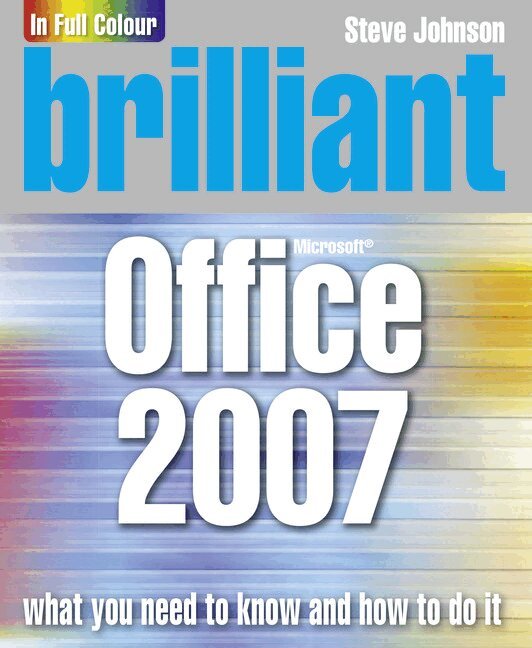
    Brilliant Office 2007

    AvSteve Johnson

    Häftad, Engelska, 2006

    144 kr

    Beställningsvara. Skickas inom 7-10 vardagar. Fri frakt över 249 kr.

    Beskrivning

    Brilliant guides allow you to find the info you need easily and without fuss and guide you through the task using a highly visual, step-by-step approach – providing exactly what you need to know, when you need it !!

    Brilliant Office 2007 will show you how to ….

    ·         Organize information in Office and add impact with Clip Art, SmartArt diagrams, tables and charts using the new results-oriented interface

    ·         Create great-looking documents faster in Word using themes, styles and templates

    ·         Use organizing, processing, and presenting tools to create data in Excel

    ·         Create powerful presentations faster in Powerpoint using ready-made design templates and themes

    ·         Use tools for creating and managing your email, calendar, contacts and tasks in Outlook

    ·         Use task panes to quickly create a brochure or a newsletter without being a designer using Publisher

    ·         Use Groove and SharePoint Team Services to collaborate and share documents and information

    Produktinformation

    • Utgivningsdatum:2006-12-20
    • Mått:190 x 230 x 20 mm
    • Vikt:1 167 g
    • Format:Häftad
    • Språk:Engelska
    • Antal sidor:752
    • Upplaga:1
    • Förlag:Pearson Education
    • ISBN:9780132058919

    Utforska kategorier

    • Hårdvara inom Data och IT
    • Operativsystem inom Data och IT

    Mer om författaren

    Steve Johnson has written more than 35 books on a variety of computer software and is a founder of Perspection, Inc. which is committed to providing information and training to help people use software more effectively. Since 1991, they have written more than 80 computer books, and sold more than 5 million copies.

    Innehållsförteckning

    • ContentsIntroduction1. Getting Started with Office2. Using Shared Office Tools3. Adding Art to Office Documents4. Adding Shapes to Office Documents5. Formatting Office Documents6. Creating a Document with Word7. Formatting a Document with Word8. Enhancing a Document with Word9. Creating a Worksheet with Excel10. Building a Worksheet with Excel11. Designing a Worksheet with Excel12. Creating a Presentation with PowerPoint13. Delivering a Presentation with PowerPoint14. Creating a Database with Access15. Locating and Managing Data with Access16. Presenting Data with Access17. Communication with Outlook18. Managing Information with Outlook19. Creating a Publication with Publisher20. Designing a Publication with Publisher21. Publishing Office Documents on the Web22. Protecting and Securing Office Documents23. Reviewing and Sharing Office Documents24. Expanding Office Functionality