• Fri frakt över 249 kr
  • •
  • Snabba leveranser
  • •
  • Billiga böcker
Kundservice

Du är på sajten för privatpersoner.

Företag, bibliotek eller offentlig verksamhet?

Du handlar på classic.bokus.com, där alla dina funktioner finns intakta.
Till classic.bokus.com
Bokus logotyp. Gå till startsidan.
  • Erbjudanden
  • Nyheter
  • Student
  • Topplistor
  • Barn & ungdom
  • Bokus Play
  • E-böcker
  • Pocketböcker
  • Spel & pussel

10% rabatt på allt med kod NYSTART10 →

Sidfot

Mina sidor

    Hjälp

    • Kundservice
    • Vanliga frågor och svar
    • Frakt och leverans
    • Retur vid ångerrätt
    • Reklamera vara
    • Betalning
    • Köpvillkor
    • Allmänna villkor
    • Information om webbplatsens tillgänglighet

    Om Bokus

    • Om oss
    • Pressrum
    • För studenter
    • För företag
    • För bibliotek och offentlig verksamhet
    • För leverantörer
    • Hållbarhet

    Populärt

    • Aktuella erbjudanden
    • Presentkort
    • Studentlitteratur
    • Nya böcker
    • Topplistor
    • Signerade böcker
    • Engelska böcker

    Inspiration

    • Boktips
    • BookTok
    • Populära bokserier
    • Barnbokskaraktärer
    • Populära författare
    Logotyp för Bokus
    Följ oss på Facebook (extern länk)Följ oss på Instagram (extern länk)Följ oss på YouTube (extern länk)Följ oss på TikTok (extern länk)
    bokus @ CookiesAnpassa cookiesIntegritetspolicyKöpvillkor
    Till Citymail hemsida (extern länk)Till Budbee hemsida (extern länk)Till Postnord hemsida (extern länk)Till Schenker hemsida (extern länk)Till Early Bird hemsida (extern länk)Till Walleys hemsida (extern länk)
    1. Data och IT
    2. Affärsapplikationer

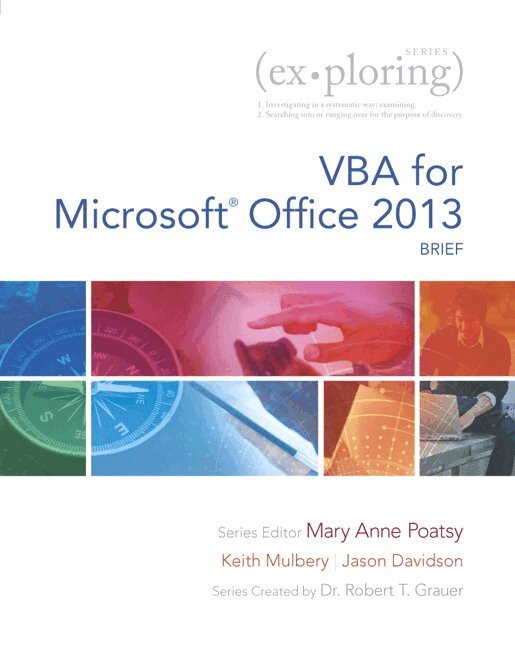
    Exploring VBA for Microsoft Office 2013, Brief

    AvMary Anne Poatsy,Keith Mulbery

    Häftad, Engelska, 2014

    Del i serien Exploring for Office 2013

    384 kr

    Beställningsvara. Skickas inom 7-10 vardagar. Fri frakt över 249 kr.

    Beskrivning

    This three-chapter book provides an overview of VBA and then a full chapter each on VBA in Excel and VBA in Access. It is an ideal complement to the Excel or Access Comprehensive textbook for those looking for more VBA coverage. Move students beyond the point-and-click.  The goal of the Exploring series is to move students beyond the point and click, to understanding the why and how behind each skill. And, because so much learning takes place outside of the classroom, this series provides learning tools that students can access anywhere, any time.  Students go to college now with a different set of skills than they did years ago. With this in mind, the Exploring series seeks to move students beyond the basics of the software at a faster pace, without sacrificing coverage of the fundamental skills that everyone needs to know. NOTE: Before purchasing, check with your instructor to ensure you select the correct ISBN. Several versions of Pearson's MyLab & Mastering products exist for each title, and registrations are not transferable. To register for and use Pearson's MyLab & Mastering products, you may also need a Course ID, which your instructor will provide.  Used books, rentals, and purchases made outside of PearsonIf purchasing or renting from companies other than Pearson, the access codes for Pearson's MyLab & Mastering products may not be included, may be incorrect, or may be previously redeemed. Check with the seller before completing your purchase.

    Produktinformation

    • Utgivningsdatum:2014-08-19
    • Mått:213 x 272 x 15 mm
    • Vikt:449 g
    • Format:Häftad
    • Språk:Engelska
    • Serie:Exploring for Office 2013
    • Förlag:Pearson Education (US)
    • ISBN:9780133428162

    Utforska kategorier

    • Affärsapplikationer inom Data och IT
    • Operativsystem inom Data och IT

    Innehållsförteckning

    • Chapter 1: Getting Started with VBACase Study: ACME Consulting 1Introduction to VBA               2Using VBA and Getting Help 2Identifying Code in the Code Window 5Creating, Running, and Debugging Procedures 8Creating a Message Box 9Variables, Constants, Inputs, and Outputs         20Declaring and Using Variables and Constants 20Creating an Input Box 25Performing Calculations 27Decision Structures               37Using Decision Structures 37Performing Data Validation 42Using Logical Operators 43Repetition Structures            51Using the For…Next Structure 51Using the Do…Loop Structure 52Chapter Objectives Review 58Key Terms Matching 59Multiple Choice 60Practice Exercises 61Mid-Level Exercises              66Beyond the Classroom 69Capstone Exercise 70  Chapter 2: Excel and VBA 73Case Study: Expert Financial Services               73Forms and Controls             74Creating Forms 74Adding Controls to Forms 76Adjusting Specialized Properties 81Inserting Controls on a Worksheet 84Procedures and Functions for Form Controls   94Adding a Procedure to a Control 94Creating and Calling a Function Procedure 97Loan Payment Schedule and Disclosure Worksheets      106Creating a List in a Worksheet 106Preparing an Application for Distribution 108Chapter Objectives Review 116Key Terms Matching 117Multiple Choice 118Practice Exercises 119Mid-Level Exercises              127Beyond the Classroom 132Capstone Exercise 133  Chapter 3: Customizing Access with VBA 137Case Study: Croton Sporting Goods  137VBA in Access       138Writing Code in Modules 138Writing Code for Forms and Reports 140Working with Objects 142Creating Functions 145Working with Recordsets    154Using DAO to Access Data 154Using ADO to Access Data 158Forms, Reports, and Errors in VBA     167Using VBA to Add Events to Forms 167Adding VBA to Reports 170Handling Errors in VBA 172Chapter Objectives Review 180Key Terms Matching 181Multiple Choice 182Practice Exercises 183Mid-Level Exercises              187Beyond the Classroom 192Capstone Exercise 193Glossary 197Index 201