Del i serien Addison Wesley
557 kr
Beställningsvara. Skickas inom 7-10 vardagar. Fri frakt över 249 kr.
Beskrivning
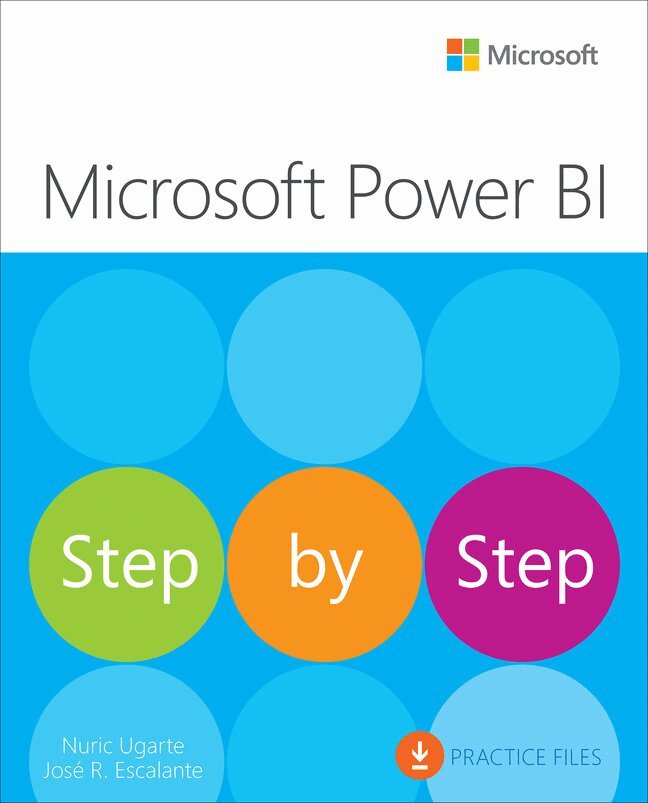
Are you ready to turn your data into powerful insights and make smarter business decisions? Microsoft Power BI Step by Step is your hands-on guide to mastering one of today’s most in-demand business intelligence tools. Written by certified Power BI experts Nuric Ugarte and José Rafael Escalante—leaders in the Power BI community, with years of real-world consulting and teaching experience—this book takes you from your very first steps in Power BI all the way to advanced data modeling, DAX calculations, and sharing interactive reports with your team. Whether you’re a business analyst, data professional, Excel power user, or IT decision-maker, you’ll find clear, step-by-step instructions and practical exercises that make learning Power BI approachable and effective. You’ll learn how to connect to a wide range of data sources, clean and transform your data, create stunning visualizations, and collaborate securely in the Power BI Service. Plus, you’ll discover how to use the latest features, including Copilot, to streamline your workflow and get answers faster. If you want to build your data skills, impress your organization, and unlock the full potential of Power BI, this is the book you need to get there—one step at a time.
Produktinformation
- Utgivningsdatum:2025-12-10
- Mått:190 x 231 x 15 mm
- Vikt:590 g
- Format:Häftad
- Språk:Engelska
- Serie:Addison Wesley
- Antal sidor:320
- Upplaga:1
- Förlag:Pearson Education
- ISBN:9780135468326
Utforska kategorier
Mer om författaren
Nuric Ugarte is a business intelligence consultant and Microsoft Certified Trainer (MCT) specializing in Microsoft Fabric and Power BI, with extensive experience delivering enterprise analytics solutions for major companies in the USA, Canada, and LATAM, working across a wide range of industries.She regularly delivers workshops and training sessions on Microsoft Fabric and Power BI, empowering professionals and organizations to successfully adopt these technologies. She is also active in the data community, contributing articles on a wide range of topics in Microsoft Fabric and Power BI, from data modeling and performance optimization to security, licensing, best practices, and certification preparation through her NuData blog.Nuric also served as a technical editor for Exam Ref DP-600 Implementing Analytics Solutions Using Microsoft Fabric, published by Pearson. José Rafael Escalante is a consultant and trainer specializing in data analytics and business visualization, with a proven track record in the strategic use of Microsoft Power BI. He was recognized as a Most Valuable Professional (MVP) in the Data Platform category, he has assisted organizations from different sectors in adopting business intelligence solutions, combining technical precision with pedagogical sensitivity.His approach as an educator is reflected in a modular, clear, and empathetic narrative, aimed at facilitating understanding without sacrificing technical depth. Throughout his nearly decade-long career, he has developed semantic models, business reports, specialized articles, and educational video content, including online courses and a YouTube channel. He has also hosted a podcast and participated in technical community events, bringing complex concepts to a wide audience in an accessible and meaningful way.
Innehållsförteckning
- IntroductionChapter 1 Introduction to Power BIPractice filesUnderstand how Power BI fits into the BI ecosystemExplore Power BI’s role within Microsoft FabricWhat makes Power BI different from its competitors?Identify the main components of Power BIPower BI Desktop: Building reports and modelsPower BI Service: Sharing and collaborating in the cloudPower BI Mobile: Access to data from any deviceRecognize the key roles involved in working with Power BISkills reviewPractice tasksUnderstand how Power BI fits into the BI ecosystemIdentify the main components of Power BIRecognize the key roles involved in working with Power BIChapter 2 Setting up Power BI Practice filesInstall and set up Power BI DesktopPower BI Desktop installation options Start Power BI DesktopExplore Power BI Desktop interfaceMain elements of the Power BI Desktop interface Configure Power BI Desktop settingsRecommended setup optionsCheck your Power BI Desktop versionSkills reviewPractice tasksInstall and set up Power BI DesktopExplore Power BI Desktop interfaceConfigure Power BI Desktop settingsChapter 3 Importing dataPractice filesExplore Power Query EditorDiscover Power Query interfaceGet Data in Power BIConnect to common data sourcesGet data from Excel and CSV filesGet data from foldersGet data from relational data sourcesGet data from the webGet data from online servicesSelect the appropriate storage modeComparison TableUnderstand privacy levelsSkills reviewPractice tasks Explore Power Query EditorConnect to common data sourcesSelect the appropriate storage modeUnderstand privacy levelsChapter 4 Transforming data with Power QueryPractice filesUnderstand Power QueryRecognize the role of data quality and cleansingDefine data typesApply columnar transformationsFill missing contentRemove duplicatesCombine columnsExtract text Replace valuesColumn from examplesGrouping dataChange table structures UnpivotPivot Column Combine and append tablesCombining tables Appending tablesSkills reviewPractice tasksUnderstand Power QueryRecognize the role of data quality and cleansingDefine data typesApply columnar transformationsChange table structuresCombine and append tablesChapter 5 Creating a simple semantic modelPractice filesUnderstand the fundamentals of the semantic model Single tableTwo or more tablesTypes of tablesDefine relationships between tablesDifferentiate types of relationshipsControl cross-filter directionManage active and inactive relationshipsCustomize the semantic model and manage its propertiesColumn tools Other propertiesLayoutsSkills reviewPractice tasksUnderstand the fundamentals of the semantic modelDefine relationships between tablesDifferentiate types of relationshipsControl cross-filter directionManage active and inactive relationships Customize the semantic model and manage its propertiesChapter 6 Performing basic calculations with DAXPractice filesExplore the DAX execution frameworkCalculated columnsMeasuresCalculated tablesVisual calculationsWrite basic syntax and apply common functionsAggregation functionsAggregations with more than one columnPerform conditional calculationsUnderstand CALCULATE and its impact on filter contextIntegrate visual calculationsSkills reviewPractice tasksExplore the DAX Execution frameworkWrite basic syntax and apply common functions Perform conditional calculationsUnderstand CALCULATE and its impact on filter contextIntegrate visual calculationsChapter 7 Building your first reportPractice filesExplore the Report viewFilters paneUnderstand types of visual objectsColumn charts Line and area chartsTrend analysis and contribution chartsRelationship and proportion chartsKey indicators and metricsTabular and hierarchical visualizationsSlicers Insert and customize visual objectsCardLine chartStacked bar chartRibbon chartTreemapStacked column chartOrganize layout and apply slicers and filtersSkills reviewPractice tasks Explore the Report viewUnderstand types of visual objectsInsert and customize visual objectsOrganize layout and apply slicers and filtersChapter 8 Designing advanced visualizationsPractice filesVisualize geographic data using mapsCompare variables and reveal patterns with scatter charts Break down measures and explore categories with decomposition treesDisplay multiple comparisons using small multiplesAnalyze trends, forecast values, and detect anomalies using line chartsTrend linesForecastAnomaliesSummarize key metrics using narrative textSkills reviewPractice tasksVisualize geographic data using mapsCompare variables and reveal patterns with scatter charts Break down measures and explore categories with decomposition treesDisplay multiple comparisons using small multiplesAnalyze trends, forecast values, and detect anomalies using line charts Summarize key metrics using narrative textChapter 9 Enhancing reportsPractice filesApply themes to shape visual identity Navigate into details using drillthrough pages Trigger actions via buttons, shapes, and imagesShow insights with tooltips and field parametersControl report behavior by applying bookmarksAdapt layouts for mobile experiencesSkills reviewPractice tasksApply themes to shape visual identityNavigate into details using drillthrough pagesTrigger actions via buttons, shapes, and imagesShow insights with tooltips and field parametersControl report behavior by applying bookmarksAdapt layouts for mobile experiencesChapter 10 Publishing and sharing reportsPractice filesExplore the Power BI ServiceKey Power BI Service concepts Set up an account in the Power BI ServicePublish reports from Power BI DesktopNavigate the Power BI ServiceSchedule data refreshes Configure a scheduled refresh Collaborate and share in the Power BI ServiceShare reports and dashboards Collaborate in workspacesPublish and distribute a Power BI appShare with external users Manage permissionsSkills reviewPractice tasksExplore the Power BI ServiceSchedule data refreshes Collaborate and share in the Power BI ServiceChapter 11 Creating dashboardsPractice filesBuild a dashboard from a report Understand dashboard tilesCustomize tilesAdd comments to a dashboardAdd a comment to a visualSet data alerts on dashboard tiles View insights on dashboard tilesSkills reviewPractice tasksBuild a dashboard from a reportAdd comments to a dashboardSet data alerts on dashboard tilesView insights on dashboard tilesChapter 12 Applying advanced topics and best practicesPractice filesImplement row-level security (RLS)Define roles in Power BI DesktopTest roles in Power BI DesktopAssign users to rolesTest roles in the Power BI ServiceApply Power Query best practicesReduce data volume and granularityAvoid complex transformations in Power BIRename steps and queries clearlyChoose appropriate data typesConsolidate applied stepsLeverage query foldingOptimize the semantic modelAdopt a star schema designUse descriptive namesAdd meaningful descriptionsHide unnecessary fieldsGroup and summarize your dataOptimize relationshipsWrite efficient DAX expressionsUse variables to improve performance and clarityAvoid forcing zero values in measures with no dataUse measures instead of calculated columnsAvoid costly and complex DAX functions Apply data visualization best practicesSimplify the layout Limit data displayedOptimize interactionsOptimize slicer usageOptimize tables and matricesUse certified visuals Avoid animated visuals Use Performance Analyzer to troubleshoot slow visualsDesign clean, effective dashboardsSkills reviewPractice tasks Implement row-level security (RLS)Apply Power Query best practicesOptimize the semantic modelWrite efficient DAX expressionsApply data visualization best practicesChapter 13 Exploring Copilot in Power BI Practice filesUnderstand Copilot in Power BIExplore the different Copilot experiencesHow different roles use Copilot Key capabilities overviewConfigure prerequisites and enable CopilotPrepare semantic models for AIBest practices for preparing your semantic modelTools to prepare your data for AI Mark your model as prepped for AIUse Copilot in Power BI DesktopCreate complete reports with CopilotCreate a narrative visual with CopilotWrite and explain DAX queries with CopilotCreate descriptions for DAX formulasExplore Copilot in the Power BI ServiceFind content with the standalone Copilot experienceCreate a report page with Copilot in the ServiceSummarize a report with CopilotAdd a narrative with Copilot (Narrative visual)Ask Copilot for data from your modelCreate DAX queries with Copilot in the Power BI ServiceSkills reviewPractice tasksUnderstand Copilot in Power BIPrepare semantic models for AIUse Copilot in Power BI DesktopExplore Copilot in the Power BI Service 9780135468326 TOC 11/11/2025
Du kanske också är intresserad av
- Nyhet
- Nyhet
Hjärnans akilleshälar : hur din hjärna lurar dig, och vad du kan göra åt det
Anders Hansen
289 kr
- -22%
- -30%
- Signerad!
- Signerad!
- -22%
- Nyhet
- -19%