• Fri frakt över 249 kr
  • •
  • Snabba leveranser
  • •
  • Billiga böcker
Kundservice

Du är på sajten för privatpersoner.

Företag, bibliotek eller offentlig verksamhet?

Du handlar på classic.bokus.com, där alla dina funktioner finns intakta.
Till classic.bokus.com
Bokus logotyp. Gå till startsidan.
  • Erbjudanden
  • Nyheter
  • Student
  • Topplistor
  • Barn & ungdom
  • Bokus Play
  • E-böcker
  • Pocketböcker
  • Spel & pussel

10% studentrabatt med kod TERM26

Sidfot

Mina sidor

    Hjälp

    • Kundservice
    • Vanliga frågor och svar
    • Frakt och leverans
    • Retur vid ångerrätt
    • Reklamera vara
    • Betalning
    • Köpvillkor
    • Allmänna villkor
    • Information om webbplatsens tillgänglighet

    Om Bokus

    • Om oss
    • Pressrum
    • För studenter
    • För företag
    • För bibliotek och offentlig verksamhet
    • För leverantörer
    • Hållbarhet

    Populärt

    • Aktuella erbjudanden
    • Presentkort
    • Studentlitteratur
    • Nya böcker
    • Topplistor
    • Signerade böcker
    • Engelska böcker

    Inspiration

    • Boktips
    • BookTok
    • Populära bokserier
    • Barnbokskaraktärer
    • Populära författare
    Logotyp för Bokus
    Följ oss på Facebook (extern länk)Följ oss på Instagram (extern länk)Följ oss på YouTube (extern länk)Följ oss på TikTok (extern länk)
    bokus @ CookiesAnpassa cookiesIntegritetspolicyKöpvillkor
    Till Citymail hemsida (extern länk)Till Budbee hemsida (extern länk)Till Postnord hemsida (extern länk)Till Schenker hemsida (extern länk)Till Early Bird hemsida (extern länk)Till Walleys hemsida (extern länk)
    1. Data och IT
    2. Affärsapplikationer
    • -10% student

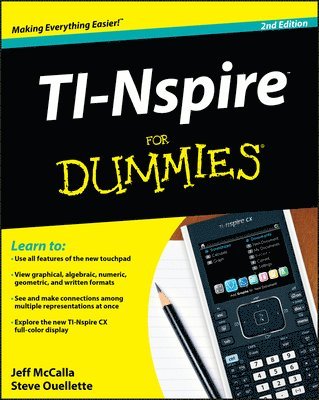
    TI-Nspire For Dummies

    AvJeff McCalla,Steve Ouellette

    Häftad, Engelska, 2011

    239 kr

    Beställningsvara. Skickas inom 5-8 vardagar. Fri frakt över 249 kr.

    Beskrivning

    The updated guide to the newest graphing calculator from Texas InstrumentsThe TI-Nspire graphing calculator is popular among high school and college students as a valuable tool for calculus, AP calculus, and college-level algebra courses. Its use is allowed on the major college entrance exams. This book is a nuts-and-bolts guide to working with the TI-Nspire, providing everything you need to get up and running and helping you get the most out of this high-powered math tool. Texas Instruments' TI-Nspire graphing calculator is perfect for high school and college students in advanced algebra and calculus classes as well as students taking the SAT, PSAT, and ACT examsThis fully updated guide covers all enhancements to the TI-Nspire, including the touchpad and the updated software that can be purchased along with the deviceShows how to get maximum value from this versatile math toolWith updated screenshots and examples, TI-Nspire For Dummies provides practical, hands-on instruction to help students make the most of this revolutionary graphing calculator.

    Produktinformation

    • Utgivningsdatum:2011-06-07
    • Mått:185 x 235 x 20 mm
    • Vikt:600 g
    • Format:Häftad
    • Språk:Engelska
    • Antal sidor:384
    • Upplaga:2
    • Förlag:John Wiley & Sons Inc
    • ISBN:9781118004661

    Ingår i kampanjer

    -10% student

    Utforska kategorier

    • Affärsapplikationer inom Data och IT

    Mer om författaren

    Jeff McCalla teaches Algebra 2 and Pre-Calculus at St. Mary's Episcopal School in Memphis. He is a T3 instructor for Texas Instruments and co- founder of the TI-Nspire SuperUser group.Steve Ouellette wrote the first edition of TI-Nspire For Dummies as well as CliffsNotes® Guide to TI-Nspire.

    Innehållsförteckning

    • Introduction 1Part I: Getting to Know Your TI-Nspire Handheld 9Chapter 1: Using TI-Nspire for the First Time 11Chapter 2: Understanding the Document Structure 25Chapter 3: Creating and Editing Documents 37Chapter 4: Linking Handhelds 47Part II: The Calculator Application 51Chapter 5: Entering and Evaluating Expressions 53Chapter 6: Working with Variables 69Chapter 7: Using the Calculator Application with Other Applications 77Chapter 8: Using the Calculator Application with TI-Nspire CAS 85Part III: The Graphs Application 99Chapter 9: Working with Graphs 101Chapter 10: Using the Graphs Application to Do Calculus 131Part IV: The Geometry Application 135Chapter 11: Working with Geometric Objects 137Chapter 12: Using an Analytic Window in the Geometry Application 159Part V: The Lists & Spreadsheet Application 165Chapter 13: Applying What You Already Know about Spreadsheets 167Chapter 14: Working with Data 177Chapter 15: Constructing Scatter Plots and Performing Regressions 189Chapter 16: Manual and Automatic Data Capture 201Part VI: The Data & Statistics and Vernier DataQuest Applications 209Chapter 17: Constructing Statistical Graphs 211Chapter 18: Working with Single-Variable Data 215Chapter 19: Working with Two-Variable Data 227Chapter 20: Data Collection 237Part VII: The Notes Application 249Chapter 21: The Why and How of Using Notes 251Chapter 22: Taking Notes to a Whole New Level 255Part VIII: TI-Nspire Computer Software 261Chapter 23: Getting Started with TI-Nspire Computer Software 263Chapter 24: File Creation and Display in Documents Workspace 271Chapter 25: File Management with Content Workspace 287Part IX: The Part of Tens 295Chapter 26: Ten Great Tips and Shortcuts 297Chapter 27: Ten Common Problems Resolved 305Appendix A: Safeguarding in Press-to-Test Mode 311Appendix B: Basic Programming 315Appendix C: Working with Libraries 331Index 337