• Fri frakt över 249 kr
  • •
  • Snabba leveranser
  • •
  • Billiga böcker
Kundservice

Du är på sajten för privatpersoner.

Företag, bibliotek eller offentlig verksamhet?

Du handlar på classic.bokus.com, där alla dina funktioner finns intakta.
Till classic.bokus.com
Bokus logotyp. Gå till startsidan.
  • Erbjudanden
  • Nyheter
  • Student
  • Topplistor
  • Barn & ungdom
  • Bokus Play
  • E-böcker
  • Pocketböcker
  • Spel & pussel

10% rabatt på allt med kod NYSTART10 →

Sidfot

Mina sidor

    Hjälp

    • Kundservice
    • Vanliga frågor och svar
    • Frakt och leverans
    • Retur vid ångerrätt
    • Reklamera vara
    • Betalning
    • Köpvillkor
    • Allmänna villkor
    • Information om webbplatsens tillgänglighet

    Om Bokus

    • Om oss
    • Pressrum
    • För studenter
    • För företag
    • För bibliotek och offentlig verksamhet
    • För leverantörer
    • Hållbarhet

    Populärt

    • Aktuella erbjudanden
    • Presentkort
    • Studentlitteratur
    • Nya böcker
    • Topplistor
    • Signerade böcker
    • Engelska böcker

    Inspiration

    • Boktips
    • BookTok
    • Populära bokserier
    • Barnbokskaraktärer
    • Populära författare
    Logotyp för Bokus
    Följ oss på Facebook (extern länk)Följ oss på Instagram (extern länk)Följ oss på YouTube (extern länk)Följ oss på TikTok (extern länk)
    bokus @ CookiesAnpassa cookiesIntegritetspolicyKöpvillkor
    Till Citymail hemsida (extern länk)Till Budbee hemsida (extern länk)Till Postnord hemsida (extern länk)Till Schenker hemsida (extern länk)Till Early Bird hemsida (extern länk)Till Walleys hemsida (extern länk)
    1. Data och IT
    2. Operativsystem

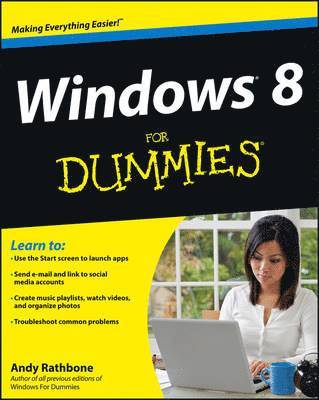
    Windows 8 For Dummies

    AvAndy Rathbone

    Häftad, Engelska, 2012

    183 kr

    Beställningsvara. Skickas inom 5-8 vardagar. Fri frakt över 249 kr.

    Fler format och utgåvor

    E-bok

    220 kr

    E-bok

    220 kr

    Beskrivning

    The bestselling tech book of all time, now updated for Windows 8 Microsoft Windows is the operating system that runs nearly 90 percent of the world's computers. Windows 8 will offer new interface updates, cloud-based services, and much more. This update of Andy Rathbone's bestselling Windows guide covers all the basics, plus the enhancements unique to Windows 8. Whether you're meeting Windows for the first time or upgrading from an earlier version, this book shows you how to navigate the interface, work with files, browse the Internet, set up e-mail, manage media, and more. Combined editions of this book, all by Microsoft MVP Andy Rathbone, have sold more than 15 million copies worldwide, making Windows For Dummies the #1 bestselling technology book of all timeCovers all the basics of using Windows 8--core desktop components, managing files and folders, saving files, using Windows search, printing, and working in the cloudShows how to get online, set up and use e-mail, use the latest version of Internet Explorer, set up security and virus protection, add music to the media player, organize photos, and edit mediaIncludes coverage on using Windows 8's new start screen on both a desktop computer and a touchscreen deviceWindows 8 For Dummies has what all Windows newbies need to know as well as complete coverage of the new version's bells and whistles.

    Produktinformation

    • Utgivningsdatum:2012-09-14
    • Mått:185 x 234 x 20 mm
    • Vikt:703 g
    • Format:Häftad
    • Språk:Engelska
    • Antal sidor:432
    • Förlag:John Wiley & Sons Inc
    • ISBN:9781118134610

    Utforska kategorier

    • Operativsystem inom Data och IT

    Mer om författaren

    Andy Rathbone is an expert on PC operation and repair, home theater and entertainment technologies, and tablet computing. In addition to all editions of Windows For Dummies, he is the author of Upgrading & Fixing Computers Do-It-Yourself For Dummies and Motorola XOOM For Dummies.

    Innehållsförteckning

    • Introduction  1 Part I: Windows 8 Stuff Everybody Thinks You Already Know  9Chapter 1: What Is Windows 8? 11Chapter 2: The Mysterious New Start Screen 19Chapter 3: The Traditional Desktop 51Chapter 4: Basic Desktop Window Mechanics 71Chapter 5: Storage: Internal, External, and in the Sky 87Part II: Working with Programs, Apps, and Files  117Chapter 6: Playing with Programs, Apps, and Documents 119Chapter 7: Finding the Lost 139Chapter 8: Printing Your Work 153Part III: Getting Things Done on the Internet  167Chapter 9: Cruising the Web 169Chapter 10: Being Social: Mail, People, Calendar, and Messaging 191Chapter 11: Safe Computing 215Part IV: Customizing and Upgrading Windows 8  227Chapter 12: Customizing Windows 8 with the Control Panel 229Chapter 13: Keeping Windows from Breaking 255Chapter 14: Sharing One Computer with Several People 269Chapter 15: Connecting Computers with a Network 285Part V: Music, Photos, and Movies  299Chapter 16: Playing and Copying Music in Media Player 301Chapter 17: Fiddling with Photos (and Movies) 323Part VI: Help!  341Chapter 18: The Case of the Broken Window 343Chapter 19: Strange Messages: What You Did Does Not Compute 359Chapter 20: Moving from an Old PC to a New Windows 8 PC 369Chapter 21: Help on the Windows 8 Help System 377Part VII: The Part of Tens  383Chapter 22: Ten Things You’ll Hate about Windows 8 (and How to Fix Them) 385Chapter 23: Ten or So Tips for Touchscreen Owners 393Index  399