• Fri frakt över 249 kr
  • •
  • Snabba leveranser
  • •
  • Billiga böcker
Kundservice

Du är på sajten för privatpersoner.

Företag, bibliotek eller offentlig verksamhet?

Du handlar på classic.bokus.com, där alla dina funktioner finns intakta.
Till classic.bokus.com
Bokus logotyp. Gå till startsidan.
  • Erbjudanden
  • Student
  • Topplistor
  • Barn & ungdom
  • Bokus Play
  • E-böcker
  • Ljudböcker
  • Pocketböcker
  • Spel och pussel

5% studentrabatt – använd koden KURSBOK27 →

Sidfot

Mina sidor

    Hjälp

    • Kundservice
    • Vanliga frågor och svar
    • Frakt och leverans
    • Retur vid ångerrätt
    • Reklamera vara
    • Betalning
    • Köpvillkor
    • Allmänna villkor
    • Information om webbplatsens tillgänglighet

    Om Bokus

    • Om oss
    • Pressrum
    • För studenter
    • För företag
    • För bibliotek och offentlig verksamhet
    • För leverantörer
    • Hållbarhet

    Populärt

    • Aktuella erbjudanden
    • Presentkort
    • Studentlitteratur
    • Nya böcker
    • Topplistor
    • Signerade böcker
    • Engelska böcker

    Inspiration

    • Boktips
    • BookTok
    • Barnbokskaraktärer
    • Populära författare
    Logotyp för Bokus
    Följ oss på Facebook (extern länk)Följ oss på Instagram (extern länk)Följ oss på YouTube (extern länk)Följ oss på TikTok (extern länk)
    bokus @ CookiesAnpassa cookiesIntegritetspolicyKöpvillkor
    Till Citymail hemsida (extern länk)Till Budbee hemsida (extern länk)Till Postnord hemsida (extern länk)Till Schenker hemsida (extern länk)Till Early Bird hemsida (extern länk)Till Walleys hemsida (extern länk)
    1. Data och IT
    2. Programmeringsböcker

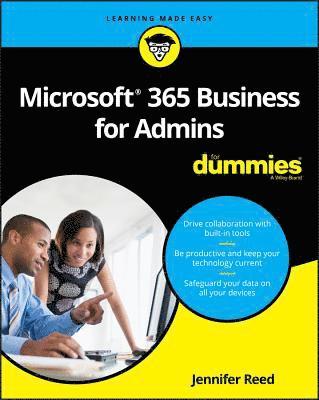
    Microsoft 365 Business for Admins For Dummies

    AvJennifer Reed

    Häftad, Engelska, 2019

    202 kr

    Tillfälligt slut

    Fler format och utgåvor

    E-bok

    256 kr

    E-bok

    256 kr

    Beskrivning

    Learn streamlined management and maintenance capabilities for Microsoft 365 Business If you want to make it easy for your teams to work together using the latest productivity solutions with built-in security—while saving thousands of dollars in implementing the solution—you've picked the right book. Inside, you'll gain an understanding of Microsoft 365 Business, a complete integrated solution for business productivity and security powered by Office 365 and Windows 10. You’ll also learn how this cloud-based solution can help grow your business while protecting company data from potential threats using the same security management tools large enterprises use.Microsoft 365 Business For Admins For Dummies provides business owners, IT teams, and even end users an understanding of the capabilities of Microsoft 365 Business: an integrated platform and security solution built with the latest features to enable today's modern workforce and empower businesses to achieve their goals. De-mystifies the complexities of the bundled solution to help you avoid common deployment pitfallsIncludes the latest information about the services included in Microsoft 365 BusinessEnhance team collaboration with intelligent toolsManage company-owned or bring your own device (BYOD) devices from one portalStep through a guided tour for running a successful deploymentGet the guidance you need to deploy Microsoft 365 Business and start driving productivity in your organization while taking advantage of the built-in security features in the solution to grow and protect your business today.

    Produktinformation

    • Utgivningsdatum:2019-04-12
    • Mått:185 x 234 x 20 mm
    • Vikt:408 g
    • Format:Häftad
    • Språk:Engelska
    • Antal sidor:320
    • Förlag:John Wiley & Sons Inc
    • ISBN:9781119539131

    Utforska kategorier

    • Programmeringsböcker inom Data och IT

    Mer om författaren

    Jennifer Reed is the co-author of Office 365 For Dummies and founder of Cloud611, an IT services company that helps SMBs take advantage of cloud technologies to drive business outcomes. As a solutions architect, Jenn has helped migrate thousands of users to Office 365. As a manager of a high-performing team of solutions architects, Jenn's focus is enabling IT departments to adapt to evolving technological innovations and adopt the best approach to digital transformation.<

    Innehållsförteckning

    • Introduction 1About This Book 2Foolish Assumptions 2Icons Used in This Book 2Beyond the Book 3Where to Go from Here 3Part 1: Transforming the Small Business 5Chapter 1: Understanding the New World of Work 7Creating a Productive Workplace 8Realizing the value of Microsoft 365 Business 8Promoting teamwork in a diverse workforce 9Keeping Business Technology Current 11Looking back at traditional IT businesses 12Running a modern IT environment 12Safeguarding Business Data 13Security is everyone’s business 13Taking a layered approach to security 14Chapter 2: Getting to Know Microsoft 365 Business 17Understanding the Microsoft 365 Plans 18Breaking down the Enterprise plan 19Deciding whether the Business plan is right for you 19Exploring Admin Center 21Getting to know the Admin Center home page 21Discovering admin centers 23Growing Your Business with the Bookings App 24Administering Bookings licenses 24Installing the Bookings app 25Part 2: Implementing Microsoft 365 27Chapter 3: Preparing for Implementation 29Setting the Stage for the Rollout 30Introducing Microsoft Azure 30Getting to know Azure Active Directory 31Building the implementation road map 32Taking Care of Prerequisites 34Getting ready for Windows 10 Business 34Flying on autopilot with Windows AutoPilot 35Branding sign-in pages 36Chapter 4: Migrating to Office 365 39Moving Your Email System to Exchange Online 40Basic email migration overview 41Capitalizing on the Office 365 Mail Migration Advisor 42Migrating Files to SharePoint Online 45Do-it-yourself with the SharePoint Migration Tool 46Syncing files with the OneDrive client 48Customizing the Microsoft Teams Tool 48Chapter 5: Deploying Windows 10 51Making the Case for Windows 10 52Getting cloud-ready with Windows 10 52Windows as a service (WaaS) at a glance 53Completing the Setup Wizard before Deployment 55Manually Deploying Windows 10 Business 58Deploying with Windows AutoPilot 61Capturing the device ID 61Registering the device for AutoPilot deployment 66Stepping through the OOBE 67Chapter 6: Configuring Security Features 69Securing the Front Door 70Office 365 Advanced Threat Protection overview 70ATP Safe Attachments 71ATP Safe Links 74Using Encryption to Protect Email 75Azure Information Protection labels 76Sending an encrypted email 77Chapter 7: Getting Tactical with the Deployment 79Peering into a Real-Life Deployment 80Questions to ask before deployment 80Tales from the deployment trenches 81Planning the Deployment 82Part 3: Driving Productivity and Collaboration 85Chapter 8: Unlocking Enhanced Collaboration 87Understanding the Advanced Technologies in the Solution 88All together as one with Groups 88Connecting the dots with Office Graph 91Serving up content with Delve 91Getting to Know Your Collaboration Toolkit 93Creating a team site in SharePoint 93Being social at work with Yammer 95Chapter 9: Teaming Up Digitally 97Exploring Microsoft Team Capabilities 98Making the case for Microsoft Teams 98The Microsoft Teams user interface 100Planning Your Microsoft Teams Deployment 101Building a roadmap with your people 102Getting your network ready 103Getting your users ready for Microsoft Teams 103Configuring Microsoft Teams 104Integrating Microsoft Teams with Office 365 Services 107Part 4: Building a Culture Of Security 109Chapter 10: Managing Passwords 111Knowing What You’re Up Against 112Today’s common attacks 112Applying the latest password guidance 114Enabling Self-Service Password Reset (SSPR) 116Rolling out SSPR in your organization 116The end user’s experience in SSPR 118Changing passwords from the MyApps portal 120Living in a Password-Less World 121Chapter 11: Configuring Multi-Factor Authentication 123Getting Grounded on Authentication 124MFA in the Microsoft ecosystem 124Best practices from the trenches 125Deploying MFA 126Admin tasks for setting up MFA 127Enabling end users for MFA 128End-user MFA experience 130Managing MFA 132Chapter 12: Demystifying Information Protection 135Configuring AIP 136The evolution of AIP 136Activating AIP 137Getting familiar with labels 138A few words about policies 140Putting AIP Into Action 142Installing the AIP client 142Applying a label to a document 144Revoking access to information 145Chapter 13: Measuring Your Security Posture 147Exploring the Secure Score Dashboard 148Getting to the dashboard 148Understanding your score 149Taking action to improve your score 150Comparing your score 153Reviewing the Score Analyzer 154Part 5: Managing Mobile Devices and Apps 157Chapter 14: Introducing Microsoft Intune 159Getting to Know Intune 160Better together with Intune and AAD 160Toggle switch revelations 161Choosing Between MDM and MAM 164Making the case for MDM 164Choosing MAM 167Chapter 15: Managing Mobile Devices 169Understanding Device Management 170Stepping through the device lifecycle 171Preparing for device management 172Working in the Device Management Portal 177Preparing for device enrollment 178Configuring Apple enrollment for MDM 178Setting up a device compliance policy 182Assigning device compliance polices 184Creating a device configuration profile 185Administering an enrolled device 187Walking in the End User’s Shoes 188Chapter 16: Managing Mobile Applications 193Laying the Groundwork for MAM 194Understanding app protection policies 194Different ways to do MAM 196Reviewing the Default App Policies 196Application policy for Window 10 197Application policy for iOS 198Going Beyond the Basics 201Adding an app to the Company Portal app 201Downloading the Excel app from the Company Portal app 202Chapter 17: Browsing with the Edge Mobile App 205Driving Users to (the) Edge Is Good 206Value for the organization 206Value for the end user 207Deploying Edge as Managed App 208Creating the Edge app configuration policy 209Assigning the Edge app configuration policy 211Adding the Edge app to the Company Portal app 212Installing the Edge mobile app 212Testing the Edge mobile app policy 215Testing conditional access in the Edge mobile app 218Part 6: Administering the Service 221Chapter 18: Working in Microsoft 365 Admin Center 223Modernizing IT Management 224Experiencing the new Admin Center 224Personalizing the experience 226One-Stop-Shop User Management 228Interacting with the Users List 229Managing users 230Chapter 19: Creating Reports and Alerts 233Keeping Apprised with Reports 234Usage Reports in Microsoft 365 Admin Center 234Reviewing the Reports in Security Admin Center 235Turning on audit logs 238Setting Up Alerts 240Chapter 20: Managing Collaboration Workspaces 243Understanding Teamwork in Microsoft 365 244Use cases for OneDrive for Business 244The benefits of SharePoint Online 246The deal about Microsoft Teams 248Better three-gether: OneDrive, SharePoint, and Microsoft Teams 249Working in SharePoint Admin Center 250Turning on the new experience 250The Home Page 251Active Sites under the Sites group 252Access Control under the Policies group 253The Settings Menu 253Part 7: The Part of Tens 255Chapter 21: Ten Apps and Features an Admin Should Know 257BitLocker 258End User Communications 259Microsoft Flow 260Microsoft Forms 261Microsoft Planner 262Microsoft PowerApps 263Microsoft Search 264Microsoft Stream 265Microsoft Sway 266Service Health 267Chapter 22: Ten Ways to Be Productive in Microsoft 365 Business 269Pick Up Where You Left Off 270Share Documents with Confidence 270Co-Author Anytime, Anywhere 271Catch Someone’s Attention Easily 272Figure Out Whodunnit 272Blur My Background Please 273Design Like a Pro by Using AI 274Talk, Don’t Type 275Go Hands-Free with Read Aloud 275Time Travel with Windows Timeline 276Chapter 23: Ten Tips to Drive Adoption 279Get Leaders to Sponsor the Effort 280Recruit and Activate Champs 280Communicate the Change 281Develop and Execute a Training Plan 282Start with “Easy Win” Scenarios 282Provide Self-Service Resources 283Highlight the Wins 284Check the Usage Report 284Be Ready to Provide Support 285Bring in the Pros 285Index 287