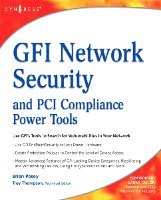
Häftad, Engelska, 2008
GFI Network Security and PCI Compliance Power Tools
Av Brien Posey
622 kr
Beställningsvara. Skickas inom 10-15 vardagar. Fri frakt över 249 kr.
Beskrivning
Today all companies, U.S. federal agencies, and non-profit organizations have valuable data on their servers that needs to be secured. One of the challenges for IT experts is learning how to use new products in a time-efficient manner, so that new implementations can go quickly and smoothly. Learning how to set up sophisticated products is time-consuming, and can be confusing. GFI's LANguard Network Security Scanner reports vulnerabilities so that they can be mitigated before unauthorized intruders can wreck havoc on your network. To take advantage of the best things that GFI's LANguard Network Security Scanner has to offer, you'll want to configure it on your network so that it captures key events and alerts you to potential vulnerabilities before they are exploited.
In this book Brien Posey has pinpointed the most important concepts with examples and screenshots so that systems administrators and security engineers can understand how to get the GFI security tools working quickly and effectively. His straightforward, no nonsense writing style is devoid of difficult to understand technical jargon. His descriptive examples explain how GFI's security tools enhance the security controls that are already built into your server's operating system.
* Secure Your Network Master the various components that make up the management console and prepare to use it for most tasks.
* Analyze Scan Results View detected vulnerabilities, save and print results, query open ports, and filter your results.
* Install and Use the ReportPack Learn how to build custom reports and schedule reports. See how filters allow you to control the information that is processed when a reports is run.
* Perform a Hardware Inventory and Compile a Software Inventory Use GFI to do your inventories and perform audits. See how to blacklist and whitelist applications to make your reports more meaningful.
* Manage Patches Effectively See how to deploy a specific patch, perform a scan comparison, uninstall a patch, and deploy custom software.
* Use GFI EndPointSecurity to Lock Down Hardware Be prepared for users trying to install unauthorized software, copy sensitive data onto removable media, or perform other actions to try and circumvent your network's security.
* Create Protection Policies Control the level of device access allowed on a system and create separate protection policies; one for servers, one for workstations, and one for laptops. Learn how to deploy agents.
* Regulate Specific Devices Master some of the advanced features of GFI: locking device categories, blacklisting and whitelisting devices, and using file type restrictions.
* Monitor Device Usage Keep tabs on your network by setting logging options, setting alerting options, and generating end point security reports.
In this book Brien Posey has pinpointed the most important concepts with examples and screenshots so that systems administrators and security engineers can understand how to get the GFI security tools working quickly and effectively. His straightforward, no nonsense writing style is devoid of difficult to understand technical jargon. His descriptive examples explain how GFI's security tools enhance the security controls that are already built into your server's operating system.
* Secure Your Network Master the various components that make up the management console and prepare to use it for most tasks.
* Analyze Scan Results View detected vulnerabilities, save and print results, query open ports, and filter your results.
* Install and Use the ReportPack Learn how to build custom reports and schedule reports. See how filters allow you to control the information that is processed when a reports is run.
* Perform a Hardware Inventory and Compile a Software Inventory Use GFI to do your inventories and perform audits. See how to blacklist and whitelist applications to make your reports more meaningful.
* Manage Patches Effectively See how to deploy a specific patch, perform a scan comparison, uninstall a patch, and deploy custom software.
* Use GFI EndPointSecurity to Lock Down Hardware Be prepared for users trying to install unauthorized software, copy sensitive data onto removable media, or perform other actions to try and circumvent your network's security.
* Create Protection Policies Control the level of device access allowed on a system and create separate protection policies; one for servers, one for workstations, and one for laptops. Learn how to deploy agents.
* Regulate Specific Devices Master some of the advanced features of GFI: locking device categories, blacklisting and whitelisting devices, and using file type restrictions.
* Monitor Device Usage Keep tabs on your network by setting logging options, setting alerting options, and generating end point security reports.
- Use GFI EndPointSecurity to Lock Down Hardware
- Create Protection Policies to Control the Level of Device Access
- Master Advanced Features of GFI: Locking Device Categories, Blacklisting and Whitelisting Devices, Using File Type Restrictions and More
Produktinformation
- Utgivningsdatum: 2008-11-13
- Mått: 191 x 235 x 29 mm
- Vikt: 980 g
- Format: Häftad
- Språk: Engelska
- Antal sidor: 488
- Förlag: Elsevier Science
- ISBN: 9781597492850
Utforska kategorier
Betyg & recensioner
0 recensioner
Inga recensioner tillgängliga.