• Fri frakt över 249 kr
  • •
  • Snabba leveranser
  • •
  • Billiga böcker
Kundservice

Du är på sajten för privatpersoner.

Företag, bibliotek eller offentlig verksamhet?

Du handlar på classic.bokus.com, där alla dina funktioner finns intakta.
Till classic.bokus.com
Bokus logotyp. Gå till startsidan.
  • Erbjudanden
  • Nyheter
  • Student
  • Topplistor
  • Barn & ungdom
  • Bokus Play
  • E-böcker
  • Pocketböcker
  • Spel & pussel

10% rabatt på allt med kod NYSTART10 →

Sidfot

Mina sidor

    Hjälp

    • Kundservice
    • Vanliga frågor och svar
    • Frakt och leverans
    • Retur vid ångerrätt
    • Reklamera vara
    • Betalning
    • Köpvillkor
    • Allmänna villkor
    • Information om webbplatsens tillgänglighet

    Om Bokus

    • Om oss
    • Pressrum
    • För studenter
    • För företag
    • För bibliotek och offentlig verksamhet
    • För leverantörer
    • Hållbarhet

    Populärt

    • Aktuella erbjudanden
    • Presentkort
    • Studentlitteratur
    • Nya böcker
    • Topplistor
    • Signerade böcker
    • Engelska böcker

    Inspiration

    • Boktips
    • BookTok
    • Populära bokserier
    • Barnbokskaraktärer
    • Populära författare
    Logotyp för Bokus
    Följ oss på Facebook (extern länk)Följ oss på Instagram (extern länk)Följ oss på YouTube (extern länk)Följ oss på TikTok (extern länk)
    bokus @ CookiesAnpassa cookiesIntegritetspolicyKöpvillkor
    Till Citymail hemsida (extern länk)Till Budbee hemsida (extern länk)Till Postnord hemsida (extern länk)Till Schenker hemsida (extern länk)Till Early Bird hemsida (extern länk)Till Walleys hemsida (extern länk)
    1. Data och IT
    2. Nätverk och kommunikation

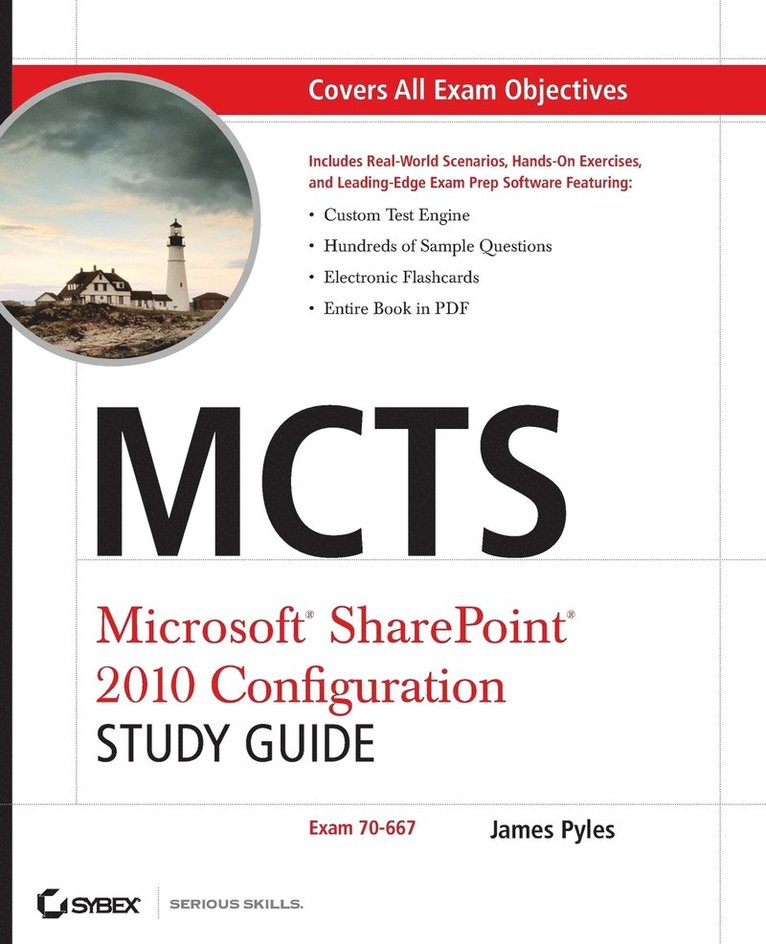
    MCTS Microsoft SharePoint 2010 Configuration Study Guide

    Exam 70-667

    AvJames Pyles

    John Wiley & Sons Inc

    2010

    517 kr

    Beställningsvara. Skickas inom 5-8 vardagar. Fri frakt över 249 kr.

    Beskrivning

    A Sybex study guide for the new SharePoint Server 2010 Configuration examSharePoint holds 55 percent of the collaboration and content management market, with many more companies indicating they plan to join the fold. IT professionals interested in enhancing their marketability with the new Microsoft Certified Technology Specialist: Microsoft SharePoint Server 2010 Configuring exam will find this guide may be their only alternative to costly classroom training. Microsoft SharePoint claims over half the market for collaboration and content management software; IT professionals will boost their marketability with the newest MCTS certification covering Microsoft SharePoint Server 2010 ConfiguringThis study guide covers 100 percent of the exam objectives with real world scenarios, hands-on exercises, and challenging review questionsCovers installing, deploying, configuring, and upgrading SharePoint Server 2010; managing search, business intelligence, and administration; configuring content management and business forms; and moreWith plenty of practice questions on the companion CD, this guide to exam 70-667 prepares IT professionals to achieve the MCTS: Microsoft SharePoint Server 2010 Configuring certification.

    Produktinformation

    • Märke:John Wiley & Sons Inc
    • Utgivningsdatum:2010-11-19
    • Höjd:189 x 235 x 37 mm
    • Vikt:1 016 g
    • Språk:Engelska
    • Antal sidor:688
    • Förlag:John Wiley & Sons Inc
    • EAN:9780470627013

    Utforska kategorier

    • Nätverk och kommunikation inom Data och IT
    • It-certifieringar inom Data och IT

    Mer om författaren

    James Pyles is an experienced author, instructor, and consultant, and currently worksas a technical writer for Keynetics, Inc. He has been involved in numerous Ethernet rolloutprojects, software and hardware installations and upgrades, and Windows and UNIXoperating system upgrades. Previously he was a developmental editor for Global Support Content Operations at HP. He has authored or coauthored several books, including MCTS: Microsoft SharePoint Server 2007 Configuration Study Guide and PC Technician Street Smarts: A Real World Guide to CompTIA A+ Skills, Second Edition.

    Innehållsförteckning

    • Introduction xxixChapter 1 What’s New in Microsoft SharePoint 2010 1New Requirements Overview 2The Advantages of 64-Bit Hardware 3The Advantages of 64-Bit Server and Database Platforms 3Considerations of 32-Bit and 64-Bit 4Requirements by Environment 5Base Hardware Requirements 5Software Requirements 5Client Computer Requirements 7What’s New and Different with SharePoint Server 2010? 10Summary 16Exam Essential 16Review Questions 17Answers to Review Questions 24Chapter 2 Planning and Deploying a SharePoint 2010Installation and Upgrade 27Planning the SharePoint Server 2010 Environment 28Architecting SharePoint Components 29Architecting SharePoint Topologies 34SharePoint Server 2010: Deploying and Upgrading 42Deploying SharePoint Server 2010 42Upgrading to SharePoint Server 2010 59Summary 73Exam Essentials 73Review Questions 74Answers to Review Questions 80Chapter 3 Configuring SharePoint Farm Environments 83Server Farm Configuration Overview 84Usage and Health Data Collection Configuration 84Diagnostic Logging Configuration 88Configuring Email Integration 92Configuring Mobile Accounts for SharePoint 103Installing and Configuring Remote BLOB Storage 107Summary 111Exam Essentials 111Review Questions 112Answers to Review Questions 118Chapter 4 Configuring Service Applications 121Service Applications Configuration Overview 122Server Farm Configuration Wizard 122Service Applications and Services 123Service Application Management 132Managing Service Applications 132Configuring Individual Service Applications 142Summary 158Exam Essentials 159Review Questions 160Answers to Review Questions 167Chapter 5 Configuring Indexing and Search 169Enterprise Search Overview 170SharePoint Search for Users 170SharePoint Search for Administrators 172Managing Enterprise Search from General Application Settings 173Administering Farm-wide Search 173Administering Crawling Features 175Administering Query and Result Features 182Administering Reporting Features 189Managing the Enterprise Search Topology 193Administering an Index Partition and Query Components 193Administrating Crawl Databases and Components 196Administering Property Databases and Host Distribution Rules 198Managing FAST Search for SharePoint 199Installation and Configuration of FAST Search Server 2010 for SharePoint 199Adding FAST Search Server 2010 as a Backend for SharePoint 204Summary 208Exam Essentials 208Review Questions 209Answers to Review Questions 215Chapter 6 Managing Operational Settings 217Managing Metadata 218Administering Managed Metadata Operations 218Managing Database Operations for SharePoint 228Administering Database Operations 228SQL Server Reporting Services (SSRS) 234Managing Business Data Connectivity 238Performing Administrative Tasks in Business Data Connectivity 238Summary 249Exam Essentials 250Review Questions 251Answers to Review Questions 257Chapter 7 Managing User Accounts and Roles 259Managing the User Profile Service 260Administering the User Profile Service Application 260User and Organization Profile Management 270Summary 289Exam Essentials 289        Review Questions 290Answers to Review Questions 296Chapter 8 Managing Authentication Providers and Permissions 299Managing Authentication Methods 300Administering Kerberos 301Administering Claims-Based Authentication 307Administering Active Directory Federation Services 317Managing Custom Permissions 321Configuring Custom SharePoint Permissions 323Errors 326Errors on Multiple Systems 326Summary 330Exam Essentials 330Review Questions 331Answers to Review Questions 338Chapter 9 Managing Web Applications and Host Sites 341Managing Business Intelligence 342Administering PerformancePoint 343Configuring PerformancePoint Services 343Deploying PerformancePoint Objects 354Administering Excel Services 361Managing Excel Services Custom Application 361Managing Excel Services Connections 363Managing Excel Services Trusted Locations 365Configuring a Secure Store for Excel Services 367Summary 368Exam Essentials 369Review Questions 370Answers to Review Questions 375Chapter 10 Managing Site Collections 377Site Collections Administration 378Managing Site Collections 378Managing Site Collection Quotas and Locks 385General Site Management 390My Site Management 392Multi-tenancy Sites Management 395Administering the SharePoint Wiki 400Web Content Management 401Managing File Types 402Administering Content Deployment 403Managing Web Content 413Summary 416Exam Essentials 417Review Questions 418Answers to Review Questions 425Chapter 11 Deploying and Managing Applications and Solutions 427Sandbox Administration 428Reviewing the Sandbox Solution 428Planning and Deploying the Sandbox Solution 429Managing the State Service 434Configuring the State Service 434Configuring the State Service Using Windows PowerShell 435Workflow Administration 435Managing Workflows 436Monitoring Workflows 442Configuring Global Workflow Settings 444Deploying Workflow Templates 447Administering InfoPath Forms 449Configuring InfoPath Form Services and Templates 450Managing Data Connection Files for InfoPath Forms 456Managing the Web Service Proxy for InfoPath Forms 457Summary 459Exam Essentials 459Review Questions 460Answers to Review Questions 467Chapter 12 Backing Up and Restoring SharePoint 469Configuring Permissions for Backup and Recovery 470Required Services and Groups for Backup and Recovery 470Managing Backup Operations 472Backing Up SharePoint Components 472Managing Restore Operations 486Restoring SharePoint Components 486Summary 499Exam Essentials 499Review Questions 500Answers to Review Questions 505Chapter 13 Monitoring the SharePoint Environment 507Understanding Monitoring Tools 508Diagnostic Logging 508Health and Usage Data Collection 508SharePoint Health Analyzer 509Configuring Monitoring 509Configuring Diagnostic Logging 509Configuring Usage and Health Data Collection 511Configuring the SharePoint Health Analyzer 513Reviewing Logs and Reports 516Reviewing Reports Using Central Administration and Windows PowerShell 516Summary 519Exam Essentials 520Review Questions 521Answers to Review Questions 526Chapter 14 Optimizing SharePoint 529  SharePoint Optimization 530General SharePoint Optimization Principles 530Managing General Optimization 531Optimizing Cache Settings 536Configuring Mobile Administration 542Importing a Root Certificate 542Configuring a Mobile Account 543Configuring Mobile Views 546Summary 547Exam Essentials 548Review Questions 549Answers to Review Questions 554Chapter 15 Working with Windows PowerShell 557Windows PowerShell Essentials 558Windows PowerShell First Steps 558PowerShell Cmdlets 561Windows PowerShell for SharePoint 2010 562Opening the SharePoint 2010 Management Shell 563Windows PowerShell Cmdlets 564Summary 567Exam Essentials 567Review Questions 568Answers to Review Questions 573Appendix About the Companion CD 575What You’ll Find on the cd 576Sybex Test Engine 576Electronic Flashcards 576PDF of the Book 576Adobe Reader 576System Requirements 576Using the cd 577Troubleshooting 577Customer Care 577Glossary 579Index 585