• Fri frakt över 249 kr
  • •
  • Snabba leveranser
  • •
  • Billiga böcker
Kundservice

Du är på sajten för privatpersoner.

Företag, bibliotek eller offentlig verksamhet?

Du handlar på classic.bokus.com, där alla dina funktioner finns intakta.
Till classic.bokus.com
Bokus logotyp. Gå till startsidan.
  • Erbjudanden
  • Nyheter
  • Student
  • Topplistor
  • Barn & ungdom
  • Bokus Play
  • E-böcker
  • Pocketböcker
  • Spel & pussel

10% rabatt på allt med kod: NYSTART10 →

Sidfot

Mina sidor

    Hjälp

    • Kundservice
    • Vanliga frågor och svar
    • Frakt och leverans
    • Retur vid ångerrätt
    • Reklamera vara
    • Betalning
    • Köpvillkor
    • Allmänna villkor
    • Information om webbplatsens tillgänglighet

    Om Bokus

    • Om oss
    • Pressrum
    • För studenter
    • För företag
    • För bibliotek och offentlig verksamhet
    • För leverantörer
    • Hållbarhet

    Populärt

    • Aktuella erbjudanden
    • Presentkort
    • Studentlitteratur
    • Nya böcker
    • Topplistor
    • Signerade böcker
    • Engelska böcker

    Inspiration

    • Boktips
    • BookTok
    • Populära bokserier
    • Barnbokskaraktärer
    • Populära författare
    Logotyp för Bokus
    Följ oss på Facebook (extern länk)Följ oss på Instagram (extern länk)Följ oss på YouTube (extern länk)Följ oss på TikTok (extern länk)
    bokus @ CookiesAnpassa cookiesIntegritetspolicyKöpvillkor
    Till Citymail hemsida (extern länk)Till Budbee hemsida (extern länk)Till Postnord hemsida (extern länk)Till Schenker hemsida (extern länk)Till Early Bird hemsida (extern länk)Till Walleys hemsida (extern länk)
    1. Data och IT
    2. Grafik och bildbehandling

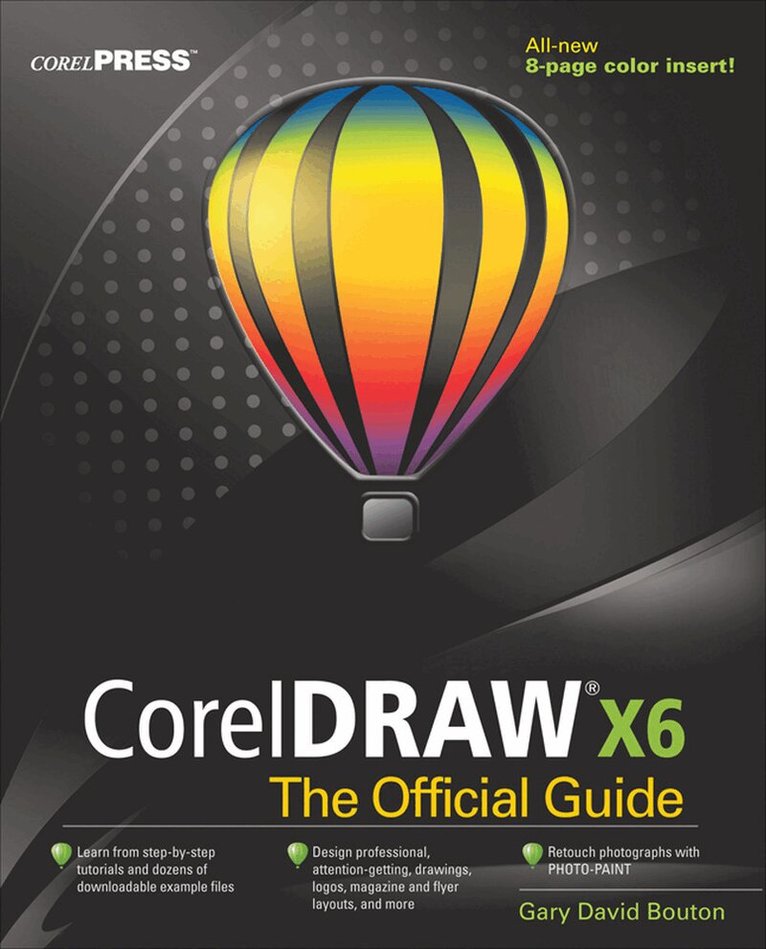
    CorelDRAW X6 The Official Guide

    AvGary David Bouton

    Häftad, Engelska, 2012

    704 kr

    Beställningsvara. Skickas inom 3-6 vardagar. Fri frakt över 249 kr.

    Fler format och utgåvor

    E-bok

    911 kr

    Beskrivning

    Publisher's Note: Products purchased from Third Party sellers are not guaranteed by the publisher for quality, authenticity, or access to any online entitlements included with the product.

    The only official guide to CorelDRAW—fully updated throughout to cover all the new features of the latest release

    CorelDRAW X The Official Guide is the one-stop tutorial/reference for learning how to create gorgeous graphics for a variety of print and web uses. Veteran graphic designer and author Gary Bouton shows you how to use the new product features, and shows off beautiful graphics and techniques in this Corel-authorized guide. Packed with examples and techniques, this book delivers details no CorelDRAW user can afford to be without!

    Ideal for beginners through experts getting started on the new release, the book explains how to install the software, use the illustration and drawing tools, work with text, apply colors, fills, and outlines, apply special effects, and work in 3D.

    CorelDRAW X The Official Guide

    • Offers hundreds of tips, tricks, and shortcuts that show how to get the most out of product features, not just what the features do
    • Includes online access to 30+ video tutorials of hands-on instruction from the author, plus CorelDRAW native files, stock images for tutorials in Corel PHOTO-PAINT, custom typefaces designed by the author, and other useful starter pieces for learning CorelDRAW
    • Includes a full-color insert demonstrating results of various filters and effects
    • Provides a comprehensive CorelDRAW X reference as well as drawing tips and illustration techniques
    • Discusses print and web use and potential issues
    • Explains how to use PHOTO-PAINT, Corel’s image-editing tool

    Produktinformation

    • Utgivningsdatum:2012-06-16
    • Mått:188 x 233 x 43 mm
    • Vikt:1 406 g
    • Format:Häftad
    • Språk:Engelska
    • Antal sidor:864
    • Förlag:McGraw-Hill Education
    • ISBN:9780071790079

    Utforska kategorier

    • Grafik och bildbehandling inom Data och IT

    Mer om författaren

    Gary David Bouton is the author of over 20 books on computer graphics and video, included five on CorelDRAW. A native of Central New York, Mr. Bouton has won numerous international awards from Corel Corp., IBM, and other software companies for his illustration and desktop publishing designs. A regular contributor to design.com (a bald-faced lie) and other forums, Gary is also a regular communist with Studio Monthly and somehow finds the time to post tips and tutorials on major sites and TheBoutons.com, a terrific resource for anyone who has the need to express themselves using a visual medium.

    Innehållsförteckning

    • Part 1 CorelDRAW X Essentials (3 Videos)Chapter 1: What's New in CorelDRAW XChapter 2: Exploring Your WorkspaceChapter 3: Examining the Palettes, Cruising the MenusChapter 4: Navigation and Page SetupChapter 5: The X Test DrivePart 2 Getting Started with CorelDRAW X5 (3 videos)Chapter 6: Working with Single- and Multi-Page DocumentsChapter 7: Measuring and Drawing HelpersChapter 8: Creating Basic Shapes, Applying TransformationsChapter 9: Arranging and Organizing ObjectsPart 3: Working with Object Tools (6 videos)Chapter 10: Using the Pen ToolsChapter 11: Editing Objects (including PowerClipping objects)Part 4: Working with Text (2 videos)Chapter 12: Typography Rules and ConventionsChapter 13: Working with TextChapter 14: Getting your Words PerfectPart 5: Attributes for Objects and Lines (5 videos)Chapter 15: Filling ObjectsChapter 16: Outline AttributesChapter 17: Digital Color Theory Put to PracticePart 6: Creating the Illusion of 3D Objects (3 videos)Chapter 18: Working with PerspectiveChapter 19: Extruding ObjectsPart 7: Creating Special Effects (4 videos)Chapter 20: Envelope and Distortion EffectsChapter 21: Blends and ContoursChapter 22: Lens Effects, Transparency, Shadows, Glows and BevelsPart 8: The Bitmap Side of Corel Graphics Suite (5 videos)Chapter 23: Bitmap Boot Camp: Working with PhotographsChapter 24: Advanced Photographic techniquesChapter 25: An Introduction to Photo-PaintChapter 26: special Effects with Photo-PaintPart 9: Thinking Outside of the ToolBox (1 video)Chapter 27: Printing: Professional OutputChapter 28: Basic HTML Page Layout and PublishingBonus PDFChapter 29: Automating Tasks and Visual Basic for Applications

    Betyg & recensioner

    5/5