• Fri frakt över 249 kr
  • •
  • Snabba leveranser
  • •
  • Billiga böcker
Kundservice

Du är på sajten för privatpersoner.

Företag, bibliotek eller offentlig verksamhet?

Du handlar på classic.bokus.com, där alla dina funktioner finns intakta.
Till classic.bokus.com
Bokus logotyp. Gå till startsidan.
  • Erbjudanden
  • Nyheter
  • Student
  • Topplistor
  • Barn & ungdom
  • Bokus Play
  • E-böcker
  • Pocketböcker
  • Spel & pussel

10% rabatt på allt med kod NYSTART10 →

Sidfot

Mina sidor

    Hjälp

    • Kundservice
    • Vanliga frågor och svar
    • Frakt och leverans
    • Retur vid ångerrätt
    • Reklamera vara
    • Betalning
    • Köpvillkor
    • Allmänna villkor
    • Information om webbplatsens tillgänglighet

    Om Bokus

    • Om oss
    • Pressrum
    • För studenter
    • För företag
    • För bibliotek och offentlig verksamhet
    • För leverantörer
    • Hållbarhet

    Populärt

    • Aktuella erbjudanden
    • Presentkort
    • Studentlitteratur
    • Nya böcker
    • Topplistor
    • Signerade böcker
    • Engelska böcker

    Inspiration

    • Boktips
    • BookTok
    • Populära bokserier
    • Barnbokskaraktärer
    • Populära författare
    Logotyp för Bokus
    Följ oss på Facebook (extern länk)Följ oss på Instagram (extern länk)Följ oss på YouTube (extern länk)Följ oss på TikTok (extern länk)
    bokus @ CookiesAnpassa cookiesIntegritetspolicyKöpvillkor
    Till Citymail hemsida (extern länk)Till Budbee hemsida (extern länk)Till Postnord hemsida (extern länk)Till Schenker hemsida (extern länk)Till Early Bird hemsida (extern länk)Till Walleys hemsida (extern länk)
    1. Data och IT
    2. Affärsapplikationer

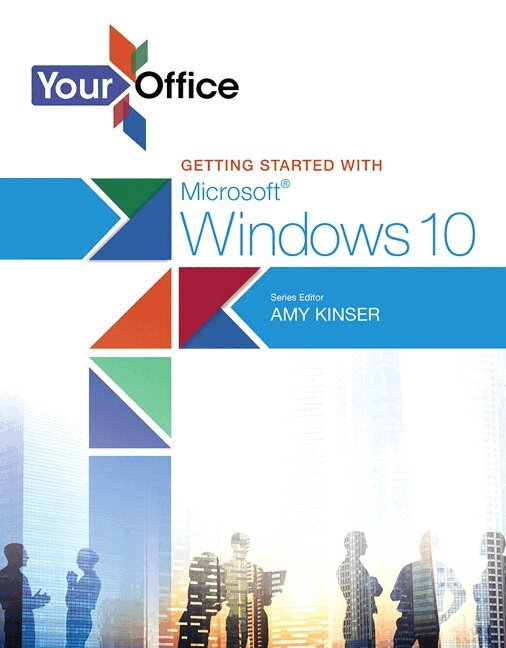
    Your Office

    Getting Started with Microsoft Windows 10

    AvAmy Kinser

    Häftad, Engelska, 2016

    Del i serien Your Office for Office 2016 Series

    950 kr

    Beställningsvara. Skickas inom 7-10 vardagar. Fri frakt över 249 kr.

    Fler format och utgåvor

    Häftad

    1 394 kr

    Häftad

    Tillf. slut

    Häftad

    Tillf. slut

    Beskrivning

    The Your Office series prepares readers to use both technical and soft skills in the real world. Hands-on technical content is woven into realistic business scenarios and focuses on using Microsoft Office® as a decision-making tool. The series features a unique running business scenario that connects all of the cases together and exposes students to using Office to solve problems relating to business areas like finance and accounting, production and operations, sales and marketing.


    Each chapter introduces a realistic business case for students to complete via hands-on steps that are easily identified in blue shaded boxes.  Each blue box teaches a skill and comes complete with video and interactive support. Chapters are grouped into Business Units, which collectively illustrate a specific set of business concepts to achieve AACSB-related outcomes.  Each Business Unit ends with a Capstone section, testing students' ability to apply concepts and skills beyond a single chapter.


    Windows 10 is a new approach to operating systems for the more mobile world we live in. With Windows 10, apps, services, and content move across devices seamlessly, and updates will be delivered regularly. There are a variety of enhancements from Windows 10, and there are significant changes from Windows 7. To guide both new and experienced users of earlier versions, the Your Office series takes a problem-solving approach, which challenges students to use the software as a decision-making tool.

    Produktinformation

    • Utgivningsdatum:2016-01-06
    • Mått:216 x 274 x 4 mm
    • Vikt:220 g
    • Format:Häftad
    • Språk:Engelska
    • Serie:Your Office for Office 2016 Series
    • Antal sidor:96
    • Upplaga:1
    • Förlag:Pearson Education
    • ISBN:9780134289229

    Utforska kategorier

    • Affärsapplikationer inom Data och IT

    Mer om författaren

    Amy S. Kinser, Esq., Series EditorAmy holds a B.A. degree in Chemistry with a Business minor from Indiana University, and a J.D. from the Maurer School of Law, also at Indiana University. After working as an environmental chemist, starting her own technology consulting company, and practice intellectual property law, she has spend the past 12 years teaching technology at the Kelley School of Business in Bloomington, Indiana–#1 ranked school for undergraduate program performance in the specialty of Information systems according to a 2012 Bloomberg Businessweek article. Currently, she serves as the Director of Computer Skills and Senior Lecturer at the Kelley School of Business at Indiana University.

    Innehållsförteckning

    • CHAPTER 1: Explore Windows and File Management  PREPARE CASE: Painted Paradise Golf Resort & Spa–Employee Introduction to Microsoft Windows 10  Exploring the Windows 10 InterfaceStart and Shut Down WindowsExplore the Desktop and Start Menu* Exploring the Desktop and Recycle Bin* Navigating the Start Menu* Opening a Program with the Start MenuCustomize the Start Menu and Taskbar* Pinning Start Menu Tiles and Turning off Live Tiles* Resizing, Moving, and Grouping Start Menu Tiles* Uninstalling a Program Using the Start Menu* Pinning a Program to the TaskbarUse Windows 10 Search and Cortana* Using Windows Search* Accessing and Managing the Cortana Notebook* and Settings* Getting Windows Help  Working with Windows and DesktopsOpen and Manage a Window* Opening, Moving, and Sizing a Window* Minimizing, Maximizing, and Restoring a WindowOpen and Manage Multiple Windows* Using Task View* Snapping and Shaking Windows* Using the Snipping ToolCreate and Use Multiple Desktops  Using Computer Settings and Protecting the ComputerUse Windows 10 Notifications and Settings in the Action Center* Seeing and Clearing Notifications, Exploring Settings, and* Personalizing the Desktop* Associating a Microsoft Account in Settings* Setting Up a Picture Password or PIN* Managing Windows Updates* Managing Windows DefenderAccess Advanced Computer Settings* Accessing Advanced Settings and the Control Panel* Managing Windows Firewall  Working with Edge and File ExplorerExplore the Edge Browser* Using the Edge Address Bar for Search* Marking Up the Web* Viewing Browser History and Downloads in the* Edge HubUse OneDrive and Work with Folders, Files, and Compression* Opening OneDrive in the Cloud* Using Office OnlineWork with Folders and Files in File Explorer* Using the OneDrive and File Explorer* Downloading and Extracting Compressed Files for the* Your Office Series* Navigating and Changing Views in File Explorer* Creating and Naming a New Folder* Managing Existing Folders* Managing Existing Files* Using the Search Box in File Explorer* Creating Compressed Files  Concept CheckKey TermsVisual SummaryPractice 1Problem Solve 1Perform 1: How Others Perform  GLOSSARYINDEX