• Fri frakt över 249 kr
  • •
  • Snabba leveranser
  • •
  • Billiga böcker
Kundservice

Du är på sajten för privatpersoner.

Företag, bibliotek eller offentlig verksamhet?

Du handlar på classic.bokus.com, där alla dina funktioner finns intakta.
Till classic.bokus.com
Bokus logotyp. Gå till startsidan.
  • Erbjudanden
  • Student
  • Topplistor
  • Barn & ungdom
  • Bokus Play
  • E-böcker
  • Ljudböcker
  • Pocketböcker
  • Spel & pussel

10% rabatt på allt med kod NYSTART10 →

Sidfot

Mina sidor

    Hjälp

    • Kundservice
    • Vanliga frågor och svar
    • Frakt och leverans
    • Retur vid ångerrätt
    • Reklamera vara
    • Betalning
    • Köpvillkor
    • Allmänna villkor
    • Information om webbplatsens tillgänglighet

    Om Bokus

    • Om oss
    • Pressrum
    • För studenter
    • För företag
    • För bibliotek och offentlig verksamhet
    • För leverantörer
    • Hållbarhet

    Populärt

    • Aktuella erbjudanden
    • Presentkort
    • Studentlitteratur
    • Nya böcker
    • Topplistor
    • Signerade böcker
    • Engelska böcker

    Inspiration

    • Boktips
    • BookTok
    • Populära bokserier
    • Barnbokskaraktärer
    • Populära författare
    Logotyp för Bokus
    Följ oss på Facebook (extern länk)Följ oss på Instagram (extern länk)Följ oss på YouTube (extern länk)Följ oss på TikTok (extern länk)
    bokus @ CookiesAnpassa cookiesIntegritetspolicyKöpvillkor
    Till Citymail hemsida (extern länk)Till Budbee hemsida (extern länk)Till Postnord hemsida (extern länk)Till Schenker hemsida (extern länk)Till Early Bird hemsida (extern länk)Till Walleys hemsida (extern länk)
    1. Data och IT
    2. Operativsystem

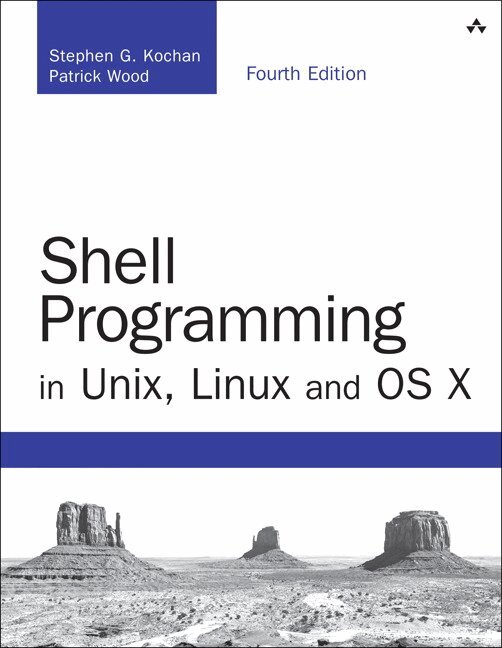
    Shell Programming in Unix, Linux and OS X

    AvStephen Kochan,Patrick Wood

    Häftad, Engelska, 2016

    Del i serien Developer's Library

    304 kr

    Beställningsvara. Skickas inom 7-10 vardagar. Fri frakt över 249 kr.

    Beskrivning

    Shell Programming in Unix, Linux and OS X is a thoroughly updated revision of Kochan and Wood’s classic Unix Shell Programming tutorial. Following the methodology of the original text, the book focuses on the POSIX standard shell, and teaches you how to develop programs in this useful programming environment, taking full advantage of the underlying power of Unix and Unix-like operating systems.

    After a quick review of Unix utilities, the book’s authors take you step-by-step through the process of building shell scripts, debugging them, and understanding how they work within the shell’s environment. All major features of the shell are covered, and the large number of practical examples make it easy for you to build shell scripts for your particular applications. The book also describes the major features of the Korn and Bash shells.

    Learn how to...

    • Take advantage of the many utilities provided in the Unix system
    • Write powerful shell scripts
    • Use the shell’s built-in decision-making and looping constructs
    • Use the shell’s powerful quoting mechanisms
    • Make the most of the shell’s built-in history and command editing capabilities
    • Use regular expressions with Unix commands
    • Take advantage of the special features of the Korn and Bash shells
    • Identify the major differences between versions of the shell language
    • Customize the way your Unix system responds to you
    • Set up your shell environment
    • Make use of functions
    • Debug scripts

    Contents at a Glance

    1 A Quick Review of the Basics

    2 What Is the Shell?

    3 Tools of the Trade

    4 And Away We Go

    5 Can I Quote You on That?

    6 Passing Arguments

    7 Decisions, Decisions

    8 ‘Round and ‘Round She Goes

    9 Reading and Printing Data

    10 Your Environment

    11 More on Parameters

    12 Loose Ends

    13 Rolo Revisited

    14 Interactive and Nonstandard Shell Features

    A Shell Summary

    B For More Information

    Produktinformation

    • Utgivningsdatum:2016-10-11
    • Mått:176 x 230 x 34 mm
    • Vikt:620 g
    • Format:Häftad
    • Språk:Engelska
    • Serie:Developer's Library
    • Antal sidor:416
    • Upplaga:4
    • Förlag:Pearson Education
    • ISBN:9780134496009

    Utforska kategorier

    • Operativsystem inom Data och IT

    Mer om författaren

    Stephen Kochan is the author or co-author of several best-selling titles on Unix and the C language, including Programming in C, Programming in Objective-C, Topics in C Programming, and Exploring the Unix System. He is a former software consultant for AT&T Bell Laboratories, where he developed and taught classes on Unix and C programming.Patrick Wood is the CTO of the New Jersey location of Electronics for Imaging. He was a member of the technical staff at Bell Laboratories when he met Mr. Kochan in 1985. Together they founded Pipeline Associates, Inc., a Unix consulting firm, where he was vice president. They co-authored Exploring the Unix System, Unix System Security, Topics in C Programming, and Unix Shell Programming.

    Innehållsförteckning

    • 1 A Quick Review of the BasicsSome Basic CommandsDisplaying the Date and Time: The date CommandFinding Out Who’s Logged In: The who CommandEchoing Characters: The echo CommandWorking with FilesListing Files: The ls CommandDisplaying the Contents of a File: The cat CommandCounting the Number of Words in a File: The wc CommandCommand OptionsMaking a Copy of a File: The cp CommandRenaming a File: The mv CommandRemoving a File: The rm CommandWorking with DirectoriesThe Home Directory and PathnamesDisplaying Your Working Directory: The pwd CommandChanging Directories: The cd CommandMore on the ls CommandCreating a Directory: The mkdir CommandCopying a File from One Directory to AnotherMoving Files Between DirectoriesLinking Files: The ln CommandRemoving a Directory: The rmdir CommandFilename SubstitutionThe AsteriskMatching Single CharactersFilename NuancesSpaces in FilenamesOther Weird CharactersStandard Input/Output, and I/O RedirectionStandard Input and Standard OutputOutput RedirectionInput RedirectionPipesFiltersStandard ErrorMore on CommandsTyping More Than One Command on a LineSending a Command to the BackgroundThe ps CommandCommand Summary2 What Is the Shell?The Kernel and the UtilitiesThe Login ShellTyping Commands to the ShellThe Shell’s ResponsibilitiesProgram ExecutionVariable and Filename SubstitutionI/O RedirectionHooking up a PipelineEnvironment ControlInterpreted Programming Language3 Tools of the TradeRegular ExpressionsMatching Any Character: The Period (.)Matching the Beginning of the Line: The Caret (^)Matching the End of the Line: The Dollar Sign $Matching a Character Set: The [...] ConstructMatching Zero or More Characters: The Asterisk (*)Matching a Precise Number of Subpatterns: \{...\}Saving Matched Characters: \(...\)cutThe -d and -f OptionspasteThe -d OptionThe -s OptionsedThe -n OptionDeleting LinestrThe -s OptionThe -d OptiongrepRegular Expressions and grepThe -v OptionThe -l OptionThe -n OptionsortThe -u OptionThe -r OptionThe -o OptionThe -n OptionSkipping FieldsThe -t OptionOther OptionsuniqThe -d OptionOther Options4 And Away We GoCommand FilesCommentsVariablesDisplaying the Values of VariablesUndefined Variables Have the Null ValueFilename Substitution and VariablesThe ${variable} ConstructBuilt-in Integer Arithmetic5 Can I Quote You on That?The Single QuoteThe Double QuoteThe BackslashUsing the Backslash for Continuing LinesThe Backslash Inside Double QuotesCommand SubstitutionThe Back QuoteThe $(...) ConstructThe expr Command6 Passing ArgumentsThe $# VariableThe $* VariableA Program to Look Up Someone in the Phone BookA Program to Add Someone to the Phone BookA Program to Remove Someone from the Phone Book${n}The shift Command7 Decisions, DecisionsExit StatusThe $? VariableThe test CommandString OperatorsAn Alternative Format for testInteger OperatorsFile OperatorsThe Logical Negation Operator !The Logical AND Operator -aParenthesesThe Logical OR Operator -oThe else ConstructThe exit CommandA Second Look at the rem ProgramThe elif ConstructYet Another Version of remThe case CommandSpecial Pattern-Matching CharactersThe -x Option for Debugging ProgramsBack to the caseThe Null Command :The && and || Constructs8 'Round and 'Round She GoesThe for CommandThe $@ VariableThe for Without the ListThe while CommandThe until CommandMore on LoopsBreaking Out of a LoopSkipping the Remaining Commands in a LoopExecuting a Loop in the BackgroundI/O Redirection on a LoopPiping Data into and out of a LoopTyping a Loop on One LineThe getopts Command9 Reading and Printing DataThe read CommandA Program to Copy FilesSpecial echo Escape CharactersAn Improved Version of mycpA Final Version of mycpA Menu-Driven Phone ProgramThe $$ Variable and Temporary FilesThe Exit Status from readThe printf Command10 Your EnvironmentLocal VariablesSubshellsExported Variablesexport -pPS1 and PS2HOMEPATHYour Current DirectoryCDPATHMore on SubshellsThe .CommandThe exec CommandThe (...) and { ...; } ConstructsAnother Way to Pass Variables to a SubshellYour .profile FileThe TERM VariableThe TZ Variable11 More on ParametersParameter Substitution${parameter}${parameter:-value}${parameter:=value}${parameter:?value}${parameter:+value}Pattern Matching Constructs${#variable}The $0 VariableThe set CommandThe -x Optionset with No ArgumentsUsing set to Reassign Positional ParametersThe -- OptionOther Options to setThe IFS VariableThe readonly CommandThe unset Command12 Loose EndsThe eval CommandThe wait CommandThe $! VariableThe trap Commandtrap with No ArgumentsIgnoring SignalsResetting TrapsMore on I/O<&- and >&-In-line Input RedirectionShell ArchivesFunctionsRemoving a Function DefinitionThe return CommandThe type Command13 Rolo RevisitedData Formatting ConsiderationsroloaddludisplayremchangelistallSample Output14 Interactive and Nonstandard Shell FeaturesGetting the Right ShellThe ENV FileCommand-Line EditingCommand HistoryThe vi Line Edit ModeAccessing Commands from Your HistoryThe emacs Line Edit ModeAccessing Commands from Your HistoryOther Ways to Access Your HistoryThe history CommandThe fc CommandThe r CommandFunctionsLocal VariablesAutomatically Loaded FunctionsInteger ArithmeticInteger TypesNumbers in Different BasesThe alias CommandRemoving AliasesArraysJob ControlStopped Jobs and the fg and bg CommandsMiscellaneous FeaturesOther Features of the cd CommandTilde SubstitutionOrder of SearchCompatibility SummaryAppendixes A Shell SummaryB For More Information