• Fri frakt över 249 kr
  • •
  • Snabba leveranser
  • •
  • Billiga böcker
Kundservice

Du är på sajten för privatpersoner.

Företag, bibliotek eller offentlig verksamhet?

Du handlar på classic.bokus.com, där alla dina funktioner finns intakta.
Till classic.bokus.com
Bokus logotyp. Gå till startsidan.
  • Erbjudanden
  • Nyheter
  • Student
  • Topplistor
  • Barn & ungdom
  • Bokus Play
  • E-böcker
  • Pocketböcker
  • Spel & pussel

10% rabatt på allt med kod NYSTART10 →

Sidfot

Mina sidor

    Hjälp

    • Kundservice
    • Vanliga frågor och svar
    • Frakt och leverans
    • Retur vid ångerrätt
    • Reklamera vara
    • Betalning
    • Köpvillkor
    • Allmänna villkor
    • Information om webbplatsens tillgänglighet

    Om Bokus

    • Om oss
    • Pressrum
    • För studenter
    • För företag
    • För bibliotek och offentlig verksamhet
    • För leverantörer
    • Hållbarhet

    Populärt

    • Aktuella erbjudanden
    • Presentkort
    • Studentlitteratur
    • Nya böcker
    • Topplistor
    • Signerade böcker
    • Engelska böcker

    Inspiration

    • Boktips
    • BookTok
    • Populära bokserier
    • Barnbokskaraktärer
    • Populära författare
    Logotyp för Bokus
    Följ oss på Facebook (extern länk)Följ oss på Instagram (extern länk)Följ oss på YouTube (extern länk)Följ oss på TikTok (extern länk)
    bokus @ CookiesAnpassa cookiesIntegritetspolicyKöpvillkor
    Till Citymail hemsida (extern länk)Till Budbee hemsida (extern länk)Till Postnord hemsida (extern länk)Till Schenker hemsida (extern länk)Till Early Bird hemsida (extern länk)Till Walleys hemsida (extern länk)
    1. Data och IT
    2. It-certifieringar

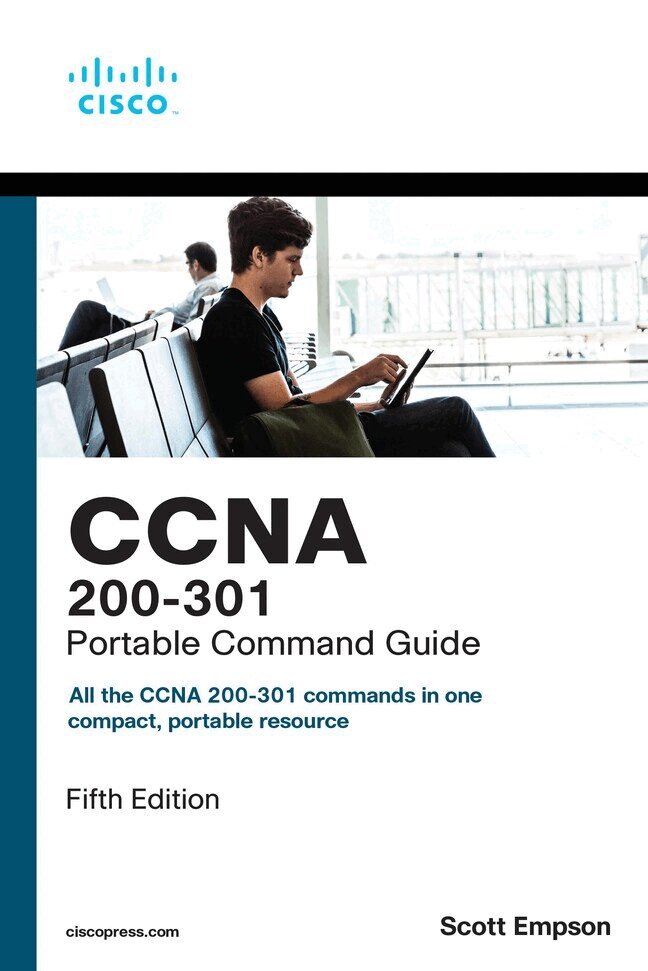
    CCNA 200-301 Portable Command Guide

    AvScott Empson

    Häftad, Engelska, 2019

    Del i serien Portable Command Guide

    309 kr

    Beställningsvara. Skickas inom 7-10 vardagar. Fri frakt över 249 kr.

    Fler format och utgåvor

    Häftad

    289 kr

    Beskrivning

    CCNA 200-301 Portable Command Guide is filled with valuable, easy-to-access information–and it’s portable enough to use whether you’re in the server room or the equipment closet.

    The guide summarizes all CCNA certification-level Cisco IOS Software commands, keywords, command arguments, and associated prompts, providing you with tips and examples of how to apply the commands to real-world scenarios. Throughout, configuration examples give you a better understanding of how these commands are used in simple network designs.

    This book has been completely updated to cover topics in the new 200-301 exam. Use this quick reference resource to help you memorize commands and concepts as you work to pass the CCNA certification exam. Coverage includes

    • Network Fundamentals: IPv4 addressing, subnetting, VLSM, route summarization, IPv6 addressing, cables/connections, CLI
    • LAN Switching Technologies: Switch configuration, VLANs, VLAN trunking protocol, inter-VLAN communication, STP, EtherChannel, CDP, LLDP
    • Routing Technologies: Router configuration, static routing, OSPF
    • IP Services: DHCP, NAT, NTP
    • Security Fundamentals: Layer 2 security, ACL traffic management, device monitoring and hardening
    • Wireless Technologies: Configuring and securing a WLAN AP
    Includes quick access to all CCNA commands for research and solutions.
    • Logical how-to topic groupings for a one-stop resource
    • Great for review before CCNA certification exams
    • Compact size makes it easy to carry with you wherever you go
    • “Create Your Own Journal” section with blank, lined pages enables you to personalize the book for your needs
    This book is part of the Cisco Press Certification Self-Study Product Family, which offers readers a self-paced study routine for Cisco certification exams. Titles in the Cisco Press Certification Self-Study Product Family are part of a recommended learning program from Cisco that includes simulation and hands-on training from authorized Cisco Learning Partners and self-study products from Cisco Press.

    Produktinformation

    • Utgivningsdatum:2019-12-17
    • Mått:152 x 226 x 15 mm
    • Vikt:420 g
    • Format:Häftad
    • Språk:Engelska
    • Serie:Portable Command Guide
    • Antal sidor:320
    • Upplaga:5
    • Förlag:Pearson Education
    • ISBN:9780135937822

    Utforska kategorier

    • It-certifieringar inom Data och IT

    Mer om författaren

    Scott Empson is an instructor in the Department of Information Systems Technology at the Northern Alberta Institute of Technology in Edmonton, Alberta, Canada, where he has taught for more than 20 years. He teaches technical courses in Cisco routing and switching, along with courses in professional development and leadership. He has a Master of Education degree along with three undergraduate degrees: a Bachelor of Arts, with a major in English; a Bachelor of Education, again with a major in English/language arts; and a Bachelor of Applied Information Systems Technology, with a major in network management. Scott lives in Edmonton, Alberta, with his wife, Trina, and two university-attending-but-still-haven’t-moved-out-yet-but-hope-to-move-out-as-soon-aspossible-after-graduation-so-Dad-can-have-the-TV-room-back children, Zachariah and Shaelyn.

    Innehållsförteckning

    • Introduction xixPart I: Network FundamentalsCHAPTER 1 IPv4 Addressing–How It Works 1What Are IPv4 Addresses Used For? 1What Does an IPv4 Address Look Like? 2Network and Subnetwork Masks 2Ways to Write a Network or Subnet Mask 3Network, Node, and Broadcast Addresses 3Classes of IPv4 Addresses 4Network vs. Node (Host) Bits 5RFC (Private) 1918 Addresses 6Local vs. Remote Addresses 7Classless Addressing 7Lessons Learned 9CHAPTER 2 How to Subnet IPv4 Addresses 11Subnetting a Class C Network Using Binary 12Subnetting a Class B Network Using Binary 15Binary ANDing 17So Why AND? 19Shortcuts in Binary ANDing 20CHAPTER 3 Variable Length Subnet Masking (VLSM) 23IP Subnet Zero 23VLSM Example 24Step 1: Determine How Many H Bits Will Be Needed to Satisfy the Largest Network 25Step 2: Pick a Subnet for the Largest Network to Use 25Step 3: Pick the Next Largest Network to Work With 26Step 4: Pick the Third Largest Network to Work With 28Step 5: Determine Network Numbers for Serial Links 30CHAPTER 4 Route Summarization 33Example for Understanding Route Summarization 33Step 1: Summarize Winnipeg’s Routes 34Step 2: Summarize Calgary’s Routes 35Step 3: Summarize Edmonton’s Routes 35Step 4: Summarize Vancouver’s Routes 36Route Summarization and Route Flapping 38Requirements for Route Summarization 38CHAPTER 5 IPv6 Addressing–How It Works 39IPv6: A Very Brief Introduction 39What Does an IPv6 Address Look Like? 40Reducing the Notation of an IPv6 Address 41Rule 1: Omit Leading 0s 41Rule 2: Omit All-0s Hextet 42Combining Rule 1 and Rule 2 42Prefix Length Notation 43IPv6 Address Types 44Unicast Addresses 45Multicast Addresses 48Anycast Addresses 50CHAPTER 6 Cables and Connections 51Connecting a Rollover Cable to Your Router or Switch 51Using a USB Cable to Connect to Your Router or Switch 51Terminal Settings 52LAN Connections 53Serial Cable Types 53Which Cable to Use? 55ANSI/TIA Cabling Standards 56T568A Versus T568B Cables 57CHAPTER 7 The Command-Line Interface 59Shortcuts for Entering Commands 59Using the Tab Key to Complete Commands 60Console Error Messages 60Using the Question Mark for Help 60enable Command 61exit Command 61end Command 61disable Command 61logout Command 62Setup Mode 62Keyboard Help 62History Commands 63terminal Commands 64show Commands 64Using the Pipe Parameter ( | ) with the show or more Commands 64Using the no and default Forms of Commands 66Part II: LAN Switching TechnologiesCHAPTER 8 Configuring a Switch 67Help Commands 68Command Modes 68Verifying Commands 68Resetting Switch Configuration 69Setting Host Names 69Setting Passwords 69Setting IP Addresses and Default Gateways 70Setting Interface Descriptions 70The mdix auto Command 70Setting Duplex Operation 71Setting Operation Speed 71Managing the MAC Address Table 72Configuration Example 72CHAPTER 9 VLANs 75Creating Static VLANs 75Creating Static VLANs Using VLAN Configuration Mode 75Assigning Ports to VLANs 76Using the range Command 76Configuring a Voice VLAN 76Configuring Voice and Data with Trust 77Configuring Voice and Data Without Trust 78Verifying VLAN Information 78Saving VLAN Configurations 79Erasing VLAN Configurations 79Configuration Example: VLANs 802960 Switch 80CHAPTER 10 VLAN Trunking Protocol and Inter-VLAN Communication 83Dynamic Trunking Protocol (DTP) 83Setting the VLAN Encapsulation Type 84VLAN Trunking Protocol (VTP) 84Verifying VTP 86Inter-VLAN Communication Using an External Router: Router-on-a-Stick 87Inter-VLAN Communication on a Multilayer Switch Through a Switch Virtual Interface 88Removing L2 Switchport Capability of an Interface on an L3 Switch 88Configuring Inter-VLAN Communication on an L3 Switch 88Inter-VLAN Communication Tips 88Configuration Example: Inter-VLAN Communication 89ISP Router 89CORP Router 90L2Switch2 (Catalyst 2960) 92L3Switch1 (Catalyst 3560/3650/3750) 94L2Switch1 (Catalyst 2960) 95CHAPTER 11 Spanning Tree Protocol 97Spanning Tree Protocol Definition 97Enabling Spanning Tree Protocol 98Changing the Spanning-Tree Mode 99BPDU Guard (3650/9xxx Series) 99Configuring the Root Switch 100Configuring a Secondary Root Switch 100Configuring Port Priority 100Configuring the Path Cost 101Configuring the Switch Priority of a VLAN 101Configuring STP Timers 102Configuring Optional Spanning-Tree Features 102PortFast 102BPDU Guard (2xxx/Older 3xxx Series) 103Enabling the Extended System ID 103Verifying STP 104Troubleshooting Spanning Tree Protocol 104Configuration Example: PVST+ 104Core Switch (3650) 105Distribution 1 Switch (3650) 106Distribution 2 Switch (3650) 106Access 1 Switch (2960) 107Access 2 Switch (2960) 107Spanning-Tree Migration Example: PVST+ to Rapid-PVST+ 108Access 1 Switch (2960) 108Access 2 Switch (2960) 108Distribution 1 Switch (3650) 109Distribution 2 Switch (3650) 109Core Switch (3650) 109CHAPTER 12 EtherChannel 111EtherChannel 111Interface Modes in EtherChannel 111Default EtherChannel Configuration 112Guidelines for Configuring EtherChannel 112Configuring Layer 2 EtherChannel 113Configuring Layer 3 EtherChannel 114Configuring EtherChannel Load Balancing 114Configuring LACP Hot-Standby Ports 115Monitoring and Verifying EtherChannel 116Configuration Example: EtherChannel 117DLSwitch (3560 or 9300) 117ALSwitch1 (2960 or 9200) 118ALSwitch2 (2960 or 9200) 119CHAPTER 13 Cisco Discovery Protocol (CDP) and Link Layer Discovery Protocol (LLDP) 121Cisco Discovery Protocol 121Configuring CDP 121Verifying and Troubleshooting CDP 122CDP Design Tips 122Link Layer Discovery Protocol (802.1AB) 123Configuring LLDP (802.1AB) 123Verifying and Troubleshooting LLDP 124Part III: Routing TechnologiesCHAPTER 14 Configuring a Cisco Router 125Router Modes 126Entering Global Configuration Mode 126Configuring a Router Name 126Configuring Passwords 126Password Encryption 127Interface Names 127Moving Between Interfaces 131Configuring a Serial Interface 132Assigning an IPv4 Address to a Fast Ethernet Interface 132Assigning an IPv4 Address to a Gigabit Ethernet Interface 132Assigning IPv6 Addresses to Interfaces 133Creating a Message-of-the-Day Banner 133Creating a Login Banner 134Mapping a Local Host Name to a Remote IP Address 134The no ip domain-lookup Command 134Working with DNS on a Router 134The logging synchronous Command 135The exec-timeout Command 136Saving Configurations 136Erasing Configurations 136The write Command 137Verifying Your Configurations Using show Commands 137EXEC Commands in Configuration Mode: The do Command 138Configuration Example: Basic Router Configuration 138Boston Router 138CHAPTER 15 Static Routing 141Configuring an IPv4 Static Route 141Static Routes and Recursive Lookups 142The permanent Keyword 142Floating Static Routes in IPv4 and Administrative Distance 143Configuring an IPv4 Default Route 144Verifying IPv4 Static Routes 144Configuration Example: IPv4 Static Routes 144Ketchikan Router 145Juneau Router 145Sitka Router 146Configuring an IPv6 Static Route 146Floating Static Routes in IPv6 147Configuring an IPv6 Default Route 147Verifying IPv6 Static Routes 147CHAPTER 16 Open Shortest Path First (OSPF) 149OSPFv2 Versus OSPFv3 149Configuring OSPF 150Using Wildcard Masks with OSPF Areas 150Loopback Interfaces 152Router ID 152DR/BDR Elections 153Timers 153Verifying OSPFv2 Configurations 153Troubleshooting OSPFv2 154Configuration Example: Single-Area OSPF 154Austin Router 155Houston Router 156Galveston Router 157Part IV: IP ServicesCHAPTER 17 DHCP 159Configuring a DHCP Server on an IOS Router 159Using Cisco IP Phones with a DHCP Server 160Verifying and Troubleshooting DHCP Configuration 160Configuring a DHCP Helper Address 161Configuring a DHCP Client on a Cisco IOS Software Ethernet Interface 162Configuration Example: DHCP 162Edmonton Router 162Gibbons Router 164CHAPTER 18 Network Address Translation (NAT) 165Private IP Addresses: RFC 1918 165Configuring Dynamic NAT: One Private to One Public Address Translation 165Configuring PAT: Many Private to One Public Address Translation 167Configuring Static NAT: One Private to One Permanent Public Address Translation 169Verifying NAT and PAT Configurations 170Troubleshooting NAT and PAT Configurations 171Configuration Example: PAT 171ISP Router 171Company Router 172CHAPTER 19 Configuring Network Time Protocol (NTP) 175NTP Configuration 175NTP Design 176Securing NTP 177Enabling NTP Authentication 177Limiting NTP Access with Access Lists 178Verifying and Troubleshooting NTP 178Setting the Clock on a Router 179Using Time Stamps 182Configuration Example: NTP 182Core1 Router 183Core2 Router 184DLSwitch1 185DLSwitch2 185ALSwitch1 186ALSwitch2 186Part V: Security FundamentalsCHAPTER 20 Layer Two Security Features 187Setting Passwords on a Switch 187Configuring Static MAC Addresses 188Configuring Switch Port Security 188Configuring Sticky MAC Addresses 189Verifying Switch Port Security 189Recovering Automatically from Error-Disabled Ports 190Verifying Autorecovery of Error-Disabled Ports 190Configuring DHCP Snooping 191Verifying DHCP Snooping 192Configuring Dynamic ARP Inspection (DAI) 193Verifying Dynamic ARP Inspection 193Configuration Example: Switch Security 194CHAPTER 21 Managing Traffic Using Access Control Lists (ACLs) 197Access List Numbers 197Using Wildcard Masks 198ACL Keywords 198Creating Standard ACLs 198Applying Standard ACLs to an Interface 199Verifying ACLs 200Removing ACLs 200Creating Extended ACLs 200Applying Extended ACLs to an Interface 201The established Keyword 201The log Keyword 202Creating Named ACLs 203Using Sequence Numbers in Named ACLs 203Removing Specific Lines in Named ACLs Using Sequence Numbers 204Sequence Number Tips 204Including Comments About Entries in ACLs 205Restricting Virtual Terminal Access 206Tips for Configuring ACLs 206IPv6 ACLs 207Verifying IPv6 ACLs 207Configuration Examples: IPv4 ACLs 208Configuration Examples: IPv6 ACLs 210CHAPTER 22 Device Monitoring and Hardening 213Device Monitoring 213Configuration Backups 213Implementing Logging 214Configuring Syslog 215Syslog Message Format 215Syslog Severity Levels 216Syslog Message Example 216Device Hardening 217Configuring Passwords 217Password Encryption 218Password Encryption Algorithm Types 218Configuring SSH 219Verifying SSH 220Restricting Virtual Terminal Access 220Disabling Unneeded Services 221Part VI: Wireless TechnologiesCHAPTER 23 Configuring and Securing a WLAN AP 223Initial Setup of a Wireless LAN Controller (WLC) 223Monitoring the WLC 229Configuring a VLAN (Dynamic) Interface 230Configuring a DHCP Scope 234Configuring a WLAN 237Defining a RADIUS Server 239Exploring Management Options 242Configuring a WLAN Using WPA2 PSK 246Part VII: AppendicesAPPENDIX A How to Count in Decimal, Binary, and Hexadecimal 251How to Count in Decimal 251How to Count in Binary 253How to Count in Hexadecimal 254Representing Decimal, Binary, and Hexadecimal Numbers 256APPENDIX B How to Convert Between Number Systems 259How to Convert from Decimal to Binary 259How to Convert from Binary to Decimal 260How to Convert from Decimal IP Addresses to Binary and from Binary IP Addresses to Decimal 261A Bit of Perspective 262How to Convert from Hexadecimal to Binary 262How to Convert from Binary to Hexadecimal 263How to Convert from Decimal to Hexadecimal 264How to Convert from Hexadecimal to Decimal 265APPENDIX C Binary/Hex/Decimal Conversion Chart 267APPENDIX D Create Your Own Journal Here 2759780135937822 TOC 10/31/2019