• Fri frakt över 249 kr
  • •
  • Snabba leveranser
  • •
  • Billiga böcker
Kundservice

Du är på sajten för privatpersoner.

Företag, bibliotek eller offentlig verksamhet?

Du handlar på classic.bokus.com, där alla dina funktioner finns intakta.
Till classic.bokus.com
Bokus logotyp. Gå till startsidan.
  • Erbjudanden
  • Nyheter
  • Student
  • Topplistor
  • Barn & ungdom
  • Bokus Play
  • E-böcker
  • Pocketböcker
  • Spel & pussel

10% rabatt på allt med kod: NYSTART10 →

Sidfot

Mina sidor

    Hjälp

    • Kundservice
    • Vanliga frågor och svar
    • Frakt och leverans
    • Retur vid ångerrätt
    • Reklamera vara
    • Betalning
    • Köpvillkor
    • Allmänna villkor
    • Information om webbplatsens tillgänglighet

    Om Bokus

    • Om oss
    • Pressrum
    • För studenter
    • För företag
    • För bibliotek och offentlig verksamhet
    • För leverantörer
    • Hållbarhet

    Populärt

    • Aktuella erbjudanden
    • Presentkort
    • Studentlitteratur
    • Nya böcker
    • Topplistor
    • Signerade böcker
    • Engelska böcker

    Inspiration

    • Boktips
    • BookTok
    • Populära bokserier
    • Barnbokskaraktärer
    • Populära författare
    Logotyp för Bokus
    Följ oss på Facebook (extern länk)Följ oss på Instagram (extern länk)Följ oss på YouTube (extern länk)Följ oss på TikTok (extern länk)
    bokus @ CookiesAnpassa cookiesIntegritetspolicyKöpvillkor
    Till Citymail hemsida (extern länk)Till Budbee hemsida (extern länk)Till Postnord hemsida (extern länk)Till Schenker hemsida (extern länk)Till Early Bird hemsida (extern länk)Till Walleys hemsida (extern länk)
    1. Data och IT
    2. Affärsapplikationer

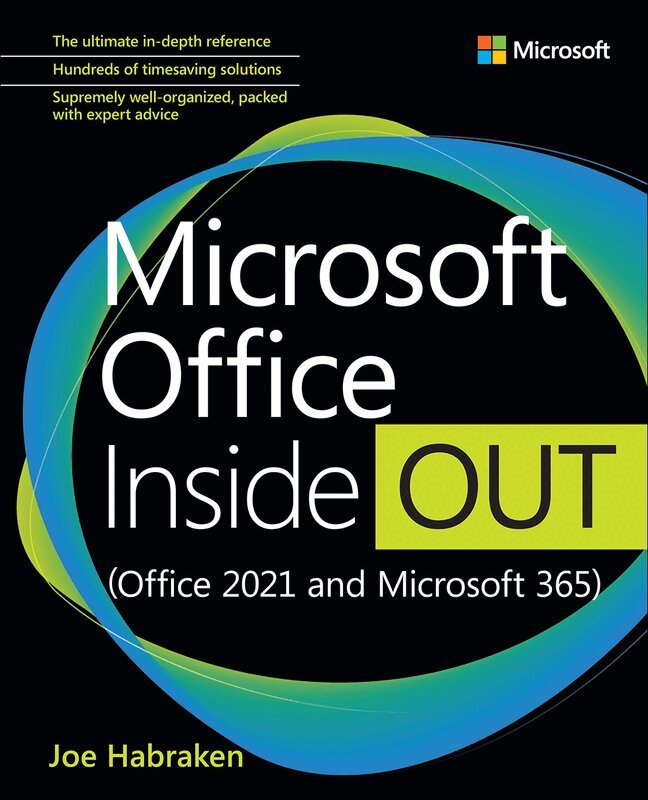
    Microsoft Office Inside Out (Office 2021 and Microsoft 365)

    AvJoe Habraken

    Häftad, Engelska, 2022

    Del i serien Inside Out

    382 kr

    Beställningsvara. Skickas inom 7-10 vardagar. Fri frakt över 249 kr.

    Beskrivning

    Conquer Microsoft Office—from the inside out!


    Dive into the Microsoft Office application suite—and really put its productivity tools and services to work for you! This supremely well-organized reference packs hundreds of timesaving solutions, tips, and workarounds—all you need to make the most of Office's most powerful tools for productivity and decision-making. Renowned Office expert Joe Habraken offers a complete tour of Microsoft Office, with cutting-edge techniques and shortcuts for Word, Excel, PowerPoint, Outlook, Publisher, the 365 Online apps, and more. Discover how experts tackle today's key tasks—and challenge yourself to new levels of mastery.


    • Create amazing content faster with Office's new features, tools, and shortcuts.
    • Share, collaborate with, and secure Office files in the cloud.
    • Organize, edit, and format complex documents with Microsoft Word.
    • Build tables of contents, captions, indexes, and footnotes that automatically update.
    • Efficiently enter and manage data in Excel workbooks, and format it for easy understanding.
    • Build flexible, reliable Excel workbooks with formulas and functions—including XLOOKUP and other enhancements.
    • Integrate data from external sources, including stock and currency data, and Wolfram curated knowledge.
    • Transform data into insight with Pivot Tables and Excel charts — including new recommended charts and the Quick Analysis gallery.
    • Quickly create presentations with PowerPoint themes, Reuse Slides, and Libraries.
    • Build more impactful slides with advanced formatting, SmartArt, animation, transitions, media, and free stock images.
    • Use PowerPoint tools to present more effectively—in person or online via Microsoft Teams.
    • Systematically improve email productivity and security with Outlook.
    • Manage appointments and tasks and quickly plan meetings.

    Produktinformation

    • Utgivningsdatum:2022-01-13
    • Mått:190 x 236 x 58 mm
    • Vikt:1 680 g
    • Format:Häftad
    • Språk:Engelska
    • Serie:Inside Out
    • Antal sidor:992
    • Upplaga:1
    • Förlag:Pearson Education
    • ISBN:9780137564095

    Utforska kategorier

    • Affärsapplikationer inom Data och IT

    Mer om författaren

    Joe Habraken is an educator, digital media and computer technology professional, best-selling author, and documentary filmmaker with more than 30 years of experience in the information technology and digital media production fields. He has written more than 40 books, which include numerous titles on the Microsoft Office application suite, computer networking, and Microsoft's Windows Server network platform. His titles have been translated into numerous languages and read around the world. Joe is currently an associate professor of Communication at the University of New England in Biddeford, Maine, where he teaches a variety of digital media, film, and hands-on software-related courses.

    Innehållsförteckning

    • Part I Getting started with the Microsoft 365 apps Chapter 1        Getting oriented to the Microsoft 365 applications Chapter 2        Navigating and customizing the 365 interface Chapter 3        Managing and sharing 365 files Chapter 4        Using and creating graphics Chapter 5        Using the 365 Online apps   Part II Word Chapter 6        Essential Word features Chapter 7        Enhancing Word documents Chapter 8        Working with tables, columns, and sections Chapter 9        Managing mailings and forms Chapter 10      Creating special documents     Part III Excel Chapter 11      Essential Excel features Chapter 12      Worksheet formatting and management Chapter 13      Getting the most from formulas and functions Chapter 14      Enhancing worksheets with charts Chapter 15      Using Excel tables and pivot tables Chapter 16      Validating and analyzing worksheet data   Part IV PowerPoint Chapter 17      Essential PowerPoint features Chapter 18      Advanced presentation formatting, themes, and masters Chapter 19      Better slides with pictures, objects, and SmartArt Chapter 20      Enhancing slides with animation, transitions, and multimedia Chapter 21      Delivering a presentation and creating support materials   Part V Outlook Chapter 22      Outlook configuration and essential features Chapter 23      Managing email in Outlook Chapter 24      Using the calendar for appointments and tasks Chapter 25      Working with contacts and planning meetings Chapter 26      Securing and maintaining Outlook   Part VI Publisher Chapter 27      Essential Publisher features Chapter 28      Advanced Publisher features   Part VII Appendixes Appendix A     Microsoft 365 application integration Appendix B      Microsoft 365 macros