• Fri frakt över 249 kr
  • •
  • Snabba leveranser
  • •
  • Billiga böcker
Kundservice

Du är på sajten för privatpersoner.

Företag, bibliotek eller offentlig verksamhet?

Du handlar på classic.bokus.com, där alla dina funktioner finns intakta.
Till classic.bokus.com
Bokus logotyp. Gå till startsidan.
  • Erbjudanden
  • Nyheter
  • Student
  • Topplistor
  • Barn & ungdom
  • Bokus Play
  • E-böcker
  • Pocketböcker
  • Spel & pussel

10% rabatt på allt med kod NYSTART10 →

Sidfot

Mina sidor

    Hjälp

    • Kundservice
    • Vanliga frågor och svar
    • Frakt och leverans
    • Retur vid ångerrätt
    • Reklamera vara
    • Betalning
    • Köpvillkor
    • Allmänna villkor
    • Information om webbplatsens tillgänglighet

    Om Bokus

    • Om oss
    • Pressrum
    • För studenter
    • För företag
    • För bibliotek och offentlig verksamhet
    • För leverantörer
    • Hållbarhet

    Populärt

    • Aktuella erbjudanden
    • Presentkort
    • Studentlitteratur
    • Nya böcker
    • Topplistor
    • Signerade böcker
    • Engelska böcker

    Inspiration

    • Boktips
    • BookTok
    • Populära bokserier
    • Barnbokskaraktärer
    • Populära författare
    Logotyp för Bokus
    Följ oss på Facebook (extern länk)Följ oss på Instagram (extern länk)Följ oss på YouTube (extern länk)Följ oss på TikTok (extern länk)
    bokus @ CookiesAnpassa cookiesIntegritetspolicyKöpvillkor
    Till Citymail hemsida (extern länk)Till Budbee hemsida (extern länk)Till Postnord hemsida (extern länk)Till Schenker hemsida (extern länk)Till Early Bird hemsida (extern länk)Till Walleys hemsida (extern länk)
    1. Data och IT
    2. Affärsapplikationer

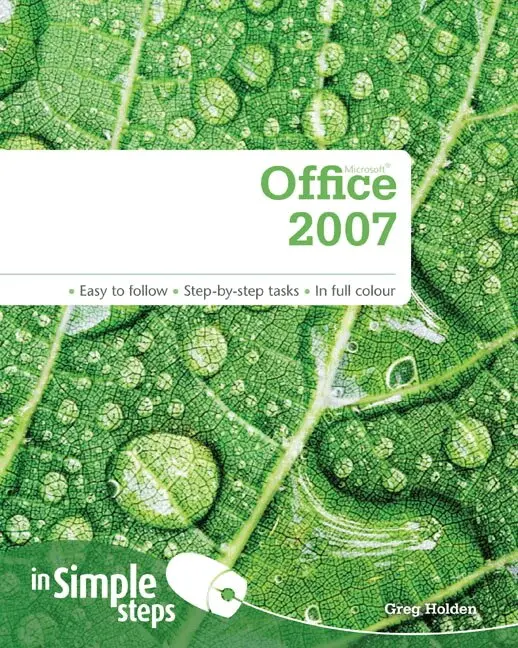
    Microsoft Office 2007 In Simple Steps

    AvGreg Holden

    Häftad, Engelska, 2009

    108 kr

    Beställningsvara. Skickas inom 7-10 vardagar. Fri frakt över 249 kr.

    Produktinformation

    • Utgivningsdatum:2009-06-15
    • Mått:189 x 234 x 12 mm
    • Vikt:526 g
    • Format:Häftad
    • Språk:Engelska
    • Antal sidor:256
    • Upplaga:1
    • Förlag:Pearson Education
    • ISBN:9780273723554

    Utforska kategorier

    • Affärsapplikationer inom Data och IT
    • Hårdvara inom Data och IT
    • Operativsystem inom Data och IT

    Innehållsförteckning

    • Top 10 Office 2007 Tips Launch an Office application Select and edit text Insert an image Apply a theme Create an outline Enter values in an Excel worksheet Insert a PowerPoint template Manage Access database objects Add a new contact Send an email message    Chapter 1 – Getting acquainted with Office 2007 Manually activate Office 2007 Launch an Office application Work with the Office program window Open a new blank Office file Open an existing Office file Explore the Ribbon Choose menu commands Work with toolbars Manage the Quick Access Toolbar Customise the Quick Access Toolbar Choose dialogue box options Use the status bar Add or remove status bar contents Change task panes Manage multiple windows Create a document from a template Save a file Save an Office file in a different format Find Help while you’re working Change preferences Change views Update Office from the Web Close a file and exit Office    Chapter 2 – Working with text Select text Edit text Copy and move text Use the Office Clipboard task pane Find and replace text Correct text automatically Check spelling and grammar Consult the thesaurus Create text boxes Translate text Import text files Insert a symbol Load a custom dictionary    Chapter 3 – Working with art and photos Browse Office clip art Browse clip art online Insert clip art Place a picture Adjust picture size Specify image size Add a border to a picture Brighten up an image Modify a picture’s contrast Change an image’s colour scheme Crop and rotate a picture Rotate an image Create WordArt text Format WordArt Apply special effects to WordArt Create SmartArt graphics Draw and resize shapes Align and distribute objects Manage your images    Chapter 4 – Applying themes and formatting Apply a theme to an existing document Apply a theme to a new document Apply a theme from another document Change the default Office theme Change theme colours Create your own theme colours Change theme fonts Add special effects to themes Create a custom theme Rotate and flip objects Make an object 3D Change stacking order Adjust shadows Format text in tables Use Quick Styles to format a table Format numbers in worksheets Use the Format Cells dialogue box Work with the Format Painter    Chapter 5 – Creating a Word document Change document views Make text easier to read View multiple pages View a document map Set up the page </