• Fri frakt över 249 kr
  • •
  • Snabba leveranser
  • •
  • Billiga böcker
Kundservice

Du är på sajten för privatpersoner.

Företag, bibliotek eller offentlig verksamhet?

Du handlar på classic.bokus.com, där alla dina funktioner finns intakta.
Till classic.bokus.com
Bokus logotyp. Gå till startsidan.
  • Erbjudanden
  • Nyheter
  • Student
  • Topplistor
  • Barn & ungdom
  • Bokus Play
  • E-böcker
  • Pocketböcker
  • Spel & pussel

10% rabatt på allt med kod NYSTART10 →

Sidfot

Mina sidor

    Hjälp

    • Kundservice
    • Vanliga frågor och svar
    • Frakt och leverans
    • Retur vid ångerrätt
    • Reklamera vara
    • Betalning
    • Köpvillkor
    • Allmänna villkor
    • Information om webbplatsens tillgänglighet

    Om Bokus

    • Om oss
    • Pressrum
    • För studenter
    • För företag
    • För bibliotek och offentlig verksamhet
    • För leverantörer
    • Hållbarhet

    Populärt

    • Aktuella erbjudanden
    • Presentkort
    • Studentlitteratur
    • Nya böcker
    • Topplistor
    • Signerade böcker
    • Engelska böcker

    Inspiration

    • Boktips
    • BookTok
    • Populära bokserier
    • Barnbokskaraktärer
    • Populära författare
    Logotyp för Bokus
    Följ oss på Facebook (extern länk)Följ oss på Instagram (extern länk)Följ oss på YouTube (extern länk)Följ oss på TikTok (extern länk)
    bokus @ CookiesAnpassa cookiesIntegritetspolicyKöpvillkor
    Till Citymail hemsida (extern länk)Till Budbee hemsida (extern länk)Till Postnord hemsida (extern länk)Till Schenker hemsida (extern länk)Till Early Bird hemsida (extern länk)Till Walleys hemsida (extern länk)
    1. Data och IT
    2. Hårdvara

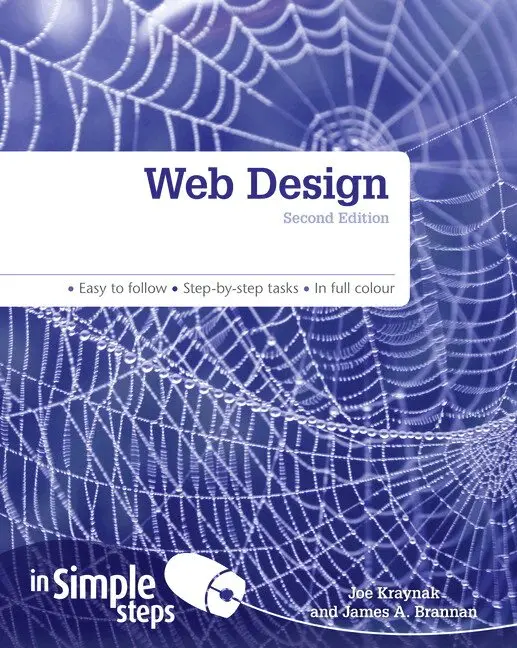
    Web Design In Simple Steps

    AvJoe Kraynak

    Häftad, Engelska, 2012

    113 kr

    Beställningsvara. Skickas inom 7-10 vardagar. Fri frakt över 249 kr.

    Beskrivning

    Discover everything you want to know about web design in this easy to use guide, from the most essential tasks that you’ll want to perform, to solving the most common problems you’ll encounter.


    Web Design In Simple Steps 2nd editioncovers every practical aspect you will need to master in web design that will help you to achieve immediate results.

    • Covers all aspects from initial concept to final testing

    • Covers planning and designing your site to maximise the user experience and navigation

    • All areas of writing, editing, enhancing, testing & maintaining your website fully covered


    This series of vibrant books will teach you exactly what you need to know using

    • A friendly, visual approach

    • Easy-to-understand language

    • Practical hands-on tasks

    • Full-colour large format screenshots


    To build your confidence and help you to get the most out of your computer, practical hints, tips and shortcuts feature on every page:


    §         Alert!– Explains and provides practical solutions to the most commonly    encountered problems

    §         Hot Tips– Time and effort saving shortcuts

    §         See Also… -  Points you to other related tasks and information

    §         Did you Know?  – Additional features to explore                                

    What does this Mean? – Jargon and technical terms explained in plain English               

    Produktinformation

    • Utgivningsdatum:2012-07-19
    • Mått:194 x 234 x 12 mm
    • Vikt:320 g
    • Format:Häftad
    • Språk:Engelska
    • Antal sidor:208
    • Upplaga:2
    • Förlag:Pearson Education
    • ISBN:9780273774723

    Utforska kategorier

    • Hårdvara inom Data och IT
    • Operativsystem inom Data och IT
    • Webbprogrammering inom Data och IT

    Innehållsförteckning

    • Top 10 Web Design Tips1. Use a content management system (CMS) 2. Provide a service3. Do not get too clever4. Usability is paramount5. The Web is an easily changeable medium6. Make text more accessible with plenty of headings, subheadings, and lists 7. Check your work 8. Be consistent9. Leverage the power of free online web developer tools10. Remember, web design is supposed to be fun1. Planning your website Review several sites’ services and self-interested goals Determine your site’s purpose Narrow your purpose to one goal Identify your target audience Have a call to action Understand your constraints Identify a service you can offer users Make sure your ecommerce site offers a service When offering a service, make it relevant and valuable Gather requirements, even if you don’t think there are any Create a use case diagram 2. Website architecture Translate the use case diagram into an outline Assign priorities to every outline element Translate the outline to a site map Follow the three-click rule Use sequential navigation when appropriate Use external links sparingly and prudently Do not let ads detract from your site’s content Ensure your site has no dead ends Do not use under construction pages Ensure every page has a page header Ensure every page has a page footer Make hyperlinks and icons explicit Use breadcrumb trails when designing complex sites Always create a site map or site index Create a prototype navigation template Create a website framework, complete with blank pages 3. Writing your text Consider blogging Ensure your site contains quality content Chunk your information into bite-size pieces Write like a journalist Write descriptive headings and subheadings Persuade users with subtle techniques Prefer simple to complex and edit your writing Ensure meaning is intuitive on important items 4. Webpage layout and composition Place important information above the fold line Make pages printable Use grid theory Violate a page’s grid to draw attention to an element Emphasise what is important Prominently display your purpose, or have a tagline Design for a maximum screen resolution of 1024x768 Know the difference between fixed and flexible layout Use a centred layout 5. Using web colour effectively Have a basic understanding of colour values Understand colour theory essentials Use a tool to generate a colour palette Generate a colour palette from a photograph Use your colour palette consistently across pages Choose colours to match your site’s mood Accept that colour choices may not appear as you wish Use text and background colour harmoniously 6. Texture Add texture with a repeating pattern Add texture with a non-repeating image Use pe