• Fri frakt över 249 kr
  • •
  • Snabba leveranser
  • •
  • Billiga böcker
Kundservice

Du är på sajten för privatpersoner.

Företag, bibliotek eller offentlig verksamhet?

Du handlar på classic.bokus.com, där alla dina funktioner finns intakta.
Till classic.bokus.com
Bokus logotyp. Gå till startsidan.
  • Erbjudanden
  • Nyheter
  • Student
  • Topplistor
  • Barn & ungdom
  • Bokus Play
  • E-böcker
  • Pocketböcker
  • Spel & pussel

10% rabatt på allt med kod: NYSTART10 →

Sidfot

Mina sidor

    Hjälp

    • Kundservice
    • Vanliga frågor och svar
    • Frakt och leverans
    • Retur vid ångerrätt
    • Reklamera vara
    • Betalning
    • Köpvillkor
    • Allmänna villkor
    • Information om webbplatsens tillgänglighet

    Om Bokus

    • Om oss
    • Pressrum
    • För studenter
    • För företag
    • För bibliotek och offentlig verksamhet
    • För leverantörer
    • Hållbarhet

    Populärt

    • Aktuella erbjudanden
    • Presentkort
    • Studentlitteratur
    • Nya böcker
    • Topplistor
    • Signerade böcker
    • Engelska böcker

    Inspiration

    • Boktips
    • BookTok
    • Populära bokserier
    • Barnbokskaraktärer
    • Populära författare
    Logotyp för Bokus
    Följ oss på Facebook (extern länk)Följ oss på Instagram (extern länk)Följ oss på YouTube (extern länk)Följ oss på TikTok (extern länk)
    bokus @ CookiesAnpassa cookiesIntegritetspolicyKöpvillkor
    Till Citymail hemsida (extern länk)Till Budbee hemsida (extern länk)Till Postnord hemsida (extern länk)Till Schenker hemsida (extern länk)Till Early Bird hemsida (extern länk)Till Walleys hemsida (extern länk)
    1. Data och IT
    2. Programmeringsböcker
    3. Programspråk

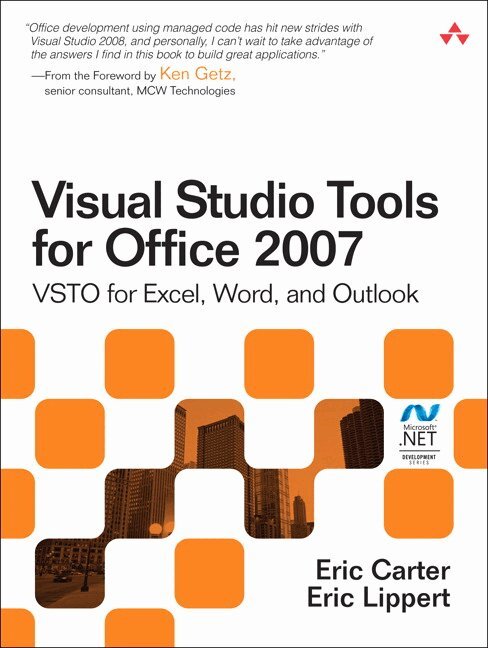
    Visual Studio Tools for Office 2007

    VSTO for Excel, Word, and Outlook

    AvEric Carter,Eric Lippert

    Häftad, Engelska, 2009

    Del i serien Microsoft Windows Development Series

    414 kr

    Beställningsvara. Skickas inom 7-10 vardagar. Fri frakt över 249 kr.

    Beskrivning

    Visual Studio Tools for Office 2007: VSTO for Excel, Word, and Outlook is the definitive book on VSTO 2008 programming, written by the inventors of the technology. VSTO is a set of tools that allows professional developers to use the full power of Microsoft Visual Studio 2008 and the .NET Framework to program against Microsoft Office 2007.  This book delivers in one place all the information you need to succeed using VSTO to program against Word 2007, Excel 2007, and Outlook 2007, and provides the necessary background to customize Visio 2007, Publisher 2007, and PowerPoint 2007. It introduces the Office 2007 object models, covers the most commonly used objects in those object models, and will help you avoid the pitfalls caused by the COM origins of the Office object models. Developers who wish to program against Office 2003 should consult Carter and Lippert’s previous book, Visual Studio Tools for Office.  In VSTO 2008, you can build add-ins for all the major Office 2007 applications, build application-level custom task panes, customize the new Office Ribbon, modify Outlook’s user interface using Form Regions, and easily deploy everything you build using ClickOnce.  Carter and Lippert cover their subject matter with deft insight into the needs of .NET developers learning VSTO, based on the deep knowledge that comes from the authors’ unique perspective of living and breathing VSTO for the past six years. This book  Explains the architecture of Microsoft Office programming and introduces the object models Covers the main ways Office applications are customized and extended Explores the ways of customizing Excel, Word, and Outlook, and plumbs the depths of programming with their events and object models Introduces the VSTO programming model Teaches how to use Windows Forms and WPF in VSTO and how to work with the Document Actions Pane and application-level task panes Delves into VSTO data programming and server data scenarios Teaches ClickOnce VSTO deployment This is the one book you need to succeed in programming against Office 2007.  NOTE: This is now a two volume setC# and Visual Basic .NET Code samples for download can be found here: http://www.informit.com/store/product.aspx?isbn=0321533216

    Produktinformation

    • Utgivningsdatum:2009-03-24
    • Mått:180 x 230 x 30 mm
    • Vikt:928 g
    • Format:Häftad
    • Språk:Engelska
    • Serie:Microsoft Windows Development Series
    • Förlag:Pearson Education (US)
    • ISBN:9780321533210

    Utforska kategorier

    • Programspråk inom Data och IT

    Mer om författaren

    Eric Carter is a development manager on the Visual Studio team at Microsoft. He helped invent, design, and implement many of the features that are in VSTO today. Previously at Microsoft he worked on Visual Studio for Applications, the Visual Studio Macros IDE, and Visual Basic for Applications for Office 2000 and Office 2003.  Eric Lippert’s primary focus during his twelve years at Microsoft has been on improving the lives of developers by designing and implementing useful programming languages and development tools. He has worked on the Windows Scripting family of technologies, Visual Studio Tools for Office, and, most recently, on the C# compiler team.

    Recensioner i media

    Praise for Visual Studio Tools for Office 2007  “Visual Studio Tools for Office has always been one of my favorite technologies to come out of Microsoft. There are millions of people who use Office applications all day, every day; with VSTO, you can create applications for them. Eric Carter and Eric Lippert helped create VSTO, so they know as much about it as anybody, making this book a must-have. After reading it, you’ll know everything needed to begin building solutions that take advantage of the .NET Framework features, in the UI your users are familiar with.”–Robert Green, senior consultant, MCW Technologies  “With the application development community so focused on the Smart Client revolution, a book that covers VSTO from A to Z is both important and necessary. This book lives up to big expectations. It is thorough, has tons of example code, and covers Office programming in general terms–topics that can be foreign to the seasoned .NET developer who has focused on ASP.NET applications for years. Congratulations to Eric Lippert and Eric Carter for such a valuable work!”–Tim Huckaby, CEO, InterKnowlogy; Microsoft Regional Director  “Eric Carter and Eric Lippert really get it. Professional programmers will love the rich power of Visual Studio and .NET, along with the ability to tap into Office programmability. This book walks you through programming Excel, Word, and Outlook solutions.”–Vernon W. Hui, test lead, Microsoft Corporation  “This book is both a learning tool and a reference book, with a richness of tables containing object model objects and their properties, methods, and events. I would recommend it to anyone considering doing Office development using the .NET Framework; especially people interested in VSTO programming.”–Rufus Littlefield, software design engineer/tester, Microsoft Corporation  “This book will help Office .NET Developers optimize their work. It goes beyond providing an introduction to VSTO and the object models of Word, Excel, and Outlook. The overview of other technologies available for interacting with Office assist in analyzing how to best approach any Office project. In addition, the authors’ insights into the design of this RAD tool make it possible to get the most out of VSTO applications.”–Cindy Meister, Microsoft MVP for VSTO, author of Word Programmierung, Das Handbuch  “This book is an in-depth, expert, and definitive guide to programming using Visual Studio Tools for Office 2007. It is a must-have book for anyone doing Office development.”–Siew Moi Khor, programmer/writer, Microsoft Corporation  “We don’t buy technical books for light reading, we buy them as a resource for developing a solution. This book is an excellent resource for someone getting started with Smart Client development. For example, it is common to hear a comment along the lines of, ‘It is easy to manipulate the Task Pane in Office 2007 using VSTO 2008,’ but until you see something like the example at the start of Chapter 14, it is hard to put ‘easy’ into perspective.  “This is a thorough book that covers everything from calling Office applications from your application, to building applications that are Smart Documents. It allows the traditional Windows developer to really leverage the power of Office 2007.”–Bill Sheldon, principal engineer, InterKnowlogy; MVP  “Eric Carter and Eric Lippert have been the driving force behind Office development and Visual Studio Tools for Office. The depth of their knowledge and understanding of VSTO and Office is evident in this book. Professional developers architecting enterprise solutions using VSTO 2008 and Office system 2007 now have a new weapon in their technical arsenal.”–Paul Stubbs, program manager, Microsoft Corporation  “This book, also known as ‘The Bible of VSTO,’ has been rewritten for Office 2007 and I was delighted to read the sections on new VSTO features that were added in Visual Studio 2008. It explains how the VSTO team hid the plumbing and cumbersome coding tasks to allow you to be more productive and to just create excellent business applications. New or experienced in Office development, you will want to add this book to your library!”–Maarten van Stam, Microsoft MVP, Visual Developer, VSTO, http://blogs.officezealot.com/maarten  “This book covers all of the ins and outs of programming with Visual Studio Tools for Office in a clear and concise way. Given the authors’ exhaustive experiences with this subject, you can’t get a more authoritative description of VSTO than this book!”–Paul Vick, principal architect, Microsoft Corporation

    Innehållsförteckning

    • Figures xxxiTables xlvForeword liPreface lvAcknowledgments lixAbout the Authors lxi  Part I: An Introduction to VSTO 1  Chapter 1: An Introduction to Office Programming 3Why Office Programming? 3Office Business Applications 3Office Object Models 7Properties, Methods, and Events 14The Office Primary Interop Assemblies (PIAs) 39Conclusion 48  Chapter 2: Introduction to Office Solutions 51The Three Basic Patterns of Office Solutions 51Office Automation Executables 54Office Add-Ins 69Code Behind a Document 78Conclusion 86  Part II: Office Programming in .NET 87  Chapter 3: Programming Excel 89Ways to Customize Excel 89Programming User-Defined Functions 98Introduction to the Excel Object Model 108Conclusion 112  Chapter 4: Working with Excel Events 115Events in the Excel Object Model 115Conclusion 162  Chapter 5: Working with Excel Objects 163Working with the Application Object 163Working with the Workbooks Collection 178Working with the Workbook Object 181Working with the Worksheets, Charts,Working with Document Properties 192Working with the Windows Collections 195Working with the Window Object 199Working with the Names Collection and Name Object 202Working with the Worksheet Object 204Working with the Range Object 219Special Excel Issues 235Conclusion 241  Chapter 6: Programming Word 243Ways to Customize Word 243Programming Research Services 249Introduction to the Word Object Model 261Conclusion 262  Chapter 7: Working with Word Events 267Events in the Word Object Model 267Events in Visual Studio Tools for Office 307Conclusion 310  Chapter 8: Working with Word Objects 311Working with the Application Object 311Working with the Dialog Object 332Working with Windows 338Working with Templates 341Working with Documents 343Working with a Document 348Working with the Range Object 369Working with Bookmarks 392Working with Tables 394Working with Content Controls 396Conclusion 403  Chapter 9: Programming Outlook 405Ways to Customize Outlook 405Introduction to the Outlook Object Model 419Conclusion 422  Chapter 10: Working with Outlook Events 425Events in the Outlook Object Model 425Application-Level Events 427Outlook Item Events 448Other Events 470Conclusion 473  Chapter 11: Working with Outlook Objects 475Working with the Application Object 475Working with the Explorers and Inspectors Collections 486Working with the Explorer Object 488Working with the Inspector Object 501Working with the NameSpace Object 506Working with the Folder Object 519Working with the Items Collection 534Properties and Methods Common to Outlook Items 548Conclusion 569  Part III: Office Programming in VSTO 571  Chapter 12: The VSTO Programming Model 573The VSTO Programming Model for Documents 573VSTO Extensions to Word and Excel Document Objects 576Dynamic Controls in the Document 584Advanced Topic: Class Hookup and Cookies 591Advanced Topic: Inspecting the Generated Code 594VSTO Extensions to the Word and Excel Object Models 599The VSTO Programming Model for Add-Ins 619Using VSTO Document Features in Application-Level Add-Ins 621Advanced Topic: Creating Worksheets Dynamically 624Conclusion 625  Chapter 13: Using Windows Forms and WPF in VSTO 627Introduction 627Adding Windows Forms Controls to Your Document 634Writing Code Behind a Control 641The Windows Forms Control Hosting Architecture 643Properties Merged from OLEObject or OLEControl 654Adding Controls at Runtime 658Using WPF Controls in the Document 669Conclusion 671  Chapter 14: Working with Document-Level Actions Panes 673Introduction to the Document Actions Task Pane 673Working with the ActionsPane Control 680Using WPF Controls in an Actions Pane 697Conclusion 699  Chapter 15: Working with Application-Level Custom Task Panes 701Introduction to the Application-Level Custom Task Panes 701Working with Custom Task Panes 704Custom Task Panes and Application Windows 710Using WPF Controls in a Custom Task Pane 719Conclusion 722  Chapter 16: Working with Outlook Form Regions 723Introduction to Form Regions 723Form Region Types and Custom Message Classes 743Creating an Outlook Forms-Based Form Region 749Outlook Form Region Programmability 765Conclusion 774  Chapter 17: Working with the Ribbon in VSTO 777Introduction to the Office Ribbon 777Working with the Ribbon in the Ribbon Designer 800Creating a Ribbon in an Excel Workbook Project 812Creating a Ribbon in an Outlook Add-In Project 825Advanced Ribbon Topics 836Conclusion 850  Chapter 18: Working with Smart Tags in VSTO 851Introduction to Smart Tags 851Creating Document-Level Smart Tags with VSTO 855Creating Application-Level Smart Tags 874Conclusion 880  Chapter 19: VSTO Data Programming 881Creating a Data-Bound Customized Spreadsheet with VSTO 882Creating a Data-Bound Customized Word Document with VSTO 889Datasets, Adapters, and Sources 891Another Technique for Creating Data-Bound Documents 901Caching Data in the Data Island 908Advanced Topic: Using ICachedType 911Advanced ADO.NET Data Binding: Looking Behind the Scenes 913Binding-Related Extensions to Host Items and Host Controls 914Using Data Binding and Dynamic Controls from an Application-Level Add-In 921Conclusion 928  Chapter 20: Server Data Scenarios 929Populating a Document with Data on the Server 929Using ServerDocument and ASP.NET 931A Handy Client-Side ServerDocument Utility 939The ServerDocument Object Model 941Conclusion 952  Chapter 21: ClickOnce Deployment 955Introduction 955Prerequisites 956Deploying Add-Ins 958Deploying Document Solutions 982ClickOnce Security 995Other Deployment Scenarios 1009Advanced Topic: Editing Manifests Using Mage 1010Conclusion 1015  Bibliography 1017Index 1019