• Fri frakt över 249 kr
  • •
  • Snabba leveranser
  • •
  • Billiga böcker
Kundservice

Du är på sajten för privatpersoner.

Företag, bibliotek eller offentlig verksamhet?

Du handlar på classic.bokus.com, där alla dina funktioner finns intakta.
Till classic.bokus.com
Bokus logotyp. Gå till startsidan.
  • Erbjudanden
  • Nyheter
  • Student
  • Topplistor
  • Barn & ungdom
  • Bokus Play
  • E-böcker
  • Pocketböcker
  • Spel & pussel

10% rabatt på allt med kod: NYSTART10 →

Sidfot

Mina sidor

    Hjälp

    • Kundservice
    • Vanliga frågor och svar
    • Frakt och leverans
    • Retur vid ångerrätt
    • Reklamera vara
    • Betalning
    • Köpvillkor
    • Allmänna villkor
    • Information om webbplatsens tillgänglighet

    Om Bokus

    • Om oss
    • Pressrum
    • För studenter
    • För företag
    • För bibliotek och offentlig verksamhet
    • För leverantörer
    • Hållbarhet

    Populärt

    • Aktuella erbjudanden
    • Presentkort
    • Studentlitteratur
    • Nya böcker
    • Topplistor
    • Signerade böcker
    • Engelska böcker

    Inspiration

    • Boktips
    • BookTok
    • Populära bokserier
    • Barnbokskaraktärer
    • Populära författare
    Logotyp för Bokus
    Följ oss på Facebook (extern länk)Följ oss på Instagram (extern länk)Följ oss på YouTube (extern länk)Följ oss på TikTok (extern länk)
    bokus @ CookiesAnpassa cookiesIntegritetspolicyKöpvillkor
    Till Citymail hemsida (extern länk)Till Budbee hemsida (extern länk)Till Postnord hemsida (extern länk)Till Schenker hemsida (extern länk)Till Early Bird hemsida (extern länk)Till Walleys hemsida (extern länk)
    1. Data och IT
    2. Grafik och bildbehandling
    3. CAD-program

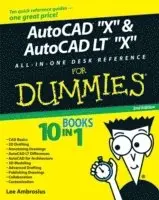
    AutoCAD 2009 and AutoCAD LT 2009 All-in-One Desk Reference For Dummies

    AvLee Ambrosius

    Häftad, Engelska, 2008

    299 kr

    Tillfälligt slut

    Beskrivning

    Nobody ever said AutoCAD was easy, which is why you need AutoCAD & AutoCAD LT 2009 All-In-One Desk Reference for Dummies! These nine minibooks cover all the stuff you need to know to set up AutoCAD for 2D or 3D, create drawings, modify and share them, publish your work, and more. There’s even a minibook devoted to increasing your options with AutoCAD LT! This one-stop guide to creating great technical drawings using AutoCAD 2009 shows you how to navigate the AutoCAD interface, set up drawings, use basic and precision tools, and use drawing objects. You’ll learn how to annotate your drawings, use dimensioning and hatching, and work with AutoCAD’s new Annotation Scaling feature. You’ll also find out how to work with solids, texture surfaces, add lighting, and much more. Discover how to Navigate the AutoCAD interfaceWork with lines, shapes, and curvesAdd explanatory textUnderstand AutoCAD LT’s limitationsRender your drawingsCreate and manage blocksUse AutoCAD advanced drafting techniquesComply with CAD management and standardsShare your work with othersCustomize the AutoCAD interface, tools, and moreComplete with Web links to advanced information on navigating the AutoCAD programming interfaces, using custom programs, getting started with AutoLISP, and working with Visual Basic for AutoCAD, AutoCAD & AutoCAD LT 2009 All-In-One Desk Reference for Dummies is the only comprehensive AutoCAD guide you’ll ever need.

    Produktinformation

    • Utgivningsdatum:2008-05-09
    • Mått:196 x 235 x 38 mm
    • Vikt:1 100 g
    • Format:Häftad
    • Språk:Engelska
    • Antal sidor:800
    • Förlag:John Wiley & Sons Inc
    • ISBN:9780470243787

    Utforska kategorier

    • CAD-program inom Data och IT

    Mer om författaren

    Lee Ambrosius works for Autodesk as a technical writer for the Platform Solutions and Emerging Business (PSEB) division and is based out of his home office. Before that, he worked as an independent consultant for more than three years, and before that he was a resident of a cubicle farm for about eight years, where he worked as a systems analyst creating custom applications. Even though Lee doesn’t work for himself anymore, he still runs his Web site, www.hyperpics.com, and his blog, hyperpics.blogs.com. He has been using AutoCAD since 1994, when he was first exposed to Release 12 for DOS, and has been customizing and programming AutoCAD since 1996. Lee was an AutoCAD consultant and trainer for more than ten years, and has been teaching at Autodesk University since 2004.For over a decade, Lee has authored a variety of works that include articles for CAD magazines and white papers for Autodesk and has been a contributing author on a few occasions for AutoCAD books. He has been a technical editor for the recent editions of AutoCAD For Dummies and AutoCAD and AutoCAD LT Bible. The first version of this book, AutoCAD and AutoCAD LT All-in-One Desk Reference For Dummies, was his first venture into being a coauthor for a book before going off and authoring the book AutoCAD 2008 3D Modeling Workbook For Dummies.

    Innehållsförteckning

    • Introduction 1Book I: AutoCAD Basics 11Chapter 1: One-on-One Time with AutoCAD 13Chapter 2: Drawing on and in AutoCAD 31Chapter 3: Navigating the AutoCAD Interface 37Chapter 4: All about Files 65Chapter 5: Basic Tools 85Chapter 6: Setting Up Drawings 97Chapter 7: Precision Tools 125Book II: 2D Drafting 155Chapter 1: Drawing Objects 157Chapter 2: Modifying Objects 185Chapter 3: Managing Views 215Book III: Annotating Drawings 235Chapter 1: Text: When Pictures Just Won’t Do 237Chapter 2: Dimensioning 267Chapter 3: Hatching Your Drawings 303Chapter 4: Scaling Mt Annotation 313Book IV: LT Differences 321Chapter 1: The LT Difference 323Chapter 2: Extending AutoCAD LT 331Chapter 3: Mixed Environments 339Book V: 3D Modeling 347Chapter 1: Introducing the Third Dimension 349Chapter 2: Using the 3D Environment 357Chapter 3: Viewing in 3D 369Chapter 4: Moving from 2D to 3D 381Chapter 5: Working with Solids 393Chapter 6: Rendering: Lights, Camera, AutoCAD! 403Book VI: Advanced Drafting 415Chapter 1: Playing with Blocks 417Chapter 2: Dynamic Blocks 433Chapter 3: External References 449Chapter 4: Organizing Your Drawings 479Book VII: Publishing Drawings 491Chapter 1: Page Setup 493Chapter 2: Sheet Sets without Regret 515Chapter 3: Print, Plot, Publish 543Book VIII: Collaboration 565Chapter 1: CAD Management: The Necessary Evil 567Chapter 2: CAD Standards 579Chapter 3: Working with Drawing Files 597Chapter 4: Sharing Electronic Files 617Book IX: Customizing AutoCAD 637Chapter 1: The Basics of Customizing AutoCAD 639Chapter 2: Customizing the Interface 657Chapter 3: Customizing the Tools 675Chapter 4: Delving Deeper into Customization 705Chapter 5: Recording Your Actions 717Bonus Chapters .On the WebBonus Chapter 1: Working with Surfaces .BC 1Bonus Chapter 2: The AutoCAD Programming Interfaces .BC 13Bonus Chapter 3: Using Custom Programs BC 23Bonus Chapter 4: Introducing AutoLISP .BC 41Bonus Chapter 5: Visual Basic for AutoCAD BC 79Bonus Chapter 6: AutoCAD Utilities BC 101Bonus Chapter 7: Creating Custom Linetypes, Shapes, and Hatch Patterns .BC 115Index 727