• Fri frakt över 249 kr
  • •
  • Snabba leveranser
  • •
  • Billiga böcker
Kundservice

Du är på sajten för privatpersoner.

Företag, bibliotek eller offentlig verksamhet?

Du handlar på classic.bokus.com, där alla dina funktioner finns intakta.
Till classic.bokus.com
Bokus logotyp. Gå till startsidan.
  • Erbjudanden
  • Nyheter
  • Student
  • Topplistor
  • Barn & ungdom
  • Bokus Play
  • E-böcker
  • Pocketböcker
  • Spel & pussel

10% rabatt på allt med kod: NYSTART10 →

Sidfot

Mina sidor

    Hjälp

    • Kundservice
    • Vanliga frågor och svar
    • Frakt och leverans
    • Retur vid ångerrätt
    • Reklamera vara
    • Betalning
    • Köpvillkor
    • Allmänna villkor
    • Information om webbplatsens tillgänglighet

    Om Bokus

    • Om oss
    • Pressrum
    • För studenter
    • För företag
    • För bibliotek och offentlig verksamhet
    • För leverantörer
    • Hållbarhet

    Populärt

    • Aktuella erbjudanden
    • Presentkort
    • Studentlitteratur
    • Nya böcker
    • Topplistor
    • Signerade böcker
    • Engelska böcker

    Inspiration

    • Boktips
    • BookTok
    • Populära bokserier
    • Barnbokskaraktärer
    • Populära författare
    Logotyp för Bokus
    Följ oss på Facebook (extern länk)Följ oss på Instagram (extern länk)Följ oss på YouTube (extern länk)Följ oss på TikTok (extern länk)
    bokus @ CookiesAnpassa cookiesIntegritetspolicyKöpvillkor
    Till Citymail hemsida (extern länk)Till Budbee hemsida (extern länk)Till Postnord hemsida (extern länk)Till Schenker hemsida (extern länk)Till Early Bird hemsida (extern länk)Till Walleys hemsida (extern länk)
    1. Data och IT
    2. Grafik och bildbehandling

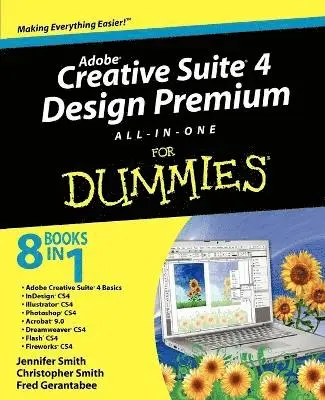
    Adobe Creative Suite 4 Design Premium All-in-One For Dummies

    AvJennifer Smith,Christopher Smith

    Häftad, Engelska, 2008

    232 kr

    Beställningsvara. Skickas inom 5-8 vardagar. Fri frakt över 249 kr.

    Beskrivning

    Design professionals rely on Adobe’s Creative Suite Design Premium to deliver innovative ideas in print, Web, and mobile design. Adobe CS4 Design Premium All-in-One For Dummies helps you beef up your skills with the latest version of this software. You’ll learn all about the hot new versions of InDesign, Illustrator, Photoshop, Acrobat, Dreamweaver, Flash, and Fireworks. Whether you’re creating newsletters, Web sites, cool original art, or animations, this book has it covered. You’ll find out how to build Web pages with text and drawings, photos, Flash animations, and rollovers; check out enhanced Photoshop 3D tools; develop interactive animations for the Web or video with Flash CS4; and use the easier rollover and action features in Dreamweaver CS4 to add interactivity without coding. You’ll also discover: How to get familiar with the menus, panels, and tools that are similar throughout the suiteTips for getting creative with Illustrator’s cool new vector tracing featureWays to use the annotation capabilities in Acrobat 9.0 and the improved CSS capabilities in DreamweaverWhat Fireworks CS4, the newest addition to the suite, can add to Web sitesWhich extensions and filters are common to all programsHard-to-find keyboard shortcuts in IllustratorHow to enhance and manipulate photos with PhotoshopSecrets for smoothing out your workflowHow to use the Adobe BridgeSteps for using each programTo help you quickly find what you need, Adobe CS4 Design Premium All-in-One For Dummies is divided into eight minibooks: Adobe Creative Suite BasicsInDesign CS4Illustrator CS4Photoshop CS4Acrobat CS4Dreamweaver CS4Flash CS4Fireworks CS4Adobe CS4 Design Premium All-in-One For Dummies is your one-stop guide to all the parts of Adobe’s ultimate toolkit for today's designer.

    Produktinformation

    • Utgivningsdatum:2008-11-28
    • Mått:188 x 234 x 48 mm
    • Vikt:1 352 g
    • Format:Häftad
    • Språk:Engelska
    • Antal sidor:944
    • Förlag:John Wiley & Sons Inc
    • ISBN:9780470331866

    Utforska kategorier

    • Grafik och bildbehandling inom Data och IT

    Mer om författaren

    Jennifer Smith is a Certified Technical Instructor and former art director. She also founded Aquent Graphics Institute. Christopher Smith is President of Aquent Graphics Institute and an Adobe Certified Expert. Fred Gerantabee is an Emmy Award-winning interactive designer, author, and educator.

    Innehållsförteckning

    • Introduction 1Book I: Adobe Creative Suite 4 Basics 7Chapter 1: Introducing Adobe Creative Suite 4 9Chapter 2: Using Common Menus and Commands 17Chapter 3: Exploring Common Panels 27Chapter 4: Using Common Extensions 33Chapter 5: Importing and Exporting 39Chapter 6: Handling Graphics, Paths, Text, and Fonts 53Chapter 7: Using Color 63Chapter 8: Printing Documents 71Book II: InDesign CS4 79Chapter 1: What’s New in InDesign CS4 81Chapter 2: Introducing InDesign CS4 89Chapter 3: Drawing in InDesign 107Chapter 4: Working with Text and Text Frames 127Chapter 5: Understanding Page Layout 153Chapter 6: Clipping Paths, Transforming Objects, and Alignment 171Chapter 7: Understanding Color and Printing 181Chapter 8: Exporting Your Work 193Chapter 9: Integrating InDesign 201Book III: Illustrator CS4 213Chapter 1: What’s New in Illustrator CS4 215Chapter 2: Discovering Illustrator CS4 221Chapter 3: Using the Selection Tools 235Chapter 4: Creating Basic Shapes 245Chapter 5: Using the Pen Tool and Placing Images 253Chapter 6: Using Type in Illustrator 267Chapter 7: Organizing Your Illustrations 291Chapter 8: Using Layers 301Chapter 9: Livening Up Illustrations with Color 307Chapter 10: Using the Transform and Distortions Tools 325Chapter 11: Working with Transparency and Special Effects Tools 337Chapter 12: Using Filters and Effects 349Chapter 13: Using Your Illustrator Images 361Book IV: Photoshop CS4 377Chapter 1: Exploring New Features in Photoshop CS4 379Chapter 2: Getting Into Photoshop CS4 Basics 385Chapter 3: Messing with Mode Matters 395Chapter 4: Creating a Selection 403Chapter 5: Using the Photoshop Pen Tool 419Chapter 6: Thinking about Resolution Basics 429Chapter 7: Creating a Good Image 435Chapter 8: Working with Painting and Retouching Tools 449Chapter 9: Using Layers 465Chapter 10: Saving Photoshop Images for Print and the Web 481Book V: Acrobat 9.0 493Chapter 1: Discovering Essential Acrobat Information 495Chapter 2: Creating PDF Files 505Chapter 3: Adding Interactivity to PDF Files 515Chapter 4: Editing and Extracting Text and Graphics 523Chapter 5: Using Commenting and Annotation Tools 531Chapter 6: Securing Your PDF Files 543Book VI: Dreamweaver CS4 549Chapter 1: Getting Familiar with New Features in Dreamweaver 551Chapter 2: Introducing Dreamweaver CS4 561Chapter 3: Creating a Web Site 571Chapter 4: Working with Images 581Chapter 5: Putting Text on the Page 595Chapter 6: Linking It Together 609Chapter 7: Creating Tables 617Chapter 8: Creating CSS Layouts 627Chapter 9: Publishing Your Web Site 637Book VII: Flash CS4 647Chapter 1: Getting Started in Flash CS4 649Chapter 2: Drawing in Flash CS4 663Chapter 3: Symbols and Animation 679Chapter 4: Applying More Advanced Animation 699Chapter 5: Importing Graphics and Sounds 719Chapter 6: Lights, Camera, Movie Clips! 739Chapter 7: Controlling Your Movie with ActionScript 751Chapter 8: Getting Into the (Work)flow 767Chapter 9: Publishing and Final Delivery 781Book VIII: Fireworks CS4 793Chapter 1: Introducing Fireworks CS4 795Chapter 2: Free to Create 803Chapter 3: Livening Up Your Artwork with Color 813Chapter 4: Creating Text in Fireworks 819Chapter 5: Getting Images In and Out of Fireworks 827Chapter 6: Hotspots, Slices, and CSS Layouts 837Chapter 7: Using Buttons and Symbols 849Chapter 8: Don’t Just Sit There — Animate! 857Index 869