• Fri frakt över 249 kr
  • •
  • Snabba leveranser
  • •
  • Billiga böcker
Kundservice

Du är på sajten för privatpersoner.

Företag, bibliotek eller offentlig verksamhet?

Du handlar på classic.bokus.com, där alla dina funktioner finns intakta.
Till classic.bokus.com
Bokus logotyp. Gå till startsidan.
  • Erbjudanden
  • Nyheter
  • Student
  • Topplistor
  • Barn & ungdom
  • Bokus Play
  • E-böcker
  • Pocketböcker
  • Spel & pussel

10% rabatt på allt med kod NYSTART10 →

Sidfot

Mina sidor

    Hjälp

    • Kundservice
    • Vanliga frågor och svar
    • Frakt och leverans
    • Retur vid ångerrätt
    • Reklamera vara
    • Betalning
    • Köpvillkor
    • Allmänna villkor
    • Information om webbplatsens tillgänglighet

    Om Bokus

    • Om oss
    • Pressrum
    • För studenter
    • För företag
    • För bibliotek och offentlig verksamhet
    • För leverantörer
    • Hållbarhet

    Populärt

    • Aktuella erbjudanden
    • Presentkort
    • Studentlitteratur
    • Nya böcker
    • Topplistor
    • Signerade böcker
    • Engelska böcker

    Inspiration

    • Boktips
    • BookTok
    • Populära bokserier
    • Barnbokskaraktärer
    • Populära författare
    Logotyp för Bokus
    Följ oss på Facebook (extern länk)Följ oss på Instagram (extern länk)Följ oss på YouTube (extern länk)Följ oss på TikTok (extern länk)
    bokus @ CookiesAnpassa cookiesIntegritetspolicyKöpvillkor
    Till Citymail hemsida (extern länk)Till Budbee hemsida (extern länk)Till Postnord hemsida (extern länk)Till Schenker hemsida (extern länk)Till Early Bird hemsida (extern länk)Till Walleys hemsida (extern länk)
    1. Data och IT
    2. Affärsapplikationer

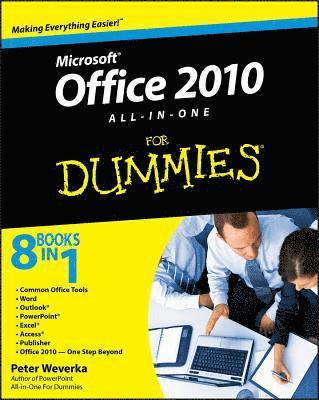
    Office 2010 All-in-One For Dummies

    AvPeter Weverka

    Häftad, Engelska, 2010

    251 kr

    Beställningsvara. Skickas inom 5-8 vardagar. Fri frakt över 249 kr.

    Fler format och utgåvor

    E-bok

    305 kr

    E-bok

    305 kr

    Beskrivning

    The leading book on Microsoft Office, now fully updated for Office 2010 Microsoft Office, the world's leading productivity suite, has been updated with new tools. Veteran Office users as well as newcomers will need the comprehensive information in this bestselling All-in-One guide.With a self-contained minibook devoted to each Office application plus minibooks on how Office works together and how you can expand its usefulness, Office 2010 All-in-One For Dummies gets you up to speed and answers the questions you'll have down the road. Microsoft Office is the office productivity suite used around the globe; nearly every business worker encounters it dailyThe 2010 revision will affect all applications in the suiteEight minibooks cover Word, Excel, PowerPoint, Outlook, Access, Publisher, common Office tools, and ways to expand Office productivityAlso covers the new online versions of Word, Excel, and PowerPoint as well as changes to the interface and new tools and techniquesOffice 2010 All-in-One For Dummies makes it easy to learn to use Office and gets you up and running on all the changes and enhancements in Office 2010.

    Produktinformation

    • Utgivningsdatum:2010-05-11
    • Mått:188 x 234 x 48 mm
    • Vikt:1 089 g
    • Format:Häftad
    • Språk:Engelska
    • Antal sidor:816
    • Förlag:John Wiley & Sons Inc
    • ISBN:9780470497487

    Utforska kategorier

    • Affärsapplikationer inom Data och IT

    Mer om författaren

    Peter Weverka is a veteran For Dummies author who has covered a wide variety of Microsoft applications. In addition to PowerPoint 2007 All-in-One For Dummies and two previous editions of Office All-in-One For Dummies, he is the author of several editions of Microsoft Money For Dummies.

    Innehållsförteckning

    • Introduction 1Book I: Common Office Tools 7Chapter 1: Office Nuts and Bolts 9Chapter 2: Wrestling with the Text 31Chapter 3: Speed Techniques Worth Knowing About 57Chapter 4: Taking Advantage of the Proofing Tools 65Chapter 5: Creating a Table 81Chapter 6: Creating a Chart 101Chapter 7: Making a SmartArt Diagram 125Chapter 8: Drawing and Manipulating Lines, Shapes, and Other Objects 143Book II: Word 171Chapter 1: Speed Techniques for Using Word 173Chapter 2: Laying Out Text and Pages 191Chapter 3: Word Styles 213Chapter 4: Desktop Publishing with Word 229Chapter 5: Getting Word’s Help with Office Chores 247Chapter 6: Tools for Reports and Scholarly Papers 265Book III: Outlook 285Chapter 1: Getting Acquainted with Outlook 287Chapter 2: Maintaining the Contacts Folder 303Chapter 3: Handling Your E-Mail 313Chapter 4: Managing Your Time and Schedule 339Chapter 5: Tasks, Reminders, and Notes 347Book IV: PowerPoint 355Chapter 1: Getting Started in PowerPoint 357Chapter 2: Fashioning a Look for Your Presentation 379Chapter 3: Entering the Text 395Chapter 4: Making Your Presentations Livelier 409Chapter 5: Delivering a Presentation 421Book V: Excel 439Chapter 1: Up and Running with Excel 441Chapter 2: Refining Your Worksheet 459Chapter 3: Formulas and Functions for Crunching Numbers 471Chapter 4: Making a Worksheet Easier to Read and Understand 493Chapter 5: Analyzing Data 509Book VI: Access 519Chapter 1: Introducing Access 521Chapter 2: Building Your Database Tables 535Chapter 3: Entering the Data 563Chapter 4: Sorting, Querying, and Filtering for Data 573Chapter 5: Presenting Data in a Report 593Book VII: Publisher 599Chapter 1: Introducing Publisher 601Chapter 2: Refining a Publication 613Chapter 3: Putting on the Finishing Touches 625Book VIII: Office 2010: One Step Beyond 637Chapter 1: Customizing an Office Program 639Chapter 2: Ways of Distributing Your Work 651Chapter 3: Handling Graphics 661Chapter 4: Decorating Files with Clip Art 683Chapter 5: Note Taking with OneNote 693Chapter 6: Automating Tasks with Macros 709Chapter 7: Linking and Embedding in Compound Files 721Chapter 8: Office Web Apps 731Index 747