• Fri frakt över 249 kr
  • •
  • Snabba leveranser
  • •
  • Billiga böcker
Kundservice

Du är på sajten för privatpersoner.

Företag, bibliotek eller offentlig verksamhet?

Du handlar på classic.bokus.com, där alla dina funktioner finns intakta.
Till classic.bokus.com
Bokus logotyp. Gå till startsidan.
  • Erbjudanden
  • Student
  • Topplistor
  • Barn & ungdom
  • Bokus Play
  • E-böcker
  • Ljudböcker
  • Pocketböcker
  • Spel & pussel

Upp till 25% på utvalda nyheter →

Sidfot

Mina sidor

    Hjälp

    • Kundservice
    • Vanliga frågor och svar
    • Frakt och leverans
    • Retur vid ångerrätt
    • Reklamera vara
    • Betalning
    • Köpvillkor
    • Allmänna villkor
    • Information om webbplatsens tillgänglighet

    Om Bokus

    • Om oss
    • Pressrum
    • För studenter
    • För företag
    • För bibliotek och offentlig verksamhet
    • För leverantörer
    • Hållbarhet

    Populärt

    • Aktuella erbjudanden
    • Presentkort
    • Studentlitteratur
    • Nya böcker
    • Topplistor
    • Signerade böcker
    • Engelska böcker

    Inspiration

    • Boktips
    • BookTok
    • Populära bokserier
    • Barnbokskaraktärer
    • Populära författare
    Logotyp för Bokus
    Följ oss på Facebook (extern länk)Följ oss på Instagram (extern länk)Följ oss på YouTube (extern länk)Följ oss på TikTok (extern länk)
    bokus @ CookiesAnpassa cookiesIntegritetspolicyKöpvillkor
    Till Citymail hemsida (extern länk)Till Budbee hemsida (extern länk)Till Postnord hemsida (extern länk)Till Schenker hemsida (extern länk)Till Early Bird hemsida (extern länk)Till Walleys hemsida (extern länk)
    1. Data och IT
    2. Programmeringsböcker
    3. Webbprogrammering

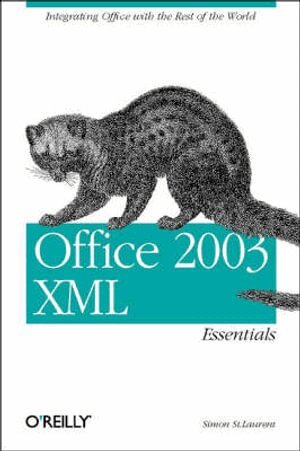
    Office 2003 XML

    AvEvan Lenz

    Häftad, Engelska, 2004

    Del i serien O'Reilly Ser.

    336 kr

    Beställningsvara. Skickas inom 5-8 vardagar. Fri frakt över 249 kr.

    Beskrivning

    In Microsoft's Office 2003 users experience power of the classic Office suite of applications merge red with the fluidity of data exchange inherent in XML. With XML at its heart, the new version of Microsoft's desktop suite liberates the information stored in millions of documents created with Office software over the past fifteen years, making it available to a wide variety of programs. Office 2003 XML offers an in-depth exploration of the relationship between XML and Office 2003, examining how the various products in the Office suite both produce and consume XML. Developers will learn how they can connect Microsoft Office to others systems, while power users will learn to create and analyze XML documents using familiar Office tools. The book begins with an overview of the XML features included in the various Office 2003 components, and explores in detail how Word, Excel, and Access interact with XML. This book covers both the user interface side, creating interfaces so that users can comfortably (and even unknowingly) work with XML, and the back end, exposing Office information to other processes.It also looks at Microsoft's new InfoPath application and how it fits with the rest of Office. Finally, the book's appendices introduce various XML technologies that may be useful in working with Office, including XSLT, W3C XML Schema, RELAX NG, and SOAP. Office 2003 XML provides quick and clear guidance to a anyone who needs to import or export information from Office documents into other systems. Both XML programmers and Office power will learn how to get the most from this powerful new intersection between Office 2003 and XML.

    Produktinformation

    • Utgivningsdatum:2004-07-06
    • Mått:1780 x 290 x 2330 mm
    • Vikt:840 g
    • Format:Häftad
    • Språk:Engelska
    • Serie:O'Reilly Ser.
    • Antal sidor:586
    • Förlag:O'Reilly Media
    • ISBN:9780596005382

    Utforska kategorier

    • Webbprogrammering inom Data och IT
    • Affärsapplikationer inom Data och IT

    Mer om författaren

    Evan Lenz is an application developer whose primary expertise is in XSLT. As a member of the W3C XSL Working Group, he has been contributing to the development of XPath 2.0, XSLT 2.0, and XQuery 1.0. He has spoken at various XML conferences and helped author books including Wrox's "Professional XML, 2nd Edition", and "Early Adopter XQuery" (foreword). Evan holds a Bachelor of Music degree from Wheaton College, with majors in Piano Performance and Philosophy. He currently lives in Seattle, Washington, with his wife Lisa and son Samuel. Website: http://www.xmlportfolio.com.Simon St. Laurent is a web developer, network administrator, computer book author, and XML troublemaker living in Ithaca, NY. His books include XML: A Primer, XML Elements of Style, Building XML Applications, Cookies, and Sharing Bandwidth. He is a contributing editor to XMLhack.com and an occasional contributor to XML.com.

    Innehållsförteckning

    • Preface 1. Microsoft Office and XML Why XML? Different Faces of XML Different XML Faces of Office Opening Office to the World 2. The WordprocessingML Vocabulary Introduction to WordprocessingML Tips for Learning WordprocessingML WordprocessingML's Style of Markup A Simple Example Revisited Document Structure and Formatting Auxiliary Hints in WordprocessingML More on Styles 3. Using WordprocessingML Endless Possibilities Creating Word Documents Extracting Information from Word Documents Modifying Word Documents Converting Between WordprocessingML and Other Formats 4. Creating XML Templates in Word Clarifying Use Cases A Working Example Word's Processing Model for Editing XML The Schema Library How the onload XSLT Stylesheet Is Selected Merged XML and WordprocessingML Attaching Schemas to a Document Schema-Driven Editing Schema Validation Document Protection XML Save Options Reviewing the XML-Specific Document Options Steps to Creating the onload Stylesheet Deploying the Template Limitations of Word 2003's XML Support 5. Developing Smart Document Solutions What's a Smart Document? Creating a Smart Document Solution Coding the Smart Document Coding in VB.NET Manifest Files Other Files Attaching the Smart Document Expansion Pack Deploying Your Smart Document Solution A Few Last Words on Smart Documents Some Final Thoughts 6. Working with XML Data in Excel Spreadsheets Separating Data and Logic Loading XML into an Excel Spreadsheet Editing XML Documents in Excel Loading and Saving XML Documents from VBA 7. Using SpreadsheetML Saving and Opening XML Spreadsheets Reading XML Spreadsheets Extracting Information from XML Spreadsheets Creating XML Spreadsheets Editing XML Maps with SpreadsheetML 8. Importing and Exporting XML with Microsoft Access Access XML Expectations Exporting XML from Access Using the GUI Importing XML into Access Using the GUI Automating XML Import and Export 9. Using Web Services in Excel, Access, and Word What Are Web Services? The Microsoft Office Web Services Toolkit Accessing a Simple Web Service from Excel Accessing More Complex Web Services Accessing REST Web Services with VBA Using Web Services in Access Using Web Services in Word 10. Developing InfoPath Solutions What Is InfoPath? InfoPath in Context Components of an InfoPath Solution A More Complete Example Using InfoPath Design Mode A. The XML You Need for Office B. The XSLT You Need for Office C. The XSD You Need for Office D. Using DTDs and RELAX NG Schemas with Office Index