• Fri frakt över 249 kr
  • •
  • Snabba leveranser
  • •
  • Billiga böcker
Kundservice

Du är på sajten för privatpersoner.

Företag, bibliotek eller offentlig verksamhet?

Du handlar på classic.bokus.com, där alla dina funktioner finns intakta.
Till classic.bokus.com
Bokus logotyp. Gå till startsidan.
  • Erbjudanden
  • Nyheter
  • Student
  • Topplistor
  • Barn & ungdom
  • Bokus Play
  • E-böcker
  • Pocketböcker
  • Spel & pussel

10% rabatt på allt med kod: NYSTART10 →

Sidfot

Mina sidor

    Hjälp

    • Kundservice
    • Vanliga frågor och svar
    • Frakt och leverans
    • Retur vid ångerrätt
    • Reklamera vara
    • Betalning
    • Köpvillkor
    • Allmänna villkor
    • Information om webbplatsens tillgänglighet

    Om Bokus

    • Om oss
    • Pressrum
    • För studenter
    • För företag
    • För bibliotek och offentlig verksamhet
    • För leverantörer
    • Hållbarhet

    Populärt

    • Aktuella erbjudanden
    • Presentkort
    • Studentlitteratur
    • Nya böcker
    • Topplistor
    • Signerade böcker
    • Engelska böcker

    Inspiration

    • Boktips
    • BookTok
    • Populära bokserier
    • Barnbokskaraktärer
    • Populära författare
    Logotyp för Bokus
    Följ oss på Facebook (extern länk)Följ oss på Instagram (extern länk)Följ oss på YouTube (extern länk)Följ oss på TikTok (extern länk)
    bokus @ CookiesAnpassa cookiesIntegritetspolicyKöpvillkor
    Till Citymail hemsida (extern länk)Till Budbee hemsida (extern länk)Till Postnord hemsida (extern länk)Till Schenker hemsida (extern länk)Till Early Bird hemsida (extern länk)Till Walleys hemsida (extern länk)
    1. Data och IT
    2. Operativsystem

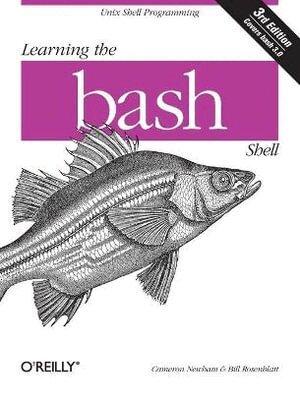
    Learning the bash Shell

    AvCameron Newham

    Häftad, Engelska, 2005

    Del i serien In a Nutshell (O'Reilly)

    337 kr

    Beställningsvara. Skickas inom 5-8 vardagar. Fri frakt över 249 kr.

    Fler format och utgåvor

    E-bok

    343 kr

    E-bok

    343 kr

    Beskrivning

    O'Reilly's bestselling book on Linux's bash shell is at it again. Now that Linux is an established player both as a server and on the desktop Learning the bash Shell has been updated and refreshed to account for all the latest changes. Indeed, this third edition serves as the most valuable guide yet to the bash shell. As any good programmer knows, the first thing users of the Linux operating system come face to face with is the shell the UNIX term for a user interface to the system. In other words, it's what lets you communicate with the computer via the keyboard and display. Mastering the bash shell might sound fairly simple but it isn't. In truth, there are many complexities that need careful explanation, which is just what Learning the bash Shell provides. If you are new to shell programming, the book provides an excellent introduction, covering everything from the most basic to the most advanced features. And if you've been writing shell scripts for years, it offers a great way to find out what the new shell offers. Learning the bash Shell is also full of practical examples of shell commands and programs that will make everyday use of Linux that much easier.With this book, programmers will learn: * How to install bash as your login shell * The basics of interactive shell use, including UNIX file and directory structures, standard I/O, and background jobs * Command line editing, history substitution, and key bindings * How to customize your shell environment without programming * The nuts and bolts of basic shell programming, flow control structures, command-line options and typed variables * Process handling, from job control to processes, coroutines and subshells * Debugging techniques, such as trace and verbose modes * Techniques for implementing system-wide shell customization and features related to system security

    Produktinformation

    • Utgivningsdatum:2005-05-03
    • Mått:178 x 235 x 22 mm
    • Vikt:590 g
    • Format:Häftad
    • Språk:Engelska
    • Serie:In a Nutshell (O'Reilly)
    • Antal sidor:354
    • Upplaga:3
    • Förlag:O'Reilly Media
    • ISBN:9780596009656

    Utforska kategorier

    • Operativsystem inom Data och IT

    Mer om författaren

    Cameron Newham lives in Perth, Western Australia. After completing a Bachelor of Science majoring in information technology and geography at the University of Western Australia, Cameron joined Universal Defence Systems (later to become Australian Defence Industries) as a software engineer. He has been with ADI for six years, working on various aspects of command and control systems. In his spare time Cameron can be found surfing the Internet, ballroom dancing, or driving his sports car. He also has more than a passing interest in space science, 3D graphics, synthesiser music, and Depeche Mode. Bill Rosenblatt is author of the the O'Reilly Nutshell Handbook(R) Learning the Korn Shell; co-author, with Deb Cameron, of Learning GNU Emacs; and a contributor to UNIX Power Tools. He is director of publishing systems at the Times Mirror Company in New York City and a columnist in SunWorld Online magazine on the World Wide Web. Bill received a B.S.E. from Princeton University and an M.S. and A.B.D. from the University of Massachusetts at Amherst, each in some variant of computer science. His interests in the computing field include multimedia databases, electronic publishing, and object- oriented systems. Outside of the computing field, he's interested in jazz, classical music, antique maps, and Sherlock Holmes pastiche novels. Bill lives on the Upper West Side of Manhattan. He wishes his landlord allowed pets so that he could truthfully claim to have a dog and cat with suitably droll names like "Coltrane" and "Ravel."

    Innehållsförteckning

    • Preface 1. bash Basics What Is a Shell? Scope of This Book; History of UNIX Shells Getting bash Interactive Shell Use; Files Input and Output Background Jobs Special Characters and Quoting Help 2. Command-Line Editing Enabling Command-Line Editing The History List emacs Editing Mode; vi Editing Mode The fc Command History Expansion readline; Keyboard Habits 3. Customizing Your Environment; The .bash_profile, .bash_logout, and .bashrc Files Aliases; Options Shell Variables Customization and Subprocesses; Customization Hints 4. Basic Shell Programming Shell Scripts and Functions Shell Variables String Operators Command Substitution Advanced Examples: pushd and popd 5. Flow Control; if/else for case select while and until 6. Command-Line Options and Typed Variables Command-Line Options Typed Variables; Integer Variables and Arithmetic Arrays 7. Input/Output and Command-Line Processing I/O Redirectors String I/O Command-Line Processing 8. Process Handling Process IDs and Job Numbers Job Control Signals trap Coroutines Subshells; Process Substitution 9. Debugging Shell Programs Basic Debugging Aids A bash Debugger 10. bash Administration Installing bash as the Standard Shell Environment Customization System Security Features 11. Shell Scripting What's That Do? Starting Up; Potential Problems Don't Use bash 12. bash for Your System; Obtaining bash Unpacking the Archive What's in the Archive; Who Do I Turn to? A. Related Shells The Bourne Shell The IEEE 1003.2 POSIX Shell Standard The Korn Shell pdksh; zsh Shell Clones and Unix-like Platforms B. Reference Lists; Invocation Prompt String Customizations Built-In Commands and Reserved Words Built-In Shell Variables Test Operators; set Options shopt Options I/O Redirection emacs Mode Commands vi Control Mode Commands C. Loadable Built-Ins; D. Programmable Completion Index