• Fri frakt över 249 kr
  • •
  • Snabba leveranser
  • •
  • Billiga böcker
Kundservice

Du är på sajten för privatpersoner.

Företag, bibliotek eller offentlig verksamhet?

Du handlar på classic.bokus.com, där alla dina funktioner finns intakta.
Till classic.bokus.com
Bokus logotyp. Gå till startsidan.
  • Erbjudanden
  • Nyheter
  • Student
  • Topplistor
  • Barn & ungdom
  • Bokus Play
  • E-böcker
  • Pocketböcker
  • Spel & pussel

10% rabatt på allt med kod NYSTART10 →

Sidfot

Mina sidor

    Hjälp

    • Kundservice
    • Vanliga frågor och svar
    • Frakt och leverans
    • Retur vid ångerrätt
    • Reklamera vara
    • Betalning
    • Köpvillkor
    • Allmänna villkor
    • Information om webbplatsens tillgänglighet

    Om Bokus

    • Om oss
    • Pressrum
    • För studenter
    • För företag
    • För bibliotek och offentlig verksamhet
    • För leverantörer
    • Hållbarhet

    Populärt

    • Aktuella erbjudanden
    • Presentkort
    • Studentlitteratur
    • Nya böcker
    • Topplistor
    • Signerade böcker
    • Engelska böcker

    Inspiration

    • Boktips
    • BookTok
    • Populära bokserier
    • Barnbokskaraktärer
    • Populära författare
    Logotyp för Bokus
    Följ oss på Facebook (extern länk)Följ oss på Instagram (extern länk)Följ oss på YouTube (extern länk)Följ oss på TikTok (extern länk)
    bokus @ CookiesAnpassa cookiesIntegritetspolicyKöpvillkor
    Till Citymail hemsida (extern länk)Till Budbee hemsida (extern länk)Till Postnord hemsida (extern länk)Till Schenker hemsida (extern länk)Till Early Bird hemsida (extern länk)Till Walleys hemsida (extern länk)
    1. Data och IT
    2. Operativsystem

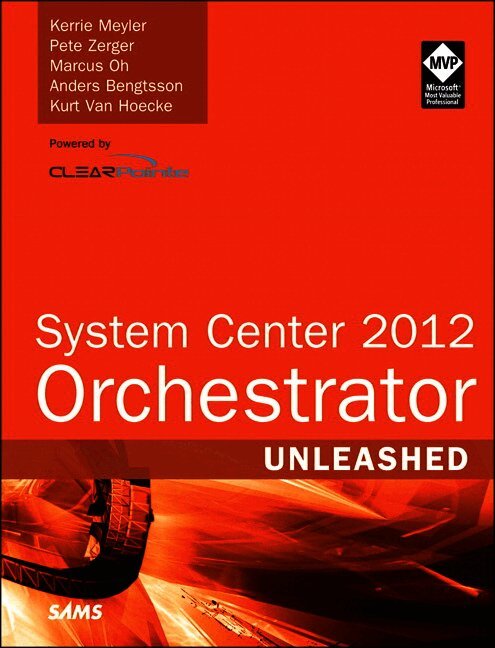
    System Center 2012 Orchestrator Unleashed

    AvKerrie Meyler,Pete Zerger

    Häftad, Engelska, 2013

    Del i serien Unleashed

    414 kr

    Beställningsvara. Skickas inom 7-10 vardagar. Fri frakt över 249 kr.

    Beskrivning

    Using System Center 2012 Orchestrator, you can capture and document processes across your entire IT organization, establishing the automation you need to deliver advanced cloud services and self-adjusting computing resources. Authored by five leading System Center experts, this comprehensive reference and technical guide brings together all the knowledge you’ll need to architect, install, implement, integrate, and maximize the value of your own Orchestrator solutions. The authors introduce current best practices based on large-scale enterprise implementations they’ve personally led or participated in. This up-to-date guide shows how to apply Orchestrator’s major improvements to implement IT process automation in any environment, including private clouds. You’ll start with context: what Orchestrator does, how it has evolved, how it works, and essential architecture and design techniques. Next, the authors help you make crucial up-front decisions about activities, runbooks, security, and administration. Finally, you’ll find expert guidance for integrating Orchestrator with the rest of System Center and with Windows Azure cloud services—including advanced automated workflows that encompass both data center and cloud. Detailed information on how to… • Understand System Center 2012 Orchestrator’s capabilities, evolution, architecture, and design, including SP1 improvements and R2 • Successfully install System Center 2012 Orchestrator and migrate smoothly from Opalis Integration Server 6.3 • Take full advantage of Orchestrator’s advanced new runbook automation capabilities • Configure activities associated with runbook control, systems, scheduling, monitoring, files, email, notification, and data handling • Design runbooks for fault tolerance and optimal performance • Enforce strong security using roles, permissions, and auditing • Deliver integration capabilities for Operations Manager, Service Manager, Configuration Manager, Virtual Machine Manager, and Data Protection Manager • Automate end-to-end data center/ cloud workflows with integration packs and PowerShell • Create your own integration packs with Orchestrator Integration Toolkit (OIT.SDK) • Support Orchestrator 2012, troubleshoot problems, and discover the best web and third-party resources

    Produktinformation

    • Utgivningsdatum:2013-09-26
    • Mått:180 x 230 x 39 mm
    • Vikt:1 144 g
    • Format:Häftad
    • Språk:Engelska
    • Serie:Unleashed
    • Förlag:Pearson Education (US)
    • ISBN:9780672336102

    Utforska kategorier

    • Operativsystem inom Data och IT

    Mer om författaren

    Kerrie Meyler, System Center MVP for Cloud and Datacenter Management, is the lead author of numerous System Center books in the Unleashed series. This includes System Center Operations Manager 2007 Unleashed (2008), System Center Configuration Manager 2007 Unleashed (2009), System Center Operations Manager 2007 R2 Unleashed (2010), System Center Opalis Integration Server 6.3 Unleashed (2011), System Center Service Manager 2010 Unleashed (2011), System Center 2012 Configuration Manager Unleashed (2012), and System Center 2012 Operations Manager Unleashed (2013). She is an independent consultant and trainer with more than 15 years of Information Technology experience. Kerrie has presented on System Center technologies at TechEd NA and MMS. Pete Zerger is a consultant, author, speaker, and System Center Cloud and Datacenter Management MVP focusing on System Center management, private cloud, and data center automation solutions. He is a frequent speaker at Microsoft conferences, and writes articles for a variety of technical magazines including Microsoft TechNet. Pete is a contributing author for several books, including System Center Opalis Integration Server 6.3 Unleashed (2011), PowerShell 2.0 Bible (Wiley, 2011), and System Center 2012 Operations Manager Unleashed (2013). He is also the co-founder of SystemCenterCentral.com, a popular web community providing information, news, and support for System Center technologies. In 2008, Pete founded the System Center Virtual User Group, a group dedicated to sharing System Center knowledge with users worldwide. Marcus Oh, System Center Cloud and Datacenter Management MVP, is a senior technical manager for a large telecommunications provider, running directory services and management infrastructure for ~30,000 systems. He has been an MVP since 2004 in System Center, specializing in Configuration Manager, Operations Manager, and Orchestrator. Marcus has written numerous articles for technology websites and blogs on Orchestrator and other System Center components at http://marcusoh.blogspot.com. He coauthored Professional SMS 2003, MOM 2005, and WSUS (Wrox, 2006), was a contributing author to System Center Opalis Integration Server 6.3 Unleashed (2011), and coauthored System Center 2012 Configuration Manager Unleashed (2012). Marcus is also the president of the Atlanta Systems Management User Group ( http://www.atlsmug.com ) and a board member of the Deskside Management Forum. Anders Bengtsson is a Microsoft senior premier field engineer focusing on System Center. He has written a number of System Center training courses, including the Service Manager 2010 and Operations Manager 2007 advanced courses for Microsoft Learning. He was a coauthor for System Center Service Manager 2010 Unleashed (2011). Before joining Microsoft, Anders was a Microsoft MVP from 2007-2010 for his work in the System Center community, including more than 10,000 posts in news groups and forums. Anders has presented and worked at numerous Microsoft conferences and events, including MMS and Microsoft TechEd NA and EMEA. Kurt Van Hoecke, System Center Cloud and Datacenter Management MVP, is a managing consultant at Inovativ Belgium. He focuses on the System Center product suite, including Orchestrator, Service Manager, and Configuration Manager. Kurt was a contributing author to System Center Service Manager 2010 Unleashed (2011) and blogs for System Center User Group Belgium and AuthoringFriday, where he shares his field experiences and discusses how to extend the built-in functionality of the System Center components.

    Innehållsförteckning

    • Introduction     1 Disclaimers and Fine Print    3 PART I:  ORCHESTRATOR OVERVIEW AND CONCEPTSChapter 1  Orchestration, Integration, and Automation     7 Orchestration, ITIL, and MOF     8 Integration, Automation, Orchestration The Differences     9 About Integration     10 Using Automation     11 About Orchestration     12 Benefits of Orchestration     13 How Orchestration Can Help     15 What Not to Expect with Orchestration     16 Positioning of Orchestrator in System Center 2012     16 Typical Use Cases    19 Regular Maintenance and Daily Operations     19 On-Demand Requests     20 Incident Management     20 IT Process Automation     21 Business-Oriented Processes Automation     21 Elastic Data Center     21 Managing a Project     22 Define Your Processes     22 Consistency Checking     23 Report on Operations     23 Technical Implementation     23 Example: Orchestrating a VM Deployment     23 Summary     27 Chapter 2  What’s New in System Center 2012 Orchestrator     29 The History of Orchestrator     30 The Beginnings of Orchestrator: OpalisRobot     30 OpalisRendezVous     30 Opalis Innovates     31 Goodbye Robot, Hello OIS     32 Microsoft’s Acquisition of Opalis Software     33 OIS to Orchestrator     34 OIS Migration to Orchestrator     35 Where Orchestrator Fits into System Center     35 OIS 6.3 Versus Orchestrator 2012     37 Terminology Changes     37 Services     40 Other Terminology Changes     41 Concept Changes     44 Architecture and Feature Changes     45 Prerequisite/Sizing Changes     45 Licensing Changes     47 Summary     47 Chapter 3  Looking Inside System Center 2012 Orchestrator     49 Architectural Overview     50 Server Components     52 Management Server     53 Runbook Server     54 Orchestrator Database     54 Web Service     54 Orchestration Console     54 Runbook Designer     55 Deployment Models     58 Minimum Installation Model     58 Additional Runbooks and Scaling Out     59 Multiple System Center 2012 Orchestrator Installations     59 Windows Services     63 Orchestrator Management Service (omanagement)     63 Orchestrator Remoting Service (oremoting)     63 Orchestrator Runbook Server Monitor (omonitor)     64 Orchestrator Runbook Service (orunbook)     65 Global Settings     65 Integration Packs     67 Runbooks     68 Data Bus     69 Connectors     71 Consoles     71 Using the Orchestration Console     72 Using Deployment Manager     72 Using Runbook Designer    72 Using Runbook Tester     73 Data Store Configuration     75 Community Tools     76 Communication     76 Summary     78 Chapter 4  Architectural Design     79 Planning and Implementing Orchestrator     79 Planning for Physical Design     83 Hardware Requirements     84 SQL Hardware Best Practices     88 Server Placement     90 Network Traffic and Protocols     90 Physical High Availability of Orchestrator Components     90 Scaling Out     92 Planning for Logical Design     92 Orchestrator Software Requirements     92 Runbook Design Standards and Best Practices      93 Service Accounts     96 Determining the Development Process and Security Model     97 Designing Logical Fault Tolerance     101 Summary     104 PART II:  INSTALLATION AND IMPLEMENTATIONChapter 5  Installing System Center 2012 Orchestrator     107 Orchestrator Installation Roadmap     107 Planning for Installation     108 Installing Orchestrator Features     110 Performing Post-Installation Tasks     111 Installing Orchestrator     112 Installing the Management Server     113 Installing the Runbook Server Using Installation Media     123 Installing the Runbook Server Using Deployment Manager     126 Installing the Web Service     128 Installing the Runbook Designer Using the Installer     131 Installing Runbook Designer Using Deployment Manager     134 Using the Command-Line Installation Tool     136 Performing Post-Installation Tasks     139 Registering and Deploying Integration Packs     139 Migrating Opalis Policies to Orchestrator     145 Summary     150 Chapter 6  Using System Center 2012 Orchestrator     151 Framework for Creating Runbooks     151 Analyzing the Desired Automation     152 Orchestrator Usage Scenarios     153 Analyzing Actions in the Automation     155 Translating Actions to Runbook Activities     159 Creating the Runbook in Orchestrator Runbook Designer     161 Configuring the Runbook Designer     161 Checking In and Checking Out     163 Configuring Runbook Properties     163 Using Activities and Links in Your Runbook     164 Data Manipulation When Configuring Activities     166 Using Published Data     168 Using Computer Groups with Runbooks     169 Using Regular Expressions     171 Using Counters     173 Using Schedules     174 Creating and Using Variables     176 Validating the Runbook     179 Managing Runbooks Using the Orchestration Console     181 Managing Runbooks with the Orchestrator Web Service     185 Web Service Resource Discovery     187 Using Visual Studio to Interact with the Web Service     188 Using PowerShell or VBScript to Interact with the Web Service     193 View Orchestrator Data by Using Excel PowerPivot     196 Summary     200 Chapter 7  Runbook Basics     201 Anatomy of a Runbook     202 General Information     202 Runbook Servers     203 Logging Properties     203 Event Notifications     203 Job Concurrency     204 Returned Data     205 Runbook Security     205 Using Activities     209 Activity Properties     210 Published Data     213 Orchestrator Standard Activities     214 System Activities     214 Scheduling Activities     214 Monitoring Activities      214 File-Management Activities     214 Email Activities      215 Notification Activities     215 Utilities Activities     215 Text File Management     215 Runbook Control     215 Monitoring Activities     215 Orchestrator Custom Activities     216 Orchestrator Workflow Control     216 Starting Point     216 Smart Links     218 Embedded Loops     220 Drag and Drop     220 Managing Runbooks     221 Starting and Stopping Runbooks     221 Importing and Exporting Runbooks     222 Versioning Runbooks     226 Auditing Changes     226 Runbook Logging     228 Real-Time and Historic Runbook Logs     228 Trace Logs     229 Audit Logs     231 Building Your First Runbook     232 Copying a File     232 Preserving Copied Files     233 Monitoring File Changes     234 Using Logic in Links     235 Summary     238 Chapter 8  Advanced Runbook Concepts     239 Advanced Schedules     239 Using the Monitor/Date Time Activity     240 Using the Check Schedule Activity     242 Invoking Child Runbooks     245 Looping Considerations     246 Behavior with Multiple Data Items     246 Configuring Looping Properties for an Activity     246 Preventing Infinite Loops     248 Monitoring for Conditions in Activities     249 Runbook Looping     251 Using Junctions     253 Synchronizing Branches     253 Republishing Data     253 Junction Examples     256 Working with Data     258 Data Manipulation Functions     258 Regular Expressions     260 Testing Functions and Regular Expressions     263 Error Handling     265 Overview of a Simple Runbook     265 Adding Error Handling     266 Computer Groups and Alternative Options     268 Entry Types     269 Using Computer Groups     269 Using Variables     270 Using NOW() As a Variable     271 Using Environment Variables     272 Using Encrypted Variables     272 Using Counters     272 Summary     273 Chapter 9  Standard Activities     275 Configuring Standard Activities     276 General Tab     276 Run Behavior Tab     276 Runbook Control Activities     277 Initialize Data Activity     277 Invoke Runbook     278 Return Data     280 Junction Activity     281 System Activities Category     282 Run .Net Script     283 Using Run Program     286 About Query WMI     289 Start/Stop Service     290 End Process     291 Restart System     292 Save Event Log     293 Run SSH Command     294 SNMP Activities     296 Scheduling Category     297 Monitor Date/Time Activity     297 Check Schedule     298 Monitoring Activities     298 File Management     300 Email Activities     302 Notification Activities     304 Send Event Log Message     305 Send Platform Event     306 Send Syslog Message     306 Utilities Category     307 Using Counters in Orchestrator     308 Data-Handling Activities     310 Other Utility Activities     315 Text File Management     316 Summary     317 Chapter 10  Runbook and Configuration Best Practices     319 Runbook Best Practices     319 Designing Runbooks for Fault Tolerance     326 Designing Parent and Child Runbooks     327 Using the Run Program Activity     331 Looping Within a Runbook     332 Configuration Best Practices     334 Specifying a Runbook Server and Runbook Throttling     334 Configuring SQL Server     335 Purging the Orchestrator Database     336 Useful SQL Queries     337 Verifying Runbook Design     339 Summary     348 Chapter 11  Security and Administration     349 Orchestrator Security Model     349 Running a Runbook Using a Specific Account     353 Auditing in Orchestrator     357 Changing Service Accounts     360 Database Roles     363 Exporting and Importing Runbooks     363 User Roles and Security     366 Connecting Remotely     369 Creating Runbook Folders     373 Assigning Permissions to Runbooks for Help Desk Operators     374 Summary     377 PART III:  INTEGRATION PACKS AND THE OITChapter 12  Orchestrator Integration Packs     381 An Integration Overview     382 Active Directory Integration Pack     382 Active Directory IP Typical Use Case     382 Active Directory IP Activity List     383 Active Directory IP Supported Versions     384 Active Directory IP Configuration Settings     385 Exchange Admin Integration Pack     386 Exchange Admin IP Typical Use Case     386 Exchange Admin IP Activity List     386 Exchange Admin IP Installation Notes     388 Exchange Admin IP Supported Versions     390 Exchange Admin IP Configuration Settings     390 Exchange User Integration Pack     391 Exchange User IP Typical Use Case     391 Exchange User IP Activity List     391 Exchange User IP Installation Notes     392 Exchange User IP Supported Versions     392 Exchange User IP Configuration Settings     392 FTP Integration Pack     394 FTP IP Typical Use Case     394 FTP IP Activity List     394 FTP IP Installation Notes     395 FTP IP Supported Versions     395 FTP IP Configuration Settings     395 HP Integration Packs     397 HP iLO and OA     397 HP Operations Manager     399 IBM Tivoli Netcool/OMNIbus Integration Pack     402 IBM Tivoli Netcool/OMNIbus IP Typical Use Case     402 IBM Tivoli Netcool/OMNIbus IP Activity List     402 IBM Tivoli Netcool/OMNIbus IP Installation Notes     403 IBM Tivoli Netcool/OMNIbus IP Supported Versions     403 IBM Tivoli Netcool/OMNIbus IP Configuration Settings     403 Representational State Transfer (REST) Integration Pack     404 REST IP Typical Use Cases     404 REST IP Activity List     405 REST IP Installation Notes    405 REST IP Supported Versions     405 REST IP Configuration Settings     405 HP Service Manager Integration Pack     406 HP Service Manager IP Typical Use Case     407 HP Service Manager IP Activity List     407 HP Service Manager IP Installation Notes     407 HP Service Manager IP Supported Versions     408 HP Service Manager IP Configuration Settings     408 VMware vSphere Integration Pack     409 VMware vSphere IP Typical Use Case     409 VMware vSphere IP Activity List     409 VMware vSphere IP Installation Notes     412 VMware vSphere IP Supported Versions     412 VMware vSphere IP Configuration Settings     412 Community-Developed Integration Packs     413 Orchestrator.codeplex.com     413 Scorch.codeplex.com      413 Summary     414 Chapter 13  Integration with System Center Operations Manager     415 Integration Pack Requirements     415 System Center 2012 Orchestrator     415 System Center 2012 Operations Manager     416 Installing the Integration Pack     416 Configuring the Integration Pack     416 Connectivity Requirements     416 Granting Access to the Connection Account     417 Configuring the Connection Account     417 Activities at a Glance     419 Activities in Depth     419 Use Case Scenarios     422 Incident Remediation     423 Server Maintenance Mode (Windows or *NIX)     424 Group Maintenance Mode     429 Creating a Runbook for Group Maintenance Mode in Operations Manager 2012     430 Branch Office Maintenance Mode     435 Processing Alerts in Bulk     438 Summary     443 Chapter 14  Integration with System Center Service Manager     445 Communication Requirements     445 Integration Pack Requirements     446 System Center 2012 Orchestrator     446 Locale Settings     446 Installing the Integration Pack     446 Configuring the Integration Pack     447 Activities at a Glance     448 Activities in Depth     449 Use Case Scenarios     450 Closing Resolved Incidents     451 Creating a Change Calendar     454 Automating Service Requests     457 Troubleshooting the SCSM IP     471 Summary     472 Chapter 15  Integration with System Center Configuration Manager     473 Integration Pack Requirements     473 System Center 2012 Orchestrator     473 System Center 2012 Configuration Manager     474 Installing the Integration Pack     474 Configuring the Integration Pack     474 Creating the Connection Account     474 Granting Access to the Connection Account     475 Connectivity Requirements     478 Activities at a Glance     479 Activities in Depth     480 Use Case Scenarios     482 Creating and Populating a Collection     482 Applying Endpoint Protection Policy     488 Applying Software Updates     492 Summary     505 Chapter 16  Integration with System Center Virtual Machine Manager     507 Integration Pack Requirements     507 System Center 2012 Orchestrator     508 System Center 2012 Virtual Machine Manager     508 Installing the Integration Pack     508 Configuring the Integration Pack     508 Connectivity Requirements     509 Security Credentials     509 Granting Access to the Connection Account     509 Configuring the Connection Account     509 Activities at a Glance     511 Activities in Depth     513 Advanced Deployment Capabilities in VMM 2012     518 Configuring Service Templates     520 The VMM Service Designer     521 Service Template Components     521 Additional Service Template Properties     522 Updating Running Service Instances     524 Use Case Scenarios     525 Enabling Self-Service     525 Virtual Machine Provisioning     535 VM Checkpoint and Recovery     540 VM Lifecycle Management     543 Working with Service Templates     551 Deploying a Service Instance (Service Template)     551 Scaling Out a Machine (Computer) Tier     553 Scaling In a Machine Tier     554 Performing In-Place Servicing     555 Summary     557 Chapter 17  Integration with System Center Data Protection Manager     559 Integration Pack Requirements     559 System Center 2012 Orchestrator     559 System Requirements      560 Installing the Integration Pack     560 Configuring the Integration Pack     560 Activities at a Glance     564 Activities in Depth     564 Use Case Scenarios     565 Creating a Recovery Point Before Installing Software     566 Preparing a Server for Patch Management     568 Restoring a SQL Server Database to a Network Folder     570 Troubleshooting the DPM IP     573 Summary     576 Chapter 18  Integration with Windows Azure     577 Integration Pack Requirements     578 Installing the Integration Pack     578 Quick Introduction to PFX Files     578 Configuring the Integration Pack     579 Activities at a Glance     582 Activity Categories in Depth     582 Use Case Scenarios     583 Deploying a New Virtual Machine in Windows Azure     584 Getting Information About a Virtual Machine in Windows Azure     588 Copying Files from a Local Folder to an Azure Storage Container     589 Deploying a New Web Service in Windows Azure     592 Summary     597 Chapter 19  Runbook Automation in the Data Center and the Cloud     599 Factors in Process Automation Planning and Design     599 The Role of Orchestrator in Cloud Computing     601 The Rise of the Hybrid Cloud     602 Use Case Scenarios     602 CMDB Automation (Dynamic Asset Management for Data Center and Cloud)     603 Cross-Platform Integration (Linux Service Restart)     609 Cloud Bursting (Capacity Management for Hybrid Cloud)     615 Summary     617 Chapter 20  The Orchestrator Integration Toolkit     619 Overview of the Orchestrator Integration Toolkit     620 Development Planning     620 Developing the Workflow Activities     622 Deploying Workflow Activities     622 Preparing the Project     623 Installing the Orchestrator Integration Toolkit     623 Installation Prerequisites     624 Toolkit Installation     624 Validating Toolkit Installation     626 Using the Command-Line Activity Wizard     627 Starting Assembly Creation     627 Creating a New Activity Assembly     628 Adding Activities to the Command-Line Activity Assembly     630 Testing and Validating the Assembly     635 Converting Opalis QIK CLI Assemblies     636 Using the Integration Pack Wizard     637 Creating a New Integration Pack     638 Updating and Converting Integration Packs     643 Using the Orchestrator SDK     644 Choosing a Development Approach    645 Start Building an SDK Activity Project    653 Creating a Custom Resource File     654 Declarative Approach     659 Using the Imperative Approach     663 Cascading Dependencies Approach     666 Summary     671 PART IV:  APPENDIXESAppendix A  Community Solutions and Tools     675 Utilities and Scripts    675 Category Switcher     675 End User Portal for System Center Orchestrator     676 Orchestrator Health Checker     676 Orchestrator Remote Tools     676 Orchestrator Visio and Word Generator     676 Parse Orchestrator Export     677 Sanitize Export     677 SCO Job Runner     677 SCOrch Launcher     677 System Center Orchestrator Web Service PowerShell     678 Integration Packs     678 Working with Utilities     678 Working with System Center     680 Working with Other Microsoft Products     681 Appendix B  Reference URLs     683 General Resources     683 Microsoft’s Orchestrator Resources     684 Additional Resources     686 Blogs     688 System Center 2012 Resources     689 Appendix C  Available Online     691 PowerShell Scripts for the Operations Manager IP     691 PowerShell Scripts for the Virtual Machine Manager IP     691 Scripts for the Data Center Automation     692 Live Links     692 Index     693