• Fri frakt över 249 kr
  • •
  • Snabba leveranser
  • •
  • Billiga böcker
Kundservice

Du är på sajten för privatpersoner.

Företag, bibliotek eller offentlig verksamhet?

Du handlar på classic.bokus.com, där alla dina funktioner finns intakta.
Till classic.bokus.com
Bokus logotyp. Gå till startsidan.
  • Erbjudanden
  • Nyheter
  • Student
  • Topplistor
  • Barn & ungdom
  • Bokus Play
  • E-böcker
  • Pocketböcker
  • Spel & pussel

10% rabatt på allt med kod NYSTART10 →

Sidfot

Mina sidor

    Hjälp

    • Kundservice
    • Vanliga frågor och svar
    • Frakt och leverans
    • Retur vid ångerrätt
    • Reklamera vara
    • Betalning
    • Köpvillkor
    • Allmänna villkor
    • Information om webbplatsens tillgänglighet

    Om Bokus

    • Om oss
    • Pressrum
    • För studenter
    • För företag
    • För bibliotek och offentlig verksamhet
    • För leverantörer
    • Hållbarhet

    Populärt

    • Aktuella erbjudanden
    • Presentkort
    • Studentlitteratur
    • Nya böcker
    • Topplistor
    • Signerade böcker
    • Engelska böcker

    Inspiration

    • Boktips
    • BookTok
    • Populära bokserier
    • Barnbokskaraktärer
    • Populära författare
    Logotyp för Bokus
    Följ oss på Facebook (extern länk)Följ oss på Instagram (extern länk)Följ oss på YouTube (extern länk)Följ oss på TikTok (extern länk)
    bokus @ CookiesAnpassa cookiesIntegritetspolicyKöpvillkor
    Till Citymail hemsida (extern länk)Till Budbee hemsida (extern länk)Till Postnord hemsida (extern länk)Till Schenker hemsida (extern länk)Till Early Bird hemsida (extern länk)Till Walleys hemsida (extern länk)
    1. Data och IT
    2. Operativsystem

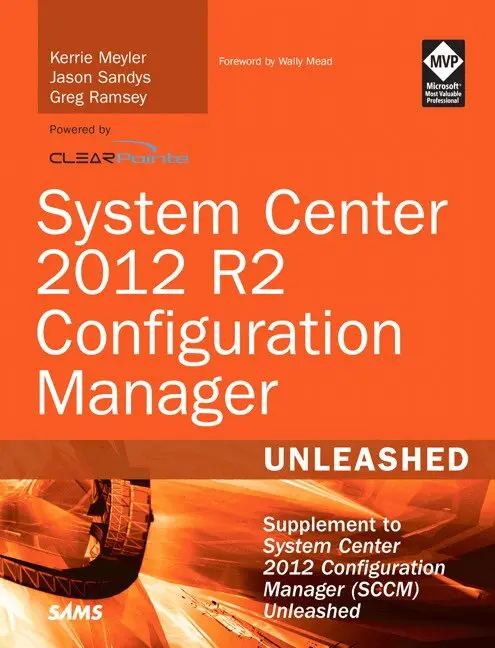
    System Center 2012 R2 Configuration Manager Unleashed

    Supplement to System Center 2012 Configuration Manager (SCCM) Unleashed

    AvKerrie Meyler,Jason Sandys

    Häftad, Engelska, 2014

    Del i serien Unleashed

    277 kr

    Beställningsvara. Skickas inom 7-10 vardagar. Fri frakt över 249 kr.

    Beskrivning

    Since Microsoft introduced System Center 2012 Configuration Manager, it has released two sets of important changes and improvements: Service Pack 1 and R2. This comprehensive reference and technical guide focuses specifically on those enhancements. It offers 300+ pages of all-new “in the trenches” guidance for applying Configuration Manager 2012’s newest features to improve user and IT productivity across all corporate, consumer, and mobile devices. An authoring team of world-class System Center consultants thoroughly cover System Center integration with Microsoft Intune and its mobile device management capabilities. They fully address Microsoft’s increased support for cross-platform devices, enhanced profiles, changes to application management, operating system deployment, as well as improvements to performance, security, usability, and mobile device management. The essential follow-up to System Center 2012 R2 Configuration Manager Unleashed, this new supplement joins Sams’ market-leading series of books on Microsoft System Center. • Use ConfigMgr 2012 R2 with Windows Intune to deliver people-centric management to any user, any device, anywhere • Simplify BYOD registration and enrollment, and enable consistent access to corporate resources • Integrate new mobile device management capabilities into the Configuration Manager console without service packs, hot fixes, or major releases • Provision authentication certificates for managed devices via certificate profiles • Automate repetitive software- and device-related tasks with PowerShell cmdlets • Centrally control roaming profiles, certificates, Wi-Fi profiles, and VPN configuration • Configure User Data and Profiles to manage folder redirection, offline files/folders, and roaming profiles for Windows 8.x users • Enable users to access data in Virtual Desktop Infrastructure (VDI) environments • Manage devices running OS X, UNIX, Linux, Windows Phone 8, WinRT, iOS, and Android • Understand the new cross-platform agent introduced in ConfigMgr 2012 R2 • Automate Windows setup with OSD • Prepare for, configure, install, and verify successful installation of the Windows Intune connector role • Respond to emerging challenges in mobile device management

    Produktinformation

    • Utgivningsdatum:2014-09-25
    • Mått:180 x 220 x 22 mm
    • Vikt:560 g
    • Format:Häftad
    • Språk:Engelska
    • Serie:Unleashed
    • Förlag:Pearson Education (US)
    • ISBN:9780672337154

    Utforska kategorier

    • Operativsystem inom Data och IT

    Mer om författaren

    Kerrie Meyler, System Center MVP, is the lead author of numerous System Center books in the Unleashed series, including System Center 2012 Configuration Manager Unleashed (2012), System Center Configuration Manager 2007 Unleashed (2009), System Center 2012 Operations Manager Unleashed (2013), System Center 2012 Orchestrator Unleashed (2013), and System Center 2012 Service Manager Unleashed (2014). She is an independent consultant with more than 17 years of Information Technology experience. Kerrie was responsible for evangelizing SMS while a Sr. Technology Specialist (TSP) at Microsoft. She was a member of the Management Insiders Group and has presented on System Center technologies at TechEd and MMS. Jason Sandys, Enterprise and Client Management MVP, is a Technology Evangelist and Principal Consultant for Catapult Systems LLC, with just under 20 years of experience in a wide range of technologies, environments, and industries. He has extensive knowledge about implementing and supporting all things SMS and Configuration Manager beginning with SMS 2.0. He is a coauthor for System Center Configuration Manager 2012 Unleashed (2012), a contributing author to System Center Configuration Manager 2007 Unleashed (2009), and is a frequent presenter at Microsoft TechEd and MMS, as well as various other events and user groups nationwide. Jason blogs at blog.configmgrftw.com and is active in the online support community. Greg Ramsey, Enterprise and Client Management MVP, is the Enterprise Tools Strategist at Dell, Inc. He has a B.S. in Computer Sciences and Engineering from Ohio State University. Greg coauthored System Center Configuration Manager 2012 Unleashed (2012), Microsoft System Center 2012 Configuration Manager: Administration Cookbook (Packt, 2012), and System Center Configuration Manager 2007 Unleashed (2009). Greg is a cofounder of the Ohio SMS Users Group and the Central Texas Systems Management User Group.

    Innehållsförteckning

    • Foreword     x Introduction     1 PART I:  OVERVIEW Chapter 1   People-Centric IT     5 Microsoft’s People-Centric IT Philosophy     6 Enabling Users for People-Centric IT     7 Unifying Your Environment for People-Centric IT     8 Protecting Your Data in a People-Centric IT World      9 People-Centric IT and ConfigMgr 2012 R2 with Windows Intune      9 Enabling Users with ConfigMgr 2012 R2 and Windows Intune     10 Unifying Your Environment with ConfigMgr 2012 R2 and Windows Intune     12 Protecting Your Data with ConfigMgr 2012 R2 and Windows Intune     13 People-Centric IT and Windows Server 2012 R2     14 Enabling Users with Windows Server 2012 R2     14 Unifying Your Environment with Windows Server 2012 R2     16 Protecting Your Data with Windows Server 2012 R2     16 People-Centric IT and Microsoft Azure Active Directory     17 Summary     18 Chapter 2   What’s Changed Since Configuration Manager 2012 RTM     19 Administration Changes     19 Configuring Database Replication     20 Configuring Internet Proxy Server on Each Site System     24 Windows Intune Integration and Extensions for Windows Intune     25 Software Update Points     25 Certificate Profiles     27 Client Settings     27 Security     28 Distribution Points (DPs)     28 Automatic Client Upgrade     31 Network Access Accounts     32 PowerShell Support     32 Assets and Compliance     34 Collections     34 Compliance Settings     37 Software Library     38 Application Management     38 Software Updates     39 Operating System Deployment     41 Monitoring Changes     42 Alerts     43 Reporting     43 Distribution Status     43 Deployment Status     44 Client Operations     44 Other Improvements     44 Setup and Recovery     45 Client and Client Experience     48 Summary     58 PART II:  DEEP DIVEChapter 3   User Data and Profiles     61 User Data and Profiles Overview     61 User Data and Profiles Prerequisites     62 Configuring User Data and Profiles     64 Using Folder Redirection     64 Using Offline Files     67 Using Roaming User Profiles     70 Roaming Profiles, Folder Redirection, and Offline Files in a Mash-Up     74 Deploying User Data and Profiles Configuration Items     75 Reporting User Data and Profiles Compliance     76 Summary     76 Chapter 4   New Application Deployment Types     77 Application Overview     77 Definition of an Application     77 Defining Deployment Types     78 What’s New for Applications Since ConfigMgr 2012 RTM     78 Support for Write Filters in Windows Embedded     79 Working with Virtual Applications     81 Creating a Microsoft Application Virtualization 5 Deployment Type     82 Using App-V Virtual Environments     83 Creating an App-V Virtual Environment     84 Deploying Applications to Mobile Devices     85 Creating Application Store Deployment Types     86 Sideloading Applications     93 Using VPN Profiles in Your Applications     104 Deploying Software to OS X, Linux, and UNIX Platforms     105 Deploying Applications to Apple OS X Computers     105 Deploying Software to Linux and UNIX     108 Deploying Web Applications     111 Best Practices for Working with Applications     112 Best Practices for Installing Software     112 Best Practices for Working with Applications in Task Sequences     115 Summary     116 Chapter 5   On-Premise Cross-Platform Support     117 Supported Platforms     117 Cross-Platform Agent Architecture     119 Cross-Platform Agent Communication     120 Client Agent Settings     120 Cross-Platform Settings     121 Linux/UNIX Requirements     121 OS X Requirements     121 Firewall Ports     125 Downloading Client Agents     126 Cross-Platform Agent Deployment     126 Deploying the Linux/UNIX Client     127 Deploying the OS X Client     129 Uninstalling or Reinstalling Linux/UNIX     132 Uninstalling OS X     134 Cross-Platform Agent Components     134 Settings Management     134 Software Inventory     135 Hardware Inventory     136 Client Agent Commands     143 Troubleshooting with Log Files     143 Linux/UNIX Log Files     143 Verbose Logs     144 OS X Log Files     144 Summary     145 Chapter 6   What’s New in Operating System Deployment     147 The Alphabet Soup of Prerequisites     148 Operating System Version Support     149 Boot Images     151 Windows Setup Support Change     155 Deployment Control     160 Deployment Monitoring     164 New Task Types     166 New Built-In Task Sequence Variables     175 UEFI Support     176 Virtual Hard Disks and Windows To Go     180 Deploying to and Maintaining VHDs     180 Deploying WTG Media     183 Other Improvements     185 Offline Servicing     185 Driver Package Export and Import     186 Unknown Computer Cleanup     187 Prestaged Media     188 Content Prestaging     189 Task Sequence Size Ceiling     190 Troubleshooting Hints and Tips     190 Reviewing SMSTS.log     191 Using SMSPXE.log     191 SMSTSErrorDialogTimeout     192 Power Scheme     193 Pausing a Task Sequence     193 Windows 8.1 Wireless Network Prompt     195 Summary     . 196 PART III:  JOURNEY TO THE CLOUDChapter 7   Using the Intune Connector     199 Getting Started with the Intune Connector     199 Synchronizing AD with Microsoft Azure AD     200 Creating a Windows Intune Instance and Azure AD Namespace     200 Installing the Directory Synchronization Tool     204 MDM Prerequisites     209 Managing Windows 8.1 Devices     210 Managing Windows Phone 8.x Devices     212 Managing iOS Devices     215 Installing the Windows Intune Subscription and Connector     220 Creating the Intune Subscription     220 Adding the Windows Intune Connector Site System Role     231 Confirming the Installation of the Subscription and Connecter Role     232 Removing or Overriding an Existing Intune Subscription     236 Receiving Feature Updates Using the Extensions for Windows Intune     238 Summary     241 Chapter 8   Mobile Device Management in Configuration Manager 2012 R2     243 Understanding Mobile Device Management Challenges     244 Prerequisites of Mobile Device Management     246 Enrolling Mobile Devices     248 Enrolling Windows Phone 8 Devices     249 Enrolling Windows 8.1 Devices     251 Enrolling iOS Devices     252 Enrolling Android Devices     254 Inventorying Mobile Devices     254 Available Discovery and Inventory Data     255 Personal Versus Company-Owned Devices     259 Managing Mobile Device Settings     259 Configuration Items for Mobile Devices     260 Creating Custom Configuration Items for Mobile Devices     267 Remote Connection Profiles     267 Company Resource Access     271 Deploying Applications to Mobile Devices     281 Defining Application Information     282 Using the Company Portal     285 Retiring/Wiping Mobile Devices     288 Troubleshooting     290 Log Files on Site Server     291 Log File on iOS Devices     291 Log File on Windows Phone 8.x Devices     291 Log File on Android Devices     291 Troubleshooting Windows 8.1 OMA-DM Devices     293 Summary     293 PART IV:  APPENDIXES Appendix A   About Windows Intune     297 Introduction to Windows Intune     297 Intune Comes Into Focus     298 Microsoft Strategic Direction Announcement     299 Mobile Device Management Features     300 Device Management     301 Device Inventory     301 Policy Settings Management     303 Application Distribution and the Windows Intune Company Portal     303 Device Retirement and Remote Wipe     310 Windows Intune Licensing and Supported Architectures     311 Unified Architecture     311 Cloud-Only Architecture     312 The Windows Intune Connector and Subscription     314 Appendix B   Reference URLs     315 General Resources     315 Microsoft’s Configuration Manager Resources     322 Other Configuration Manager Resources     327 Blogs     331 Public Forums     332 Utilities     333 Appendix C   Available Online     335 Setting SMSTSPreferredAdvertID     335 Creating an OfflineImageServicing Folder     335 Viewing the Current Drive Letter Set     336 Pausing a Task Sequence     336 Live Links     336 Index     337