• Fri frakt över 249 kr
  • •
  • Snabba leveranser
  • •
  • Billiga böcker
Kundservice

Du är på sajten för privatpersoner.

Företag, bibliotek eller offentlig verksamhet?

Du handlar på classic.bokus.com, där alla dina funktioner finns intakta.
Till classic.bokus.com
Bokus logotyp. Gå till startsidan.
  • Erbjudanden
  • Nyheter
  • Student
  • Topplistor
  • Barn & ungdom
  • Bokus Play
  • E-böcker
  • Pocketböcker
  • Spel & pussel

10% rabatt på allt med kod NYSTART10 →

Sidfot

Mina sidor

    Hjälp

    • Kundservice
    • Vanliga frågor och svar
    • Frakt och leverans
    • Retur vid ångerrätt
    • Reklamera vara
    • Betalning
    • Köpvillkor
    • Allmänna villkor
    • Information om webbplatsens tillgänglighet

    Om Bokus

    • Om oss
    • Pressrum
    • För studenter
    • För företag
    • För bibliotek och offentlig verksamhet
    • För leverantörer
    • Hållbarhet

    Populärt

    • Aktuella erbjudanden
    • Presentkort
    • Studentlitteratur
    • Nya böcker
    • Topplistor
    • Signerade böcker
    • Engelska böcker

    Inspiration

    • Boktips
    • BookTok
    • Populära bokserier
    • Barnbokskaraktärer
    • Populära författare
    Logotyp för Bokus
    Följ oss på Facebook (extern länk)Följ oss på Instagram (extern länk)Följ oss på YouTube (extern länk)Följ oss på TikTok (extern länk)
    bokus @ CookiesAnpassa cookiesIntegritetspolicyKöpvillkor
    Till Citymail hemsida (extern länk)Till Budbee hemsida (extern länk)Till Postnord hemsida (extern länk)Till Schenker hemsida (extern länk)Till Early Bird hemsida (extern länk)Till Walleys hemsida (extern länk)
    1. Data och IT
    2. Grafik och bildbehandling
    3. Fotoredigering och bildredigering

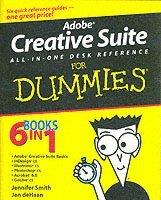
    Adobe Creative Suite All-in-One Desk Reference For Dummies

    AvJennifer Smith,Jen deHaan

    Häftad, Engelska, 2004

    280 kr

    Beställningsvara. Skickas inom 5-8 vardagar. Fri frakt över 249 kr.

    Beskrivning

    If you’re responsible for producing quality printed materials or creating great-looking Web pages for your business or organization, Adobe’s new Creative Suite has just what you need. This complete set of integrated graphics, design, and Web page creation tools will help you produce professional quality brochures, flyers, and newsletters as well as dynamic Web pages—as soon as you get familiar with all the parts! Well, relax. Adobe Creative Suite All-In-One Desk Reference For Dummies® has you—and all those programs—covered. Five minibooks walk you through setting up and using the tools, while the sixth shows you how they all work together. And this single volume will remain a handy reference long after you gain proficiency with the entire suite: InDesign for page layoutIllustrator for creating art and graphicsPhotoshop, the world’s favorite image editing programAcrobat, to share files across different operating systems and develop interactive formsGoLive for building innovative Web pagesEven if you plan to use only one or two of these elements now, Adobe Creative Suite All-In-One Desk Reference For Dummies® is an outstanding resource. Find out what you need to know today, and when you’re ready to tackle the next tool, just turn to that minibook and away you go. These are only a few of the skills you’ll discover: Create a professional-looking page with InDesign, import Photoshop and Illustrator graphics to enliven it, and preserve it in a PDF fileDesign a logo for your business with Illustrator and give it 3D effectsSave Illustrator files in a variety of Web-compatible formats, including GIF, HTML, and even Macromedia® Flash SWFCorrect photo color and edit your images in PhotoshopPlan an entire Web site for maximum impact, then save hours of work by using GoLive’s templates, components, and librariesUse Acrobat to create PDFs that include MP3 audio, video or SWF filesWhether your goal is to design newsletters, a full-size book, an e-commerce Web site, or just about anything else, Adobe’s Creative Suite plus Adobe Creative Suite All-In-One Desk Reference For Dummies® will help you get the job done.

    Produktinformation

    • Utgivningsdatum:2004-03-12
    • Mått:185 x 235 x 38 mm
    • Vikt:1 066 g
    • Format:Häftad
    • Språk:Engelska
    • Antal sidor:752
    • Förlag:John Wiley & Sons Inc
    • ISBN:9780764556012

    Utforska kategorier

    • Fotoredigering och bildredigering inom Data och IT

    Mer om författaren

    Jennifer Smith is a professional designer and founder of AGI Training, a leading training company devoted to graphic arts instruction. Jen deHaan is a freelance Web designer and author.

    Recensioner i media

    “…countless nuggets of wisdom that are designed to get you up to speed…” (Mac Format, October 2004)

    Innehållsförteckning

    • Introduction1Book I: Adobe Creative Suite Basics 7Chapter 1: Introducing the Adobe Creative Suite 9Chapter 2: Using Common Menus and Commands 19Chapter 3: Using Common Palettes 31Chapter 4: Using Common Plug-Ins 39Chapter 5: Importing and Exporting 49Chapter 6: Handling Graphics, Paths, Text, and Fonts 59Chapter 7: Using Color 71Chapter 8: Printing Documents 83Book II: InDesign CS 91Chapter 1: Introducing InDesign CS 93Chapter 2: Drawing in InDesign 115Chapter 3: Working with Text and Text Frames 141Chapter 4: Understanding Page Layout 173Chapter 5: Clipping Paths, Transforming Objects, and Alignment 195Chapter 6: Understanding Color and Printing 209Chapter 7: Exporting Your Work 221Chapter 8: Integrating InDesign 231Book III: Illustrator CS 243Chapter 1: Discovering the Basics of Illustrator CS 245Chapter 2: Using the Selection Tools 257Chapter 3: Creating Basic Shapes 267Chapter 4: Creating with the Pen Tool 273Chapter 5: Using Type in Illustrator 285Chapter 6: Organizing Your Illustrations 309Chapter 7: Using Layers 319Chapter 8: Livening Up Illustrations with Color 327Chapter 9: The Transform and Distortions Tools 339Chapter 10: Transparency and Special Effects Tools 351Chapter 11: Using Filters and Effects 363Chapter 12: Using Your Illustrator Image 375Book IV: Photoshop CS 391Chapter 1: Photoshop CS Basics 393Chapter 2: Mode Matters 401Chapter 3: Creating a Selection 413Chapter 4: Using the Photoshop Pen Tool 425Chapter 5: Resolution Basics 435Chapter 6: Creating a Good Image 443Chapter 7: Painting and Retouching Tools 457Chapter 8: Using Layers 475Chapter 9: Saving Photoshop Images for Print and the Web 491Book V: Acrobat 6.0 503Chapter 1: Discovering Essential Acrobat Information 505Chapter 2: Creating PDF Files 515Chapter 3: Adding Interactivity to PDF Files 525Chapter 4: Editing and Extracting Text and Graphics 535Chapter 5: Using Commenting and Annotation Tools 545Chapter 6: Securing Your PDF Files 555Book VI: GoLive CS 561Chapter 1: Introducing GoLive CS 563Chapter 2: Creating a Web Site 575Chapter 3: Working with Images 585Chapter 4: Text and CSS 595Chapter 5: Tables and Frames 609Chapter 6: Links 623Chapter 7: Layers 633Chapter 8: Forms 647Chapter 9: Multimedia 661Chapter 10: Publishing Your Web Site 671Index 683