• Fri frakt över 249 kr
  • •
  • Snabba leveranser
  • •
  • Billiga böcker
Kundservice

Du är på sajten för privatpersoner.

Företag, bibliotek eller offentlig verksamhet?

Du handlar på classic.bokus.com, där alla dina funktioner finns intakta.
Till classic.bokus.com
Bokus logotyp. Gå till startsidan.
  • Erbjudanden
  • Student
  • Topplistor
  • Barn & ungdom
  • Bokus Play
  • E-böcker
  • Ljudböcker
  • Pocketböcker
  • Spel och pussel

Skapa nya rutiner – hälsoböcker upp till 50% →

Sidfot

Mina sidor

    Hjälp

    • Kundservice
    • Vanliga frågor och svar
    • Frakt och leverans
    • Retur vid ångerrätt
    • Reklamera vara
    • Betalning
    • Köpvillkor
    • Allmänna villkor
    • Information om webbplatsens tillgänglighet

    Om Bokus

    • Om oss
    • Pressrum
    • För studenter
    • För företag
    • För bibliotek och offentlig verksamhet
    • För leverantörer
    • Hållbarhet

    Populärt

    • Aktuella erbjudanden
    • Presentkort
    • Studentlitteratur
    • Nya böcker
    • Topplistor
    • Signerade böcker
    • Engelska böcker

    Inspiration

    • Boktips
    • BookTok
    • Barnbokskaraktärer
    • Populära författare
    Logotyp för Bokus
    Följ oss på Facebook (extern länk)Följ oss på Instagram (extern länk)Följ oss på YouTube (extern länk)Följ oss på TikTok (extern länk)
    bokus @ CookiesAnpassa cookiesIntegritetspolicyKöpvillkor
    Till Citymail hemsida (extern länk)Till Budbee hemsida (extern länk)Till Postnord hemsida (extern länk)Till Schenker hemsida (extern länk)Till Early Bird hemsida (extern länk)Till Walleys hemsida (extern länk)
    1. Data och IT
    2. Operativsystem

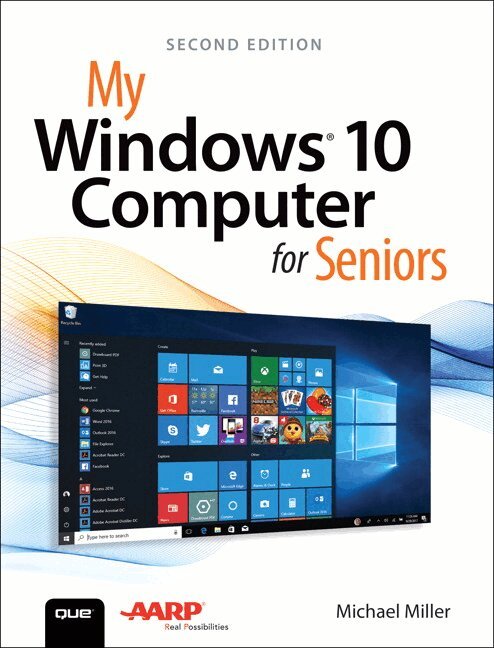
    My Windows 10 Computer for Seniors

    AvMichael Miller

    Häftad, Engelska, 2018

    Del i serien My...

    176 kr

    Beställningsvara. Skickas inom 7-10 vardagar. Fri frakt över 249 kr.

    Fler format och utgåvor

    Häftad

    218 kr

    Beskrivning

    My Microsoft® Windows® 10 Computer for Seniors is an easy, full-color tutorial on the latest operating system from Microsoft. Veteran author Michael Miller is known for his ability to explain complex topics to everyday readers. Michael wrote this book from the 50+ point of view, using step-by-step instructions and large, full-color photos to cover all the most popular tasks. Miller will help you learn to: • Get started with Windows 10, whether you’re experienced with computers or not• Configure Windows 10 to work better for those with vision and physical challenges• Explore the web with Microsoft’s Edge browser and Google Search• Find, install, and use the best new Windows apps• Reliably connect to the Internet, both at home and away• Find online bargains, shop safely, and avoid online scams• Make and receive video and voice calls with Skype• Stay connected with friends and family on Facebook and Pinterest• Capture, touch up, organize, and share your pictures• Read eBooks on your PC—even enlarge text for greater comfort• Send and receive email with Windows 10’s Email app• Keep track of all your files, and back them up safely• Discover great new music with Spotify and Pandora• Fix common PC and Internet problems• Search your computer and the Internet—and send and receive text messages—with the Cortana virtual assistant

    Produktinformation

    • Utgivningsdatum:2018-03-20
    • Mått:176 x 230 x 20 mm
    • Vikt:200 g
    • Format:Häftad
    • Språk:Engelska
    • Serie:My...
    • Upplaga:2
    • Förlag:Pearson Education (US)
    • ISBN:9780789759788

    Utforska kategorier

    • Operativsystem inom Data och IT

    Mer om författaren

    Michael Miller is a prolific and popular writer of more than 200 nonfiction books who is known for his ability to explain complex topics to everyday readers. He writes about a variety of topics, including technology, business, and music. His best-selling books for Que and AARP include My iPad for Seniors, My Social Media for Seniors, My Facebook for Seniors, My Smart Home for Seniors, My Samsung Galaxy S7 for Seniors, My Internet for Seniors, and My eBay for Seniors. Worldwide, his books have sold more than 1.5 million copies. Find out more at the author’s website: www.millerwriter.com Follow the author on Twitter: @molehillgroup

    Innehållsförteckning

    • Chapter 1  Understanding Computer Basics     3Examining Key Components     3Hard Disk Drive     4Memory     5Processor     5Display     5Keyboard     6Pointing Device     8Connectors     9Exploring Different Types of PCs     10Desktop PCs     10Notebook PCs     12Which Type of PC Should You Buy?     13Setting Up Your New Computer System     14Set Up a Notebook PC     14Set Up a Traditional Desktop PC     15Set Up an All-in-One Desktop PC     18Chapter 2  Performing Basic Operations     21Using Windows with a Mouse or Touchpad     21Mouse and Touchpad Operations     22Using Windows with a Keyboard     24Keyboard Operations     24Chapter 3  Using Your Windows 10 PC—If You’ve Never Used a Computer Before     27Powering Up and Powering Down     28Turn On and Configure Your New PC—For the First Time     28Turn On Your System—Normally     34Turn Off Your Computer     36Finding Your Way Around Windows     36Use the Start Menu     37Use the Taskbar     38Chapter 4  Using Your Windows 10 PC—If You’ve Used Windows Before     41Windows 10 for Windows 8/8.1 Users     41Windows 10 for Windows 7 Users     43Windows 10 for Windows XP Users     44The 10 Most Important New Features of Windows 10     451: Back to the Desktop (Goodbye, Start Screen)     462: The Start Menu Returns—Better Than Ever     473: Things Look a Little Different     484: Take Control with the Action Center     495: Manage System Settings with the Settings Tool     506: Windows Apps on the Desktop     517: Smart Searching—and More—with Cortana     528: A New Way to Browse the Web     539: Improved Task Switching     5310: Mobile Device Integration     54Windows 10 Updates for Windows 10 Users     55Anniversary Update     56Creators Update     56Fall Creators Update     56Chapter 5  Connecting Printers and Other Peripherals     59Connecting Devices via USB     59Connect a Printer     60Connect Other Peripherals     62Connecting Your PC to Your TV     63Connect via HDMI     64Chapter 6  Personalizing Windows     67Personalizing the Windows Desktop     67Personalize the Start Menu     68Change the Desktop Background     69Change the Accent Color     71Change the Desktop Theme     73Personalizing the Lock Screen     74Change the Lock Screen Background     74Display a Slideshow on the Lock Screen     75Add Apps to the Lock Screen     76Change Your Account Picture     78Configuring Other Windows Settings     79Configure Settings from the Settings Tool     79Working with User Accounts     80Create a New User Account     82Switch Users     84Sign In with Multiple Users     85Chapter 7  Making Windows Easier to Use     89Employing Ease of Access Functions     89Access Ease of Access Features     90Enlarge the Screen     90Improve Onscreen Contrast     92Make the Cursor Easier to See     93Read Text Aloud with Narrator     94Use the On-Screen Keyboard     95Using Alternative Input Devices     96Replace the Touchpad     96Attach a Different Keyboard     97Chapter 8  Using Windows 10 on a Touchscreen Device     99Using Windows in Tablet Mode     99Switch to Tablet Mode     100Use Windows 10’s Tablet Mode     101Using Windows with Touch Gestures     102Touchscreen Operations     102Chapter 9  Using Windows 10 Apps     105Launching Your Favorite Programs     105Pin a Tile to the Start Menu     106Pin a Program to the Taskbar     106Create a Shortcut on the Desktop     107Open a Program     107Working with Apps on the Desktop     108Maximize, Minimize, and Close a Window     108Resize a Window     109Switch Between Open Windows     109Snap a Window     110Scroll Through a Window     111Configure App Settings     112Using Windows 10’s Built-in Apps     113News     113Weather     114Sports     114Money     115Maps     115Calendar     117Alarms & Clock     118Calculator     120Paint     3D     122Shopping the Microsoft Store     124Browse for Apps     124Download and Install a New App     127Chapter 10  Finding and Installing Traditional Software     129Working with Traditional Software Programs     129Use Pull-Down Menus     130Use Toolbars     130Use Ribbons     131Finding and Installing Traditional Software Programs     132Install Software from a Disc     132Install Programs Online     133Chapter 11  Connecting to the Internet—at Home or Away     137Connecting to the Internet—and Your Home Network     137Connect to Your Home Network     138Access Other Computers on Your Network     140Connecting to the Internet at a Wi-Fi Hotspot     141Connect to a Wi-Fi Hotspot     142Chapter 12  Browsing and Searching the Web     145Understanding the Web     145Using Microsoft Edge     147Open and Browse Web Pages     147Work with Tabs     148Save Favorite Pages     149Save Multiple Tabs as Favorites     150Return to a Favorite Page     151Set Your Start Page     151Browse in Private     152Read a Page in Reading View     153Print a Web Page     154Using Google Chrome     155Open and Browse Web Pages     156Work with Tabs     157Bookmark Your Favorite Pages     158Return to a Bookmarked Page     158Set Your Home Page     159Browse Anonymously in Incognito Mode     160Print a Web Page     161Searching the Internet     161Search Google     162Search Bing     163Searching—and More—with Cortana     164Search with Cortana     164View News and Other Information     165Set a Reminder     166Search Cortana from Within Edge     168Do Even More with Cortana     168Chapter 13  Shopping Safely Online     173How to Shop Online Safely     173Shop Safely     174Purchasing from Online Retailers     175Discover Online Retailers     175Search or Browse for Merchandise     176Examine the Product     177Make a Purchase     178Check Out and Pay     179Finding Bargains Online     180Discover Price Comparison Sites     181Using Craigslist     182Buy Items on Craigslist     183Sell Items on Craigslist     184Chapter 14  Discovering Useful Websites     187Reading Local and Community News Online     187Find Local News     188Find Local Weather     189Exploring Travel Opportunities Online     190Research a Destination     190Make Reservations     191Discovering Recipes Online     192Find Tasty Recipes     193Finding Healthcare Information Online     194Research Medical Conditions     194Find a Doctor     195Order Prescription Drugs     196Obtaining Legal Advice Online     197Find Legal Advice and Services     198Managing Your Finances Online     198Do Your Banking and Pay Your Bills     199Track Your Investments     200Discovering Organizations Online     201Browse Useful Organizations     202Chapter 15  Protecting Yourself Online     205Protecting Against Identity Theft and Phishing Schemes     205Avoiding Phishing Scams     206Keeping Your Private Information Private     207Hiding Personal Information on Facebook     209Keeping Your Facebook Posts Private     211Protecting Against Online Fraud     212Identifying Online Scams     212Avoiding Online Fraud     214Protecting Against Computer Viruses and Other Malware     215Protecting Against Malware     216Using Anti-Malware Software     217Using the Windows Defender Security Center     218Protecting Against Ransomware     220Protecting Against Online Attacks and Intrusions     221Employing a Firewall     221Chapter 16  Emailing Family and Friends     225Using the Windows Mail App     225Set Up Your Email Account     226View Incoming Messages     228Reply to a Message     230Send a New Message     230Move a Message to Another Folder     233Using Gmail     234Receive and Reply to Messages     234Send a New Message     235Managing Your Contacts with the People App     236View Your Contacts     237Add a New Contact     238Use My People     239Chapter 17  Video Calling and Text Messaging     245Using the Skype App     245Choose Your Service     246Get to Know the Skype App     246Add a Contact     246Communicating with Skype     248Make a Video Call     248Make a Voice Call     250Conduct a Text Chat     250Sending and Receiving Text Messages on Your PC     251Link Your Phone to Your PC     251Receive Texts on Your PC     257Send New Texts from Your PC     258Chapter 18  Connecting with Facebook and Pinterest     261Sharing with Friends and Family on Facebook     261Sign Up for Facebook     262Discover New—and Old—Friends on Facebook     263Post a Status Update     266Find Out What Your Friends Are Up To     268Explore Your Friends’ Profiles     270Pinning Items of Interest to Pinterest     271Create a New Board     271Find and Save Interesting Items     272Save an Item from a Web Page     273Find People to Follow     275Chapter 19  Storing and Sharing Your Pictures and Movies     279Using Your Smartphone or Digital Camera with Your Windows PC     279Transfer Photos from a Smartphone or Tablet     280Transfer Photos from a Memory Card     281Viewing Photos and Videos on Your PC     283View Your Photos     283Create and View Photo Albums     285View Your Videos     286Touching Up Your Photos     287Automatically Enhance a Photo     287Rotate a Photo     288Crop a Photo     289Apply a Filter     290Remove Red Eye     290Retouch a Photo     291Adjust Brightness and Contrast     292Adjust Color and Tint     293Apply Other Effects     293Save Your Work     294Turning Your Photos into Videos with Story Remix     295Create an Automatic Story Remix     295Create a Customized Video Project     296Edit a Story Remix     298Sharing Your Pictures and Videos Online     298Sharing a Photo from the Photos App     299Attach a Photo or Video in Windows Mail     300Upload Photos to a New Facebook Photo Album     301Upload Pictures to an Existing Facebook Photo Album     304Chapter 20  Watching Movies and TV Shows on Your PC     307Watching Netflix     307Watch a Program on Netflix     308Watching Hulu     311Watch a Program on Hulu     311Watching Amazon Video     314View a Program on Amazon Video     315Viewing and Sharing Videos on YouTube     317View a Video     317Upload Your Own Video     318Chapter 21  Listening to Music on Your PC     323Listening to Streaming Music     323Listen to Pandora     324Listen to Spotify     327Purchasing Digital Music Online     328Purchase Music from the Amazon Digital Music Store     329Purchase Music from Google Play Music     331Listening to Your Own Music in Windows 10     332Listen to Digital Music with the Groove Music App     332Listen to CDs     333Chapter 22  Reading Books on Your PC     335Reading eBooks with Amazon’s Kindle App     335Purchase eBooks from Amazon336Read an eBook     338Change How a Book Is Displayed Onscreen     339Reading eBooks with Barnes & Noble’s NOOK App     341Purchase eBooks from Barnes & Noble     341Read an eBook     343Change How a Book Is Displayed Onscreen     344Chapter 23  Using Files and Folders     347Using File Explorer     347Navigate Folders and Libraries     348Use the Navigation Pane     350Change the Folder View     350Sort Files and Folders     352Working with Folders     352Create a New Folder     353Rename a Folder or File     354Managing Files     355Copy a File     356Move a File     357Delete a File or Folder     358Restore a Deleted File     358Empty the Recycle Bin     359Working with Microsoft OneDrive     359Manage OneDrive Files on the Web     360Manage OneDrive Files with File Explorer     361Upload a File to OneDrive     361Download a File to Your PC     362Synchronizing Files On-Demand     362Chapter 24  Dealing with Common Problems     365Performing Necessary Maintenance     365Delete Unnecessary Files     366Delete Unused Programs     367Backing Up Important Files     369Activate File History     370Fixing Simple Problems     372You Can’t Connect to the Internet     372You Can’t Go to a Specific Web Page     373You Can’t Print     373Your Computer Is Slow     374A Specific Program Freezes374Your Entire Computer Freezes     375Recovering from Serious Problems     376Restore Your Computer to a Previous State     377Refresh System Files     379Reset Your System     380 Glossary     383Index     393
    Hoppa över listan

    Mer från samma författare

    Michael Miller - AI Prompt Engineering Absolute Beginner’s Guide, Häftad

    AI Prompt Engineering Absolute Beginner’s Guide

    Michael Miller

    Häftad, 2025

    247 kr

    Steven Livingston, Michael Miller, Steven Livingston, Michael Miller - Connective Action and the Rise of the Far-Right, Inbunden

    Connective Action and the Rise of the Far-Right

    Steven Livingston, Michael Miller, Steven Livingston, Michael Miller

    Inbunden, 2025

    1 087 kr

    Steven Livingston, Michael Miller, Steven Livingston, Michael Miller - Connective Action and the Rise of the Far-Right, Häftad

    Connective Action and the Rise of the Far-Right

    Steven Livingston, Michael Miller, Steven Livingston, Michael Miller

    Häftad, 2025

    286 kr

    Michael Miller - Sumerians, Häftad

    Sumerians

    Michael Miller

    Häftad, 2022

    235 kr

    Michael Miller - Using Artificial Intelligence Absolute Beginner’s Guide, Häftad

    Using Artificial Intelligence Absolute Beginner’s Guide

    Michael Miller

    Häftad, 2024

    300 kr

    Michael Miller - China 2035, Häftad
    Del 1

    China 2035

    Michael Miller

    Häftad, 2025

    303 kr

    Michael Miller - Your First Notebook PC, Övrigt

    Your First Notebook PC

    Michael Miller

    143 kr

    Michael Miller - My Samsung Galaxy S7 for Seniors, Övrigt

    My Samsung Galaxy S7 for Seniors

    Michael Miller

    288 kr

    Michael Miller - My Google Chromebook, Häftad

    My Google Chromebook

    Michael Miller

    Häftad, 2019

    251 kr

    Michael Miller - My Windows 11 Computer for Seniors, Häftad

    My Windows 11 Computer for Seniors

    Michael Miller

    Häftad, 2022

    218 kr

    Hoppa över listan

    Mer från samma serie

    Eric Butow, Lonzell Watson - My Samsung Galaxy Tab, Övrigt

    My Samsung Galaxy Tab

    Eric Butow, Lonzell Watson

    195 kr

    Brien Posey - My Windows Phone 7, Övrigt

    My Windows Phone 7

    Brien Posey

    165 kr

    John Ray - My MacBook (Lion Edition), Övrigt

    My MacBook (Lion Edition)

    John Ray

    143 kr

    Katherine Murray - My Microsoft Windows 7 PC, Övrigt

    My Microsoft Windows 7 PC

    Katherine Murray

    143 kr

    Craig Johnston - My DROID, Övrigt

    My DROID

    Craig Johnston

    143 kr

    Lonzell Watson, Craig Johnston - My HTC EVO 3D, Övrigt

    My HTC EVO 3D

    Lonzell Watson, Craig Johnston

    143 kr

    Katherine Murray - My Windows 8 Consumer Preview, Övrigt

    My Windows 8 Consumer Preview

    Katherine Murray

    75 kr

    Craig Johnston - My Google Nexus 7 and Nexus 10, Övrigt

    My Google Nexus 7 and Nexus 10

    Craig Johnston

    143 kr

    Gary Rosenzweig - My iPad (covers iOS 7 for iPad 2, iPad 3rd/4th generation and iPad mini), Övrigt

    My iPad (covers iOS 7 for iPad 2, iPad 3rd/4th generation and iPad mini)

    Gary Rosenzweig

    143 kr

    Brad Miser - My iPhone for Seniors (Covers iOS 8 for iPhone 6/6 Plus, 5S/5C/5, and 4S), Övrigt

    My iPhone for Seniors (Covers iOS 8 for iPhone 6/6 Plus, 5S/5C/5, and 4S)

    Brad Miser

    195 kr

    Hoppa över listan

    Du kanske också är intresserad av

    Michael Miller - My Windows 10 Computer for Seniors, Häftad

    My Windows 10 Computer for Seniors

    Michael Miller

    Häftad, 2020

    218 kr

    Craig Johnston - My DROID, Övrigt

    My DROID

    Craig Johnston

    143 kr

    Jason Rich - My GoPro HERO5 Camera, Övrigt

    My GoPro HERO5 Camera

    Jason Rich

    270 kr

    John Ray - My macOS, Häftad

    My macOS

    John Ray

    Häftad, 2016

    176 kr

    Katherine Murray - My Microsoft Windows 7 PC, Övrigt

    My Microsoft Windows 7 PC

    Katherine Murray

    143 kr

    Eric Butow, Lonzell Watson - My Samsung Galaxy Tab 4, Övrigt

    My Samsung Galaxy Tab 4

    Eric Butow, Lonzell Watson

    225 kr

    Lonzell Watson - My Health Technology for Seniors, Övrigt

    My Health Technology for Seniors

    Lonzell Watson

    165 kr

    Gary Rosenzweig - My iPad, Häftad

    My iPad

    Gary Rosenzweig

    Häftad, 2019

    48 kr

    Michael Miller - My Google Chromebook, Häftad

    My Google Chromebook

    Michael Miller

    Häftad, 2019

    251 kr

    Gary Rosenzweig - My iPad (Covers iOS 9 for iPad Pro, all models of iPad Air and iPad mini, iPad 3rd/4th generation, and iPad 2), Övrigt

    My iPad (Covers iOS 9 for iPad Pro, all models of iPad Air and iPad mini, iPad 3rd/4th generation, and iPad 2)

    Gary Rosenzweig

    288 kr