• Fri frakt över 249 kr
  • •
  • Snabba leveranser
  • •
  • Billiga böcker
Kundservice

Du är på sajten för privatpersoner.

Företag, bibliotek eller offentlig verksamhet?

Du handlar på classic.bokus.com, där alla dina funktioner finns intakta.
Till classic.bokus.com
Bokus logotyp. Gå till startsidan.
  • Erbjudanden
  • Student
  • Topplistor
  • Barn & ungdom
  • Bokus Play
  • E-böcker
  • Ljudböcker
  • Pocketböcker
  • Spel och pussel

5% studentrabatt – använd koden KURSBOK27 →

Sidfot

Mina sidor

    Hjälp

    • Kundservice
    • Vanliga frågor och svar
    • Frakt och leverans
    • Retur vid ångerrätt
    • Reklamera vara
    • Betalning
    • Köpvillkor
    • Allmänna villkor
    • Information om webbplatsens tillgänglighet

    Om Bokus

    • Om oss
    • Pressrum
    • För studenter
    • För företag
    • För bibliotek och offentlig verksamhet
    • För leverantörer
    • Hållbarhet

    Populärt

    • Aktuella erbjudanden
    • Presentkort
    • Studentlitteratur
    • Nya böcker
    • Topplistor
    • Signerade böcker
    • Engelska böcker

    Inspiration

    • Boktips
    • BookTok
    • Barnbokskaraktärer
    • Populära författare
    Logotyp för Bokus
    Följ oss på Facebook (extern länk)Följ oss på Instagram (extern länk)Följ oss på YouTube (extern länk)Följ oss på TikTok (extern länk)
    bokus @ CookiesAnpassa cookiesIntegritetspolicyKöpvillkor
    Till Citymail hemsida (extern länk)Till Budbee hemsida (extern länk)Till Postnord hemsida (extern länk)Till Schenker hemsida (extern länk)Till Early Bird hemsida (extern länk)Till Walleys hemsida (extern länk)
    1. Data och IT
    2. Operativsystem

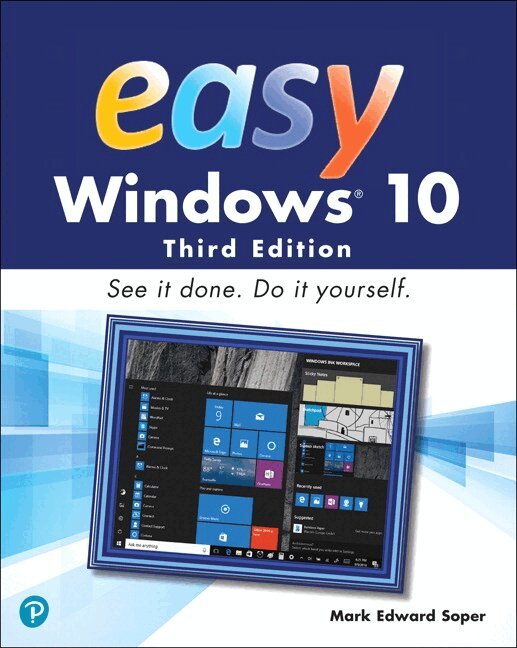
    Easy Windows 10

    AvMark Soper

    Häftad, Engelska, 2018

    Del i serien Easy

    170 kr

    Skickas . Fri frakt över 249 kr.

    Beskrivning

    Visual, step-by-step hands-on tutorials for the most common tasks a user needs to perform.  Whether you’re already using Windows 10 or are a Windows newcomer, Easy Windows 10 is the fast and easy way to discover what Microsoft’s latest operating system can do for you. Visual step-by-step procedures for what you want to do in Windows 10 Keyboard shortcuts, mouse and touchpad moves, and touchscreen tricks help you navigate Windows 10 your way Control how Windows 10 starts up and how it looks with new configuration options Protect your valuable photos, music, videos, and other files automatically with File History Master new features like virtual desktops, Cortana voice assist, and more Discover how to install software from the Windows Store and from other sources Use cloud-based storage, email, and messaging features including OneDrive and Skype Discover Windows 10 utilities for video, audio, photos, search, custom characters, and many more

    Produktinformation

    • Utgivningsdatum:2018-03-20
    • Mått:200 x 252 x 24 mm
    • Vikt:1 320 g
    • Format:Häftad
    • Språk:Engelska
    • Serie:Easy
    • Antal sidor:576
    • Upplaga:3
    • Förlag:Pearson Education (US)
    • ISBN:9780789759795

    Utforska kategorier

    • Operativsystem inom Data och IT

    Mer om författaren

    Mark Edward Soper has been using Microsoft Windows since version 1.0, and since 1992 he has taught thousands of computer troubleshooting and network students across the country how to use Windows as part of their work and everyday lives. Mark is the author of Easy Windows 10, Easy Windows 8.1, Easy Windows 8, Easy Microsoft Windows 7, Teach Yourself Windows 7 in 10 Minutes, and Using Microsoft Windows Live. Mark also has contributed to Que’s Special Edition Using series on Windows Me, Windows XP, and Windows Vista, as well as Easy Windows Vista and Windows 7 In Depth. In addition, he has written two books about Windows Vista: Maximum PC Microsoft Windows Vista Exposed and Unleashing Microsoft Windows Vista Media Center. When he’s not teaching, learning, or writing about Microsoft Windows, Mark stays busy with many other technology-related activities. He has written three books on computer troubleshooting, including The PC and Gadget Help Desk: A Do-It-Yourself Guide to Troubleshooting and Repairing. He is a longtime contributor to Upgrading and Repairing PCs, working on the 11th through 18th, 20th, and subsequent editions. Mark has co-authored Upgrading and Repairing Networks, Fifth Edition, written several books on CompTIA A+ Certification (including two titles covering the 2016 exams), a guest column on certification for Computerworld.com, and two books about digital photography: Easy Digital Cameras and The Shot Doctor: The Amateur’s Guide to Taking Great Digital Photos. Mark also has become a video content provider for Que Publishing and InformIT and has posted many blog entries and articles at InformIT.com, MaximumPC.com, and other websites. In addition, Mark has taught digital photography, digital imaging, and Microsoft Office for Ivy Tech Corporate College’s southwest Indiana campus in Evansville, Indiana, and Windows and Microsoft Office for the University of Southern Indiana’s continuing education department.

    Innehållsförteckning

    • CHAPTER 1 What's new and improved in Windows 10 Creators Update CHAPTER 2 Upgrading to Windows 10 Creators Update CHAPTER 3 Logging in starting up and shutting down Windows 10 with a touchscreen CHAPTER 4 Logging into Windows 10 and customising the start menu CHAPTER 5 Using Cortana for search and more CHAPTER 6 Running Apps CHAPTER 7 Web browsing with Microsoft Edge CHAPTER 8 Playing and creating music and audio CHAPTER 9 Taking, editing and sharing photos and videos CHAPTER 10 Enjoying videos, tv and movies CHAPTER 11 Connecting with friends CHAPTER 12 News, weather, sports and money CHAPTER 13 Using Windows Ink CHAPTER 14 Storing and finding your files CHAPTER 15 Discovering and using Windows 10 Tools and Accessories CHAPTER 16 Using the Windows store CHAPTER 17 Gaming CHAPTER 18 Printing and scanning CHAPTER 19 Managing Windows 10 CHAPTER 20 Networking your home CHAPTER 21 Customising windows CHAPTER 22 Aadding and managing users CHAPTER 23 Protecthing your system CHAPTER 24 System maintenance and performance Glossay