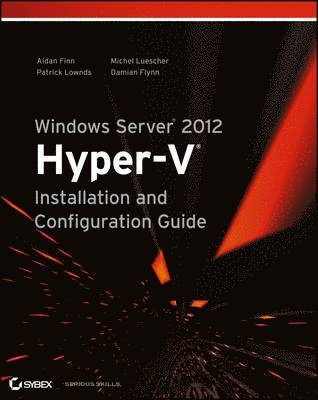
Windows Server 2012 Hyper-V Installation and Configuration Guide
445 kr
Tillfälligt slut
Beskrivning
Produktinformation
- Utgivningsdatum:2013-04-02
- Mått:188 x 234 x 33 mm
- Vikt:1 052 g
- Format:Häftad
- Språk:Engelska
- Antal sidor:600
- Förlag:John Wiley & Sons Inc
- ISBN:9781118486498
Utforska kategorier
Mer om författaren
Aidan Finn (tweet @joe_elway) is an internationally recognized virtualization expert and blogger (www.aidanfinn.com) from Ireland, and a leading voice in the Microsoft community. Patrick Lownds (tweet @PatrickLownds) is head of the Microsoft Virtualization User Group in the UK as well as an industry speaker at TechEd, HP Technology at Work, and elsewhere. Michel Luescher (tweet @michelluescher) is a consultant at Microsoft Switzerland specializing in private cloud solutions, datacenter optimization, and virtualization. He is also a regular industry speaker and writes the blog www.server-talk.eu. Damian Flynn (tweet @damian_flynn) is the principal infrastructure architect for Lionbridge Technologies specializing in private cloud solutions, datacenter optimization, and virtualization. He is also a regular industry speaker and maintains a public technology and Microsoft blog (www.damianflynn.com).
Innehållsförteckning
- Introduction xxv Part 1 • The Basics 1Chapter 1 • Introducing Windows Server 2012 Hyper-V 3Virtualization and Cloud Computing 4Computing of the Past: Client/Server 4Computing of the Recent Past: Virtualization 5Computing of the Present: Cloud Computing 8Windows Server 2012: Beyond Virtualization 9Windows Server 2012 Hyper-V 11The Technical Requirements of Hyper-V 11The Architecture of Hyper-V 12Maximum Scalability 15Supported Guest Operating Systems 18Licensing Windows Server 2012 in Virtualization 18Common Misunderstandings in Licensing 19Windows Server 2012 Licensing 20Hyper-V Server 2012 23Virtualization Scenarios 24VMware 26Migrating from VMware 27Transferring Skills to Hyper-V 27Other Essential Knowledge 28Microsoft Assessment and Planning Toolkit 28PowerShell 29Chapter 2 • Deploying Hyper-V 33Preparing a Hyper-V Deployment 33Design and Architecture 33Hardware 36Operating System 39Don’t Forget the Documentation 41Windows PowerShell 42Building the First Hyper-V Host 43Preparing Windows Server 43Installing the Hyper-V Role 47Configuring the Hyper-V Host 48Providing Security 54Managing Hyper-V 56Hyper-V Management Console 57Hyper-V PowerShell 57Server Core 59Upgrading Hyper-V 61Performing In-Place Migration 62Using the Windows Server Migration Tools 62Exporting and Importing Virtual Machines 62Upgrading Integration Services 64Real World Solutions 65Chapter 3 • Managing Virtual Machines 71Creating Virtual Machines 71Create a Virtual Machine by Using the New Virtual Machine Wizard 72Create a Virtual Machine by Using PowerShell 77Designing Virtual Machines 78Virtual Machine Maximums 78Auto-Start and Auto-Stop Actions 81Dynamic Memory 83Processors 95Virtual Storage 100Network Adapters 111Performing Virtual Machine Operations 117Adding and Removing Virtual Hardware 117Working with Snapshots 118Using Live Migration 124Importing and Exporting Virtual Machines 138Installing Operating Systems and Applications 140Installing Operating Systems 140Using Virtual Machine Templates 142Designing Virtual Machines for Applications 143Performance Monitoring of Guest Operating Systems 143Real World Solutions 144Replacing Virtual Switches 144Performing Simultaneous Live Migration 144Rapid Virtual Machine Creation 146Part 2 • Advanced Networking and Cloud Computing 153Chapter 4 • Networking 155Basic Hyper-V Networking 155Using the Hyper-V Extensible Virtual Switch 156Supporting VLANs 166Supporting NIC Teaming 171Networking Hardware Enhancements 183Single-Root I/O Virtualization 183Receive-Side Scaling 187Dynamic Virtual Machine Queuing 190IPsec Task Offload 191Advanced Networking 191Quality of Service 191Converged Fabrics 201Real World Solutions 210Implementing RSS and DVMQ 210Creating Converged Fabrics with Isolated SMB Storage 213Creating Converged Fabrics with DCB and SR-IOV 216Chapter 5 • Cloud Computing 219Clouds, Tenants, and Segregation 220The Multi-Tenancy Era 220Segregation by Isolation 221Microsoft Network Virtualization 223Encapsulated Network Virtualization 224Network Virtualization Abstraction 225Network Virtualization at Work 232Network Virtualization Gateways 251PVLANs 252Understanding PVLAN Structure 254Understanding How PVLANs Work 255Configuring Private VLANs 259Summary 263Port Access Control Lists 263How ACLs Work 263Extensible Switch Packet Filter 264DHCP Guard 266Router Advertisement Guard 267Hyper-V Virtual Machine Metrics 268Real World Solutions 270Part 3 • Storage and High Availibility 273Chapter 6 • Microsoft iSCSI Software Target 275Introducing the Microsoft iSCSI Software Target 275The Microsoft iSCSI Solution 276Changes in Windows Server 2012 278Design and Architecture 280Building the iSCSI Target 283Installing a Stand-Alone iSCSI Target 283Installing a Clustered iSCSI Target 284Transforming a Stand-Alone to a Clustered iSCSI Target 285Configuring the iSCSI Target 286Connecting the Initiator 288Managing the iSCSI Target Server 289Storage Providers 289iSCSI Target SMI-S Provider 289Best Practice Analyzer 292PowerShell 293Migrating 295Migration to Windows Server 2012 295VHD Conversion 295Chapter 7 • Using File Servers 297Introducing Scale-Out File Servers 298Limitations in Availability and Performance with Windows Server 2008 R2 299Technical Overview of the Key Changes 300Installing and Configuring Scale-Out File Servers 309Complying with Installation Prerequisites 310Configuring Failover Clustering 311Configuring Scale-Out File Services 315Configuring a Continuously Available File Share 316Windows Server 2012 SMB PowerShell 318Windows Server 2012 Hyper-V over SMB 30 319Some Real-World Examples 320Configuring Windows Server 2012 Hyper-V to Use Scale-Out File Server Cluster 322Configuring SQL Server to Use Scale-Out File Server Cluster 325Troubleshooting Scale-Out File Servers 329Using Troubleshooting Tools 329Troubleshooting Client Network Connectivity Issues 332Troubleshooting Access Denied Issues 333Troubleshooting Cluster Resource Issues 333Real World Solutions 333Chapter 8 • Building Hyper-V Clusters 335Introduction to Building Hyper-V Clusters 335Active Directory Integration 337Failover Clustering Installation 337Performing Validation 338Running Cluster Validation 338Creating a Failover Cluster 342Adding Disks 344Configuring Network Prioritization 345Cluster Shared Volumes 346Cluster Shared Volumes Compatibility 346Prerequisites 347Enabling Cluster Shared Volumes 348CSV Namespace 348CSV Resiliency 348CSV Optimizations 349CSV Best Practices 350BitLocker 351Prerequisites 351Installing BitLocker 351Configuring BitLocker on Cluster Shared Volumes 352Cluster-Aware Updating 357Prerequisites 359Installing and Configuring CAU 360Highly Available Virtual Machine 370Implementing a Highly Available Virtual Machine 370Examining the Virtual Machine Role 371Virtual Machine Mobility 375Live-Migrating Virtual Machines 376Using Live Storage Migration 376Real World Solutions 378Chapter 9 • Virtual SAN Storage and Guest Clustering 379Introduction to Virtual SAN Storage 379Overview of Virtual Fibre Channel 380Guest Clustering 388Guest Clustering on a Single Host 388Guest Clustering across Physical Hosts 389Guest Clustering across Physical Hosts and Virtual Machines 390Creating a Guest-Based Cluster 391Virtual Machine Preparation 391Virtual Machine Monitoring 393Configuring Virtual Machine Monitoring 395Real World Solutions 399Part 4 • Advanced Hyper-V 401Chapter 10 • Backup and Recovery 403How Backup Works with Hyper-V 403Volume Shadow Copy Service Framework 403Virtual Machine Backup Strategies 406Choosing a Backup Strategy 409Improvements in Windows Server 2012 Hyper-V Backup 410Incremental Backup 410Windows Server Backup 411Distributed CSV Snapshots 412VSS for SMB File Shares 414Using Windows Server Backup 418Installing Windows Server Backup 419Protecting Nonclustered Hyper-V Hosts 419Protecting Hyper-V Clusters 425The Impact of Backup on the Network 426Real World Solutions 427Using WSB to Back up a Hyper-V Host and Retain Backup Data 427Performing Automated WSB Backup of a Hyper-V Cluster 429Chapter 11 • Disaster Recovery 431Introducing Disaster Recovery 431The Evolution of Disaster Recovery 432Virtualization Simplifies DR 433DR Architecture for Windows Server 2012 Hyper-V 434DR Requirements 435Synchronous and Asynchronous Replication 436DR Architectures 438DR Replication Solutions 440Virtual Machine Connectivity 446Implementation of a Hyper-V Multi-site Cluster 456Replication Link Networking 456Multi-site Cluster Quorum 457Tuning Cluster Heartbeat 462Preferred Owners (Hosts) 463Summarizing Multi-site Clusters 465Real World Solutions 465Designing Hybrid DR 465Designing Hosted Disaster Recovery 466Chapter 12 • Hyper-V Replica 469Introducing Hyper-V Replica 469How Hyper-V Replica Works 470Target Markets for Hyper-V Replica 471Hyper-V Replica Requirements 472Bandwidth Requirements 472What Can You Replicate Between? 473Enabling Hyper-V Replica between Nonclustered Hosts 475Enabling Virtual Machine Replication 478Understanding Copy Methods 479Replicating a Virtual Machine with Network Copy 480Replicating a Virtual Machine with Removable Media 486Replicating a Virtual Machine with Offsite Recovery 488Using Authentication with Certificates 489Understanding Certificate Requirements 489Enabling Hyper-V Replica with HTTPS 490Replicating Virtual Machines via HTTPS 491Using Advanced Authorization and Storage 491Using Hyper-V Replica with Clusters 493Understanding the Hyper-V Replica Broker 493Creating the Hyper-V Replica Broker 495Allowing Replication from a Cluster 497Allowing Replication to a Cluster 498Exploring Hyper-V Replica in Greater Detail 498Hyper-V Replica Logging and Swapping 499Resynchronization 499The Performance Impact of Hyper-V Replica 500Managing Hyper-V Replica 501Monitoring Replication 501Managing Replication 504Setting Up Failover Networking 505Failover TCP/IP 505Test Failover Virtual Switch 506Failing Over Virtual Machines 508Performing a Test Failover 508Returning to the Production Site 510Performing a Planned Failover 510Performing an Unplanned Failover 512Summarizing Hyper-V Replica 513Real World Solutions 514Enabling Replication for Lots of Virtual Machines 514Running a Planned Failover 515Scripting an Ordered Unplanned Failover 517Chapter 13 • Using Hyper-V for Virtual Desktop Infrastructure 521Using Virtual Desktops, the Modern Work Style 521What Is VDI? 521The Benefits of Using Hyper-V for VDI 522Changes in Windows Server 2012 523Design and Architecture 524Building a Microsoft VDI Environment 529Installing Remote Desktop Services 529Installing RD Virtualization Hosts 534Deploying Virtual Guests 536Connecting to the VDI Environment 539Real World Solutions 541Index 543
Betyg & recensioner
4/5
Betyg & recensioner
Mer från samma författare
Windows Server 2012 Hyper-V Installation and Configuration Guide
Damian Flynn, Michel Luescher, Patrick Lownds, Aidan Finn
579 kr
Windows Server 2012 Hyper-V Installation and Configuration Guide
Damian Flynn, Michel Luescher, Patrick Lownds, Aidan Finn
579 kr
Du kanske också är intresserad av
Windows Server 2012 Hyper-V Installation and Configuration Guide
Damian Flynn, Michel Luescher, Patrick Lownds, Aidan Finn
579 kr
Windows Server 2012 Hyper-V Installation and Configuration Guide
Damian Flynn, Michel Luescher, Patrick Lownds, Aidan Finn
579 kr
Microsoft System Center Data Protection Manager Cookbook
Charbel Nemnom, Patrick Lownds
Häftad, 2018
651 kr
Microsoft System Center Data Protection Manager Cookbook
Patrick Lownds, Charbel Nemnom
473 kr
Windows Server 2016 Hyper-V Cookbook - Second Edition
Patrick Lownds, Charbel Nemnom
Häftad, 2017
862 kr
Advances in Energy Systems
Peter D. Lund, John Byrne, Reinhard Haas, Damian Flynn
Inbunden, 2019
2 360 kr