• Fri frakt över 249 kr
  • •
  • Snabba leveranser
  • •
  • Billiga böcker
Kundservice

Du är på sajten för privatpersoner.

Företag, bibliotek eller offentlig verksamhet?

Du handlar på classic.bokus.com, där alla dina funktioner finns intakta.
Till classic.bokus.com
Bokus logotyp. Gå till startsidan.
  • Erbjudanden
  • Nyheter
  • Student
  • Topplistor
  • Barn & ungdom
  • Bokus Play
  • E-böcker
  • Pocketböcker
  • Spel & pussel

10% rabatt på allt med kod: NYSTART10 →

Sidfot

Mina sidor

    Hjälp

    • Kundservice
    • Vanliga frågor och svar
    • Frakt och leverans
    • Retur vid ångerrätt
    • Reklamera vara
    • Betalning
    • Köpvillkor
    • Allmänna villkor
    • Information om webbplatsens tillgänglighet

    Om Bokus

    • Om oss
    • Pressrum
    • För studenter
    • För företag
    • För bibliotek och offentlig verksamhet
    • För leverantörer
    • Hållbarhet

    Populärt

    • Aktuella erbjudanden
    • Presentkort
    • Studentlitteratur
    • Nya böcker
    • Topplistor
    • Signerade böcker
    • Engelska böcker

    Inspiration

    • Boktips
    • BookTok
    • Populära bokserier
    • Barnbokskaraktärer
    • Populära författare
    Logotyp för Bokus
    Följ oss på Facebook (extern länk)Följ oss på Instagram (extern länk)Följ oss på YouTube (extern länk)Följ oss på TikTok (extern länk)
    bokus @ CookiesAnpassa cookiesIntegritetspolicyKöpvillkor
    Till Citymail hemsida (extern länk)Till Budbee hemsida (extern länk)Till Postnord hemsida (extern länk)Till Schenker hemsida (extern länk)Till Early Bird hemsida (extern länk)Till Walleys hemsida (extern länk)
    1. Data och IT
    2. Affärsapplikationer

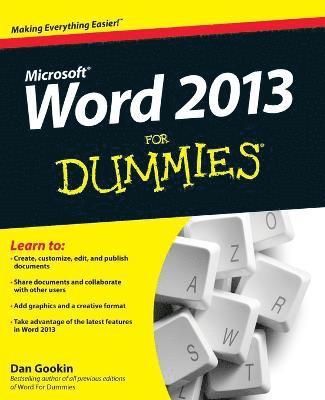
    Word 2013 For Dummies

    AvDan Gookin

    Häftad, Engelska, 2013

    183 kr

    Beställningsvara. Skickas inom 5-8 vardagar. Fri frakt över 249 kr.

    Fler format och utgåvor

    E-bok

    220 kr

    E-bok

    220 kr

    Beskrivning

    This bestselling guide to Microsoft Word is the first and last word on Word 2013It's a whole new Word, so jump right into this book and learn how to make the most of it. Bestselling For Dummies author Dan Gookin puts his usual fun and friendly candor back to work to show you how to navigate the new features of Word 2013. Completely in tune with the needs of the beginning user, Gookin explains how to use Word 2013 quickly and efficiently so that you can spend more time working on your projects and less time trying to figure it all out. Walks you through the capabilities of Word 2013 without weighing you down with unnecessary technical jargonDeciphers the user interface and shows you how to take advantage of the file formatsCovers editing documents, working with text, using grammar and spelling tools, formatting, adding images and other design elements, and moreGet the word on the latest Word with Word 2013 For Dummies!

    Produktinformation

    • Utgivningsdatum:2013-03-05
    • Mått:188 x 236 x 20 mm
    • Vikt:540 g
    • Format:Häftad
    • Språk:Engelska
    • Antal sidor:416
    • Förlag:John Wiley & Sons Inc
    • ISBN:9781118491232

    Utforska kategorier

    • Affärsapplikationer inom Data och IT

    Mer om författaren

    Dan Gookin wrote the original For Dummies book, DOS For Dummies, in 1991 and launched a phenomenon. Since then, his list of bestsellers continues to grow. There are more than 12 million copies of his books in print, translated into 32 languages. Dan welcomes visitors at his website, www.wambooli.com.

    Innehållsförteckning

    • Introduction 1Part I: Getting Started with Word 2013 7Chapter 1: Hello, Word! 9Chapter 2: The Typing Chapter 21Part II: Your Basic Word 31Chapter 3: To and Fro in a Document 33Chapter 4: Text Editing 41Chapter 5: Search for This, Replace It with That 49Chapter 6: Blocks o’ Text 61Chapter 7: Spell It Write 73Chapter 8: Document Calisthenics: New, Open, Save, and Close 83Chapter 9: Publish Your Document 95Part III: Fun with Formatting 107Chapter 10: Character Formatting 109Chapter 11: Paragraph Formatting 121Chapter 12: Tab Formatting 133Chapter 13: Page Formatting 149Chapter 14: Document Formatting 161Chapter 15: Style Formatting 173Chapter 16: Template and Themes Formatting 185Chapter 17: Sundry Formatting 195Part IV: Spruce Up a Dull Document 205Chapter 18: Lines and Shading 207Chapter 19: Able Tables 215Chapter 20: Columns of Text 227Chapter 21: Lots of Lists 233Chapter 22: Here Come the Graphics 241Chapter 23: Fun with the Insert Tab 255Part V: The Rest of Word 265Chapter 24: Multiple Documents, Windows, and File Formats 267Chapter 25: Word for Writers 275Chapter 26: Let’s Work This Out 289Chapter 27: Mail Merge Mania 299Chapter 28: Labels of Love 315Chapter 29: A More Custom Word 323Part VI: The Part of Tens 331Chapter 30: The Ten Commandments of Word 333Chapter 31: Ten Cool Tricks 337Chapter 32: Ten Bizarre Things 345Chapter 33: Ten Avuncular Suggestions 351Index 355