• Fri frakt över 249 kr
  • •
  • Snabba leveranser
  • •
  • Billiga böcker
Kundservice

Du är på sajten för privatpersoner.

Företag, bibliotek eller offentlig verksamhet?

Du handlar på classic.bokus.com, där alla dina funktioner finns intakta.
Till classic.bokus.com
Bokus logotyp. Gå till startsidan.
  • Erbjudanden
  • Nyheter
  • Student
  • Topplistor
  • Barn & ungdom
  • Bokus Play
  • E-böcker
  • Pocketböcker
  • Spel & pussel

10% rabatt på allt med kod: NYSTART10 →

Sidfot

Mina sidor

    Hjälp

    • Kundservice
    • Vanliga frågor och svar
    • Frakt och leverans
    • Retur vid ångerrätt
    • Reklamera vara
    • Betalning
    • Köpvillkor
    • Allmänna villkor
    • Information om webbplatsens tillgänglighet

    Om Bokus

    • Om oss
    • Pressrum
    • För studenter
    • För företag
    • För bibliotek och offentlig verksamhet
    • För leverantörer
    • Hållbarhet

    Populärt

    • Aktuella erbjudanden
    • Presentkort
    • Studentlitteratur
    • Nya böcker
    • Topplistor
    • Signerade böcker
    • Engelska böcker

    Inspiration

    • Boktips
    • BookTok
    • Populära bokserier
    • Barnbokskaraktärer
    • Populära författare
    Logotyp för Bokus
    Följ oss på Facebook (extern länk)Följ oss på Instagram (extern länk)Följ oss på YouTube (extern länk)Följ oss på TikTok (extern länk)
    bokus @ CookiesAnpassa cookiesIntegritetspolicyKöpvillkor
    Till Citymail hemsida (extern länk)Till Budbee hemsida (extern länk)Till Postnord hemsida (extern länk)Till Schenker hemsida (extern länk)Till Early Bird hemsida (extern länk)Till Walleys hemsida (extern länk)
    1. Data och IT
    2. Programmeringsböcker
    3. Webbprogrammering

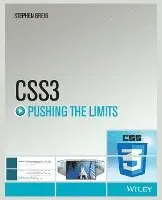
    CSS3 Pushing the Limits

    AvStephen Greig

    Häftad, Engelska, 2013

    Del i serien Pushing the Limits

    300 kr

    Beställningsvara. Skickas inom 5-8 vardagar. Fri frakt över 249 kr.

    Fler format och utgåvor

    E-bok

    366 kr

    E-bok

    366 kr

    Beskrivning

    Push CSS3 and your design skills to the limit—and beyond!Representing an evolutionary leap forward for CSS, CSS3 is chock-full of new capabilities that dramatically expand the boundaries of what a styling language can do. But many of those new features remain undocumented, making it difficult to learn what they are and how to use them to create the sophisticated sites and web apps clients demand and users have grown to expect.Until now.This book introduces you to all of CSS3’s new and advanced features, and, with the help of dozens of real-world examples and live demos, it shows how to use those features to design dazzling, fully-responsive sites and web apps.Among other things, you’ll learn how to:•         Use advanced selectors and an array of powerful new text tools•         Create adaptable background images, decorative borders, and complex patterns•         Create amazing effects with 2D and 3D transforms, transitions, and keyframe-based animations•         Take advantage of new layout tools to solve an array of advanced layout challenges—fast•         Vastly simplify responsive site design using media queries and new layout modules•         Create abstract and scalable shapes and icons with pseudo-elements •         Leverage preprocessors and use CSS like a programming language within a stylesheet contextDon’t pass up this opportunity to go beyond the basics and learn what CSS3 can really do!

    Produktinformation

    • Utgivningsdatum:2013-09-27
    • Mått:189 x 236 x 21 mm
    • Vikt:640 g
    • Format:Häftad
    • Språk:Engelska
    • Serie:Pushing the Limits
    • Antal sidor:384
    • Upplaga:1
    • Förlag:John Wiley & Sons Inc
    • ISBN:9781118652633

    Utforska kategorier

    • Webbprogrammering inom Data och IT

    Mer om författaren

    Stephen Greig is the author of CSS3 Pushing the Limits, published by Wiley.

    Innehållsförteckning

    • Introduction 1 Part I New Toys 7Chapter 1 Advanced Selectors 9Child and Sibling Selectors 9Child Combinator 9Adjacent Sibling Combinator 10General Sibling Combinator 10Attribute Selectors 11Selecting Based on the Existence of an HTML Attribute 11Selecting Based on the Exact Value of an HTML Attribute 11Selecting Based on the Partial Contents of an HTML Attribute Value 12Selecting Based on the Beginning of an HTML Attribute Value 12Selecting Based on the End of an HTML Attribute Value 13Selecting Based on Space-Separated HTML Attribute Values 13Pseudo-Classes 13Firsts and Lasts 14Nth Child Selectors 15Taking Nth Child to the Next Level with Expressions 16Using Keywords with Nth Child 17Using Negative Numbers with Nth Child 17The Best of the Rest 19Bringing It All Together 20Summary 23Further Reading 24Chapter 2 New Tools for Text 25Perfecting Your Type 25Ligatures 25Kerning 27Borrowing from SVG 28Maintaining Legibility with Aspect Values 30More Control with More New Toys 33Font Stretch 33Synthetic Font Styling 33By the Numbers 34Hyphenation 35Writing Modes 37The Direction Property 38The Writing Mode Property 38The Text Orientation Property 38SVG to the Rescue! 38Looking Good Is Half the Battle 39Text Decoration 39Masking Background Images Over Text 40Text Shadow 42Creating 3D Text 42Creating Outer Glow 44Summary 45Further Reading 46Chapter 3 New Tools for Backgrounds and Borders 47More Control with CSS3 Backgrounds 47Background Clip and Background Origin 47Background Size 50Understanding the Background Shorthand 52Handling Box Breaks 52Into the Future with the Image Function 53Multiple Backgrounds 55The Syntax for Multiple Backgrounds 55Layered Backgrounds 56Animating Multiple Backgrounds 57New Tools for Borders 58Border Image 58Into the Future with Border Corner Shape 62Gradients 63Linear Gradients 63The Linear Gradient Syntax 63Browser Support 65Linear Gradients in Action 65Radial Gradients 66The Radial Gradients Syntax 66Radial Gradients in Action 68Browser Support 69Pushing the Limits with Gradient Patterns 70Summary 73Further Reading 74Chapter 4 Into the Browser with CSS3 Filters and Blending Modes 75CSS3 Filters 75How Do CSS Filters Work? 76Grayscale 76Brightness 77Contrast 77Saturate 78Sepia 78Hue-Rotate 79Invert 79Opacity 80Drop Shadow 80Blur 81Combining Filters 82Blending Modes 83What Are Blending Modes? 84The Blending Modes Syntax 85Summary 85Further Reading 86Part II Transforms, Transitions, and Animation 87Chapter 5 Introducing CSS3 2D Transforms 89The Transform Property 89Translate 90Skew 93Rotate 94Scale 96Transform Origin 99Combining Transforms 100Browser Support 102Summary 102Further Reading 102Chapter 6 Bringing 2D Transforms to Life with Transitions 103Introducing CSS Transitions 103Controlling Your Transitions 104Understanding the Shorthand Syntax 105Understanding the Transition Property 106Applying Separate On and Off Transitions 107Understanding the Timing Function 108The Bézier Curve 109Ease 111Linear 112Ease-In 113Ease-Out 113Ease-In-Out 114Stepping Functions 115Browser Support for Transitions 117Transitions in Action 117Combining Transitions and 2D Transforms 120Transitioning Rotate 120Transitioning Translate 123Transitioning Scale 127Transitioning Skew 128Creating a Scattered Image Gallery 129Summary 133Further Reading 134Chapter 7 A New Dimension with 3D Transforms 135What Are 3D Transforms? 135It’s All About Perspective 136The Perspective Property 137Perspective Origin 141Maintaining Perspective 142Backface Visibility 145Moving on to More Transform Properties 148Rotating in a 3D Environment 149Translating in a 3D Environment 151Scaling in a 3D Environment 153Creating a Cube Using 3D Transforms 154Animating the Cube with Transitions 157Examining Browser Support for 3D Transforms 159Summary 160Further Reading 160Chapter 8 Getting Animated 161Introducing CSS3 Animation 161Defining Keyframes 161Applying the Animation 163Further Control 163Looking at CSS3 Animations in Action 166Adding Progressive Enhancement with Subtle Animation 170Fade In Effects 171Attention Seekers 173Shake 173Wobble 174Combining Animations 175Forming the Structure 176Creating an Animated Slide Show 177Creating a Swinging Animation 178Introducing Content with Subtle Animation 180Seeking Attention with Loud Animation 182Examining Browser Support for CSS Animation 182Summary 183Further Reading 183Part III Getting to Grips with New Layout Tools 185Chapter 9 Creating a Multicolumn Layout 187The Evolution of Layout Tools 187What’s New in Layout Solutions? 188Introducing Multi-column Layout 189New Multicolumn Properties 189Defining Your Columns 189Handling Column Breaks 198Limitations 201Creating a Multicolumn Layout 202Examining Browser Support for Multi-column Layout 206Summary 207Further Reading 208Chapter 10 Flexible Box Layout 209What Is Flexbox? 209New Flexbox Properties 210Establishing the Flex Formatting Context 210Examining Direction, Flow, and Visual Ordering 212Controlling Alignment 217Defining Flex Factors 223Creating a Flexible Box Layout 225Examining Browser Support for Flexbox 230Summary 231Further Reading 231Chapter 11 Grid Layout, Regions, and Exclusions 233Introducing CSS Grid Layout 233What Is Grid Layout? 234Creating a Grid Element 234Defining the Grid 235Positioning Elements into the Grid 237Making Your Grid Flexible and Adaptable 238Introducing CSS Regions 241What Are CSS Regions? 241How Do Regions Work? 242Introducing CSS Exclusions 243What Are CSS Exclusions? 244How Do Exclusions Work? 244Playing with Shapes 247A Caveat on Exclusions and Shapes 249Summary 249Further Reading 250Chapter 12 Going Responsive with CSS3 Media Queries 251What Is Responsive Web Design? 251Using Media Queries to Design for Device Differences 252Understanding Media Types and Media Features 253Applying the Mobile-First Approach 253Using the Viewport Meta Tag 256Making a Multicolumn Layout Responsive 256Making a Flexbox Layout Responsive 261A Word on CSS Grid Layout 268The Here and Now of RWD 269Summary 269Further Reading 270Part IV Pushing the Limits 271Chapter 13 Getting Creative with Pseudo-elements  273Distinguishing Pseudo-elements and Pseudo-classes 273What Is a Pseudo-class? 273What Is a Pseudo-element? 274Syntactical Differences 274Exploring the Current Range of Pseudo-elements 275Enhancing Your Typography with Pseudo-elements 275Drawing Users into Your Copy 276Getting Creative with Type-based Pseudo-elements 278Using Pseudo-elements to Generate Content 282Pushing Pseudo-elements to the Limit 285A Contemporary Clearfix 287Creating Scalable Icons and Shapes 288Creating a Speech Bubble 288Creating an OK Icon  289Creating a Print Icon 290Creating a Save Icon 291Pushing the Limits Even Further and Knowing When to Stop 293Summary 293Further Reading 294Chapter 14 Using Preprocessors to Push CSS3 to the Limit 295What Is a CSS Preprocessor? 295What Can CSS Preprocessors Do for You? 295Choosing the Right Preprocessor for You 296Declaring Variables 297Doing Functions and Simple Math 298Using Mixins 299Selector Inheritance 300Nested Selectors 301Getting to Grips with the Dark Side of Preprocessors 302Step 1: Installing Ruby 303Step 2: Installing Sass 304Step 3: Creating Your First Sass File 304Step 4: Compiling Your Sass Code 305Helpful Tools 306Making CSS3 More Efficient with Mixins 307Creating Proportional Layouts with Simple Math 309Using Functions to Form a Dynamic Color Palette 310A Word of Caution on Preprocessors 311Summary 311Further Reading 311Chapter 15 Creating Practical Solutions Using Only CSS3 313Creating Tabbed Content Using Only CSS3 313The Markup 314Applying Basic Styling to the Panels 316Styling the Tabs 317Making the Tabs Functional 318Applying the Finishing Touches 320Creating a Lightbox Feature Using Only CSS3 321Laying the Foundations for the Markup 322Styling the Thumbnail Gallery 324Adding the Lightbox Markup 326Making the Lightbox Functional 327Applying the Polish to the Final Design 330Creating a 3D Image Carousel Using Only CSS3 334Marking Up the Carousel 334Establishing a 3D Formatting Context 335Positioning the Images in a 3D Environment 335Making the Carousel Functional 339Applying the Finishing Touches 340Summary 342Further Reading 343Chapter 16 The Future of CSS 345CSS Variables 346CSS Selectors: Level 4 348Browser Support Using CSS Conditional Rules 352Pseudo-elements: Level 4 353Have Your Say 354Summary 354Further Reading 355Index 357