• Fri frakt över 249 kr
  • •
  • Snabba leveranser
  • •
  • Billiga böcker
Kundservice

Du är på sajten för privatpersoner.

Företag, bibliotek eller offentlig verksamhet?

Du handlar på classic.bokus.com, där alla dina funktioner finns intakta.
Till classic.bokus.com
Bokus logotyp. Gå till startsidan.
  • Erbjudanden
  • Nyheter
  • Student
  • Topplistor
  • Barn & ungdom
  • Bokus Play
  • E-böcker
  • Pocketböcker
  • Spel & pussel

10% rabatt på allt med kod: NYSTART10 →

Sidfot

Mina sidor

    Hjälp

    • Kundservice
    • Vanliga frågor och svar
    • Frakt och leverans
    • Retur vid ångerrätt
    • Reklamera vara
    • Betalning
    • Köpvillkor
    • Allmänna villkor
    • Information om webbplatsens tillgänglighet

    Om Bokus

    • Om oss
    • Pressrum
    • För studenter
    • För företag
    • För bibliotek och offentlig verksamhet
    • För leverantörer
    • Hållbarhet

    Populärt

    • Aktuella erbjudanden
    • Presentkort
    • Studentlitteratur
    • Nya böcker
    • Topplistor
    • Signerade böcker
    • Engelska böcker

    Inspiration

    • Boktips
    • BookTok
    • Populära bokserier
    • Barnbokskaraktärer
    • Populära författare
    Logotyp för Bokus
    Följ oss på Facebook (extern länk)Följ oss på Instagram (extern länk)Följ oss på YouTube (extern länk)Följ oss på TikTok (extern länk)
    bokus @ CookiesAnpassa cookiesIntegritetspolicyKöpvillkor
    Till Citymail hemsida (extern länk)Till Budbee hemsida (extern länk)Till Postnord hemsida (extern länk)Till Schenker hemsida (extern länk)Till Early Bird hemsida (extern länk)Till Walleys hemsida (extern länk)
    1. Data och IT
    2. Grafik och bildbehandling
    3. CAD-program

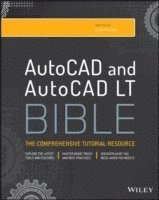
    AutoCAD 2015 and AutoCAD LT 2015 Bible

    AvEllen Finkelstein

    Häftad, Engelska, 2014

    Del i serien Bible

    397 kr

    Beställningsvara. Skickas inom 5-8 vardagar. Fri frakt över 249 kr.

    Fler format och utgåvor

    E-bok

    489 kr

    E-bok

    488 kr

    Beskrivning

    The perfect reference for all AutoCAD users AutoCAD 2015 and AutoCAD LT 2015 Bible is the book you want to have close at hand to answer those day-to-day questions about this industry-leading software. Author and Autodesk University instructor Ellen Finkelstein guides readers through AutoCAD 2015 and AutoCAD LT 2015 with clear, easy-to-understand instruction and hands-on tutorials that allow even total beginners to create a design on their very first day. Although simple and fundamental enough to be used by those new to CAD, the book is so comprehensive that even Autodesk power users will want to keep a copy on their desks.Here is what you'll find inside the book: Part I: Introducing AutoCAD and AutoCAD LT BasicsPart II: Drawing in Two DimensionsPart III: Working with DataPart IV: Drawing in Three DimensionsPart V: Organizing and Managing DrawingsPart VI: Customizing AutoCAD and AutoCAD LTPart VII: Programming AutoCADPart VIII: AppendixesAppendix A: Installing and Configuring AutoCAD and AutoCAD LTAppendix B: AutoCAD and AutoCAD LT ResourcesIn addition, the book also explores advanced techniques like programming with AutoLISP and VBA, and demonstrates AutoCAD 2015 customization that can smooth workflow. The companion website contains real-world drawings for each tutorial, plus bonus chapters and video tutorials. If you need to become an AutoCAD guru, AutoCAD 2015 and AutoCAD LT 2015 Bible is the one resource that will get you there quickly.

    Produktinformation

    • Utgivningsdatum:2014-10-21
    • Mått:183 x 231 x 41 mm
    • Vikt:1 792 g
    • Format:Häftad
    • Språk:Engelska
    • Serie:Bible
    • Antal sidor:1 296
    • Förlag:John Wiley & Sons Inc
    • ISBN:9781118880364

    Utforska kategorier

    • CAD-program inom Data och IT

    Mer om författaren

    Ellen Finkelstein learned AutoCAD in Israel. Besides writing computer books she created on-line courses for Autodesk and taught at Autodesk University. Her website, www.ellenfinkelstein.com, is replete with AutoCAD information and tips. Lee Ambrosius has been a power-user of AutoCAD for almost two decades. He is best known for his in-depth knowledge of extending the AutoCAD program through customization and custom application development. Lee’s website contains a variety of tips, programming resources, and sample code.

    Innehållsförteckning

    • Acknowledgments ixForeword xxxiIntroduction xxxiiiPart I: Introducing AutoCAD and AutoCAD LT Basics 1Quick Start: Drawing a Window 3Chapter 1: Starting to Draw 15Chapter 2: Opening a Drawing 29Chapter 3: Using Commands 35Chapter 4: Specifying Coordinates 53Chapter 5: Setting Up a Drawing 91Part II: Drawing in Two Dimensions 107Chapter 6: Drawing Simple Lines 109Chapter 7: Drawing Curves and Points 119Chapter 8: Viewing Your Drawing 135Chapter 9: Editing Your Drawing with Basic Tools 167Chapter 10: Editing Your Drawing with Advanced Tools 193Chapter 11: Organizing Drawings with Layers and Object Properties 259Chapter 12: Obtaining Information from Your Drawing 295Chapter 13: Creating Text 325Chapter 14: Drawing Dimensions 383Chapter 15: Creating Dimension Styles 437Chapter 16: Drawing Complex Objects 471Chapter 17: Plotting and Printing Your Drawing 517Part III: Working with Data 555Chapter 18: Working with Blocks 557Chapter 19: Adding Attributes to Blocks 607Chapter 20: Referencing Other Drawings 629Part IV: Drawing in Three Dimensions 657Chapter 21: Specifying 3D Coordinates 659Chapter 22: Viewing 3D Drawings 691Chapter 23: Creating 3D Surfaces 747Chapter 24: Creating Solids and Editing in 3D 795Part V: Organizing and Managing Drawings 867Chapter 25: Keeping Control of Your Drawings 869Chapter 26: Working with Other Applications 925Chapter 27: Collaborating and Creating Electronic Output 951Part VI: Customizing AutoCAD and AutoCAD LT 983Chapter 28: Customizing Commands, Toolbars, and Tool Palettes 985Chapter 29: Creating Macros and Slide Shows 1013Chapter 30: Creating Your Own Linetypes and Hatch Patterns 1027Chapter 31: Creating Shapes and Fonts 1039Chapter 32: Customizing the Ribbon and Menus 1051Part VII: Programming AutoCAD 1083Chapter 33: Understanding AutoLISP and Visual LISP Basics 1085Chapter 34: Exploring AutoLISP Further 1101Chapter 35: Exploring Advanced AutoLISP Topics 1129Part VIII: Appendixes 1149Appendix A: Installing and Configuring AutoCAD and AutoCAD LT 1151Appendix B: AutoCAD and AutoCAD LT Resources 1191Appendix C: What’s on the Companion Website 1197Index 1201Bonus Chapters on the Companion WebsiteChapter 1: Working with External DatabasesChapter 2: Rendering in 3DChapter 3: Programming with Visual Basic for ApplicationsChapter 4: Programming with NET