• Fri frakt över 249 kr
  • •
  • Snabba leveranser
  • •
  • Billiga böcker
Kundservice

Du är på sajten för privatpersoner.

Företag, bibliotek eller offentlig verksamhet?

Du handlar på classic.bokus.com, där alla dina funktioner finns intakta.
Till classic.bokus.com
Bokus logotyp. Gå till startsidan.
  • Erbjudanden
  • Student
  • Topplistor
  • Barn & ungdom
  • Bokus Play
  • E-böcker
  • Ljudböcker
  • Pocketböcker
  • Spel och pussel

Skapa nya rutiner – hälsoböcker upp till 50% →

Sidfot

Mina sidor

    Hjälp

    • Kundservice
    • Vanliga frågor och svar
    • Frakt och leverans
    • Retur vid ångerrätt
    • Reklamera vara
    • Betalning
    • Köpvillkor
    • Allmänna villkor
    • Information om webbplatsens tillgänglighet

    Om Bokus

    • Om oss
    • Pressrum
    • För studenter
    • För företag
    • För bibliotek och offentlig verksamhet
    • För leverantörer
    • Hållbarhet

    Populärt

    • Aktuella erbjudanden
    • Presentkort
    • Studentlitteratur
    • Nya böcker
    • Topplistor
    • Signerade böcker
    • Engelska böcker

    Inspiration

    • Boktips
    • BookTok
    • Barnbokskaraktärer
    • Populära författare
    Logotyp för Bokus
    Följ oss på Facebook (extern länk)Följ oss på Instagram (extern länk)Följ oss på YouTube (extern länk)Följ oss på TikTok (extern länk)
    bokus @ CookiesAnpassa cookiesIntegritetspolicyKöpvillkor
    Till Citymail hemsida (extern länk)Till Budbee hemsida (extern länk)Till Postnord hemsida (extern länk)Till Schenker hemsida (extern länk)Till Early Bird hemsida (extern länk)Till Walleys hemsida (extern länk)
    1. Data och IT
    2. Digital livsstil och datorspel

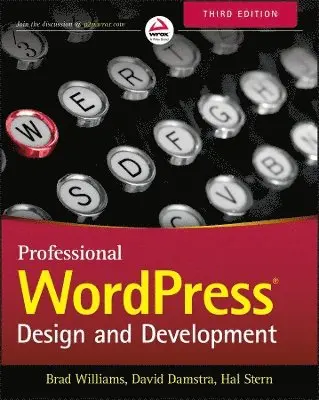
    Professional WordPress

    Design and Development

    AvBrad Williams,David Damstra

    Häftad, Engelska, 2015

    368 kr

    Beställningsvara. Skickas inom 5-8 vardagar. Fri frakt över 249 kr.

    Beskrivning

    The highest rated WordPress development and design book on the market is back with an all new third edition. Professional WordPress is the only WordPress book targeted to developers, with advanced content that exploits the full functionality of the most popular CMS in the world. Fully updated to align with WordPress 4.1, this edition has updated examples with all new screenshots, and full exploration of additional tasks made possible by the latest tools and features. You will gain insight into real projects that currently use WordPress as an application framework, as well as the basic usage and functionality of the system from a developer's perspective. The book's key features include detailed information and real-world examples that illustrate the concepts and techniques at work, plus code downloads and examples accessible through the companion website. Written by practicing WordPress developers, the content of this edition focuses on real world application of WordPress concepts that extend beyond the current WordPress version.WordPress started in 2003 with a single bit of code to enhance the typography of everyday writing, and has grown to be the largest self-hosted website platform in the world. This book helps you use WordPress efficiently, effectively, and professionally, with new ideas and expert perspectives on full system exploitation. Get up to speed on the new features in WordPress 4.1Learn cutting edge uses of WordPress, including real-world projectsDiscover how to migrate existing websites to WordPressUnderstand current best practices and tools in WordPress developmentWordPress was born out of a desire for an elegant, well-architected personal publishing system built on PHP and MySQL, and has evolved to be used as a full content management system through thousands of plugins, widgets, and themes. Professional WordPress is the essential developer's guide to this multifunctional system.

    Produktinformation

    • Utgivningsdatum:2015-01-27
    • Mått:183 x 229 x 31 mm
    • Vikt:839 g
    • Format:Häftad
    • Språk:Engelska
    • Antal sidor:512
    • Upplaga:3
    • Förlag:John Wiley & Sons Inc
    • ISBN:9781118987247

    Utforska kategorier

    • Digital livsstil och datorspel inom Data och IT

    Mer om författaren

    Brad Williams is the cofounder of WebDevStudios.com and AppPresser.com, a cohost of the DradCast WordPress podcast, and the coauthor of Professional WordPress Plugin Development. David Damstra is Vice President of Marketing Services and Creative Director for CU*Answers where his team of developers empowers clients with WordPress. Hal Stern is an IT executive with a major healthcare company. He is coauthor of Blueprints for High Availability, also from Wiley. Wrox Professional guides are planned and written by working programmers to meet the real-world needs of programmers, developers, and IT professionals. Focused and relevant, they address the issues technology professionals face every day. They provide examples, practical solutions, and expert education in new technologies, all designed to help programmers do a better job.

    Innehållsförteckning

    • Introduction xxxiChapter 1: First Post 1What is WordPress? 1Popularity of WordPress 3Current State 3Intersecting the Community 4WordPress and the GPL 5Content and Conversation 6WordPress as a Content Management System 6Creating Conversation 7Getting Started 7Hosting Options 8Do it Yourself Installation 9Installing WordPress Files 10Database Configuration 14Finishing Up 18First‐Time Administration 18First Post 20Summary 21Chapter 2: Code Overview 23Downloading 23Download Locations 23Available Formats 24Release Archive 24Directory and File Structure 25WordPress Configuration 26wp‐config.php File 26Advanced wp‐config.php Options 29.htaccess 35The .maintenance File 39wp‐content User Playground 40Plugins 40Themes 41Uploads and Media Directory 41Upgrade Directory 41Custom Directories 42Summary 42Chapter 3: Working with Wordpress Locally 43Benefits of Working Locally 43Typical Deployment Cycle 44Why So Much Process? 44Tools for Component Administration 46Getting Your Development Stack 46Adding WordPress to the Local Install 47Configuration Details 48Managing the Web Server Document Tree 49Enabling Debug Information 50Handling Local and Production Database 53Creating Virtual Local Server Names 53Local Theme and Plugin Development 56Virtual Machines 56Deploying Local Changes 57Summary 59Chapter 4: Tour of the Core 61What’s in the Core? 61Using the Core as a Reference 62Inline Documentation 63Finding Functions 64Exploring the Core 66Deprecated Functions 69WordPress Codex and Code Reference 70What is the Codex? 70Using the Codex 70Function Reference 72WordPress APIs 73Codex Controversy 75Code Reference 75Using the Code Reference 75Code Reference Details 76Codex Versus Code Reference 77Don’t Hack the Core! 77Why Not? 77Alternatives to Hacking the Core 78Summary 78Chapter 5: The Loop 79Understanding the Loop 80From Query Parameters to SQL 81Understanding Content in WordPress 82Putting the Loop in Context 82Flow of the Loop 83Template Tags 86Commonly Used Template Tags 86Tag Parameters 87Customizing the Loop 88Using the WP_Query Object 88Building a Custom Query 89Adding Paging to a Loop 92Using the pre_get_posts Hook 93Using query_posts( ) 94Using get_posts( ) 96Resetting a Query 96More Than One Loop 98Advanced Queries 99Global Variables 102Post Data 102Author Data 104User Data 104Environmental Data 105Global Variables or Template Tags? 106Working Outside the Loop 106Summary 109Chapter 6: Data Management 111Database Schema 111Table Details 113WordPress Content Tables 114WordPress Taxonomy Tables 115WordPress Database Class 117Simple Database Queries 117Complex Database Operations 119Dealing with Errors 121Direct Database Manipulation 123Summary 126Chapter 7: Custom Post Types, Custom Taxonomies, and Metadata 127Understanding Data in WordPress 127What is a Custom Post Type? 128Register Custom Post Types 128Setting Post Type Labels 133Working with Custom Post Types 135Custom Post Type Template Files 136Special Post Type Functions 136WordPress Taxonomy 138Default Taxonomies 138Taxonomy Table Structure 139Understanding Taxonomy Relationships 139Building Your Own Taxonomies 140Custom Taxonomy Overview 140Creating Custom Taxonomies 140Setting Custom Taxonomy Labels 144Using Your Custom Taxonomy 145Metadata 146What is Metadata? 147Adding Metadata 147Updating Metadata 148Deleting Metadata 148Retrieving Metadata 149Community Projects 150Summary 151Chapter 8: Plugin Development 153Plugin Packaging 154Creating a Plugin File 154Creating the Plugin Header 154Plugin License 155Activating and Deactivating Functions 156Internationalization 157Determining Paths 159Local Paths 160URL Paths 160Plugin Security 161Nonces 161Data Validation and Sanitization 163Know Your Hooks: Actions and Filters 166Actions and Filters 166Popular Filter Hooks 168Popular Action Hooks 169Plugin Settings 171Saving Plugin Options 171Array of Options 172Creating a Menu and Submenus 173Creating a Top‐Level Menu 173Adding to an Existing Menu 175Creating an Options Page 176WordPress Integration 186Creating a Meta Box 186Shortcodes 191Creating a Widget 192Creating a Dashboard Widget 197Creating Custom Tables 197Uninstalling Your Plugin 200Creating a Plugin Example 201Publishing to the Plugin Directory 222Restrictions 222Submitting Your Plugin 223Creating a readme.txt File 223Setting Up SVN 226Publishing to the Plugin Directory 228Releasing a New Version 228Plugin Assets 229Summary 230Chapter 9: Theme Development 231Why Use a Theme? 231Installing a Theme 232FTP Installation 233Theme Installer 233What is a Theme? 234Template Files 234CSS 234Images and Assets 235Plugins 235Creating Your Own Theme 235Project Themes vs. Child Themes 235What to Look for in a Starter Theme 236Creating Your Own Theme: Getting Started 237Essential File: Style.css 238Showing Your Content: Index.php 239Showing Your Content in Different Ways: Index.php 241Creating Your Own Theme: DRY 241Header.php 241Footer.php 243Sidebar.php 243Deviations from the Norm: Conditional Tags 244Creating Your Own Theme: Content Display 245Customizing Your Homepage: Front‐Page.php 246Show Your Older Posts by Date: Archive.php 249Showing Only One Category: Category.php 250Show Posts of a Specific Tag: Tag.php 252Other Archival Templates 253How to Show a Single Post: Single.php 253Display a Page: Page.php 255Display Post Attachments: Attachment.php 255Display Custom Post Types 256Template Hierarchy 256Creating Your Own Theme: Additional Files 258Handling 404 Errors: 404.php 258Author.php 259Comments.php 260Adding Functionality to Your Templates: Functions.php 261Search.php 264SearchForm.php 265Other Files 266Custom Page Templates 266When to Use Custom Page Templates 267How to Use Custom Page Templates 268Stock Twenty Fourteen Page Templates 269Other Theme Enhancements 269Menu Management 269Widget Areas 271Post Formats 272Theme Settings 274Theme Customizer 274Theme Hierarchy and Child Themes 275Premium Themes and Other Theme Frameworks 279Underscores (_s) Theme 280Bones Theme 280Carrington Core Theme 280Genesis Theme 280Hybrid Core Theme 281Others Theme 281Summary 281Chapter 10: Multisite 283What is Multisite? 283Multisite Terminology 284Differences 284Advantages of Multisite 285Enabling Multisite 285Working in a Network 286Network Admin 287Creating and Managing Sites 287Working with Users and Roles 288Themes and Plugins 288Settings 289Domain Mapping 289Coding for Multisite 290Blog ID 290Common Functions 290Switching and Restoring Sites 292Creating a New Site 295Network Admin Menus 300Multisite Options 301Users in a Network 308Super Admins 310Network Stats 311Large Networks 312Multisite Database Schema 312Multisite‐Specific Tables 312Site‐Specific Tables 313Summary 314Chapter 11: Migrating to Wordpress 315Understanding the Process 316Content Sources 316Migration Checklist 317Site Preparation 318Content Identification 318Migrating Text Documents 319Built-In WordPress Import Tools 319Building a Custom Import Script 321Media Migration 329Moving Metadata 330Moving Authors and Users 330Theme and Presentation 331Unique Functionality 331Cleaning Up 331Manual Fine-Tuning 332Import Limitations 332Updating URLs 332Redirection 333Launching 334WP-CLI 334What is WP-CLI? 334Installing WP-CLI 335Migration Example 335Summary 337Chapter 12: Crafting a User Experience 339User Experience Principles 339Consistent Navigation 340Visual Design Elements 342Making Content Easy to Find 343Site Load Times 344Using JavaScript 345Usability and Usability Testing 346Structuring Your Information 347Getting Your Site Found 349Duplicate Content 351Trackbacks and Pings 353How Web Standards Get Your Data Discovered 354Semantic HTML 354Valid HTML 356Microformats 357HTML5 359CSS3 361Searching Your Own Site 361Weaknesses of the Default Search 362Alternatives and Plugins to Help 363Mobile Access and Responsive Web Design 364Leave it Alone 365Lightweight Mobile 365Responsive Design 366Summary 367Chapter 13: Securing Wordpress 369Securing Your WordPress Site 369Staying Up‐to‐Date 370Hiding WordPress Version Information 371Never Use the Admin Username 371Limit Login Attempts 371Using Good Passwords 371Changing Your Table Prefix 372Moving Your Configuration File 372Moving Your Content Directory 372Using the Security Key Feature 373Forcing SSL on Login and Admin 374Apache Permissions 374MySQL Credentials 375Using WordPress Roles 375Subscriber Role 375Contributor Role 376Author Role 376Editor Role 376Administrator Role 376Super Admin Role 377Role Overview 377Extending Roles 378Recommended Security Plugins 378BulletProof Security 378WP‐Security Scan 378WordFence Security 379Summary 379Chapter 14: Application Framework 381What is an Application Framework? 381WordPress as an Application Framework 382User Management 382Template Engine 384CRUD 384Caching 386Friendly URLs 387External APIs 388Uploads and Media Management 388Scheduled Tasks 389Flexibility 390Summary 390Chapter 15: Wordpress in the Real World 391Is WordPress the Right Tool? 391When WordPress is Not the Right Tool 393Defining Content Management 394Workflow and Delegation 395User Roles and Delegation 395Workflow 396Content Organization 398Theme and Widget Support 399Homepages 400Featured Content Pages 401Content Hierarchy 403Interactivity Features 404Forums 405Forms 405E‐Commerce 405Scalability 406Performance Tuning 406Database Optimizations 408Regular Database Maintenance 408Hardware Scaling 409Statistics Counters 411AWStats 411Google Analytics 412JetPack by WordPress.com 413Cache Management 413WordPress System Complexity 414Web Server Caching and Optimization 416WordPress Object Caching 417Transient Caches 418MySQL Query Cache 420Load Balancing Your WordPress Site 421Dealing with Spam 423Comment Moderation and CAPTCHAs 423Automating Spam Detection 424Other Content Management Systems 425WordPress Integration 425Where Not to Use WordPress 426Summary 427Chapter 16: Wordpress Developer Community 429Contributing to WordPress 429Understanding Trac 430Working on the Core 433Submitting Plugins and Themes 434Documentation 434Sister Projects 435BuddyPress 435bbPress 435Future Projects 435Resources 436Codex 436Handbooks 436Support Forums 436WordPress Chat 437Mailing Lists 438External Resources 439WordCamp and Meetups 440WordPress.TV 440Theme/Plugin Directories 440WordPress Ideas 440WordPress Development Updates 440Make WordPress.org 441WordPress Podcasts 441WordPress News Sites 442Summary 443Index 445

    Betyg & recensioner

    3.7/5
    Hoppa över listan

    Mer från samma författare

    Brad Williams, Justin Tadlock, John James Jacoby - Professional WordPress Plugin Development, Häftad

    Professional WordPress Plugin Development

    Brad Williams, Justin Tadlock, John James Jacoby

    Häftad, 2020

    443 kr

    Justin Tadlock, Ozh Richard, Brad Williams - Professional WordPress Plugin Development, E-bok

    Professional WordPress Plugin Development

    Justin Tadlock, Ozh Richard, Brad Williams

    E-bok
    2011

    427 kr

    Brad Williams, Andrew Newman - Japan, Australia and Asia-Pacific Security, Inbunden

    Japan, Australia and Asia-Pacific Security

    Brad Williams, Andrew Newman

    Inbunden, 2006

    731 kr

    Brad Williams - Resolving the Russo-Japanese Territorial Dispute, Inbunden

    Resolving the Russo-Japanese Territorial Dispute

    Brad Williams

    Inbunden, 2007

    2 402 kr

    Brad Williams, Andrew Newman - Japan, Australia and Asia-Pacific Security, Häftad

    Japan, Australia and Asia-Pacific Security

    Brad Williams, Andrew Newman

    Häftad, 2012

    299 kr

    Brad Williams - Resolving the Russo-Japanese Territorial Dispute, Häftad

    Resolving the Russo-Japanese Territorial Dispute

    Brad Williams

    Häftad, 2011

    717 kr

    Justin Tadlock, Ozh Richard, Brad Williams - Professional WordPress Plugin Development, E-bok

    Professional WordPress Plugin Development

    Justin Tadlock, Ozh Richard, Brad Williams

    E-bok
    2011

    427 kr

    Hal Stern, David Damstra, Brad Williams - Professional WordPress, E-bok

    Professional WordPress

    Hal Stern, David Damstra, Brad Williams

    E-bok
    2014

    465 kr

    Hal Stern, David Damstra, Brad Williams - Professional WordPress, E-bok

    Professional WordPress

    Hal Stern, David Damstra, Brad Williams

    E-bok
    2015

    465 kr

    John James Jacoby, Justin Tadlock, Brad Williams - Professional WordPress Plugin Development, E-bok

    Professional WordPress Plugin Development

    John James Jacoby, Justin Tadlock, Brad Williams

    E-bok
    2020

    463 kr

    Hoppa över listan

    Du kanske också är intresserad av

    Hal Stern, David Damstra, Brad Williams - Professional WordPress, E-bok

    Professional WordPress

    Hal Stern, David Damstra, Brad Williams

    E-bok
    2015

    465 kr

    Hal Stern, David Damstra, Brad Williams - Professional WordPress, E-bok

    Professional WordPress

    Hal Stern, David Damstra, Brad Williams

    E-bok
    2014

    465 kr

    Hal Stern, Ricardo Labiaga, Mike Eisler - Managing NFS and NIS, E-bok

    Managing NFS and NIS

    Hal Stern, Ricardo Labiaga, Mike Eisler

    E-bok
    2001

    435 kr

    Hal Stern, Ricardo Labiaga, Mike Eisler - Managing NFS and NIS, E-bok

    Managing NFS and NIS

    Hal Stern, Ricardo Labiaga, Mike Eisler

    E-bok
    2001

    405 kr

    Brad Williams, Justin Tadlock, John James Jacoby - Professional WordPress Plugin Development, Häftad

    Professional WordPress Plugin Development

    Brad Williams, Justin Tadlock, John James Jacoby

    Häftad, 2020

    443 kr

    Brad Williams, Andrew Newman - Japan, Australia and Asia-Pacific Security, Inbunden

    Japan, Australia and Asia-Pacific Security

    Brad Williams, Andrew Newman

    Inbunden, 2006

    731 kr

    Brad Williams - Resolving the Russo-Japanese Territorial Dispute, E-bok

    Resolving the Russo-Japanese Territorial Dispute

    Brad Williams

    E-bok
    2007

    855 kr

    Brad Williams - Japanese Foreign Intelligence and Grand Strategy, Häftad

    Japanese Foreign Intelligence and Grand Strategy

    Brad Williams

    Häftad, 2021

    395 kr

    Brad Williams - Resolving the Russo-Japanese Territorial Dispute, Inbunden

    Resolving the Russo-Japanese Territorial Dispute

    Brad Williams

    Inbunden, 2007

    2 402 kr

    Brad Williams, Andrew Newman - Japan, Australia and Asia-Pacific Security, Häftad

    Japan, Australia and Asia-Pacific Security

    Brad Williams, Andrew Newman

    Häftad, 2012

    299 kr