• Fri frakt över 249 kr
  • •
  • Snabba leveranser
  • •
  • Billiga böcker
Kundservice

Du är på sajten för privatpersoner.

Företag, bibliotek eller offentlig verksamhet?

Du handlar på classic.bokus.com, där alla dina funktioner finns intakta.
Till classic.bokus.com
Bokus logotyp. Gå till startsidan.
  • Erbjudanden
  • Nyheter
  • Student
  • Topplistor
  • Barn & ungdom
  • Bokus Play
  • E-böcker
  • Pocketböcker
  • Spel & pussel

10% rabatt på allt med kod: NYSTART10 →

Sidfot

Mina sidor

    Hjälp

    • Kundservice
    • Vanliga frågor och svar
    • Frakt och leverans
    • Retur vid ångerrätt
    • Reklamera vara
    • Betalning
    • Köpvillkor
    • Allmänna villkor
    • Information om webbplatsens tillgänglighet

    Om Bokus

    • Om oss
    • Pressrum
    • För studenter
    • För företag
    • För bibliotek och offentlig verksamhet
    • För leverantörer
    • Hållbarhet

    Populärt

    • Aktuella erbjudanden
    • Presentkort
    • Studentlitteratur
    • Nya böcker
    • Topplistor
    • Signerade böcker
    • Engelska böcker

    Inspiration

    • Boktips
    • BookTok
    • Populära bokserier
    • Barnbokskaraktärer
    • Populära författare
    Logotyp för Bokus
    Följ oss på Facebook (extern länk)Följ oss på Instagram (extern länk)Följ oss på YouTube (extern länk)Följ oss på TikTok (extern länk)
    bokus @ CookiesAnpassa cookiesIntegritetspolicyKöpvillkor
    Till Citymail hemsida (extern länk)Till Budbee hemsida (extern länk)Till Postnord hemsida (extern länk)Till Schenker hemsida (extern länk)Till Early Bird hemsida (extern länk)Till Walleys hemsida (extern länk)
    1. Data och IT
    2. Programmeringsböcker

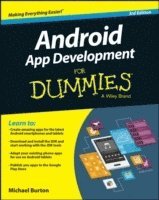
    Android App Development For Dummies

    AvMichael Burton

    Häftad, Engelska, 2015

    261 kr

    Beställningsvara. Skickas inom 5-8 vardagar. Fri frakt över 249 kr.

    Fler format och utgåvor

    E-bok

    317 kr

    E-bok

    317 kr

    Beskrivning

    The updated edition of the bestselling guide to Android app development If you have ambitions to build an Android app, this hands-on guide gives you everything you need to dig into the development process and turn your great idea into a reality! In this new edition of Android App Development For Dummies, you'll find easy-to-follow access to the latest programming techniques that take advantage of the new features of the Android operating system. Plus, two programs are provided: a simple program to get you started and an intermediate program that uses more advanced aspects of the Android platform.Android mobile devices currently account for nearly 80% of mobile phone market share worldwide, making it the best platform to reach the widest possible audience. With the help of this friendly guide, developers of all stripes will quickly find out how to install the tools they need, design a good user interface, grasp the design differences between phone and tablet applications, handle user input, avoid common pitfalls, and turn a "meh" app into one that garners applause. Create seriously cool apps for the latest Android smartphones and tabletsAdapt your existing apps for use on an Android deviceStart working with programs and tools to create Android appsPublish your apps to the Google Play StoreWhether you're a new or veteran programmer, Android App Development For Dummies will have you up and running with the ins and outs of the Android platform in no time.

    Produktinformation

    • Utgivningsdatum:2015-03-27
    • Mått:188 x 234 x 31 mm
    • Vikt:567 g
    • Format:Häftad
    • Språk:Engelska
    • Antal sidor:432
    • Upplaga:3
    • Förlag:John Wiley & Sons Inc
    • ISBN:9781119017929

    Utforska kategorier

    • Programmeringsböcker inom Data och IT

    Mer om författaren

    Michael Burton is the Head of Mobile Engineering at Groupon and creator of the popular RoboGuice programming framework for Android. He's the author of the OpenTable, Digg, TripIt, and award winning Groupon Android apps, and has addressed conferences around the world.

    Innehållsförteckning

    • Introduction 1About This Book 1Conventions Used in This Book 2Foolish Assumptions 2How This Book Is Organized 3Part I: Getting Started with Your First Android Application 3Part II: Building and Publishing Your First Android Application 3Part III: Creating a Feature-Rich Application 3Part IV: Android Is More than Phones 3Part V: The Part of Tens 4Icons Used in This Book 4Beyond the Book 4Part I: Getting Started with Your First Android Application 7Chapter 1: Developing Spectacular Android Applications 9Why Develop for Android? 9Android Development Basics 12Hardware Tools 20Software Tools 22Chapter 2: Prepping Your Development Headquarters 25Developing the Android Developer Inside You 25Assembling Your Toolkit 26Tuning Up Your Hardware 30Installing and Configuring Your Support Tools 31Installing Android Studio 31Installing Java 7 33Adding SDK Packages 33Navigating the Android SDK 34Specifying Android Platforms 34Using SDK Tools for Everyday Development 35Part II: Building and Publishing Your First Application 39Chapter 3: Your First Android Project 41Starting a New Project in Android Studio 41Responding to Errors 45Setting Up an Emulator 47Running the Hello Android App 49Understanding Project Structure 52Chapter 4: Creating the User Interface 65Creating the Silent Mode Toggle Application 65Laying Out the Application 67Adding an Image to Your Application 71Creating a Launcher Icon for the Application 75Previewing the Application in the Visual Designer 77Chapter 5: Coding Your Application 79Understanding Activities and the Activity Lifecycle 79Creating Your First Activity 84Working with the Android Framework Classes 88Installing Your Application 92Material Design 96Uh-Oh! (Responding to Errors) 98Thinking Beyond the Application Boundaries 103Chapter 6: Understanding Android Resources 107Understanding Resources 107Working with Resources 110Different Strokes for Different Folks: Using Resource Qualifier Directories 114Chapter 7: Turning Your Application into an App Widget 119Working with App Widgets in Android 120Working with Intents and Pending Intents 122Creating the App Widget 127Placing Your Widget on the Home Screen 137Chapter 8: Publishing Your App to the Google Play Store 139Creating a Distributable File 139Creating a Google Play Developer Profile 145Pricing Your Application 148Getting Screen Shots for Your Application 149Uploading Your Application to the Google Play Store 150Watching the Number of Installs Soar 153Part III: Creating a Feature-Rich Application 155Chapter 9: Designing the Tasks Application 157Reviewing the Basic Requirements 157Creating the Application’s Screens 159Chapter 10: Creating the Task Detail Page 181Creating the TaskEditActivity 181Linking the List View to the Edit View 183Creating the TaskEditFragment 185You Put the Fragment in the Activity and Shake It All Up 193Updating the Styles 194A Special Bonus 196Chapter 11: Going a la Carte with Your Menu 199Understanding Options and Context Menus 199Creating Your First Menu 200Creating a Long-Press Action 207Chapter 12: Handling User Input 211Creating the User Input Interface 211Getting Choosy with Dates and Times 214Creating an Alert Dialog 225Validating Input 230Chapter 13: Getting Persistent with Data Storage 233Finding Places to Put Data 233Understanding How the SQLite ContentProvider Works 236Creating Your Application’s SQLite Database 237Using ContentProvider URIs 241Dealing with CRUD 244Implementing the Save Button 250Implementing the List View 253Reading Data into the Edit Page 261Chapter 14: Reminding the User 265Seeing Why You Need AlarmManager 266Asking the User for Permission 266Waking Up a Process with AlarmManager 267Updating a Notification 274Clearing a Notification 274Rebooting Devices 275Chapter 15: Working with Android Preferences 279Understanding the Android Preferences Framework 280Understanding the Preference Fragment Class 280Creating Your Preferences Screen 283Working with the Preference Fragment Class 285Working with Preferences in Your Activities at Runtime 289Part IV: Android Is More than Phones 293Chapter 16: Developing for Tablets 295Considering the Differences between Phones and Tablets 295Tweaking the Tasks App for Tablets 296Configuring a Tablet Emulator 301Creating a New Product Flavor 302Creating an AndroidManifest for Phones 303Creating an AndroidManifest for Tablets 305Making the TaskListAndEditorActivity for Tablets 307Building the Tablet App 310Adding the App Callbacks 312One More Thing 313Chapter 17: Supporting Older Versions of Android 315Understanding AppCompat 316Updating the build File 317Adding the Toolbar 318Using the AppCompat Theme 319Testing Your App 321Working with Right-to-Left Languages 323Fixing the Add Task Menu 325Fixing the Window Options 326Using Newer APIs 329Using Android Lint 330Chapter 18: Wearing the Tasks App 333Preparing Your Development Environment 335Creating a New Wear App 339Publishing the Data from Your Phone 350Running the App without Android Studio 355Packaging the App 356What’s Next? 356Chapter 19: Look Ma, I’m on TV! 357Understanding Guidelines for Building TV Apps 357Building and Manifesting Changes 358Adding the BrowseActivity 360Creating the TV Browse Fragment 361Creating the CardPresenter 368Running Your App 371Adding and Editing Items 372Creating Backgrounds 373Creating More Filters 375Chapter 20: Moving beyond Google 381Working around Google Features 381Setting Up the Fire SDK 382Setting Up Your Fire or Emulator 383Publishing to Amazon Appstore for Android 386Part V: The Part of Tens 393Chapter 21: Ten Free Sample Applications and SDKs 395Android Samples 395The Google I/O App 396K‐9 Mail 396GitHub Android App 396Facebook SDK for Android 396Notepad Tutorial 397U+2020 397Lollipop Easter Egg 397Android Bootstrap 398The AOSP 398Chapter 22: Ten Tools to Simplify Your Development Life 399Android Lint 399Android Systrace 399RoboGuice and Dagger 400Translator Toolkit 400Hierarchy Viewer 401UI/Application Exerciser Monkey 401Git and GitHub 401Picasso and OkHttp 402Memory Analyzer Tool 402Travis‐ci 402Index 403

    Betyg & recensioner

    2/5