• Fri frakt över 249 kr
  • •
  • Snabba leveranser
  • •
  • Billiga böcker
Kundservice

Du är på sajten för privatpersoner.

Företag, bibliotek eller offentlig verksamhet?

Du handlar på classic.bokus.com, där alla dina funktioner finns intakta.
Till classic.bokus.com
Bokus logotyp. Gå till startsidan.
  • Erbjudanden
  • Nyheter
  • Student
  • Topplistor
  • Barn & ungdom
  • Bokus Play
  • E-böcker
  • Pocketböcker
  • Spel & pussel

10% rabatt på allt med kod NYSTART10 →

Sidfot

Mina sidor

    Hjälp

    • Kundservice
    • Vanliga frågor och svar
    • Frakt och leverans
    • Retur vid ångerrätt
    • Reklamera vara
    • Betalning
    • Köpvillkor
    • Allmänna villkor
    • Information om webbplatsens tillgänglighet

    Om Bokus

    • Om oss
    • Pressrum
    • För studenter
    • För företag
    • För bibliotek och offentlig verksamhet
    • För leverantörer
    • Hållbarhet

    Populärt

    • Aktuella erbjudanden
    • Presentkort
    • Studentlitteratur
    • Nya böcker
    • Topplistor
    • Signerade böcker
    • Engelska böcker

    Inspiration

    • Boktips
    • BookTok
    • Populära bokserier
    • Barnbokskaraktärer
    • Populära författare
    Logotyp för Bokus
    Följ oss på Facebook (extern länk)Följ oss på Instagram (extern länk)Följ oss på YouTube (extern länk)Följ oss på TikTok (extern länk)
    bokus @ CookiesAnpassa cookiesIntegritetspolicyKöpvillkor
    Till Citymail hemsida (extern länk)Till Budbee hemsida (extern länk)Till Postnord hemsida (extern länk)Till Schenker hemsida (extern länk)Till Early Bird hemsida (extern länk)Till Walleys hemsida (extern länk)
    1. Data och IT
    2. Affärsapplikationer

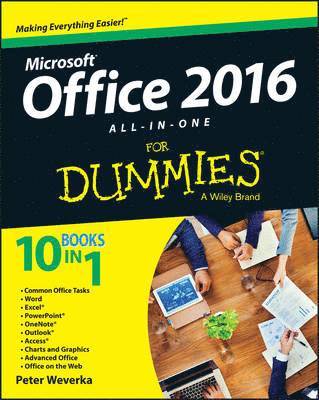
    Office 2016 All-in-One For Dummies

    AvPeter Weverka

    Häftad, Engelska, 2015

    251 kr

    Beställningsvara. Skickas inom 5-8 vardagar. Fri frakt över 249 kr.

    Fler format och utgåvor

    E-bok

    305 kr

    E-bok

    305 kr

    Beskrivning

    The fast and easy way to get things done with Office Perplexed by PowerPoint? Looking to excel at Excel? From Access to Word—and every application in between—this all-encompassing guide provides plain-English guidance on mastering the entire Microsoft Office suite. Through easy-to-follow instruction, you'll quickly get up and running with Excel, Word, PowerPoint, Outlook, Access, Publisher, Charts and Graphics, OneNote, and more—and make your work and home life easier, more productive, and more streamlined. Microsoft Office is the leading productivity tool in the world. From word processing to business communication to data crunching, it requires a lot of knowledge to operate it—let alone master it. Luckily, Office 2016 All-in-One For Dummies is here to deliver the breadth of information you need to complete basic tasks and drill down into Office's advanced features. Create customized documents and add graphic elements, proofing, and citations in WordBuild a worksheet, create formulas, and perform basic data analysis in ExcelCreate a notebook and organize your thoughts in NotesManage messages, tasks, contacts, and calendars in OutlookClocking in at over 800 pages, Office 2016 All-in-One For Dummies will be the singular Microsoft Office resource you'll turn to again and again.

    Produktinformation

    • Utgivningsdatum:2015-11-20
    • Mått:185 x 229 x 43 mm
    • Vikt:1 338 g
    • Format:Häftad
    • Språk:Engelska
    • Antal sidor:800
    • Förlag:John Wiley & Sons Inc
    • ISBN:9781119083122

    Utforska kategorier

    • Affärsapplikationer inom Data och IT

    Mer om författaren

    Peter Weverka is a veteran For Dummies author. In addition to previous books on Microsoft Office, Peter has written guides to Windows, the Internet, and Quicken.

    Innehållsförteckning

    • Introduction 1About This Book 1Foolish Assumptions 2Icons Used in This Book 2Beyond the Book 3Where to Go from Here 4Book I: Common Office Tasks 5Chapter 1: Office Nuts and Bolts 7Chapter 2: Wrestling with the Text 25Chapter 3: Speed Techniques Worth Knowing About 43Book II: Word 2016 51Chapter 1: Speed Techniques for Using Word 53Chapter 2: Laying Out Text and Pages 71Chapter 3: Word Styles 95Chapter 4: Constructing the Perfect Table 111Chapter 5: Taking Advantage of the Proofing Tools 133Chapter 6: Desktop Publishing with Word 153Chapter 7: Getting Word’s Help with Office Chores 171Chapter 8: Tools for Reports and Scholarly Papers 191Book III: Excel 2016 213Chapter 1: Up and Running with Excel 215Chapter 2: Refining Your Worksheet 233Chapter 3: Formulas and Functions for Crunching Numbers 247Chapter 4: Making a Worksheet Easier to Read and Understand 279Chapter 5: Advanced Techniques for Analyzing Data 297Book IV: PowerPoint 2016 313Chapter 1: Getting Started in PowerPoint 315Chapter 2: Fashioning a Look for Your Presentation 337Chapter 3: Entering the Text 351Chapter 4: Making Your Presentations Livelier 367Chapter 5: Delivering a Presentation 383Book V: OneNote 2016 405Chapter 1: Up and Running with OneNote 407Chapter 2: Taking Notes 419Chapter 3: Finding and Organizing Your Notes 435Book VI: Outlook 2016 443Chapter 1: Outlook Basics 445Chapter 2: Maintaining the Contacts Folder 459Chapter 3: Handling Your Email 469Chapter 4: Managing Your Time and Schedule 491Chapter 5: Tasks, Reminders, and Notes 499Book VII: Access 2016 507Chapter 1: Introducing Access 509Chapter 2: Building Your Database Tables 523Chapter 3: Entering the Data 551Chapter 4: Sorting, Querying, and Filtering for Data 561Chapter 5: Presenting Data in a Report 581Book VIII: Working with Charts and Graphics 587Chapter 1: Creating a Chart 589Chapter 2: Making a SmartArt Diagram 607Chapter 3: Handling Graphics and Photos 625Chapter 4: Drawing and Manipulating Lines, Shapes, and Other Objects 641Book IX: Office 2016 — One Step Beyond 669Chapter 1: Customizing an Office Program 671Chapter 2: Ways of Distributing Your Work 685Chapter 3: Working with Publisher 695Book X: File Sharing and Collaborating 711Chapter 1: Up and Running on OneDrive 713Chapter 2: File Sharing and Collaborating 723Index 731