• Fri frakt över 249 kr
  • •
  • Snabba leveranser
  • •
  • Billiga böcker
Kundservice

Du är på sajten för privatpersoner.

Företag, bibliotek eller offentlig verksamhet?

Du handlar på classic.bokus.com, där alla dina funktioner finns intakta.
Till classic.bokus.com
Bokus logotyp. Gå till startsidan.
  • Erbjudanden
  • Student
  • Topplistor
  • Barn & ungdom
  • Bokus Play
  • E-böcker
  • Ljudböcker
  • Pocketböcker
  • Spel och pussel

Pocketfynda! Hundratals böcker för 49 kr/st →

Sidfot

Mina sidor

    Hjälp

    • Kundservice
    • Vanliga frågor och svar
    • Frakt och leverans
    • Retur vid ångerrätt
    • Reklamera vara
    • Betalning
    • Köpvillkor
    • Allmänna villkor
    • Information om webbplatsens tillgänglighet

    Om Bokus

    • Om oss
    • Pressrum
    • För studenter
    • För företag
    • För bibliotek och offentlig verksamhet
    • För leverantörer
    • Hållbarhet

    Populärt

    • Aktuella erbjudanden
    • Presentkort
    • Studentlitteratur
    • Nya böcker
    • Topplistor
    • Signerade böcker
    • Engelska böcker

    Inspiration

    • Boktips
    • BookTok
    • Barnbokskaraktärer
    • Populära författare
    Logotyp för Bokus
    Följ oss på Facebook (extern länk)Följ oss på Instagram (extern länk)Följ oss på YouTube (extern länk)Följ oss på TikTok (extern länk)
    bokus @ CookiesAnpassa cookiesIntegritetspolicyKöpvillkor
    Till Citymail hemsida (extern länk)Till Budbee hemsida (extern länk)Till Postnord hemsida (extern länk)Till Schenker hemsida (extern länk)Till Early Bird hemsida (extern länk)Till Walleys hemsida (extern länk)
    1. Data och IT
    2. It-certifieringar

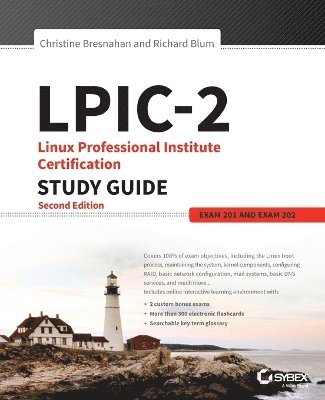
    LPIC-2: Linux Professional Institute Certification Study Guide

    Exam 201 and Exam 202

    AvChristine Bresnahan,Richard Blum

    Häftad, Engelska, 2016

    562 kr

    Beställningsvara. Skickas inom 5-8 vardagar. Fri frakt över 249 kr.

    Beskrivning

    Full coverage of the latest LPI-level 2 exams, with bonus online test bank LPIC-2 is the one-stop preparation resource for the Linux Professional Institute's Advanced Level certification exam. With 100 percent coverage of all exam objectives, this book provides clear and concise coverage of the Linux administration topics you'll need to know for exams 201 and 202. Practical examples highlight the real-world applications of important concepts, and together, the author team provides insights based on almost fifty years in the IT industry. This brand new second edition has been completely revamped to align with the latest versions of the exams, with authoritative coverage of the Linux kernel, system startup, advanced storage, network configuration, system maintenance, web services, security, troubleshooting, and more. You also get access to online learning tools including electronic flashcards, chapter tests, practice exams, and a glossary of critical terms to help you solidify your understanding of upper-level Linux administration topics. The LPI-level 2 certification confirms your advanced Linux skill set, and the demand for qualified professionals continues to grow. This book gives you the conceptual guidance and hands-on practice you need to pass the exam with flying colors. Understand all of the material for both LPIC-2 examsGain insight into real-world applicationsTest your knowledge with chapter tests and practice examsAccess online study aids for more thorough preparationOrganizations are flocking to the open-source Linux as an excellent, low-cost, secure alternative to expensive operating systems like Microsoft Windows. As the Linux market share continues to climb, organizations are scrambling to find network and server administrators with expert Linux knowledge and highly practical skills. The LPI-level 2 certification makes you the professional they need, and LPIC-2 is your ideal guide to getting there.

    Produktinformation

    • Utgivningsdatum:2016-11-29
    • Mått:183 x 234 x 38 mm
    • Vikt:1 270 g
    • Format:Häftad
    • Språk:Engelska
    • Antal sidor:768
    • Upplaga:2
    • Förlag:John Wiley & Sons Inc
    • ISBN:9781119150794

    Utforska kategorier

    • It-certifieringar inom Data och IT
    • Operativsystem inom Data och IT

    Mer om författaren

    Christine Bresnahan, is an Adjunct Professor at Ivy Tech Community College, where she teaches Linux Essentials, LPIC-1/CompTIA Linux+ Certification, and Python programming. With over 25 years of IT experience, Christine specializes in producing educational materials for use both inside and outside of the classroom.Richard Blum, is a 20-year IT industry veteran experienced with systems and network administration for UNIX, Linux, Novell, and Microsoft servers. Rich is an online Linux instructor for universities nationwide, and is a widely-published expert on Linux and open-source software.

    Innehållsförteckning

    • Introduction xxiii Assessment Test xliiiPart I The LPI 201 Exam 1Chapter 1 Starting a System 3The Linux Boot Process 4Following the Boot Process 4Viewing the Boot Process 5The Firmware Startup 6The BIOS Startup 6The UEFI Startup 7Linux Bootloaders 8GRUB Legacy 9GRUB 2 12Alternative Bootloaders 14Secure Bootloaders 15Process Initialization 16The SysV Method 17The systemd Method 21The Upstart Method 26System Recovery 27Kernel Failures 27Root Drive Failure 29Summary 31Exam Essentials 31Review Questions 33Chapter 2 Maintaining the System 37Keeping Users Informed 38Looking at Fluid Messaging 39Looking at Static Messaging 47Backing Up the System 51Developing a Backup Strategy 51Performing Backups 61Installing Programs from Source 72Obtaining the Installation Files 73Unpacking the Installation Files 73Reading Installation Documentation 74Compiling Preparation 75Compiling the Program 76Completing the Installation 76Managing Resource Usage 79Measuring Resource Usage 79Predicting Resource Usage 83Troubleshooting Resource Usage 85Summary 87Exam Essentials 87Review Questions 89Chapter 3 Mastering the Kernel 93What Is the Kernel? 94The Kernel Features 94Parts of the Kernel 104Kernel Versions 107Compiling a Kernel 108Obtaining Source Code 109Creating the Configuration File 110Compiling and Installing the Kernel 114Compiling and Installing Modules 116Creating an Initial RAM Disk 116Booting the New Kernel 118Creating a Kernel Package 119Maintaining the Kernel 120Working with Module Files 120Module Commands 120Working with Hardware 125Automatically Detecting Hardware 128Troubleshooting the Kernel 129Summary 132Exam Essentials 133Review Questions 135Chapter 4 Managing the Filesystem 139Operating the Linux Filesystem 140Understanding Filesystem Structures 140Understanding Filesystem Types 141Making a Filesystem 144Attaching a Filesystem 146Exploring Additional Filesystem Topics 162Looking at Memory-Based Linux Filesystems 162Looking at the Btrfs Filesystem 163Exploring Btrfs Subvolumes 165Exploring Btrfs Snapshots 169Looking at Optical Filesystems 171Looking at Swap Filesystems 177Looking at Network-Based Filesystems 180Understanding Auto-Mounting 180Looking at Encrypted Filesystems 183Maintaining Linux Filesystems 185Adjusting a Filesystem 185Checking and Repairing a Filesystem 187Using SMART 189Summary 192Exam Essentials 192Review Questions 195Chapter 5 Administering Advanced Storage Devices 199Configuring RAID 200Understanding RAID 200Implementing RAID on Linux 204Managing a RAID Array 216Adjusting Storage Devices 221Looking at Drive Interface Concepts 221Testing and Tuning Drives 223Implementing iSCSI 234Managing Logical Volumes 245Understanding LVM 245Creating Logical Volumes 246Supporting Logical Volumes 254Understanding the Device Mapper 263Summary 264Exam Essentials 264Review Questions 267Chapter 6 Navigating Network Services 271Networking Basics 272The Physical Layer 272The Network Layer 274The Transport Layer 278The Application Layer 279Configuring Network Features 279Network Configuration Files 280Graphical Tools 282Command-Line Tools 284Basic Network Troubleshooting 288Checking the Log Files 288Viewing the ARP Cache 289Sending Test Packets 290Testing Network Routes 291Testing Client/Server Connectivity 293Finding Host Information 295Network Security 297Advanced Network Troubleshooting 297Viewing Open Network Connections 297Viewing Network Statistics 300Scanning the Network 302Capturing Network Traffic 303Summary 308Exam Essentials 308Review Questions 310Part II The LPI 202 Exam 315Chapter 7 Organizing Email Services 317The Linux Mail System 318Mail Transfer Agent 319Mail Delivery Agent 321Mail User Agent 323Email Protocols 325Simple Mail Transfer Protocol 326Post Office Protocol 332Internet Message Access Protocol 334Using Email Servers 338Using Sendmail 338Using Postfix 342Local Email Delivery 351Procmail Basics 351Sieve 356Remote Email Delivery 359Using Courier 359Using Dovecot 360Summary 363Exam Essentials 364Review Questions 366Chapter 8 Directing DNS 371Configuring a DNS Server 372Understanding DNS and BIND 372Configuring DNS on Linux 379Starting, Stopping, and Reloading BIND 395Configuring BIND Logging 398Creating and Maintaining DNS Zones 403Exploring BIND Zone Files 403Managing BIND Zones on Linux 417Securing a DNS Server 427Setting Up Basic Security 427Jailing BIND 431Using DNSSEC 434Connecting via TSIG 440Employing DANE 442Summary 445Exam Essentials 445Review Questions 447Chapter 9 Offering Web Services 451What Is a Web Server? 452Web Server Basics 452The HTTP Standard 453Linux Web Servers 459The Apache Web Server 461Installing an Apache Server 462Configuring the Apache Server 464Hosting Dynamic Web Applications 472Creating a Secure Web Server 474Using a Proxy Server 482Installing Squid 482Configuring Squid 483Configuring Clients 486The Nginx Server 487Installing Nginx 487Configuring Nginx 488Summary 490Exam Essentials 491Review Questions 493Chapter 10 Sharing Files 497Looking at Samba 498Understanding Samba 498Configuring Samba 500Troubleshooting Samba 527Looking at NFS 530Understanding NFS 530Configuring NFS 533Securing NFS 549Troubleshooting NFS 552Looking at FTP Servers 553Understanding FTP 554Configuring vsftpd 556Configuring Pure-FTPd 568Summary 575Exam Essentials 575Review Questions 577Chapter 11 Managing Network Clients 581Assigning Network Addresses 582The DHCP Standard 583Linux DHCP Software 584Installing a Linux DHCP Server 585Configuring a DHCP Server 585Configuring Clients 590Authentication Service 591PAM Basics 591Configuring PAM 594Using PAM Application Files 595Network Directories 597LDAP Basics 597The OpenLDAP Server 601Implementing LDAP Clients 607Summary 613Exam Essentials 613Review Questions 615Chapter 12 Setting Up System Security 619Server Network Security 620Port Scanning 620Intrusion Detection Systems 628External Network Security 631Using iptables 634Routing in Linux 639Connecting Securely to a Server 639OpenSSH 640OpenVPN 643Security Resources 646US-CERT 646SANS Institute 647Bugtraq 647Summary 648Exam Essentials 649Review Questions 651Appendix Answers to Review Questions 655Chapter 1: Starting a System 656Chapter 2: Maintaining the System 659Chapter 3: Mastering the Kernel 662Chapter 4: Managing the Filesystem 664Chapter 5: Administering Advanced Storage Devices 667Chapter 6: Navigating Network Services 670Chapter 7: Organizing Email Services 673Chapter 8: Directing DNS 676Chapter 9: Offering Web Services 678Chapter 10: Sharing Files 681Chapter 11: Managing Network Clients 684Chapter 12: Setting Up System Security 687Index 691