• Fri frakt över 249 kr
  • •
  • Snabba leveranser
  • •
  • Billiga böcker
Kundservice

Du är på sajten för privatpersoner.

Företag, bibliotek eller offentlig verksamhet?

Du handlar på classic.bokus.com, där alla dina funktioner finns intakta.
Till classic.bokus.com
Bokus logotyp. Gå till startsidan.
  • Erbjudanden
  • Nyheter
  • Student
  • Topplistor
  • Barn & ungdom
  • Bokus Play
  • E-böcker
  • Pocketböcker
  • Spel & pussel

10% rabatt på allt med kod NYSTART10 →

Sidfot

Mina sidor

    Hjälp

    • Kundservice
    • Vanliga frågor och svar
    • Frakt och leverans
    • Retur vid ångerrätt
    • Reklamera vara
    • Betalning
    • Köpvillkor
    • Allmänna villkor
    • Information om webbplatsens tillgänglighet

    Om Bokus

    • Om oss
    • Pressrum
    • För studenter
    • För företag
    • För bibliotek och offentlig verksamhet
    • För leverantörer
    • Hållbarhet

    Populärt

    • Aktuella erbjudanden
    • Presentkort
    • Studentlitteratur
    • Nya böcker
    • Topplistor
    • Signerade böcker
    • Engelska böcker

    Inspiration

    • Boktips
    • BookTok
    • Populära bokserier
    • Barnbokskaraktärer
    • Populära författare
    Logotyp för Bokus
    Följ oss på Facebook (extern länk)Följ oss på Instagram (extern länk)Följ oss på YouTube (extern länk)Följ oss på TikTok (extern länk)
    bokus @ CookiesAnpassa cookiesIntegritetspolicyKöpvillkor
    Till Citymail hemsida (extern länk)Till Budbee hemsida (extern länk)Till Postnord hemsida (extern länk)Till Schenker hemsida (extern länk)Till Early Bird hemsida (extern länk)Till Walleys hemsida (extern länk)
    1. Data och IT
    2. Hårdvara

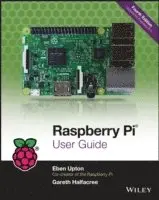
    Raspberry Pi User Guide

    AvEben Upton,Gareth Halfacree

    Häftad, Engelska, 2016

    223 kr

    Beställningsvara. Skickas inom 5-8 vardagar. Fri frakt över 249 kr.

    Beskrivning

    Learn the Raspberry Pi 3 from the experts!  Raspberry Pi User Guide, 4th Edition is the "unofficial official" guide to everything Raspberry Pi 3. Written by the Pi's creator and a leading Pi guru, this book goes straight to the source to bring you the ultimate Raspberry Pi 3 manual. This new fourth edition has been updated to cover the Raspberry Pi 3 board and software, with detailed discussion on its wide array of configurations, languages, and applications. You'll learn how to take full advantage of the mighty Pi's full capabilities, and then expand those capabilities even more with add-on technologies. You'll write productivity and multimedia programs, and learn flexible programming languages that allow you to shape your Raspberry Pi into whatever you want it to be. If you're ready to jump right in, this book gets you started with clear, step-by-step instruction from software installation to system customization.The Raspberry Pi's tremendous popularity has spawned an entire industry of add-ons, parts, hacks, ideas, and inventions. The movement is growing, and pushing the boundaries of possibility along with it—are you ready to be a part of it? This book is your ideal companion for claiming your piece of the Pi. Get all set up with software, and connect to other devicesUnderstand Linux System Admin nomenclature and conventionsWrite your own programs using Python and ScratchExtend the Pi's capabilities with add-ons like Wi-Fi dongles, a touch screen, and moreThe credit-card sized Raspberry Pi has become a global phenomenon. Created by the Raspberry Pi Foundation to get kids interested in programming, this tiny computer kick-started a movement of tinkerers, thinkers, experimenters, and inventors. Where will your Raspberry Pi 3 take you? The Raspberry Pi User Guide, 3rd Edition is your ultimate roadmap to discovery.

    Produktinformation

    • Utgivningsdatum:2016-09-02
    • Mått:188 x 234 x 25 mm
    • Vikt:522 g
    • Format:Häftad
    • Språk:Engelska
    • Antal sidor:320
    • Upplaga:4
    • Förlag:John Wiley & Sons Inc
    • ISBN:9781119264361

    Utforska kategorier

    • Hårdvara inom Data och IT
    • Programmeringsböcker inom Data och IT

    Mer om författaren

    Eben Upton is the co-creator of the Raspberry Pi board, and the co-founder of the UK nonprofit Raspberry Pi Foundation. Gareth Halfacree is a veteran tech author and an expert on the Raspberry Pi.

    Innehållsförteckning

    • Introduction 1Programming is Fun! 1A Bit of History 3So What Can You Do with the Raspberry Pi? 8Part I The Board 11Chapter 1 Meet the Raspberry Pi 13A Trip Around the Board 13Model A/B 16Model A+/B+ 16Raspberry Pi 2 17Raspberry Pi 3 18Raspberry Pi Zero 19A Bit of Background 20ARM Versus x86 20Windows Versus Linux 21Chapter 2 Getting Started with the Raspberry Pi 23Connecting a Display 23Composite Video 24HDMI Video 25DSI Video 26Connecting Audio 26Connecting a Keyboard and Mouse 27Installing NOOBS on an SD Card 29Connecting External Storage 30Connecting the Network 31Wired Networking 32Wireless Networking 33Connecting Power 34Installing the Operating System 35Installing Using NOOBS 35Installing Manually 37Connecting Bluetooth Devices 41Chapter 3 Linux System Administration 43Linux: An Overview 43Linux Basics 46Introducing Raspbian 46About Raspbian’s Parent, Debian 51Alternatives to Raspbian 51Using External Storage Devices 52Creating a New User Account 54File System Layout 54Logical Layout 55Physical Layout 57Installing and Uninstalling Software 57Managing Software Graphically 57Managing Software at the Command Line 58Finding the Software You Want 60Installing Software 61Uninstalling Software 62Upgrading Software 62Shutting the Pi Down Safely 63Chapter 4 Troubleshooting 65Keyboard and Mouse Diagnostics 65Power Diagnostics 66Display Diagnostics 68Boot Diagnostics 69Network Diagnostics 69Chapter 5 Network Configuration 73Wired Networking 73Connecting to a Wired Network via the GUI 73Connecting to a Wired Network via the Console 75Testing Your Connectivity 76Wireless Networking 76Connecting to a Wireless Network via the GUI 77Connecting to a Wireless Network via the Console 79Chapter 6 The Raspberry Pi Configuration Tool 85Running the Tool 85The System Tab 86Filesystem 86Password 87Hostname 88Boot 88Auto Login 88Network at Boot 89Overscan 89Rastrack 89The Interfaces Tab 90Camera 91SSH 91SPI 91I2C 91Serial 911-Wire 92Performance 92Overclock 92GPU Memory 94Localisation 94Locale 94Timezone 96Keyboard 96Chapter 7 Advanced Raspberry Pi Configuration 99Editing Configuration Files via NOOBS 99Hardware Settings: config.txt 101Modifying the Display 102Boot Options 105Overclocking the Raspberry Pi 106Disabling L2 Cache 110Enabling Test Mode 110Memory Partitioning 111Software Settings: cmdline.txt 112Part II Building a Media Centre or Productivity Machine 115Chapter 8 The Pi as a Home Theatre PC 117Playing Music at the Console 117Dedicated HTPC with OSMC 119Streaming Internet Media 122Streaming Local Network Media 123Configuring OSMC 124Chapter 9 The Pi as a Productivity Machine 127Using Cloud-Based Apps 127Using LibreOffice 130Image Editing with the Gimp 131Part III Programming the Pi 135Chapter 10 An Introduction to Scratch 137Introducing Scratch 137Example 1: Hello World 138Example 2: Animation and Sound 141Example 3: A Simple Game 144Interfacing Scratch with Hardware .149Further Reading 152Chapter 11 An Introduction to Python 153Introducing Python 153Example 1: Hello World 154Example 2: Comments, Inputs, Variables, and Loops 159Example 3: Gaming with pygame 164Example 4: Python and Networking 172Further Reading 179Chapter 12 Minecraft Pi Edition 181Introducing Minecraft Pi Edition 181Installing Minecraft 182Running Minecraft 182Exploration 184Hacking Minecraft 185Part IV Hardware Hacking 191Chapter 13 Learning to Hack Hardware 193Electronic Equipment 193Reading Resistor Colour Codes 195Sourcing Components 197Online Sources 197Offline Sources 198Hobby Specialists 199Moving Up from the Breadboard 199A Brief Guide to Soldering 202Chapter 14 The GPIO Port 207Identifying Your Board Revision 207GPIO Pinout Diagrams 208GPIO Features 210UART Serial Bus 211I2C Bus 211SPI Bus 211Using the GPIO Port in Python 212GPIO Output: Flashing an LED 212GPIO Input: Reading a Button 216Soldering the Raspberry Pi Zero’s GPIO Header 220Chapter 15 The Raspberry Pi Camera Module 223Why Use the Camera Module? 224Choosing a Camera Module 224Installing the Camera Module 225Enabling Camera Mode 228Capturing Stills 230Recording Video 232Command-Line Time-Lapse Photography 233Chapter 16 Add-On Hardware 237Official Raspberry Pi Case 238Installation 239Raspberry Pi 7" Touchscreen Display 240Installation 241Sense HAT 244Installation 245Programming the Sense HAT 247Part V Appendixes 251Appendix A Python Recipes 253Raspberry Snake (Chapter 11, Example 3) 253IRC User List (Chapter 11, Example 4) 255GPIO Input and Output (Chapter 14) 257Appendix B Raspberry Pi Camera Module Quick Reference 259Shared Options 259Raspistill Options 264Raspivid Options 266Appendix C HDMI Display Modes 269Index 277