• Fri frakt över 249 kr
  • •
  • Snabba leveranser
  • •
  • Billiga böcker
Kundservice

Du är på sajten för privatpersoner.

Företag, bibliotek eller offentlig verksamhet?

Du handlar på classic.bokus.com, där alla dina funktioner finns intakta.
Till classic.bokus.com
Bokus logotyp. Gå till startsidan.
  • Erbjudanden
  • Nyheter
  • Student
  • Topplistor
  • Barn & ungdom
  • Bokus Play
  • E-böcker
  • Pocketböcker
  • Spel & pussel

10% rabatt på allt med kod: NYSTART10 →

Sidfot

Mina sidor

    Hjälp

    • Kundservice
    • Vanliga frågor och svar
    • Frakt och leverans
    • Retur vid ångerrätt
    • Reklamera vara
    • Betalning
    • Köpvillkor
    • Allmänna villkor
    • Information om webbplatsens tillgänglighet

    Om Bokus

    • Om oss
    • Pressrum
    • För studenter
    • För företag
    • För bibliotek och offentlig verksamhet
    • För leverantörer
    • Hållbarhet

    Populärt

    • Aktuella erbjudanden
    • Presentkort
    • Studentlitteratur
    • Nya böcker
    • Topplistor
    • Signerade böcker
    • Engelska böcker

    Inspiration

    • Boktips
    • BookTok
    • Populära bokserier
    • Barnbokskaraktärer
    • Populära författare
    Logotyp för Bokus
    Följ oss på Facebook (extern länk)Följ oss på Instagram (extern länk)Följ oss på YouTube (extern länk)Följ oss på TikTok (extern länk)
    bokus @ CookiesAnpassa cookiesIntegritetspolicyKöpvillkor
    Till Citymail hemsida (extern länk)Till Budbee hemsida (extern länk)Till Postnord hemsida (extern länk)Till Schenker hemsida (extern länk)Till Early Bird hemsida (extern länk)Till Walleys hemsida (extern länk)
    1. Data och IT
    2. Hårdvara

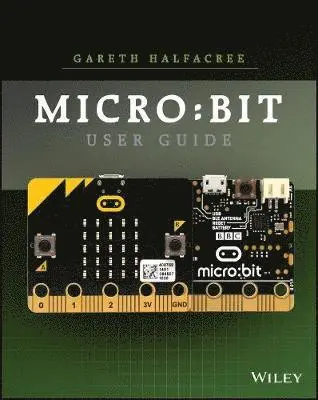
    Official BBC micro:bit User Guide

    AvGareth Halfacree

    Häftad, Engelska, 2017

    193 kr

    Beställningsvara. Skickas inom 5-8 vardagar. Fri frakt över 249 kr.

    Fler format och utgåvor

    E-bok

    232 kr

    E-bok

    232 kr

    Beskrivning

    The go-to guide to getting started with the BBC micro:bit and exploring all of its amazing capabilities.The BBC micro:bit is a pocket-sized electronic development platform built with education in mind. It was developed by the BBC in partnership with major tech companies, communities, and educational organizations to provide kids with a fun, easy, inexpensive way to develop their digital skills. With it, kids (and grownups) can learn basic programming and coding while having fun making virtual pets, developing games, and a whole lot more.Written by internationally bestselling tech author Gareth Halfacree and endorsed by the Micro:bit Foundation, The Official BBC micro:bit User Guide contains what you need to know to get up and running fast with the BBC micro:bit. Learn everything from taking your first steps with the BBC micro:bit to writing your own programs. You'll also learn how to expand its capabilities with add-ons through easy-to-follow, step-by-step instructions. Set up your BBC micro:bit and develop your digital skillsWrite code in JavaScript Blocks, JavaScript, and PythonDiscover the BBC micro:bit’s built-in sensorsConnect the BBC micro:bit to a Raspberry Pi to extend its capabilitiesBuild your own circuits and create hardwareThe Official BBC micro:bit User Guide is your go-to source for learning all the secrets of the BBC micro:bit. Whether you're just beginning or have some experience, this book allows you to dive right in and experience everything the BBC micro:bit has to offer.

    Produktinformation

    • Utgivningsdatum:2017-12-01
    • Mått:185 x 231 x 18 mm
    • Vikt:454 g
    • Format:Häftad
    • Språk:Engelska
    • Antal sidor:320
    • Förlag:John Wiley & Sons Inc
    • ISBN:9781119386735

    Utforska kategorier

    • Hårdvara inom Data och IT

    Mer om författaren

    GARETH HALFACREE is the author of the Raspberry Pi User Guide and an expert in educational and embedded computing. A noted technology journalist and long-time tech author, Gareth also has an extensive background in computing education.

    Innehållsförteckning

    • Foreword xiIntroduction xiiiPart IChapter 1 Meet the BBC micro:bit 3A Tour of the Board 3Breaking It Down 5Display 6Buttons 7Processor 8Radio 9Accelerometer 10Compass 11Input-Output Pins 12Micro-USB Port 13Battery Connector 14Chapter 2 Getting Started with the BBC micro:bit 17Handling the BBC micro:bit 17Powering the BBC micro:bit 18USB Power 18Battery Power 20Greetings from the BBC micro:bit 23Signs of Life 24Testing the Buttons 24Motion Gaming 24Get Coding 25Resetting the BBC micro:bit 25Chapter 3 Programming the BBC micro:bit 27USB Connectivity 27Drag-and-Drop 29Automatic Flashing 31The Code Editor 32Downloading Your Program 33About Flash Memory 38Part IIChapter 4 Programming Languages 41About Programming Languages 41The Three Main BBC micro:bit Languages 42JavaScript Blocks 43JavaScript 44Python 45Comparing Programming Languages 46Choosing a Programming Language 48Other Programming Languages 49Chapter 5 JavaScript Blocks 51Introducing the JavaScript Blocks Editor 51Program 1: ‘Hello, World!’ 54Loops 57Program 2: Button Inputs 58Multiple Buttons 60Program 3: Touch Inputs 61Variables 62Program 4: The Temperature Sensor 65Formatting the Output 67Program 5: The Compass Sensor .67Program 6: The Accelerometer Sensor 70Delays 73Reading Raw Accelerometer Data 74Program 7: The Fruit Catcher Game 76The Setup 77The Main Program Loop 78Conditional Loops 80Conditional Statements 82The Control Events 84Further Steps 86Chapter 6 JavaScript 87Introducing the JavaScript Editor 88Program 1: ‘Hello, World!’ 90Loops 93Program 2: Button Inputs 94Multiple Buttons 97Program 3: Touch Inputs 98Variables 99Program 4: The Temperature Sensor 102Formatting the Output 104Program 5: The Compass Sensor 104Program 6: The Accelerometer Sensor 107Delays 109Reading Raw Accelerometer Data 110Program 7: The Fruit Catcher Game 112The Setup 113The Main Program Loop 115The Conditional Loops 116The Conditional Statements 117The Control Events 120Further Steps 123Chapter 7 Python 125Introducing the Python Editor 126Program 1: ‘Hello, World!’ 128Loops 132Program 2: Button Inputs 133Multiple Buttons 136Program 3: Touch Inputs 137Variables 138Program 4: The Temperature Sensor 141Formatting the Output 142Program 5: The Compass Sensor 143Program 6: The Accelerometer Sensor 145Delays 147Reading Raw Accelerometer Data 148Program 7: The Fruit Catcher Game 150The Setup 150The Main Program Loop 153Conditional Loops 154Conditional Statements 155Drawing the Sprites 156Finishing the Program 157Further Steps 160Part IIIChapter 8 The Wireless BBC micro:bit 163The BBC micro:bit Radio 163Program 1: One-to-One Communication 164Program 2: One-to-Many Communication 167Program 3: Radio Groups 169Testing the Group Feature 171Using the BBC micro:bit with a Smartphone or Tablet 173Chapter 9 The BBC micro:bit and the Raspberry Pi 175About the Raspberry Pi 176Connecting the Raspberry Pi to the BBC micro:bit 177Reading from the BBC micro:bit 180Using the BBC micro:bit Display 186Practical Example: A CPU Monitor 189Chapter 10 Building Circuits 193Electronic Equipment 194The Input-Output Pins 196The Large Pins 197The Small Pins 199Serial Peripheral Interface (SPI) 201Inter-Integrated Circuit (I2C) 201Universal Asynchronous Receiver/Transmitter (UART) 201Your First Circuits 202Reading from a Button Input 202Reading Resistor Colour Codes 205Writing to an LED Output 207Fading an LED via PWM 211Reading an Analogue Input 213Chapter 11 Extending the BBC micro:bit 217Extending via Breakout Boards 217Kitronik Edge Connector Breakout Board 218ScienceScope Micro:bit Breakout Board 219Proto-Pic Bread:Bit 220Proto-Pic Exhi:Bit 220Robotics and the BBC micro:bit 222Kitronik Line-Following Buggy 222Kitronik Motor Driver Board 223Technology Will Save Us Micro:Bot 2244tronix Bit:Bot 225BinaryBots 226Other BBC micro:bit Add-Ons 227Kitronik Mi:Power 227Proto-Pic Micro:Pixel Board 228Proto-Pic Simon:Says Board 2294tronix Bit:2:Pi Board 230Kitronik Mi:Pro Protector and Mi:Power Cases 231Chapter 12 The Wearable BBC micro:bit 233Advantages of the Wearable BBC micro:bit 234Conductive Thread 235Using Conductive Thread 237The Rain-Sensing Hat 241Building the Hat 242Mounting the BBC micro:bit 244The Rain-Sensing Program 245Battery Power 246Chapter 13 Additional Resources 249The Micro:bit Educational Foundation 249Official Teaching Resources 251Third-Party Teaching Resources 252The Institution of Engineering and Technology 252Computing At School 253Micro:bit for Primary Schools 253TES Magazine 255Code Clubs 256Part IVAppendix A JavaScript Blocks Recipes 259Appendix B JavaScript Recipes 267Appendix C Python Recipes 275Appendix D Pin-Out Listing 285Index 289