• Fri frakt över 249 kr
  • •
  • Snabba leveranser
  • •
  • Billiga böcker
Kundservice

Du är på sajten för privatpersoner.

Företag, bibliotek eller offentlig verksamhet?

Du handlar på classic.bokus.com, där alla dina funktioner finns intakta.
Till classic.bokus.com
Bokus logotyp. Gå till startsidan.
  • Erbjudanden
  • Nyheter
  • Student
  • Topplistor
  • Barn & ungdom
  • Bokus Play
  • E-böcker
  • Pocketböcker
  • Spel & pussel

10% rabatt på allt med kod NYSTART10 →

Sidfot

Mina sidor

    Hjälp

    • Kundservice
    • Vanliga frågor och svar
    • Frakt och leverans
    • Retur vid ångerrätt
    • Reklamera vara
    • Betalning
    • Köpvillkor
    • Allmänna villkor
    • Information om webbplatsens tillgänglighet

    Om Bokus

    • Om oss
    • Pressrum
    • För studenter
    • För företag
    • För bibliotek och offentlig verksamhet
    • För leverantörer
    • Hållbarhet

    Populärt

    • Aktuella erbjudanden
    • Presentkort
    • Studentlitteratur
    • Nya böcker
    • Topplistor
    • Signerade böcker
    • Engelska böcker

    Inspiration

    • Boktips
    • BookTok
    • Populära bokserier
    • Barnbokskaraktärer
    • Populära författare
    Logotyp för Bokus
    Följ oss på Facebook (extern länk)Följ oss på Instagram (extern länk)Följ oss på YouTube (extern länk)Följ oss på TikTok (extern länk)
    bokus @ CookiesAnpassa cookiesIntegritetspolicyKöpvillkor
    Till Citymail hemsida (extern länk)Till Budbee hemsida (extern länk)Till Postnord hemsida (extern länk)Till Schenker hemsida (extern länk)Till Early Bird hemsida (extern länk)Till Walleys hemsida (extern länk)
    1. Data och IT
    2. Digital livsstil och datorspel

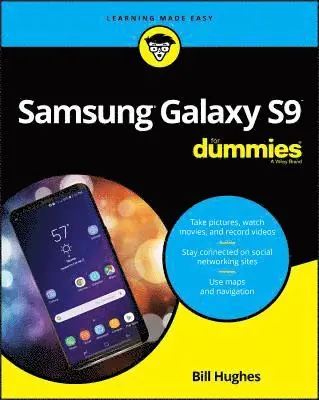
    Samsung Galaxy S9 For Dummies

    AvBill Hughes

    Häftad, Engelska, 2018

    302 kr

    Beställningsvara. Skickas inom 3-6 vardagar. Fri frakt över 249 kr.

    Fler format och utgåvor

    E-bok

    233 kr

    E-bok

    232 kr

    Beskrivning

    The bestselling guide to getting the most out of your Android Samsung Galaxy S9 Samsung Galaxy S9 For Dummies documents all the features and capabilities of this popular smartphone, approaching them from the point of view of a user who is perhaps a bit baffled by the documentation and online support that comes with the phone. All aspects of the device are covered, from setup and configuration, to extensive use of the new features and capabilities.Whether you’re looking for approachable guidance on the basics like texting, e-mailing, and accessing the internet, or more advanced topics like downloading apps, synching with a PC, and expanding the phone’s potential with new software releases, this trusted resource covers it all. Take pictures, watch movies, and record videosUse maps and navigationStay connected on social networking sitesMake sense of software updates You’ll want to keep this book close by, referring to it often as you explore the features and functions of your new Samsung Galaxy S9 smartphone.

    Produktinformation

    • Utgivningsdatum:2018-08-10
    • Mått:183 x 234 x 23 mm
    • Vikt:445 g
    • Format:Häftad
    • Språk:Engelska
    • Antal sidor:336
    • Förlag:John Wiley & Sons Inc
    • ISBN:9781119502906

    Utforska kategorier

    • Digital livsstil och datorspel inom Data och IT

    Mer om författaren

    Bill Hughes is a veteran marketing strategy executive who has worked for Xerox, Microsoft, IBM, General Electric, Motorola, and US West Cellular. He has led initiatives to develop new products and solutions and has written articles for several wireless industry trade magazines, as well as for USA Today and Forbes.

    Innehållsförteckning

    • Introduction 1About This Book 2Foolish Assumptions 3Icons Used in This Book 3Beyond the Book 4Where to Go from Here 4Part 1: Getting Started with the Samsung Galaxy S9 5Chapter 1: Exploring What You Can Do with Your Phone 7Discovering the Basics of Your Phone 7Taking Your Phone to the Next Level: The Smartphone Features 8Internet access 9Photos 9Wireless email 10Multimedia 11An intelligent agent 11Customizing Your Phone with Games and Applications 11Downloading games 11Downloading applications 12What’s cool about the Android platform 12Surviving Unboxing Day 13Chapter 2: Beginning at the Beginning 17First Things First: Turning On Your Phone 17Charging Your Phone and Managing Battery Life 20Navigating the Galaxy S9 25The phone’s hardware buttons 25The touchscreen 29The extended Home screen 33The notification area and screen 38The Device Function keys 40The keyboard 41The orientation of the phone 42Going to Sleep Mode/Turning Off the Phone 43Part 2: Communicating with Other People 45Chapter 3: Calling People 47Making Calls 47Answering Calls 52Keeping Track of Your Calls: The Call List 54Making an Emergency Call: The 411 on 911 56Syncing a Bluetooth Headset 57Options Other than Headsets 59Chapter 4: Discovering the Joy of Text 61Sending the First Text Message 61Carrying on a Conversation via Texting 66Sending an Attachment with a Text 68Receiving Text Messages 69Managing Your Text History 69Chapter 5: Sending and Receiving Email 71Setting Up Your Email 71Getting ready 72Setting up your existing Gmail account 73Setting up a new Gmail account 75Working with non-Gmail email accounts 77Setting up a corporate email account 82Reading Email on Your Phone 85Writing and Sending Email 86Replying To and Forwarding Email 88Chapter 6: Managing Your Contacts 91Using the Galaxy S9 Contacts App 92Learning the Contacts App on your phone 92Deciding where to store your contacts 94Linking Contacts on your phone 98Creating Contacts within Your Database 101Adding contacts as you dial 102Adding contacts manually 104How Contacts Make Life Easy 104Playing Favorites 106Part 3: Living On the Internet 107Chapter 7: You’ve Got the Whole (Web) World in Your Hands 109Starting the Browser 110Accessing Mobile (or Not) Websites 112Choosing Your Search Engine 114Deciding Between Mobile Browsing and Mobile Apps 117Chapter 8: Playing in Google’s Play Store 119Exploring the Play Store: The Mall for Your Phone 120Getting to the Store 120Seeing What’s Available: Shopping for Android Apps 122Navigating the Google Play home page 123Navigating the Google Play games page 125Installing and Managing an Android App 127Downloading the Facebook app 127Creating a Facebook account 132Rating or Uninstalling Your Apps 134Part 4: Having Fun with Your Phone 139Chapter 9: Sharing Pictures 141Say Cheese! Taking a Picture with Your Phone 142Getting a Little Fancier with Your Camera 150The Photography Mode settings 151Settings options on the viewfinder 152Photo Effects options 155The Digital Camcorder in Your Pocket 156Starting the camcorder 156Taking and sharing videos with your camcorder 157Managing Your Photo Images 157Using Images on Your Phone 158Deleting Images on Your Phone 159Chapter 10: Playing Games 161The Play Store Games Category 162The Games Home screen 163The Games Categories tab 164Leaving Feedback on Games 167Chapter 11: Mapping Out Where You Want to Be 171GPS 101: First Things First 172Practically Speaking: Using Maps 173Changing map scale 174Finding nearby services 176Getting and Using Directions 179Upgrading Your Navigation 182Chapter 12: Playing Music and Videos 185Being Mindful of Carrier Quirks 186Getting Ready to Be Entertained 186Choosing your headset 187Wired headsets 187Choosing your Bluetooth speaker 189Connecting to your stereo 190Licensing Your Multimedia Files 191Listening up on licensing 191Licensing for videos 192Using the Full Capacity of Your SD Card 192Enjoying Basic Multimedia Capabilities 194Grooving with the Play Music app 194Playing downloaded music 198Jamming to Internet Radio 203Looking at your video options 205Part 5: Getting Down to Business 213Chapter 13: Using the Calendar 215Syncing Calendars 215Setting Calendar Display Preferences 217Setting Other Display Options 220Creating an Event on the Right Calendar 222Creating, editing, and deleting an event 222Keeping events separate and private 224Chapter 14: Talking with Bixby 227Bringing Up Bixby 228Visualizing What You Can Do with Bixby Vision 233Blabbing with Bixby 236Look Ma! No Hands! 237Setting Up Bixby for Your Voice 237Dictating a Text 238Preparing to Work with Bixby 239Chapter 15: Paying with Samsung Pay 243How Mobile Payment Works 244Getting Started with Samsung Pay 246Setting Up Samsung Pay 248Using Samsung Pay 253Managing Samsung Pay 255Part 6: The Part of Tens 257Chapter 16: Ten Ways to Make Your Phone Totally Yours 259Using a Bluetooth Speaker 260Cruising in the Car 261Considering Wireless Charging Mats 263Making a Statement with Wraps 264You Look Wonderful: Custom Screen Images 265Empowering Power Savings 267Controlling Your Home Electronics 268Wearing Wearables 268Using Your Phone as a PC 269Creating Your Own AR Emoji 270Chapter 17: Ten (Or So) Ways to Make Your Phone Secure 273Using a Good Case and Screen Cover 274Putting It on Lockdown 276Preparing for your Screen Lock option 278Selecting among the Screen Lock options 278Entering your fingerprints 279Entering your face and/or iris 282Encrypting Your SD Card 283Using Knox to Make Your Phone as Secure as Fort Knox 284Being Careful with Bluetooth 285Protecting Against Malware 287Downloading Apps Only from Reputable Sources 287Rescuing Your Phone When It Gets Lost 288Wiping Your Device Clean 289Chapter 18: Ten Features to Look for Down the Road 291Always-on Personal “Dash-cam” 291Home IoT Services to Differentiate Real Estate 292New Delivery Concepts 292Smarter Customer Care for Your Phone 293Smartphone as Entertainment Hub 294Driving in Your Car 294Serving You Better 295Placing You Indoors 296Better 911 Services 296Less Worry about Charging 297Index 299