• Fri frakt över 249 kr
  • •
  • Snabba leveranser
  • •
  • Billiga böcker
Kundservice

Du är på sajten för privatpersoner.

Företag, bibliotek eller offentlig verksamhet?

Du handlar på classic.bokus.com, där alla dina funktioner finns intakta.
Till classic.bokus.com
Bokus logotyp. Gå till startsidan.
  • Erbjudanden
  • Student
  • Topplistor
  • Barn & ungdom
  • Bokus Play
  • E-böcker
  • Ljudböcker
  • Pocketböcker
  • Spel och pussel

Pocketfynda! Hundratals böcker för 49 kr/st →

Sidfot

Mina sidor

    Hjälp

    • Kundservice
    • Vanliga frågor och svar
    • Frakt och leverans
    • Retur vid ångerrätt
    • Reklamera vara
    • Betalning
    • Köpvillkor
    • Allmänna villkor
    • Information om webbplatsens tillgänglighet

    Om Bokus

    • Om oss
    • Pressrum
    • För studenter
    • För företag
    • För bibliotek och offentlig verksamhet
    • För leverantörer
    • Hållbarhet

    Populärt

    • Aktuella erbjudanden
    • Presentkort
    • Studentlitteratur
    • Nya böcker
    • Topplistor
    • Signerade böcker
    • Engelska böcker

    Inspiration

    • Boktips
    • BookTok
    • Barnbokskaraktärer
    • Populära författare
    Logotyp för Bokus
    Följ oss på Facebook (extern länk)Följ oss på Instagram (extern länk)Följ oss på YouTube (extern länk)Följ oss på TikTok (extern länk)
    bokus @ CookiesAnpassa cookiesIntegritetspolicyKöpvillkor
    Till Citymail hemsida (extern länk)Till Budbee hemsida (extern länk)Till Postnord hemsida (extern länk)Till Schenker hemsida (extern länk)Till Early Bird hemsida (extern länk)Till Walleys hemsida (extern länk)
    1. Data och IT
    2. It-certifieringar

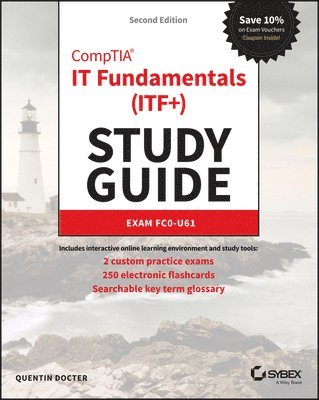
    CompTIA IT Fundamentals (ITF+) Study Guide

    Exam FC0-U61

    AvQuentin Docter

    Häftad, Engelska, 2018

    Del 2 i serien Sybex Study Guide

    539 kr

    Beställningsvara. Skickas inom 3-6 vardagar. Fri frakt över 249 kr.

    Fler format och utgåvor

    E-bok

    460 kr

    E-bok

    460 kr

    Beskrivning

    NOTE: The name of the exam has changed from IT Fundamentals to IT Fundamentals+ (ITF+). However, the FC0-U61 exam objectives are exactly the same. After the book was printed with IT Fundamentals in the title, CompTIA changed the name to IT Fundamentals+ (ITF+). We have corrected the title to IT Fundamentals+ (ITF+) in subsequent book printings, but earlier printings that were sold may still show IT Fundamentals in the title. Please rest assured that the book content is 100% the same.The ultimate study guide for the essential entry-level IT cert!The CompTIA IT Fundamentals Study Guide: Exam FC0-U61, Second Edition is your ideal companion for comprehensive exam preparation. Covering 100 percent of the latest exam objectives, this book contains everything you need to know to pass with flying colors—the first time! Clear, concise language breaks down fundamental IT concepts to help you truly grasp important concepts, and practical examples illustrate how each new skill is applied in real-world situations. You’ll learn your way around hardware and software, conduct installations, and connect to networks to get a workstation up and running smoothly; you’ll also develop the knowledge base needed to identify compatibility and security issues, mitigate risks, and conduct all-important preventative maintenance that keeps the end-user problem-free.The CompTIA IT Fundamentals certification validates your skills as a systems support specialist, and gets your foot in the door to a successful IT career. This book is your ultimate preparation resource, with expert guidance backed by online tools to take your preparation to the next level! Master 100 percent of Exam FC0-U61 objectivesLearn real-world applications and practical on-the-job skillsKnow what to expect with exam highlights and review questionsIncludes 1 year free access to Sybex's online study tools including flashcards, chapter tests, and a practice exam, all supported by Wiley's support agents who are available 24x7 via email or live chat to assist with access and login questionsThe IT department is instrumental in keeping any organization on its feet. As support staff, you will be called upon to assess and repair common problems, set up and configure workstations, address individual issues, and much more. If you decide to continue on to more advanced IT positions, the CompTIA IT Fundamentals certification is a great springboard; if you’re ready to launch your career, the CompTIA IT Fundamentals Study Guide offers complete, practical prep to help you face the exam with confidence.

    Produktinformation

    • Utgivningsdatum:2018-12-04
    • Mått:188 x 231 x 38 mm
    • Vikt:953 g
    • Format:Häftad
    • Språk:Engelska
    • Serie:Sybex Study Guide
    • Antal sidor:672
    • Upplaga:2
    • Förlag:John Wiley & Sons Inc
    • ISBN:9781119513124

    Utforska kategorier

    • It-certifieringar inom Data och IT

    Mer om författaren

    QUENTIN DOCTER, A+, MCSE, CNE, CCNA, SCSA, has spent more than 17 years in the IT field. His experience includes technician, network administrator, consultant, trainer, author, and web developer. He is presently an IT consultant and well-respected author.

    Innehållsförteckning

    • Introduction xxiAssessment Test xxxiChapter 1 Core Hardware Components 1Introducing Internal Components 3Exploring Motherboards, Processors, and Memory 4Motherboards 4Processors 22Memory 27Exploring Storage and Expansion Devices 33Hard Drives 33Optical Drives 42Video Cards 43Sound Cards 45Network Cards 46Modems 47Exploring Power and Cooling 48Power Supplies 48Cooling Systems 52Summary 55Exam Essentials 56Chapter 1 Written Lab 56Review Questions 59Chapter 2 Peripherals and Connectors 63Understanding Common Peripherals, Interfaces, and Connectors 65Audio and Video Devices 66External Storage and Communications Connectors 80Input and Output Devices 92Understanding Installation Basics 109Reviewing Connector Types 113Summary 114Exam Essentials 115Chapter 2 Lab 116Review Questions 117Chapter 3 Computing Devices and the Internet of Things 121Exploring Common Computing Devices 123Servers and Workstations 123Laptops 125Tablets and Smartphones 132Gaming Consoles 155Understanding the Internet of Things 158A Brief History of the Internet of Things 158Consumer Uses 159Commercial Uses 162Potential Issues 165Summary 167Exam Essentials 167Chapter 3 Lab 168Review Questions 169Chapter 4 Operating Systems 173Operating System Fundamentals 175A Brief History of Operating Systems 176Basic Functions of Operating Systems 180Types of Operating Systems 185Managing an Operating System 207Managing Features and Interfaces 208Managing Folder and File Structures 229Summary 241Exam Essentials 241Chapter 4 Lab 242Review Questions 247Chapter 5 Software Applications 251Understanding Application Architecture and Installation 254Application Design Concepts 255Software Management Best Practices 260Exploring Common Application Types 276File Extensions 277Productivity Software 280Collaboration Software 285Business Software 289Utility Software 293Web Browsers 304Summary 318Exam Essentials 319Chapter 5 Lab 320Review Questions 321Chapter 6 Software Development 325Exploring Programming Languages 327Assembly Language 328Compiled Languages 333Interpreted Languages 335Query Languages 339Understanding Programming Concepts and Techniques 340Programming Logic 341Organizing Code 343Summary 347Exam Essentials 348Chapter 6 Lab 349Review Questions 350Chapter 7 Database Fundamentals 355Understanding Databases 357Exploring Database Concepts and Structures 358Working with Databases 367Summary 380Exam Essentials 380Chapter 7 Lab 381Review Questions 384Chapter 8 Networking Concepts and Technologies 389Exploring Connection Types and Features 391Choosing External Network Connections 392Choosing Internal Network Connections 403Understanding Network Connectivity Essentials 411Common Networking Devices 411Networking Protocol Basics 415TCP/IP Essentials 416Network Storage Options 424Setting Up a Wireless Network 428Basic Configuration 428Wireless Router Security 438Additional Wireless Router Services 440Summary 445Exam Essentials 445Chapter 8 Lab 446Part 1: Setting Up Your Wireless Router 446Part 2: Testing Your Neighbors 446Review Questions 447Chapter 9 Security Concepts and Threats 451Understanding Hackers and Motives 454Understanding Security Threats 457Confidentiality Concerns 458Integrity Concerns 463Availability Concerns 465Software-Based Security Threats 468Understanding Access Control 476Authentication 476Authorization 479Accounting 480Nonrepudiation 482Summary 482Exam Essentials 483Chapter 9 Lab 484Review Questions 485Chapter 10 Security Best Practices 489Understanding Security Best Practices 491Device Hardening 491Managing Users 515Using Data Encryption 520Summary 527Exam Essentials 528Chapter 10 Lab 529Review Questions 530Chapter 11 Business Continuity and Computer Support 535Understanding Business Continuity 537Fault Tolerance 537Disaster Recovery 551Exploring Computer Support Concepts 552Understanding Troubleshooting Theory 552Troubleshooting Examples 563Summary 581Exam Essentials 582Chapter 11 Lab 583Review Questions 584Appendix A Answers to Written Labs 589Chapter 1: Core Hardware Components 590Chapter 2: Peripherals and Connectors 590Chapter 3: Computing Devices and the Internet of Things 591Chapter 4: Operating Systems 592Chapter 5: Software Applications 592Chapter 6: Software Development 592Chapter 7: Database Fundamentals 593Chapter 8: Networking Concepts and Technologies 593Chapter 9: Security Concepts and Threats 594Chapter 10: Security Best Practices 594Chapter 11: Business Continuity and Computer Support 594Appendix B Answers to Review Questions 597Chapter 1: Core Hardware Components  598Chapter 2: Peripherals and Connectors  599Chapter 3: Computing Devices and the Internet of Things  600Chapter 4: Operating Systems  601Chapter 5: Software Applications  602Chapter 6: Software Development  604Chapter 7: Database Fundamentals  605Chapter 8: Networking Concepts and Technologies  606Chapter 9: Security Concepts and Threats  607Chapter 10: Security Best Practices  609Chapter 11: Business Continuity and Computer Support  610Index 613Table of ExercisesExercise 1.1 Converting Between Decimal and Other Numbering Systems. . . . . . . . . 26Exercise 1.2 Assessing Your Computer’s RAM and Virtual Memory. . . . . . . . . . . . . . . 29Exercise 1.3 Determining the Type of Installed RAM. . . . . . . . . . . . . . . . . . . . . . . . . . . . 33Exercise 1.4 Examining Hard Drives in Windows . . . . . . . . . . . . . . . . . . . . . . . . . . . . . . . 40Exercise 2.1 Adjusting a Desktop Monitor. . . . . . . . . . . . . . . . . . . . . . . . . . . . . . . . . . . . . 76Exercise 2.2 Changing the Settings for Multiple Monitors . . . . . . . . . . . . . . . . . . . . . . . 78Exercise 2.3 Changing Your Keyboard Layout in Windows 10 . . . . . . . . . . . . . . . . . . . . 95Exercise 2.4 Disabling a Touchpad in Windows 10. . . . . . . . . . . . . . . . . . . . . . . . . . . . . 100Exercise 2.5 Configuring a Mouse . . . . . . . . . . . . . . . . . . . . . . . . . . . . . . . . . . . . . . . . . . 103Exercise 2.6 Installing an IP Printer . . . . . . . . . . . . . . . . . . . . . . . . . . . . . . . . . . . . . . . . . 111Exercise 3.1 Changing Security Settings on IOS 11 . . . . . . . . . . . . . . . . . . . . . . . . . . . . 139Exercise 4.1 Creating a User Account in Windows 7 . . . . . . . . . . . . . . . . . . . . . . . . . . . 211Exercise 4.2 Creating a User Account in Windows 10 . . . . . . . . . . . . . . . . . . . . . . . . . . 213Exercise 4.3 Changing Windows User Account Control . . . . . . . . . . . . . . . . . . . . . . . . 215Exercise 4.4 Creating a Task with Task Scheduler . . . . . . . . . . . . . . . . . . . . . . . . . . . . . 220Exercise 4.5 Managing Virtual Memory in Windows 10 . . . . . . . . . . . . . . . . . . . . . . . . 227Exercise 4.6 Managing Storage Space in Windows 10 . . . . . . . . . . . . . . . . . . . . . . . . . 232Exercise 4.7 Manipulating Files in Windows 10 . . . . . . . . . . . . . . . . . . . . . . . . . . . . . . . 239Exercise 4.8 Creating a Shortcut in Windows 10 . . . . . . . . . . . . . . . . . . . . . . . . . . . . . . 240Exercise 5.1 Installing and Uninstalling Operating System Features . . . . . . . . . . . . . 264Exercise 5.2 Installing 7-Zip. . . . . . . . . . . . . . . . . . . . . . . . . . . . . . . . . . . . . . . . . . . . . . . . 266Exercise 5.3 Installing Free Applications . . . . . . . . . . . . . . . . . . . . . . . . . . . . . . . . . . . . . 266Exercise 5.4 Configuring Windows Update. . . . . . . . . . . . . . . . . . . . . . . . . . . . . . . . . . . 272Exercise 5.5 Using 7-Zip to Create an Archive . . . . . . . . . . . . . . . . . . . . . . . . . . . . . . . . 300Exercise 5.6 Downloading and Installing Adobe Acrobat Reader . . . . . . . . . . . . . . . . 304Exercise 5.7 Managing Cookies and Cache in Microsoft Edge . . . . . . . . . . . . . . . . . . . 311Exercise 5.8 Configuring the Edge Pop-Up Blocker . . . . . . . . . . . . . . . . . . . . . . . . . . . . 314Exercise 6.1 Converting Between Decimal and Other Numbering Systems. . . . . . . . 330Exercise 6.2 Creating “Hello, world!” in HTML . . . . . . . . . . . . . . . . . . . . . . . . . . . . . . . . 336Exercise 7.1 Creating a Database and Tables in Microsoft Access 2016 . . . . . . . . . . . 372Exercise 7.2 Importing Data from Excel to Access. . . . . . . . . . . . . . . . . . . . . . . . . . . . . 374Exercise 8.1 Pricing Internet Connectivity. . . . . . . . . . . . . . . . . . . . . . . . . . . . . . . . . . . . 403Exercise 8.2 The Cost of Networking . . . . . . . . . . . . . . . . . . . . . . . . . . . . . . . . . . . . . . . . 408Exercise 8.3 Finding Your IP Configuration Information in Windows 10 . . . . . . . . . . . 422Exercise 9.1 Testing Social Engineering . . . . . . . . . . . . . . . . . . . . . . . . . . . . . . . . . . . . . 461Exercise 10.1 Securing a Windows 10 PC from Unauthorized Local Use . . . . . . . . . . . 495Exercise 10.2 Starting and Stopping Services in Windows 10. . . . . . . . . . . . . . . . . . . . 505Exercise 10.3 Configuring SmartScreen in Microsoft Edge . . . . . . . . . . . . . . . . . . . . . . 512Exercise 10.4 Encrypting Local Folders in Windows 10. . . . . . . . . . . . . . . . . . . . . . . . . . 522Exercise 10.5 Backing Up a Windows Security Certificate . . . . . . . . . . . . . . . . . . . . . . . 524Exercise 11.1 Setting Up a Backup in Windows 10. . . . . . . . . . . . . . . . . . . . . . . . . . . . . . 548Exercise 11.2 Booting into Safe Mode in Windows 10. . . . . . . . . . . . . . . . . . . . . . . . . . . 566Exercise 11.3 Using System Restore in Windows 10 . . . . . . . . . . . . . . . . . . . . . . . . . . . . 567Exercise 11.4 Using the System Configuration Utility in Windows 10. . . . . . . . . . . . . . 570Exercise 11.5 Creating a Desktop Shortcut for MSCONFIG. . . . . . . . . . . . . . . . . . . . . . . 571Exercise 11.6 Running an Application in Compatibility Mode . . . . . . . . . . . . . . . . . . . . 574Exercise 11.7 Checking TCP/IP Connectivity . . . . . . . . . . . . . . . . . . . . . . . . . . . . . . . . . . . 578