• Fri frakt över 249 kr
  • •
  • Snabba leveranser
  • •
  • Billiga böcker
Kundservice

Du är på sajten för privatpersoner.

Företag, bibliotek eller offentlig verksamhet?

Du handlar på classic.bokus.com, där alla dina funktioner finns intakta.
Till classic.bokus.com
Bokus logotyp. Gå till startsidan.
  • Erbjudanden
  • Nyheter
  • Student
  • Topplistor
  • Barn & ungdom
  • Bokus Play
  • E-böcker
  • Pocketböcker
  • Spel & pussel

10% rabatt på allt med kod: NYSTART10 →

Sidfot

Mina sidor

    Hjälp

    • Kundservice
    • Vanliga frågor och svar
    • Frakt och leverans
    • Retur vid ångerrätt
    • Reklamera vara
    • Betalning
    • Köpvillkor
    • Allmänna villkor
    • Information om webbplatsens tillgänglighet

    Om Bokus

    • Om oss
    • Pressrum
    • För studenter
    • För företag
    • För bibliotek och offentlig verksamhet
    • För leverantörer
    • Hållbarhet

    Populärt

    • Aktuella erbjudanden
    • Presentkort
    • Studentlitteratur
    • Nya böcker
    • Topplistor
    • Signerade böcker
    • Engelska böcker

    Inspiration

    • Boktips
    • BookTok
    • Populära bokserier
    • Barnbokskaraktärer
    • Populära författare
    Logotyp för Bokus
    Följ oss på Facebook (extern länk)Följ oss på Instagram (extern länk)Följ oss på YouTube (extern länk)Följ oss på TikTok (extern länk)
    bokus @ CookiesAnpassa cookiesIntegritetspolicyKöpvillkor
    Till Citymail hemsida (extern länk)Till Budbee hemsida (extern länk)Till Postnord hemsida (extern länk)Till Schenker hemsida (extern länk)Till Early Bird hemsida (extern länk)Till Walleys hemsida (extern länk)
    1. Data och IT
    2. It-certifieringar

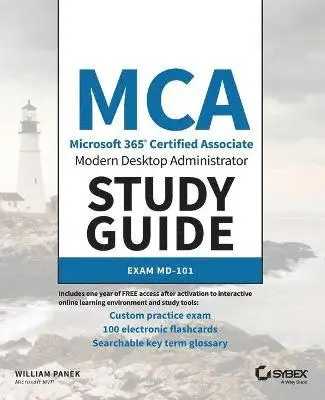
    MCA Modern Desktop Administrator Study Guide

    Exam MD-101

    AvWilliam Panek

    Häftad, Engelska, 2020

    440 kr

    Beställningsvara. Skickas inom 5-8 vardagar. Fri frakt över 249 kr.

    Fler format och utgåvor

    Häftad

    461 kr

    E-bok

    575 kr

    E-bok

    575 kr

    E-bok

    547 kr

    E-bok

    548 kr

    Beskrivning

    The must-have preparation guide for MCA Modern Desktop certification—covers the new Exam MD-101: Managing Modern Desktops!Microsoft’s Modern Desktop integrates Windows 10, Office 365, and advanced security capabilities. Microsoft 365 Certified Associate (MCA) Modern Desktop certification candidates need to be familiar with Microsoft 365 workloads and demonstrate proficiency in deploying, configuring, and maintaining Windows 10 and non-Windows devices and technologies. The new Exam MD-101: Managing Modern Desktops measures candidate’s ability to deploy and update operating systems, manage policies and profiles, manage and protect devices, and manage apps and data. Candidates are required to know how to perform a range of tasks to pass the exam and earn certification.The MCA Modern Desktop Administrator Study Guide: Exam MD-101 provides in-depth examination of the complexities of Microsoft 365. Focusing on the job role of IT administrators, this clear, authoritative guide covers 100% of the new exam objectives. Real-world examples, detailed explanations, practical exercises, and challenging review questions help readers fully prepare for the exam. Sybex's comprehensive online learning environment—in which candidates can access an assessment test, electronic flash cards, a searchable glossary, and bonus practice exams—is included to provide comprehensive exam preparation. Topics include: Planning and implementing Windows 10 using dynamic deployment and Windows AutopilotUpgrading devices to Windows 10 and managing updates and device authenticationManaging access polices, compliance policies, and device and user profilesImplementing and managing Windows Defender and Intune device enrollmentDeploying and updating applications and implementing Mobile Application Management (MAM)The move to Windows 10 has greatly increased the demand for qualified and certified desktop administrators in corporate and enterprise settings. MCA Modern Desktop Administrator Study Guide: Exam MD-101: Managing Modern Desktops is an invaluable resource for IT professionals seeking MCA certification.

    Produktinformation

    • Utgivningsdatum:2020-04-16
    • Mått:185 x 234 x 23 mm
    • Vikt:612 g
    • Format:Häftad
    • Språk:Engelska
    • Antal sidor:384
    • Förlag:John Wiley & Sons Inc
    • ISBN:9781119605942

    Utforska kategorier

    • It-certifieringar inom Data och IT

    Mer om författaren

    ABOUT THE AUTHOR WILLIAM PANEK, MCP, MCSE, MCSA, MCTS, MCITP, CCNA, is a Five-Time Microsoft MVP Winner. He has taught at Boston University, Clark University, and the University of Maryland, and presently conducts live online classes for StormWind Studios (www.stormwind.com). Will has been a consultant and trainer for the United States Secret Service, Cisco, the United States Air Force, and the United States Army. He also creates training videos to help students prepare for various Microsoft exams.

    Innehållsförteckning

    • Introduction xixAssessment Test xxxChapter 1 Installing and Updating Windows 10 1Understanding the Basics 2Windows 10 Features 7Understanding the Windows 10 Architecture 8Preparing to Install Windows 10 9Windows 10 Pro 10Windows 10 Enterprise 11Windows 10 Enterprise E3 and E5 12New Install or Upgrade? 12Disk Partitioning 16Language and Locale 17Installing Windows 10 17Performing a Clean Install of Windows 10 18Performing an Upgrade to Windows 10 26Troubleshooting Installation Problems 31Supporting Multiple-Boot Options 33Using Windows Activation 34Understanding Automated Deployment Options 35An Overview of the Microsoft Deployment Toolkit 36An Overview of Unattended Installation 41An Overview of Windows Deployment Services 43An Overview of the System Preparation Tool and Disk Imaging 46Overview of the Windows Assessment and Deployment Kit 50Summary of Windows 10 Deployment Options 51Deploying Unattended Installations 52Using the System Preparation Tool to Prepare an Installation for Imaging 53Using the Deployment Image Servicing and Management Tool 55Using Windows System Image Manager to Create Answer Files 57Deploying with Windows Autopilot 58Windows Autopilot Requirements 59Windows Autopilot Profiles 61Understanding Windows Updates 62Windows Update Process 64Using Windows Update for Business 64Summary 68Exam Essentials 68Review Questions 70Chapter 2 Managing Authentication 73Active Directory vs. Azure Active Directory 74Understanding Active Directory 74Understanding Azure Active Directory 84Managing Hybrid Networks 110Password Hash Synchronization with Azure AD 111Azure Active Directory Pass-through Authentication 111Federation with Azure AD 112Common Identity Scenarios 115Azure AD Connect 116Implementing Active Directory Federation Services 123What is a Claim? 123AD FS in Windows Server 2016 127Configuring a Web Application Proxy 129Active Directory Federation Services Installation 131Using PowerShell Commands 140Summary 145Exam Essentials 146Review Questions 148Chapter 3 Managing Devices 151Understanding File Systems 152File System Selection 153File System Conversion 155Configuring NTFS 157Configuring Disk Storage 159Basic Storage 159Dynamic Storage 160GUID Partition Table 162Cloud-Based Storage 163Using the Disk Management Utility 167Using the Microsoft Management Console 167Understanding the Disk Management Utility 171Managing Storage 185Managing Dynamic Storage 185Windows 10 Devices in Azure 187Compliance Policies 188Device Configuration Profiles 193Summary 196Exam Essentials 197Review Questions 198Chapter 4 Planning and Managing Microsoft Intune 201Managing Devices with Microsoft Intune 202Understanding Microsoft Intune Benefits 204Configuring Intune Subscriptions 205Provisioning User Accounts 207Supporting Applications 222Deploying Applications Using Intune 222Supporting Broadband Connectivity 226Understanding Data Synchronization 227Using Mobile Application Management 229Windows Information Protection 231Understanding Updates 238Deploying Software Updates Using Intune 238Using Intune Compliance Reports 243Using Intune Reports 243PowerShell Commands 244Summary 245Exam Essentials 245Review Questions 247Chapter 5 Managing Security 251Managing Windows Security 252Windows Defender Security Center 253Configuring Windows Firewall 256Understanding the Windows Defender Firewall Basics 256Windows Firewall with Advanced Security 257Managing Security 263Implementing Azure Windows Defender Advanced Threat Protection 263Understanding Windows Defender Application Guard 265Understanding Windows Defender Credential Guard 271Implementing and Managing WindowsDefender Exploit Guard 273Using Windows Defender Application Control 278Summary 278Exam Essentials 279Review Questions 280Chapter 6 Configuring Auditing 283Monitoring Windows 285Introducing Performance Monitor 285Using Other Performance-Monitoring Tools 294Monitor Cloud-Based Tools 302Monitor Azure Device Security 311Summary 314Exam Essentials 315Review Questions 316Appendix Answers to Review Questions 321Chapter 1: Installing and Updating Windows 10 322Chapter 2: Managing Authentication 322Chapter 3: Managing Devices 323Chapter 4: Planning and Managing Microsoft Intune 324Chapter 5: Managing Security 325Chapter 6: Configuring Auditing 326Index 327